

Waveform License Manager
v1.3.3Waveform Inc · 2026年10月29日 上架
License keys for software you sell. Manage keys, devices and releases in wp-admin; with WooCommerce, keys issue on purchase and revoke on refund.
- 正在使用
- 10 以下
- 评分
- 暂无
- 累计下载
- 292
- 最近更新
- 2026年10月30日
贡献者
 Waveform Inc
截图
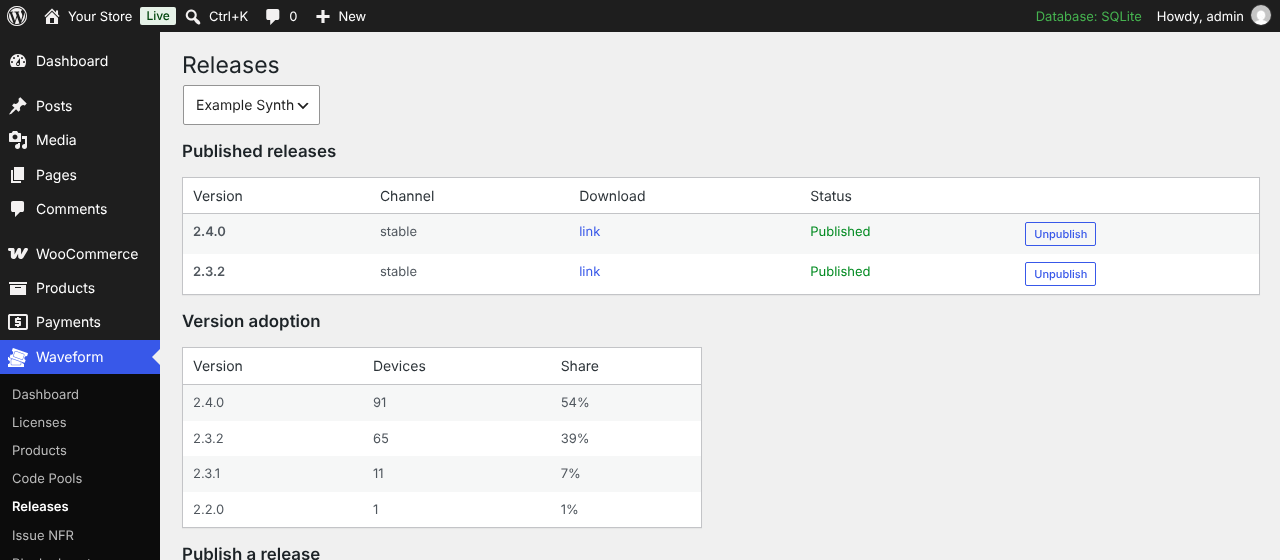
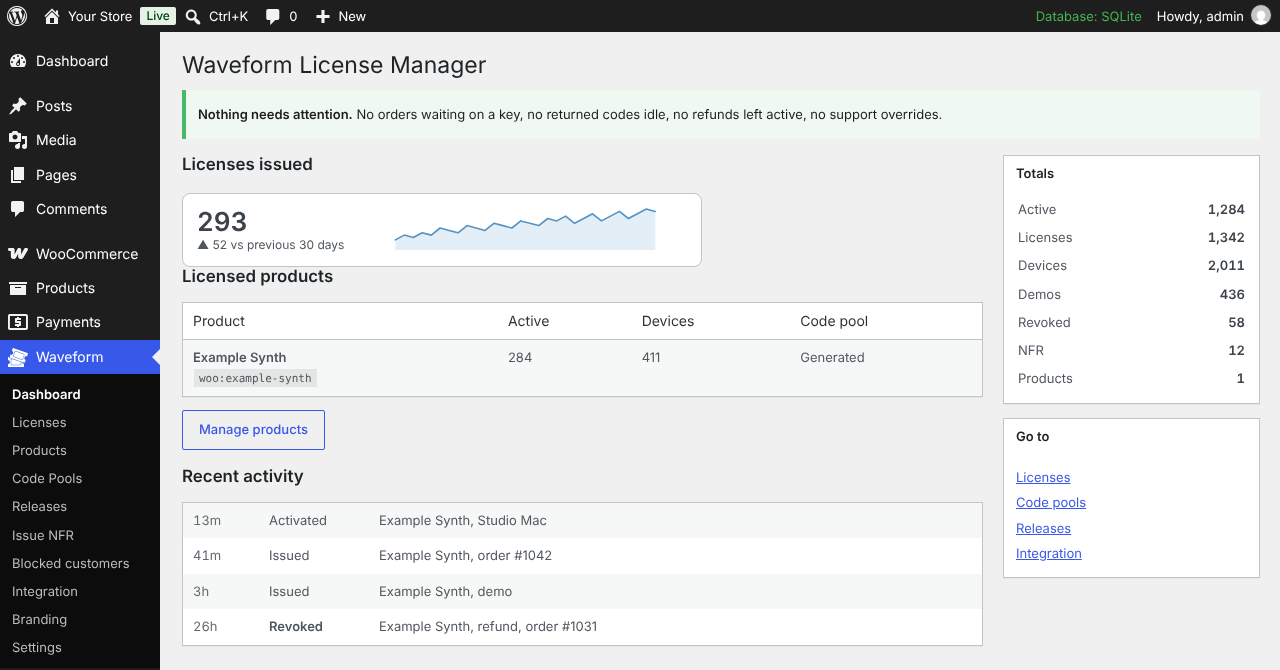
Waveform License Manager connects a WooCommerce store to the Waveform License Manager service. Every order for a licensed product gets a license key, emailed to the buyer and shown on their My Account page. A refund or cancellation revokes exactly the units it covers. Your software checks the key online or offline through the Waveform SDK or the JUCE kit.
- Licenses in wp-admin: search, view devices, release a device, grant an extra activation, revoke.
- Order dual-write: completed, refunded and canceled orders are mirrored to the service in the background (Action Scheduler), so checkout is never slowed down.
- License seats on the order screen: before you refund, see which devices still hold a seat and release them with a recorded reason.
- My Account “Licenses” tab: buyers see their keys and devices and can deactivate a device themselves.
- Products, NFR keys, branding and integration pages, all driven by one per-store API key.
- WooCommerce Subscriptions: one key per subscription, extended on every renewal instead of a new key each billing period.
- Works with HPOS (custom order tables) and the legacy order storage.
WooCommerce is optional. Without it, the plugin is a wp-admin console for your Waveform account: licenses, devices, products, code pools, releases, NFR keys, blocked customers and email branding all work, and your software activates against the API as usual. With WooCommerce active, orders issue and revoke keys automatically, the order screen shows license seats, and buyers get the My Account “Licenses” tab.
The plugin needs a Waveform License Manager account. There is a free plan. See https://waveformanager.com/ for plans.
External services
This plugin is a client for the Waveform License Manager API, run by Waveform Inc. at https://api.waveformanager.com (the URL can be changed in Settings or with the WAVEFORM_API_URL constant). It does nothing until you save an API key in Waveform Settings. After that it sends:
- When an order is completed, refunded or canceled (only if Order dual-write is on): the order and line-item ids, each licensed product’s Waveform product id and name, the buyer’s email and first name, and a reference to the buyer’s WordPress user, so the service can issue or revoke license keys and email the buyer. For WooCommerce Subscriptions it also sends the subscription id and the next payment date.
- When a buyer opens My Account Licenses (only if the buyer portal is on): the buyer’s customer reference, to list their keys; and the device id when they deactivate a device.
- When you use the Waveform admin pages: the searches and actions you take there (license key, device id, the reason you type).
- When WordPress runs a personal-data export or erasure: the buyer’s email, so their license data is included or removed.
Terms of service: https://waveformanager.com/terms/
Privacy policy: https://waveformanager.com/privacy/