

Wanderlust – Integración para Andreani y WooCommerce
v2.0.205Wanderlust Codes · 2017年3月13日 上架
NO RECOMENDADO, Andreani hoy esta pidiendo minimo 300 envios mensuales para darte credenciales REST API. Por lo tanto recomendamos OCA o Correo Argent …
- 正在使用
- 200+
- 评分
- 4.2 / 5
- 累计下载
- 1.7 万
- 最近更新
- 2024年12月12日
10 条评价需要 WordPress 5.0+已测试到 6.7.12
贡献者
 Wanderlust Codes
截图

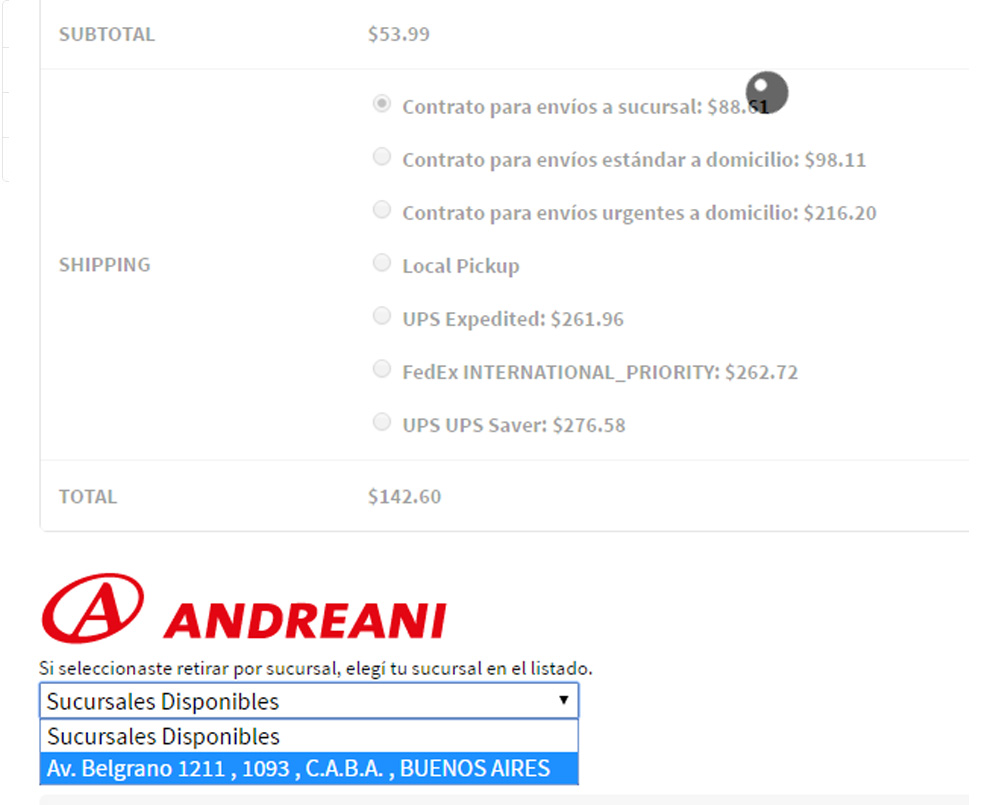
NO RECOMENDADO, Andreani hoy esta pidiendo minimo 300 envios mensuales para darte credenciales REST API. Por lo tanto recomendamos OCA o Correo Argentino. Con este plugin vas a poder obtener costos de envio para WooCommerce utilizando la API publica de Andreani.
Instalacion
- Install the WooCommerce Andreani Shipping – Plugin.
- Activate the plugin.
- Go to the WooCommerce Settings Page.
- Access Shipping Tab.
- Select “Shipping Zones” and Add Andreani.
- Check the Enable/Disable Checkbox.
- Enter the settings that you would like you to use.
- Enter the dimensions of the products, (Andreani uses this to determine suitability of products).
Future Plans
Nothing yet.