WakeChef Cook Mode – Keep Screen Awake for Recipes
v1.1.3Ali Nawaz · 2026年10月28日 上架
Cook mode for recipes: keeps screens awake and opens a free step-by-step Cook view. Works with WP Recipe Maker, Tasty Recipes and any recipe card.
- 正在使用
- 10 以下
- 评分
- 暂无
- 累计下载
- 549
- 最近更新
- 2026年11月19日
贡献者
 Ali Nawaz
截图


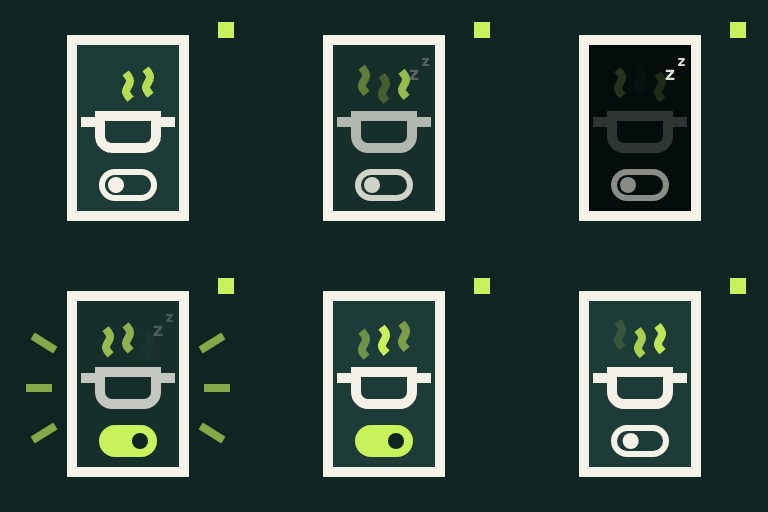
Nothing is more frustrating than a phone screen going dark with flour on your hands. WakeChef Cook Mode adds a simple toggle to your recipes. When a reader switches it on, their screen stays awake until they switch it off or leave the page.
New: a step-by-step Cook view, free
A Start cooking button opens the recipe full screen, built for a phone propped up on the counter:
- Ingredients with checkboxes to tick off as you gather them.
- One step at a time in large text, with Next and Previous buttons, arrow keys, or a swipe.
- Recipe sections such as “For the sauce” shown above each step.
- Four text sizes, and a dark version when the phone is in dark mode.
- The screen stays awake while the Cook view is open.
- Progress is remembered if the reader leaves the page and comes back.
Free, with no Pro needed: the screen-awake toggle, the full-screen Cook view with ingredient checkboxes, text sizes and dark mode, WP Recipe Maker placement, automatic placement, the block and the shortcode.
The Cook view reads the recipe data (schema.org Recipe) that recipe card plugins already add to your page for Google, so it works with WP Recipe Maker, Tasty Recipes, Create, WP Delicious, Recipe Card Blocks, Zip Recipes, Cooked, and others, with no setup. Many recipe card plugins only offer a step-by-step cook view in a paid plan or for their own cards; here it is free and works with any of them. The button only appears on pages that have recipe data.
Add it wherever your recipes are
- WP Recipe Maker: one checkbox adds the toggle to every recipe card, at the top or bottom. No template editing needed.
- Any post type or category: automatically add the toggle to posts, pages, or custom post types, optionally limited to recipe categories. Works with recipes from any plugin, or recipes written straight into the post.
- Block: insert the Cook Mode block anywhere in the block editor.
- Shortcode: use
[wakechef_cook_mode]in classic content, widgets, or page builders.
Built for real kitchens
- Uses the browser’s Screen Wake Lock API, supported in current Chrome, Edge, Safari, and Firefox.
- If the reader switches apps or tabs, Cook Mode resumes automatically when they come back.
- Every toggle on a page stays in sync, even with several recipes on one page.
- Accessible: a real switch with a label, keyboard support, and status announcements for screen readers.
- Lightweight: about 5 KB of plain JavaScript once compressed, no jQuery, and assets load only on pages that show the toggle.
- Hidden when a recipe is printed.
Customize it
Change the label, description, button text, and accent color under Settings WakeChef Cook Mode, or turn the Cook view off. The block and shortcode can override the text for individual recipes.
WakeChef Cook Mode Pro
WakeChef Cook Mode Pro is a separate add-on for food blogs that want readers to cook straight from the Cook view. The free plugin keeps every feature above, and Pro adds:
- Step timers: times in each step, such as “25 minutes”, “1 hr 10 min” or “10-15 min”, get a Start, Pause and Reset timer under that step. The recipe’s cook time becomes a timer too.
- Several timers and an alarm: running timers are listed in a timer tray and stay on the page after the Cook view closes. When time is up, the page beeps for about 25 seconds or until the reader stops it, and the phone vibrates where it can. The screen stays awake while a timer runs.
- Serving scaling: readers change the servings and the ingredient amounts update, including fractions, ranges and metric/US pairs. Sizes such as a “28-ounce can” stay as they are, and lines it can’t read safely are left as written and marked.
- Cook Mode stats: see for each recipe how often readers turn Cook Mode on, open and finish the Cook view, complete steps and start timers, for 7, 30 or 90 days, with a CSV download, a dashboard widget and a Posts list column. Only daily totals are stored: no cookies, IP addresses or user IDs.
- Google Analytics 4 events (optional): send the same counts through the gtag code already on your site.
Pro reads the same recipe data as the free Cook view, so it works with the same recipe cards. WakeChef Cook Mode Pro costs from $29 a year, with a 14-day refund policy. See WakeChef Cook Mode Pro.
Want a Cook view design that matches your recipe theme, or a feature for your own recipe setup? The plugin is built and maintained by Ali Nawaz, a WordPress developer. Get in touch for custom work.