

Vitrin Touch
v1.0.0Hamed Takmil · 2026年8月23日 上架
Amazon-style, mobile-first swipeable sliders for WordPress & WooCommerce, with a tile-based editor, live preview, and product cards.
- 正在使用
- 10 以下
- 评分
- 5.0 / 5
- 累计下载
- 323
- 最近更新
- 2026年8月23日
贡献者
 Hamed Takmil
截图
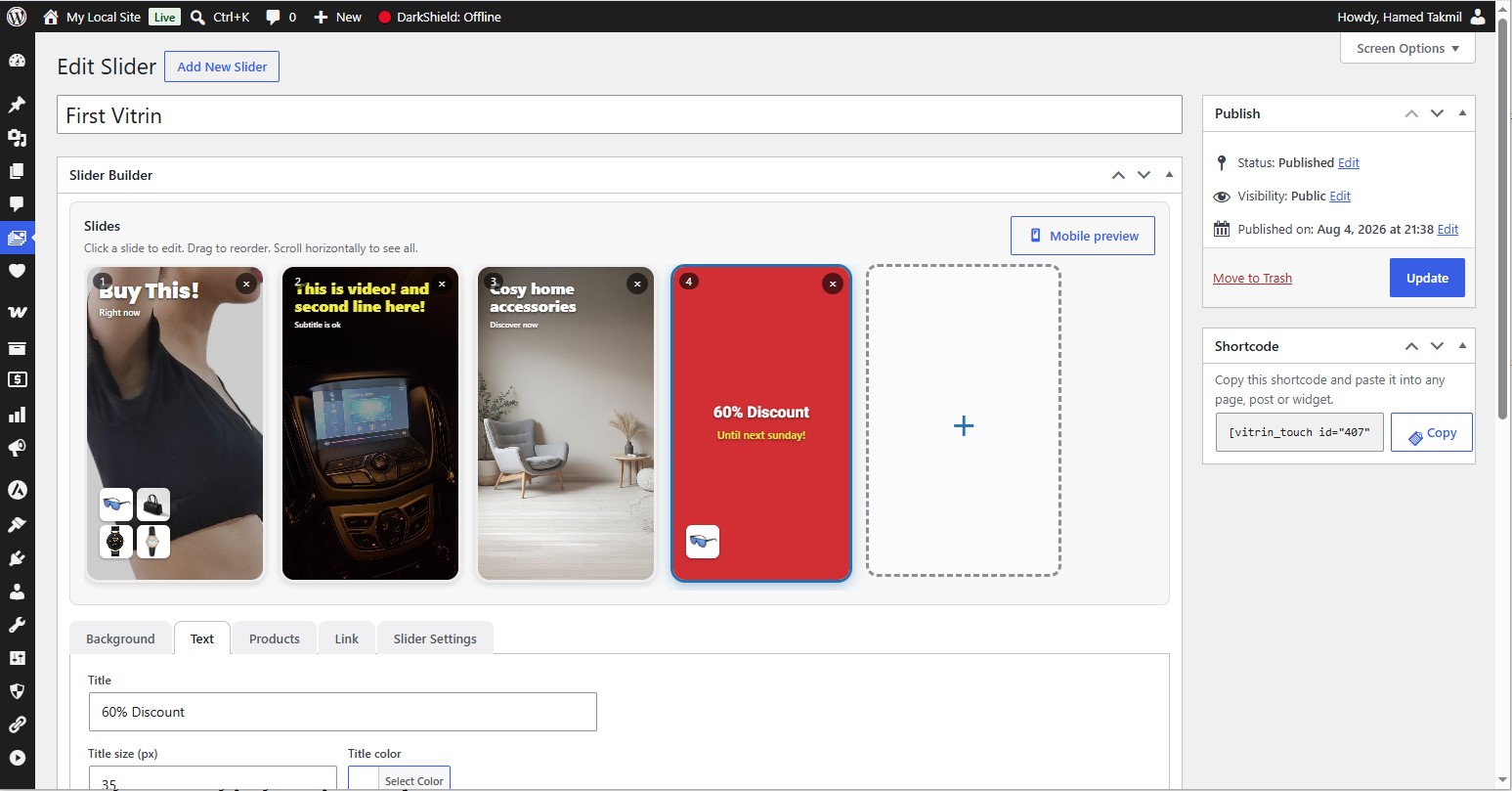

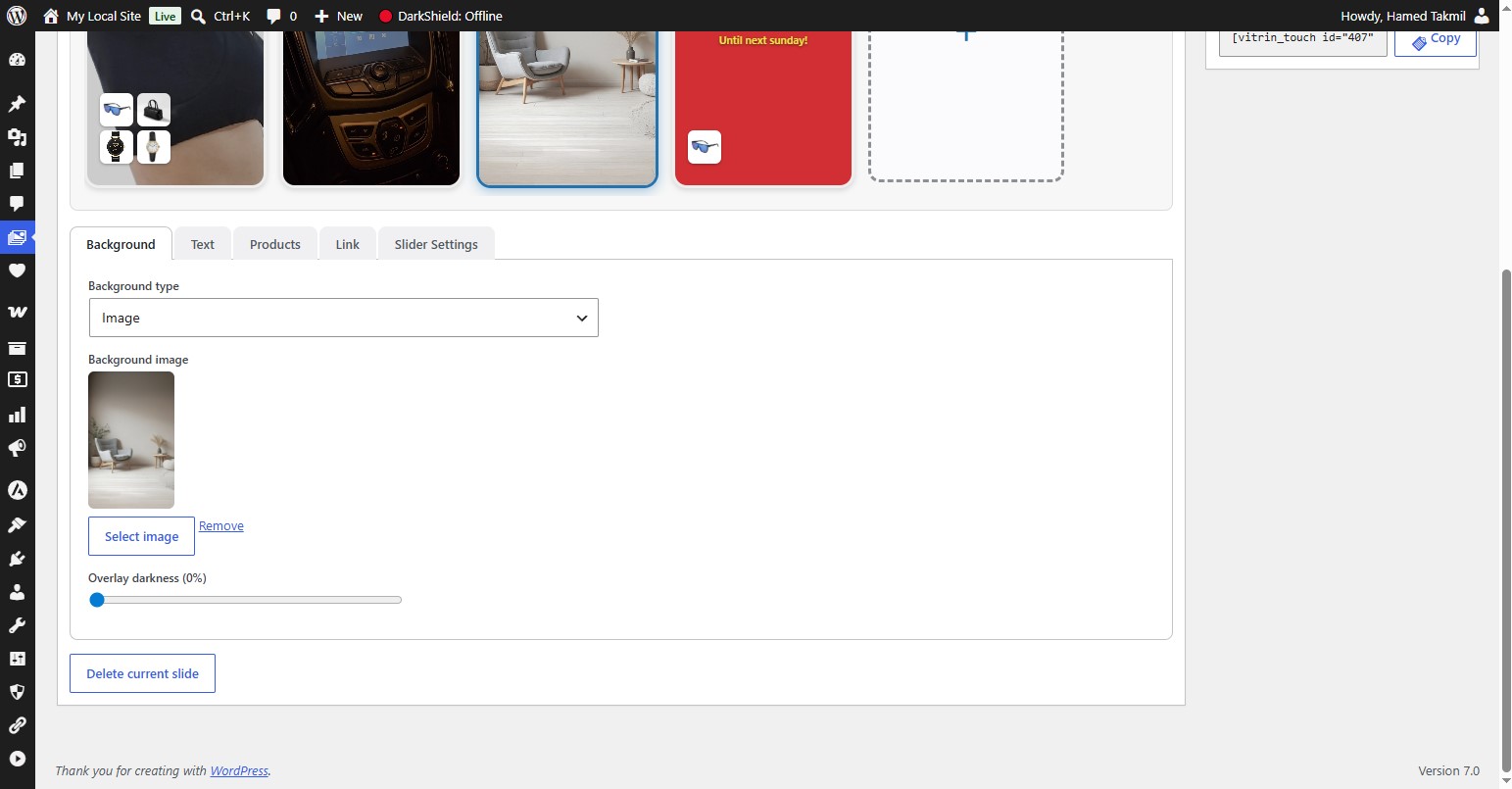

Vitrin Touch lets you build beautiful, mobile-first swipeable sliders — just like the carousel on Amazon’s mobile homepage — using an intuitive, tile-based editor with real-time previews.
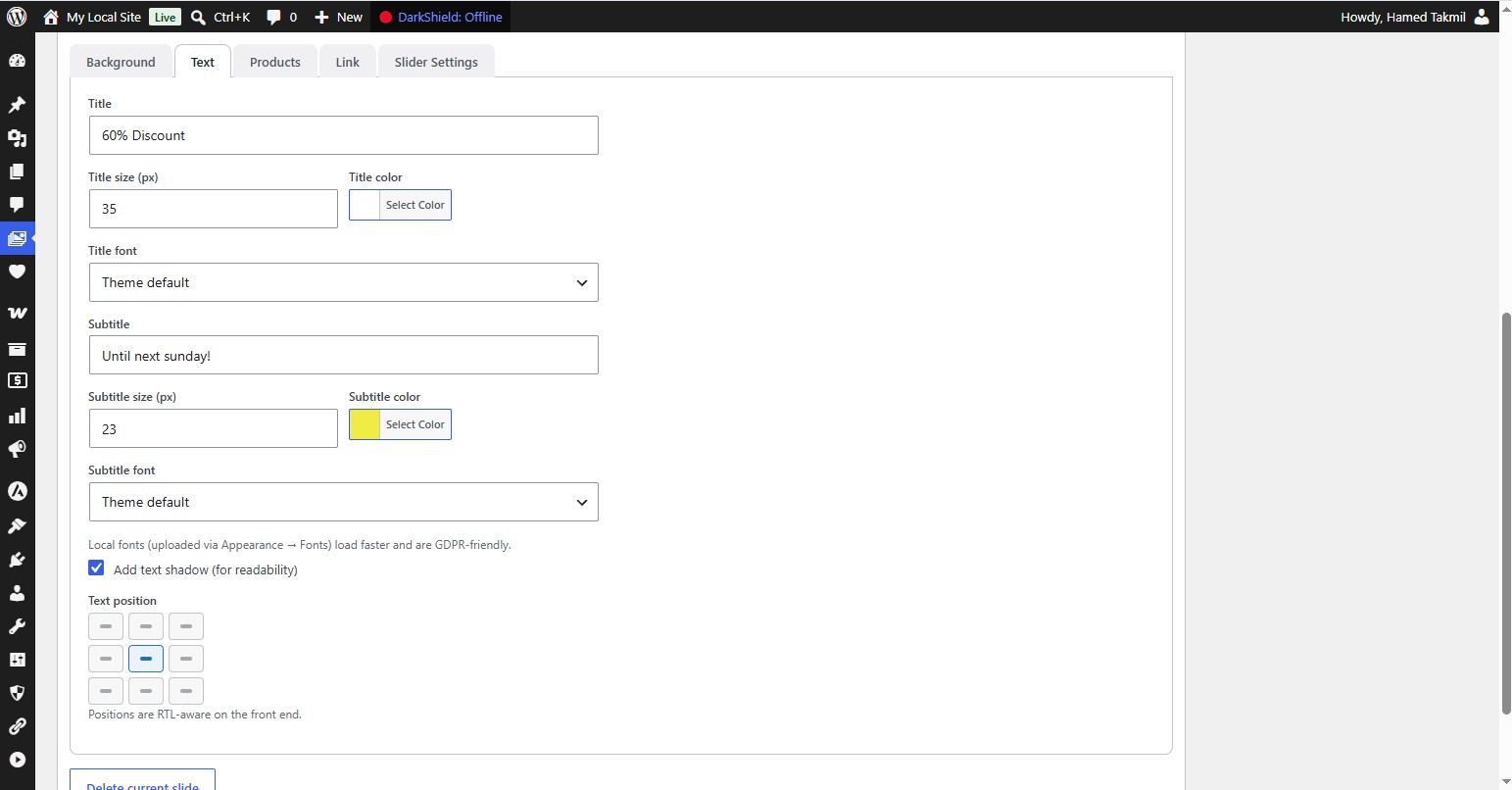
Each slide can have a color, image, or short video background, custom title & subtitle (with fonts, sizes, colors, shadows and 9 RTL-aware positions), up to four WooCommerce product thumbnails with automatic discount badges, and a clickable link for the whole slide.
The front-end uses pure CSS scroll-snap (no heavy JavaScript libraries), so it’s fast, smooth, and dependency-free. Assets load only on pages where a slider actually appears.

Key Features
- Tile-based builder — click a dashed “+” tile to add slides; drag to reorder.
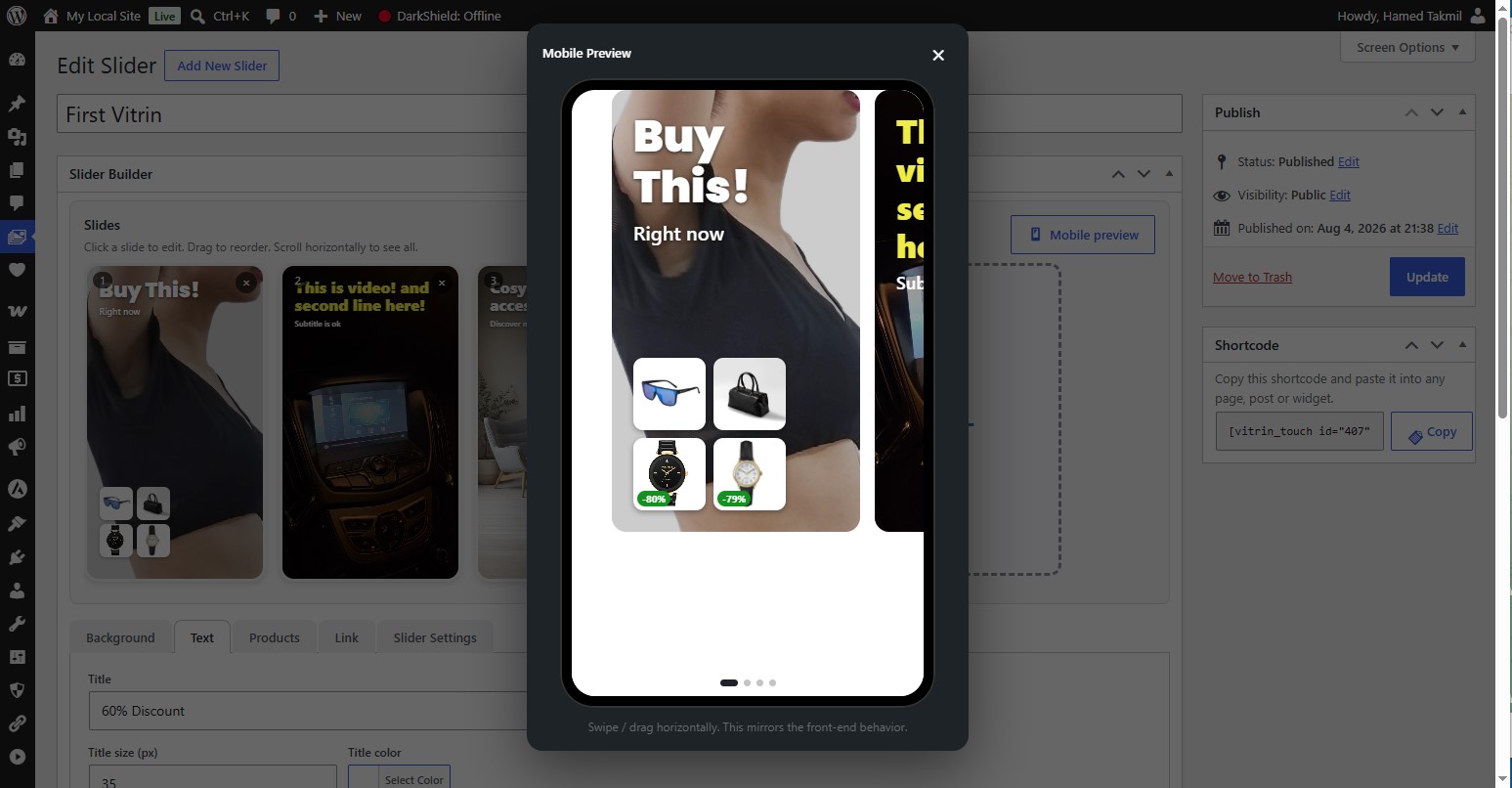
- Live previews — see each slide update in real time, plus a full Mobile Preview with real swipe and “next-slide peek”.
- Backgrounds — solid color, image, or looping muted MP4 video (with a small play/pause button on the front end).
- Text styling — title & subtitle with per-slide font (Google Fonts or locally uploaded), size, color, optional shadow, and a 9-point position grid.
- RTL-aware — logical positioning that works correctly in both LTR and RTL sites.
- WooCommerce — attach up to 4 products per slide, shown as thumbnails with automatic discount badges. Product thumbnails link to their product pages; the rest of the slide uses the slide link.
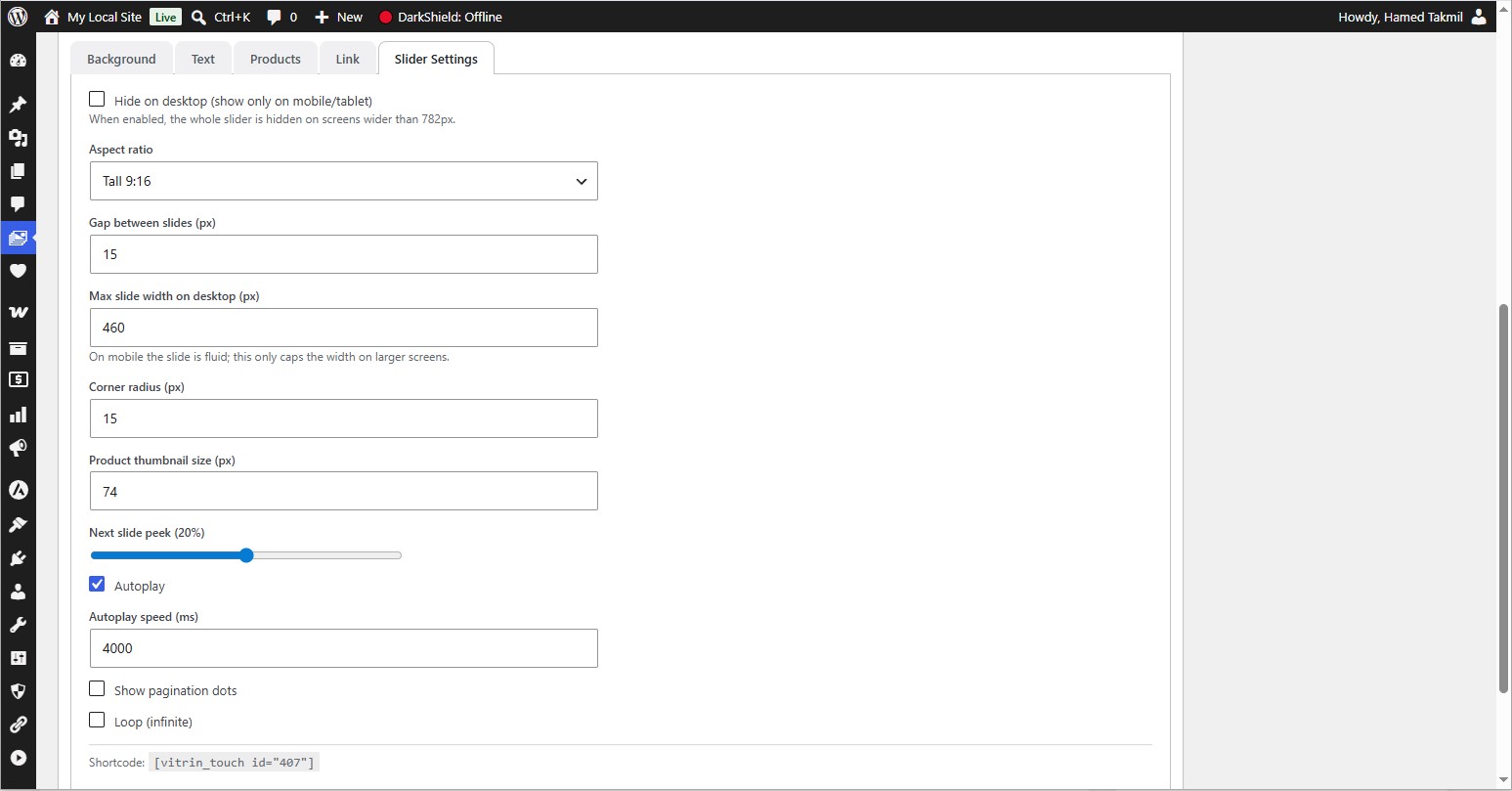
- Slider settings — aspect ratio (portrait presets), gap, next-slide peek, corner radius, max width on desktop, product thumbnail size, pagination dots, autoplay (with speed), and infinite loop.
- Fonts — curated Google Fonts (including Persian families like Vazirmatn & Estedad) or self-hosted fonts via the WordPress Font Library.
- Performance — conditional asset loading, no external JS dependency, and automatic cache purging for popular caching plugins.
- Translation-ready — full
.potincluded; all strings are translatable and RTL-ready. Compatible with Polylang / WPML. - Developer-friendly — clean, namespaced, PSR-4-style architecture with plenty of hooks and filters, ready for a Pro add-on.
Usage
- Go to Vitrin Touch Add New Slider.
- Click the dashed “+” tile to create a slide.
- Set the background, text, fonts, products and link.
- Use Mobile Preview to test swipe & peek.
- Adjust global options under Slider Settings.
- Publish, then copy the shortcode from the sidebar box.
-
Paste the shortcode into any page or post:
[vitrin_touch id=”123″]
Replace 123 with your slider’s ID (also shown in the sliders list table).