
Visionati
v1.0.2Visionati · 2026年3月3日 上架
AI-powered alt text, captions, and product descriptions. Choose from leading AI models.
- 正在使用
- 10+
- 评分
- 5.0 / 5
- 累计下载
- 1,653
- 最近更新
- 2026年3月4日
贡献者
 Visionati
截图
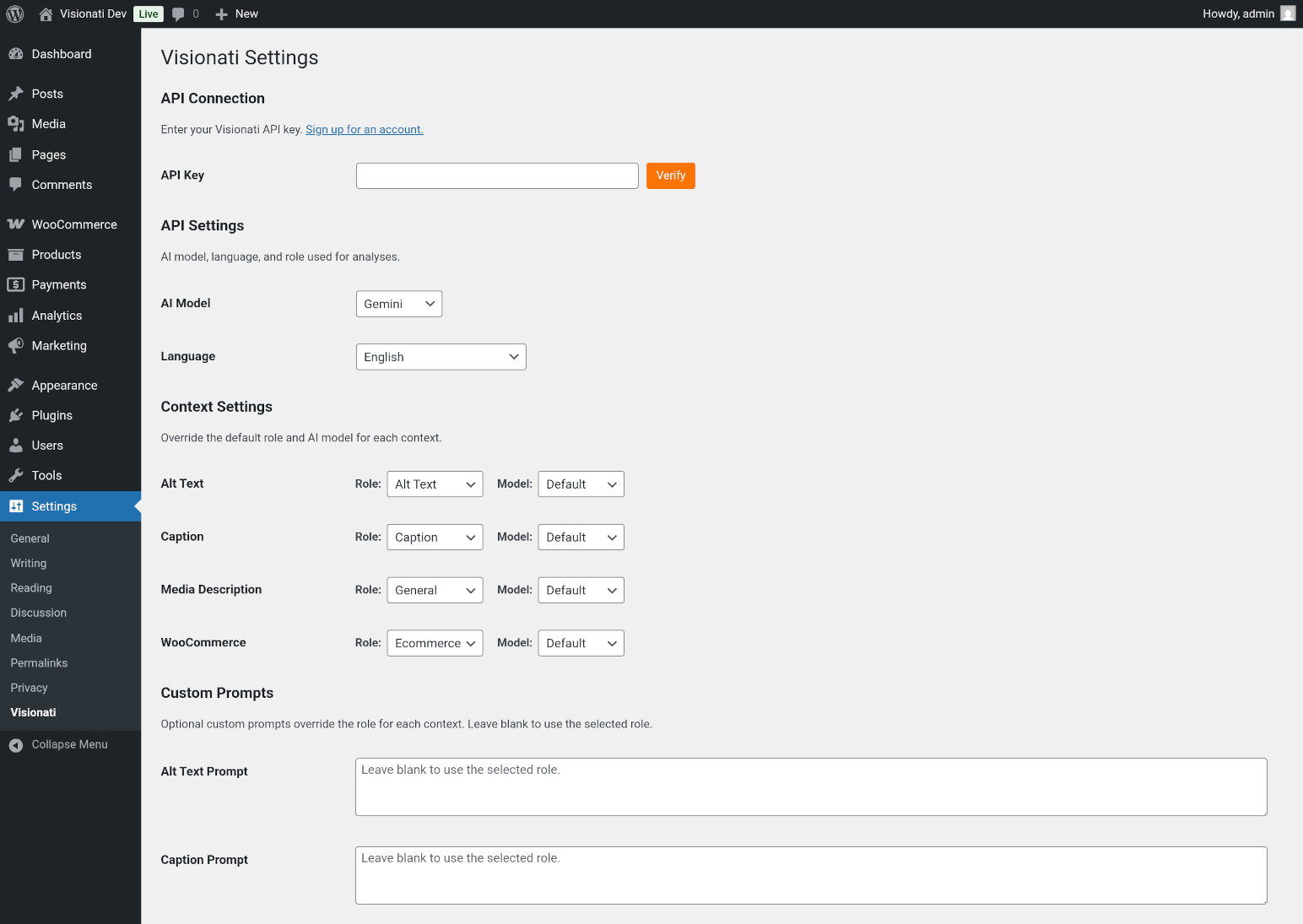
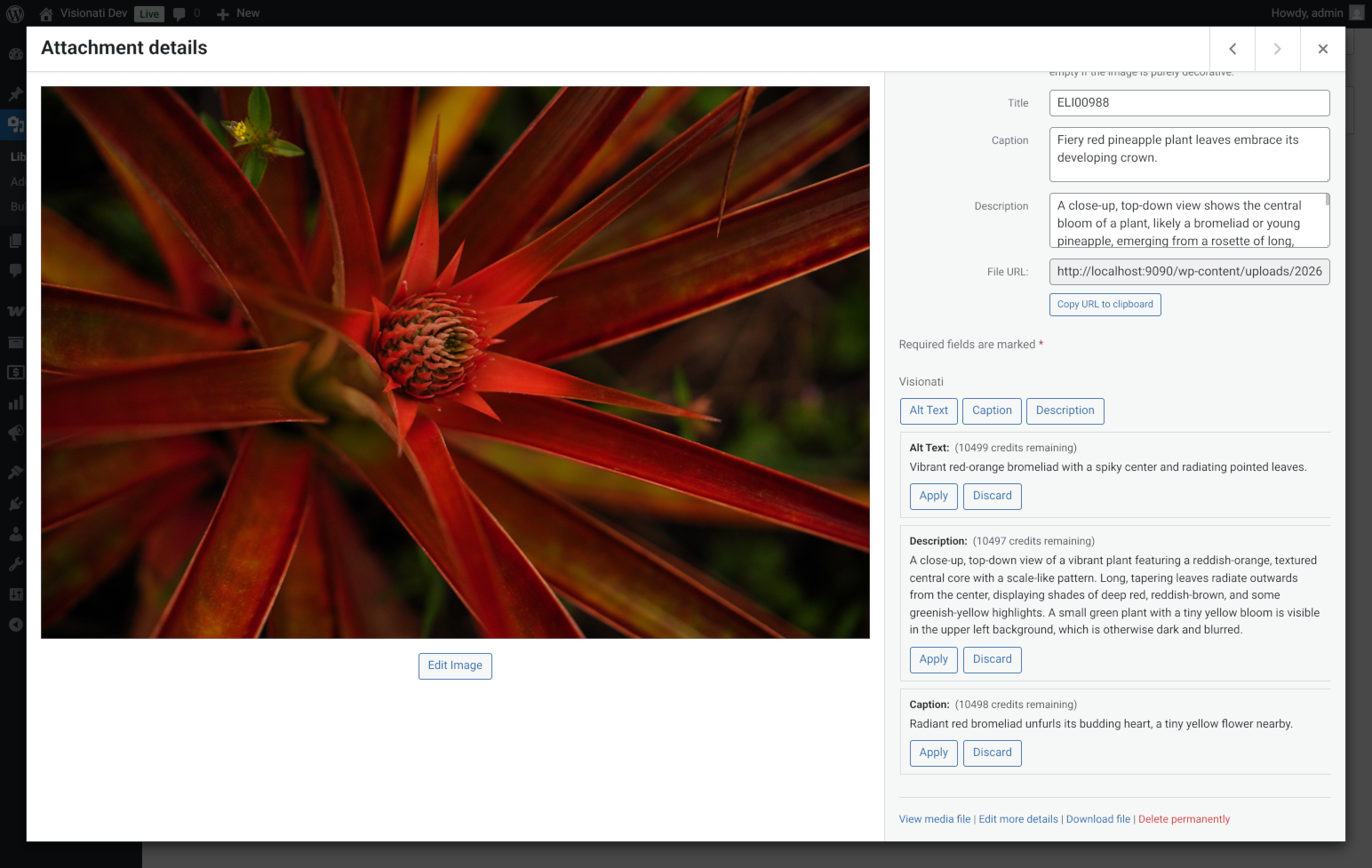
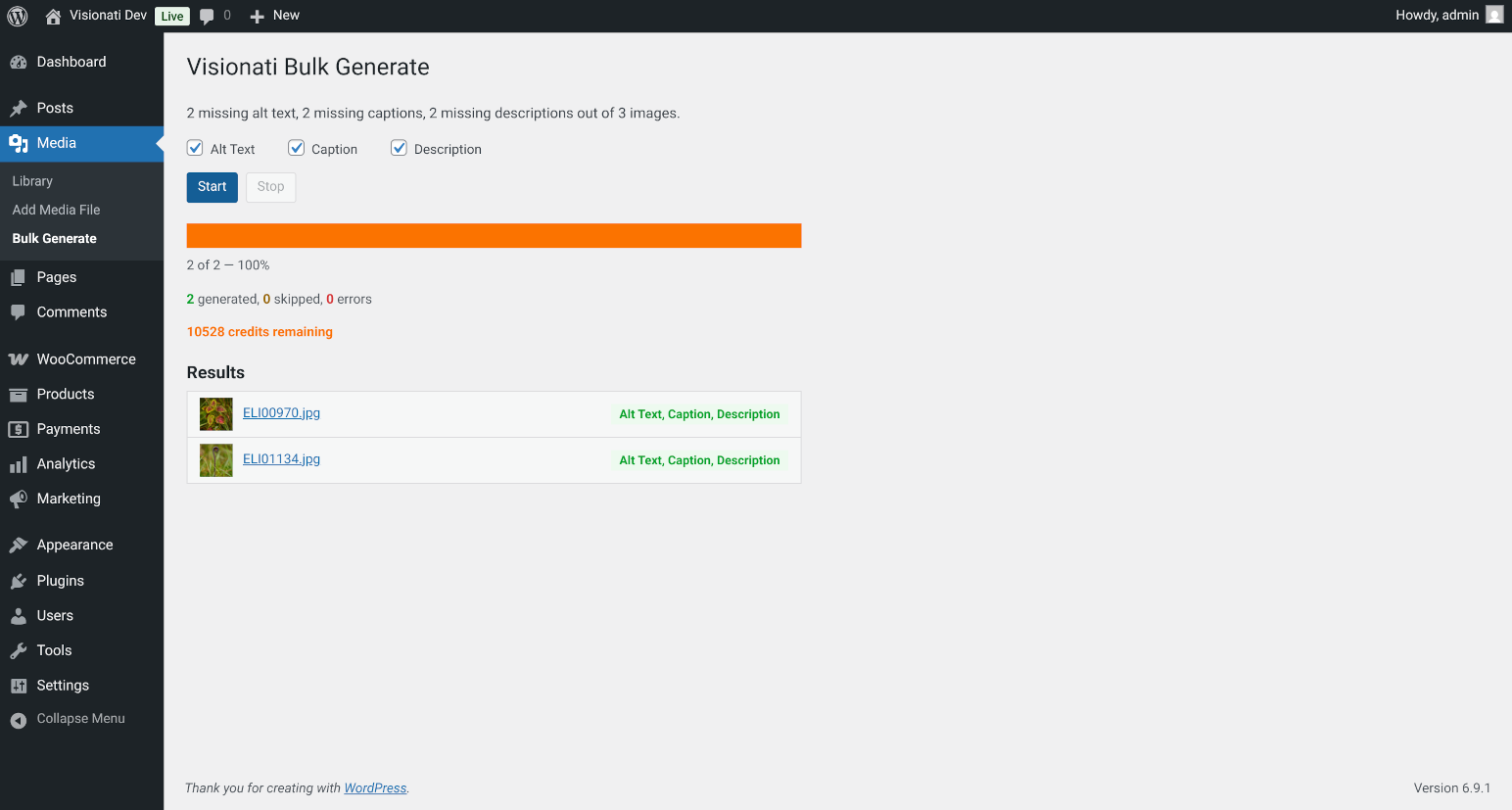
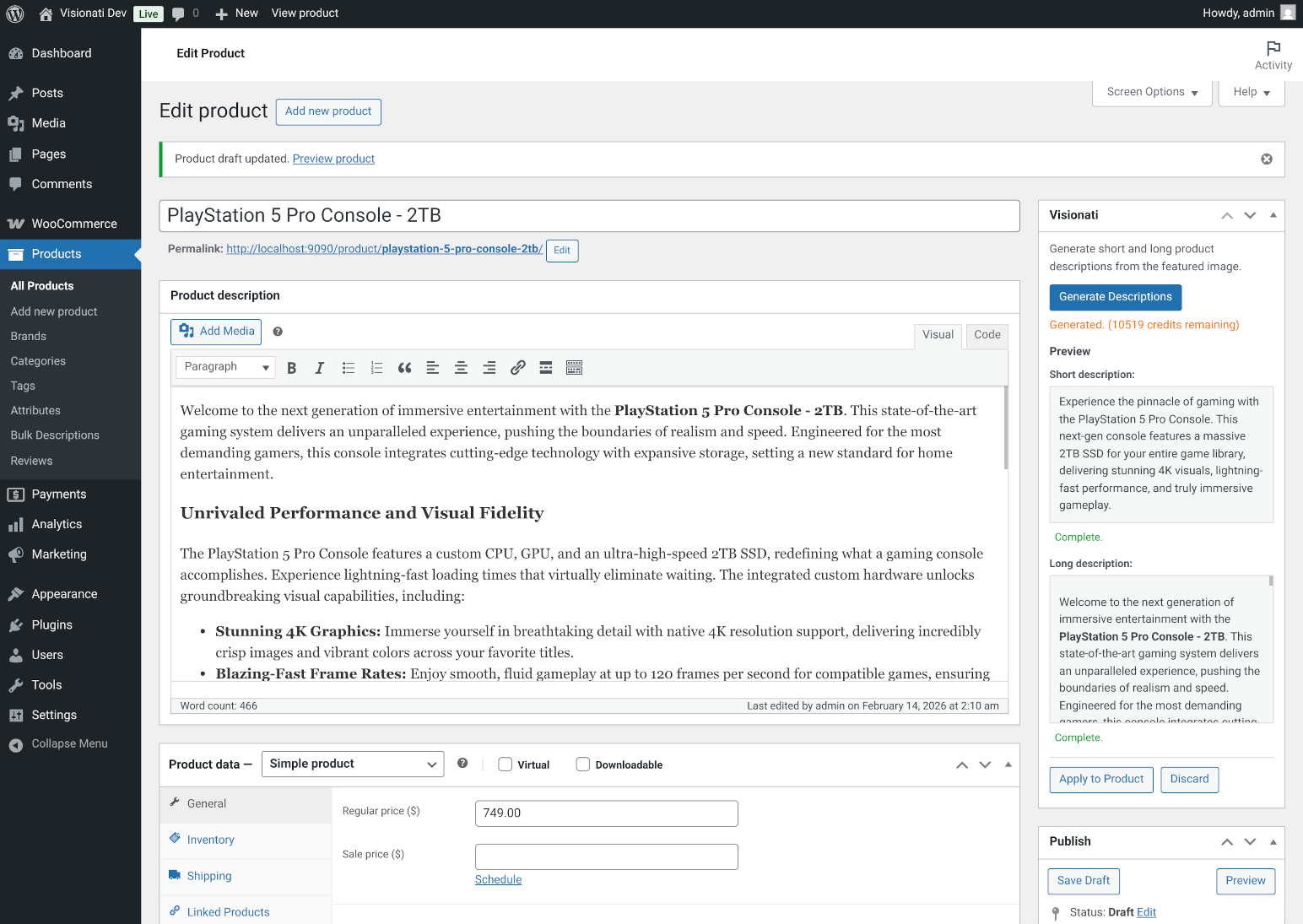
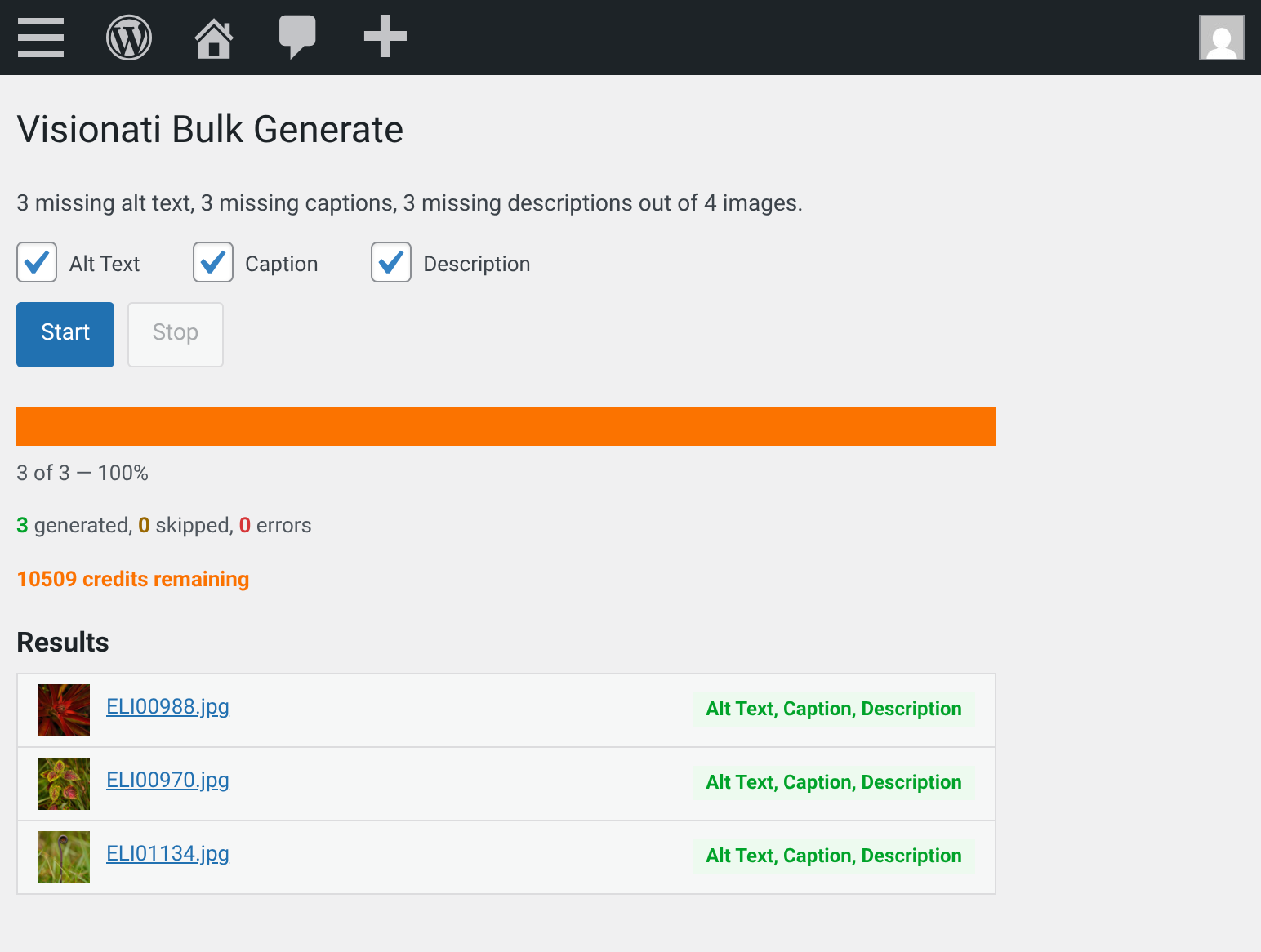
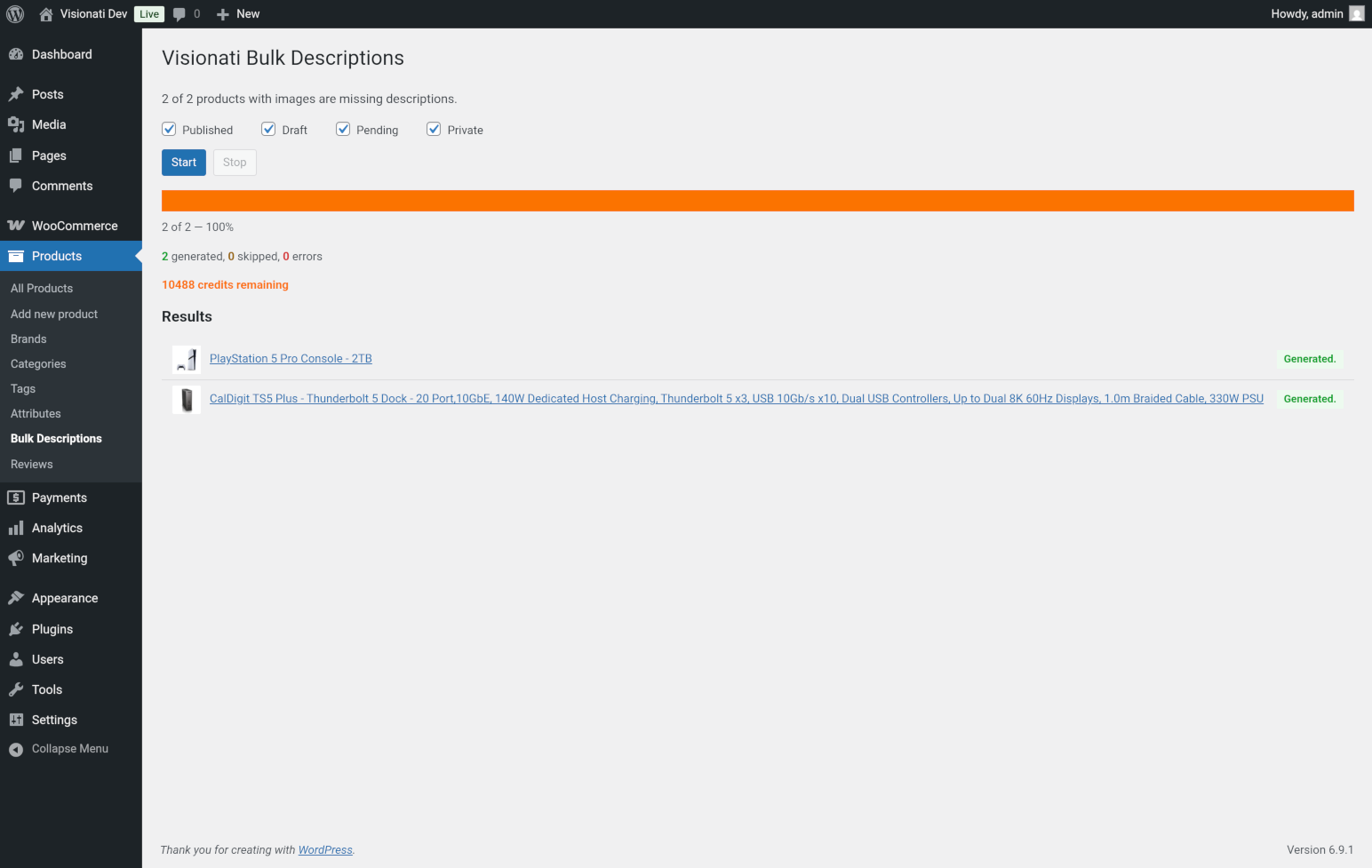
Visionati generates image alt text, captions, and product descriptions powered by your choice of AI model. Pick the model that works best for your content: Claude (Anthropic), Gemini (Google), OpenAI, Grok (xAI), Jina AI, and more.
Why alt text matters:
- Screen readers depend on alt text to describe images to visually impaired users
- Search engines use alt text to understand and index your images
- Missing alt text hurts both accessibility compliance and SEO rankings
- Most WordPress sites have hundreds of images with no alt text at all
What Visionati does:
- Preview before apply — generate a description, review it, then apply or discard. No surprises.
- Generates alt text, captions, and descriptions for any image in your Media Library, one at a time or in bulk
- Auto-generates on upload so new images get alt text immediately
- WooCommerce product descriptions from product images, including short and long descriptions with product context. Apply each description independently or both at once.
- Pick your AI model with optional per-context overrides. One global default, override any context individually. Gemini for fast media fields, Claude for WooCommerce product descriptions.
- Debug mode — toggle in settings, traces to the browser console. No server access needed.
- 12 built-in roles shape the AI output for different contexts: Alt Text, Artist, Caption, Comedian, Critic, Ecommerce, General, Inspector, Promoter, Prompt, Realtor, and Tweet
- Custom prompts for full control over what the AI generates
- 160+ languages supported for output
How it works:
- Install the plugin and enter your Visionati API key
- Pick your AI model (default: Gemini). Optionally override the model per context in settings.
- Click Alt Text, Caption, or Description on any image. A preview appears. Review it, then Apply or Discard.
- The right AI role is used automatically for each field. Bulk generation processes your entire library without previews.
Images are sent securely as base64 data directly from your server. This works everywhere: localhost, staging sites, password-protected sites, and private networks. The Visionati API never needs to reach back to your WordPress site.
Credits:
Visionati uses a credit-based system. See pricing details on the website. Sign up for an account to get started.
Third-Party Service:
This plugin sends image data to the Visionati API for analysis. By using this plugin, you agree to the Visionati Terms of Service and Privacy Policy. No data is sent until you configure an API key and initiate an analysis.