

ViralMarketingWP
v1.0.0Aron Prins · 2025年5月16日 上架
A powerful WordPress plugin for creating viral marketing campaigns with referral tracking and reward systems.
- 正在使用
- 10 以下
- 评分
- 5.0 / 5
- 累计下载
- 697
- 最近更新
- 2025年5月16日
贡献者
 Aron Prins
截图
ViralMarketingWP enables you to create powerful viral marketing campaigns directly within WordPress. The plugin creates a complete referral system that encourages your users to share your content, products, or offers with their network, expanding your reach organically.
How It Works:
-
Campaign Creation: As an admin, you create a viral marketing campaign with custom rewards and an opt-in form. The plugin generates a shortcode that you can place on any page or post.
-
User Opt-in: When visitors land on your page, they see an opt-in form where they enter their information (name, email, etc).
-
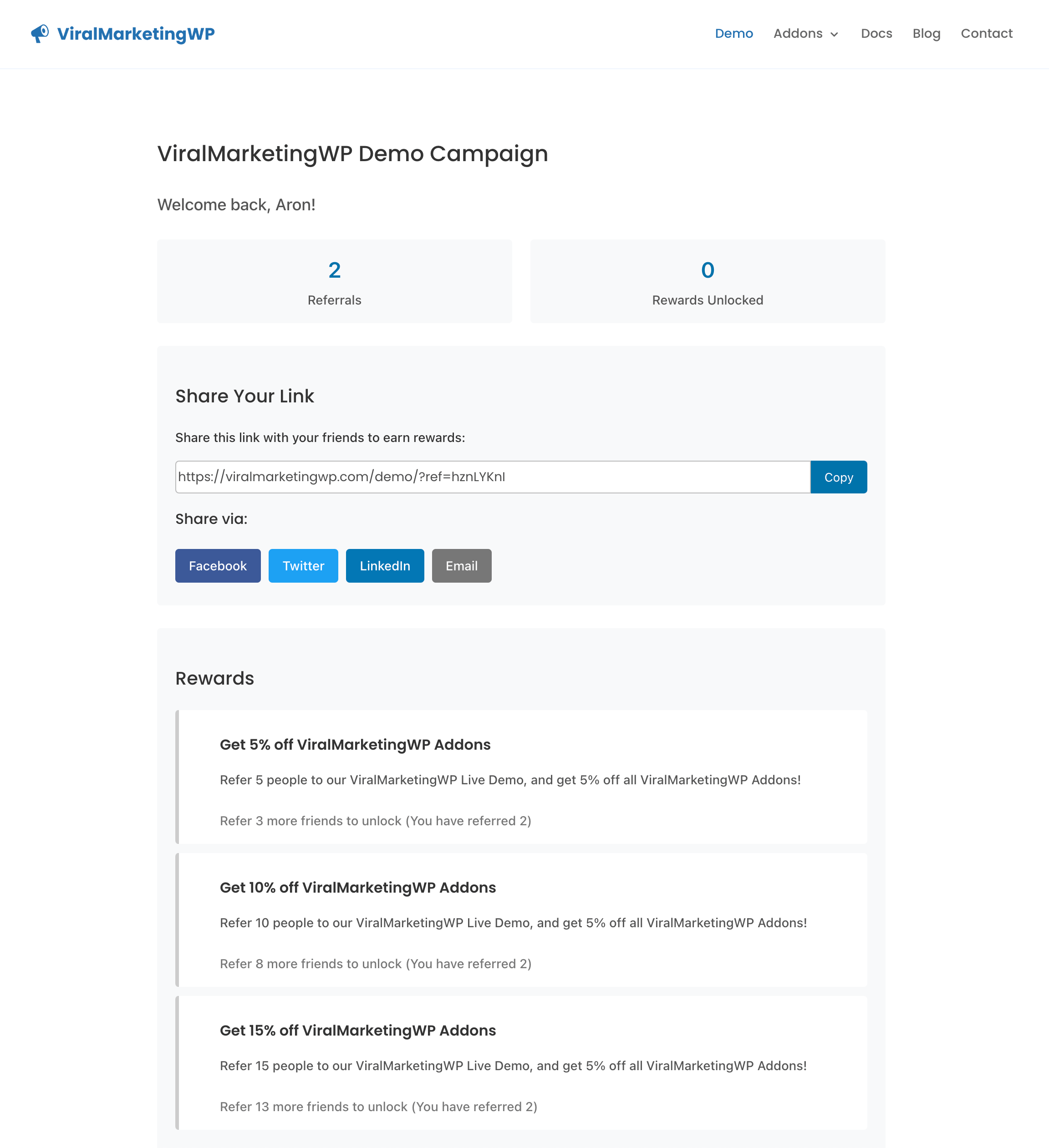
Campaign Dashboard: After opting in, users are directed to their personal “Campaign Dashboard” which displays:
- Their unique referral URL for sharing
- Real-time statistics showing how many people they’ve referred
- A visual representation of unlocked and upcoming rewards
- Social sharing buttons for easy distribution
-
Referral Sharing: Users share their unique referral URL with friends via social media, email, messaging apps, or any other channel. The plugin tracks all referrals coming from their link.
-
Reward System: As users accumulate referrals, they automatically unlock tiered rewards that you’ve defined. These rewards can be anything: discount codes, free products, exclusive content, early access, or any other incentive you want to offer.
-
Admin Tracking: From your WordPress dashboard, you can monitor campaign performance, view lead information, track referral statistics, and manage the entire process.
The viral mechanism is powerful – each new user becomes a potential promoter for your campaign, creating a multiplying effect that can dramatically increase your reach.
Key Features:
- Easy Campaign Setup: Create unlimited viral marketing campaigns with customizable forms
- Referral System: Generate unique referral links for each lead to track referrals
- Reward Tiers: Set up tiered rewards that unlock based on referral counts
- Lead Management: Track and manage leads directly within WordPress
- Analytics Dashboard: Monitor campaign performance with built-in statistics
- Social Sharing: Built-in social sharing functionality for Facebook, Twitter, LinkedIn and email
- Responsive Design: Works seamlessly on desktop and mobile devices
- Shortcode Integration: Simple shortcode implementation for any page or post
Usage
Creating Your First Campaign
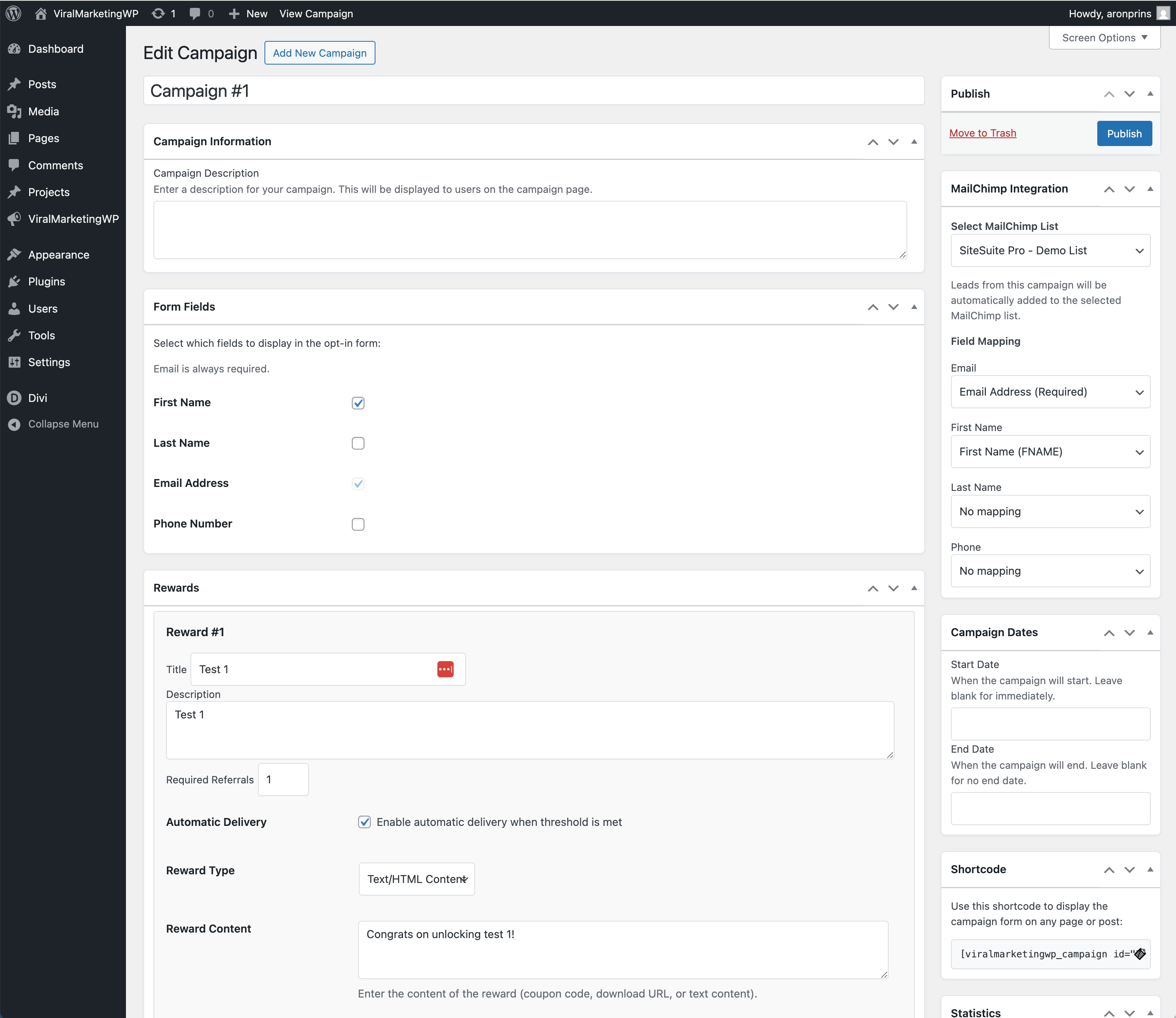
- Navigate to “ViralMarketingWP > Campaigns” in your WordPress admin
- Click “Add New” to create a new campaign
- Enter a title and description for your campaign
- Set optional start and end dates for the campaign
- Choose which form fields to display (First Name, Last Name, Email, Phone)
- Add rewards with titles, descriptions, and required referral counts
- Save the campaign and copy the shortcode
Adding the Campaign to a Page
- Create or edit any page where you want to display the campaign
- Paste the shortcode into the content editor:
[viralmarketingwp_campaign id="123"](replace “123” with your campaign ID) - Publish or update the page
Understanding the Campaign Dashboard
The Campaign Dashboard is what users see after they opt-in. It includes:
- A personalized welcome message
- The user’s unique referral URL prominently displayed
- Copy-to-clipboard functionality for easy URL sharing
- Social sharing buttons for one-click posting to Facebook, Twitter, LinkedIn, etc.
- Email sharing option with customizable template
- Real-time statistics showing referral count
- Visual progress indicators for reward tiers
- Notification area for newly unlocked rewards
Setting Up Rewards
- While creating or editing a campaign, scroll to the “Rewards” section
- Click “Add Reward” to create a new reward tier
- Enter a title and description for the reward
- Specify the number of referrals required to unlock this reward
- Add as many reward tiers as desired (e.g., 3 referrals, 10 referrals, 25 referrals)
- Each reward can be anything: discount codes, free products, content access, etc.
- Users automatically see when they’ve unlocked rewards
Managing Leads
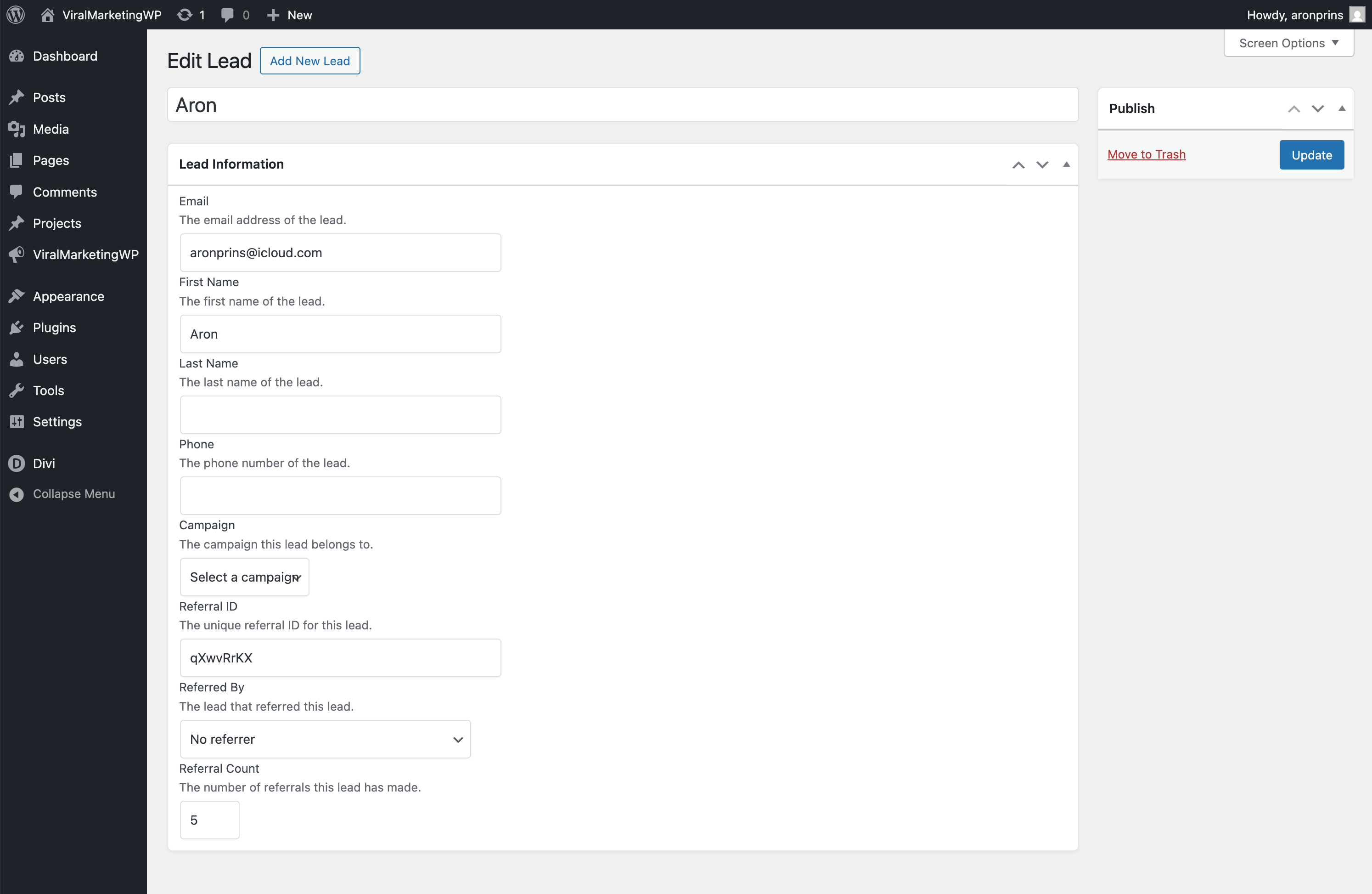
- Go to “ViralMarketingWP > Leads” to view all leads
- Filter leads by campaign to see campaign-specific leads
- View detailed information about each lead including referral counts
Tracking Campaign Performance
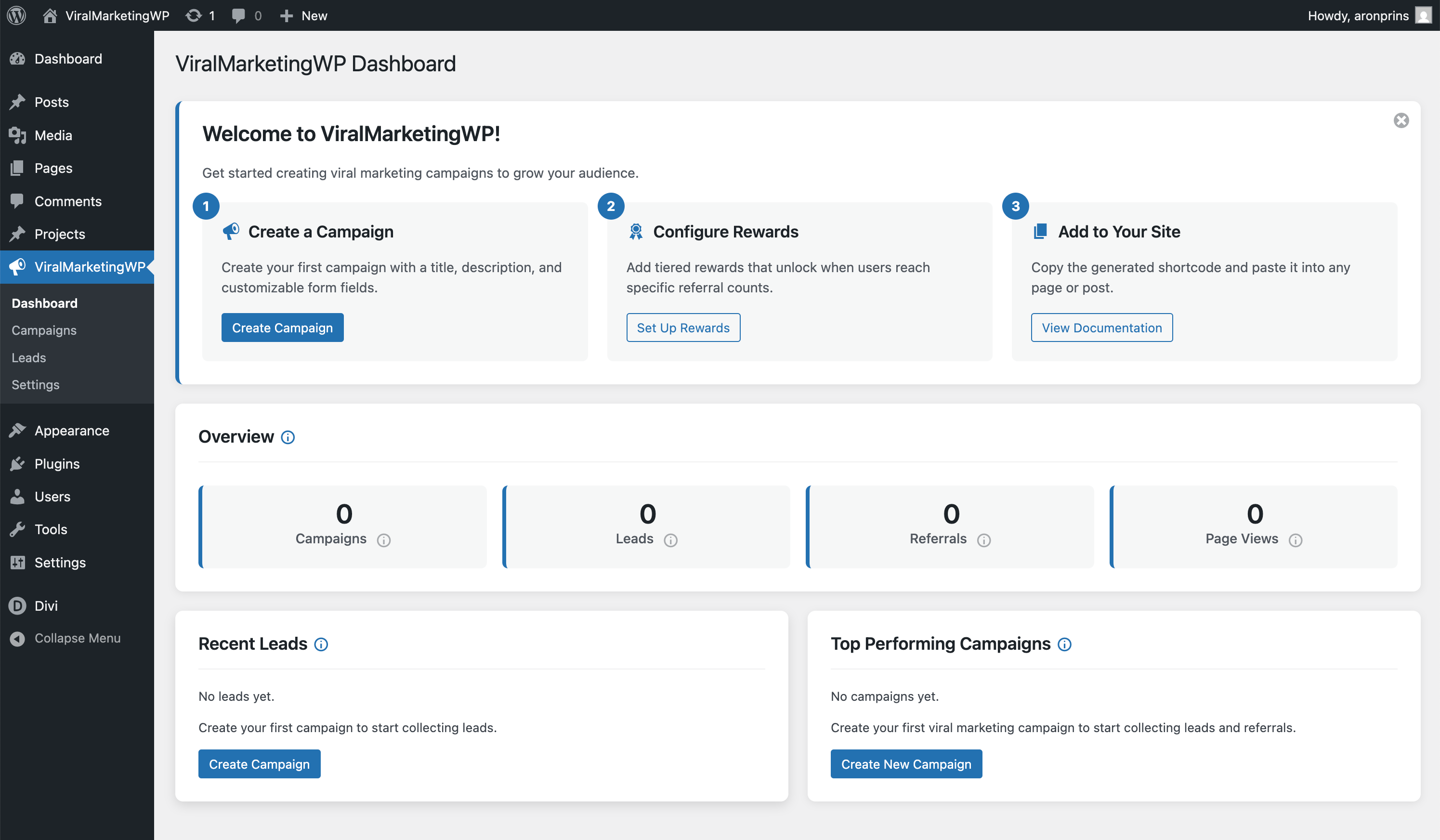
- Visit the main “ViralMarketingWP” dashboard to see an overview of all campaigns
- View campaign-specific statistics in the campaign edit screen
- Monitor leads, referrals, and conversion rates
- See which referral sources generate the most sign-ups
- Track which rewards are most effective at motivating users to share
How the Referral System Works
- When a user signs up through the campaign form, they receive a unique referral URL
- This URL contains a tracking parameter unique to that user
- When someone clicks their link and then submits the opt-in form, the system attributes that new lead as a referral to the original user
- The referring user’s referral count increases automatically
- When their referral count reaches a reward threshold, that reward is automatically unlocked
- Both the referring user and new sign-up can participate in the referral program, creating a viral loop
Reward Ideas
The plugin allows you to offer various types of rewards, such as:
- Discount codes for your products or services
- Free products or digital downloads
- Exclusive content access
- Early access to new features or products
- Entry into a giveaway or contest
- Account upgrades or premium features
- Gift cards or store credit
- Consultation or coaching sessions
Customization
CSS Customization
The plugin includes well-structured CSS that can be easily customized. You can add custom CSS to your theme to override the default styles.