
Vibe AI – MCP Server for WordPress, works with Claude, ChatGPT & other AI MCP agents
v1.24.3SeedProd · 2026年4月20日 上架
MCP server for WordPress. Connect Claude, ChatGPT, Cursor or any MCP client to manage content, themes and settings, with approvals.
- 正在使用
- 10 万+
- 评分
- 5.0 / 5
- 累计下载
- 95 万
- 最近更新
- 2026年11月23日
贡献者
 SeedProd
 Syed Balkhi
截图
WPVibe is an MCP server that connects your self-hosted WordPress site to the AI assistant you already use. Ask in plain words, and your AI does the work on your site: drafts and edits posts, uploads images, updates plugins, changes settings, and edits your theme in a draft copy first.
WPVibe is made by SeedProd. It is not affiliated with or endorsed by the WordPress Foundation, Anthropic (Claude), OpenAI (ChatGPT), or the makers of the other third-party products named on this page (WPForms, All in One SEO and WPCode are SeedProd’s sister plugins).
How it works
WPVibe is an MCP server for WordPress. MCP (the Model Context Protocol) is an open standard that lets AI assistants use tools on other services.
- Install this free plugin. It adds the REST API routes WPVibe’s MCP tools use.
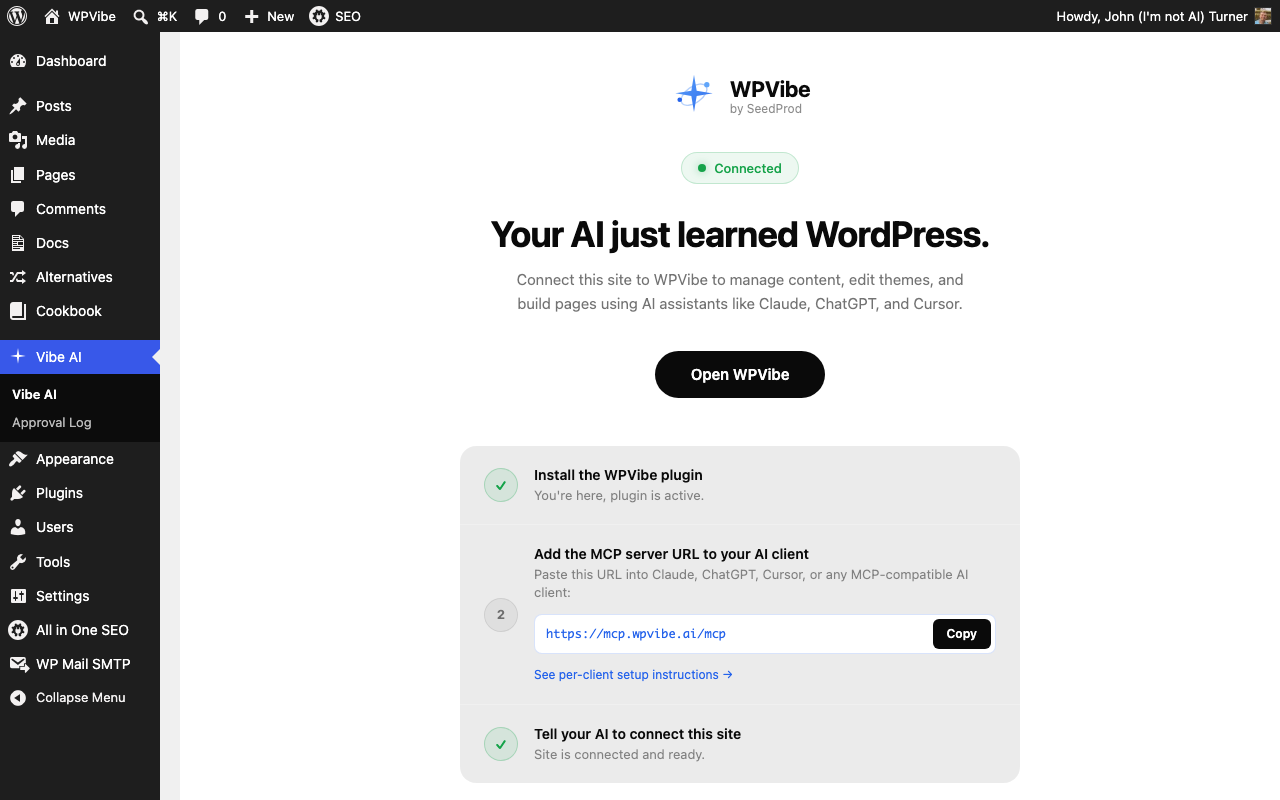
- Connect your site once: give WPVibe your site’s address, open the link it gives you, and click Approve on your own site’s WordPress authorization screen. WordPress creates an Application Password for your user. You never type or copy one.
- Add WPVibe’s MCP server address to your AI client.
From then on, your AI calls WPVibe’s MCP tools, and the WPVibe service sends each call to your site’s REST API, signed with that Application Password. Your AI acts as the WordPress user who connected, with that user’s permissions. The plugin needs the WPVibe service to work; the service has a free plan. What passes through the service, and what it keeps, is under Third-Party Services below.
Works with your AI
Any MCP client works, including Claude (desktop, web and Claude Code), ChatGPT (web and desktop), Cursor, Windsurf and OpenCode. Switching MCP clients changes nothing on your site. WPVibe is listed in the ChatGPT Apps directory and in Claude’s connector directory.
What your AI can do
Your AI works through WPVibe’s MCP tools:
- Content: posts, pages and custom post types, media, categories and tags, menus, comments and users. Small edits replace only the exact text; post edits keep a revision where revisions are on.
- Custom fields: read and write post meta, including ACF fields.
- WooCommerce: review the store, and create or bulk-edit products, prices, stock and descriptions.
- Page builders: Elementor (pages and Elementor Pro theme builder templates), Bricks, Breakdance and Beaver Builder pages are saved through each builder’s own save code, so they open in the builder like a hand-built page. SeedProd pages are saved by opening the SeedProd builder (see Third-Party Services). Built-in guides tell your AI how Gutenberg, Divi, Kadence, GeneratePress (including GP Premium Elements), Astra and Blocksy store their content.
- Other plugins: through their own REST API routes, or the WordPress Abilities API (WordPress 6.9 and later): your AI can list the abilities your plugins register, read their inputs and run them.
- Theme files: browse, search and edit files in a draft copy of your theme, with a preview link. The live theme changes only when you publish, and publishing keeps a backup you can restore. File writes go through WordPress capability checks, a path sandbox, a file type allowlist and a PHP syntax check. Your AI can also build a classic theme from a starter.
- WP-CLI style commands: one MCP tool covers plugins, themes, users, options, cache, cron, database reads, and search-replace with a dry run. They run in PHP from a fixed allowlist, so shared hosting works: no shell or SSH.
- Updates across sites: update plugins, themes and WordPress core on every connected site from one panel, with a check before and a version check after.
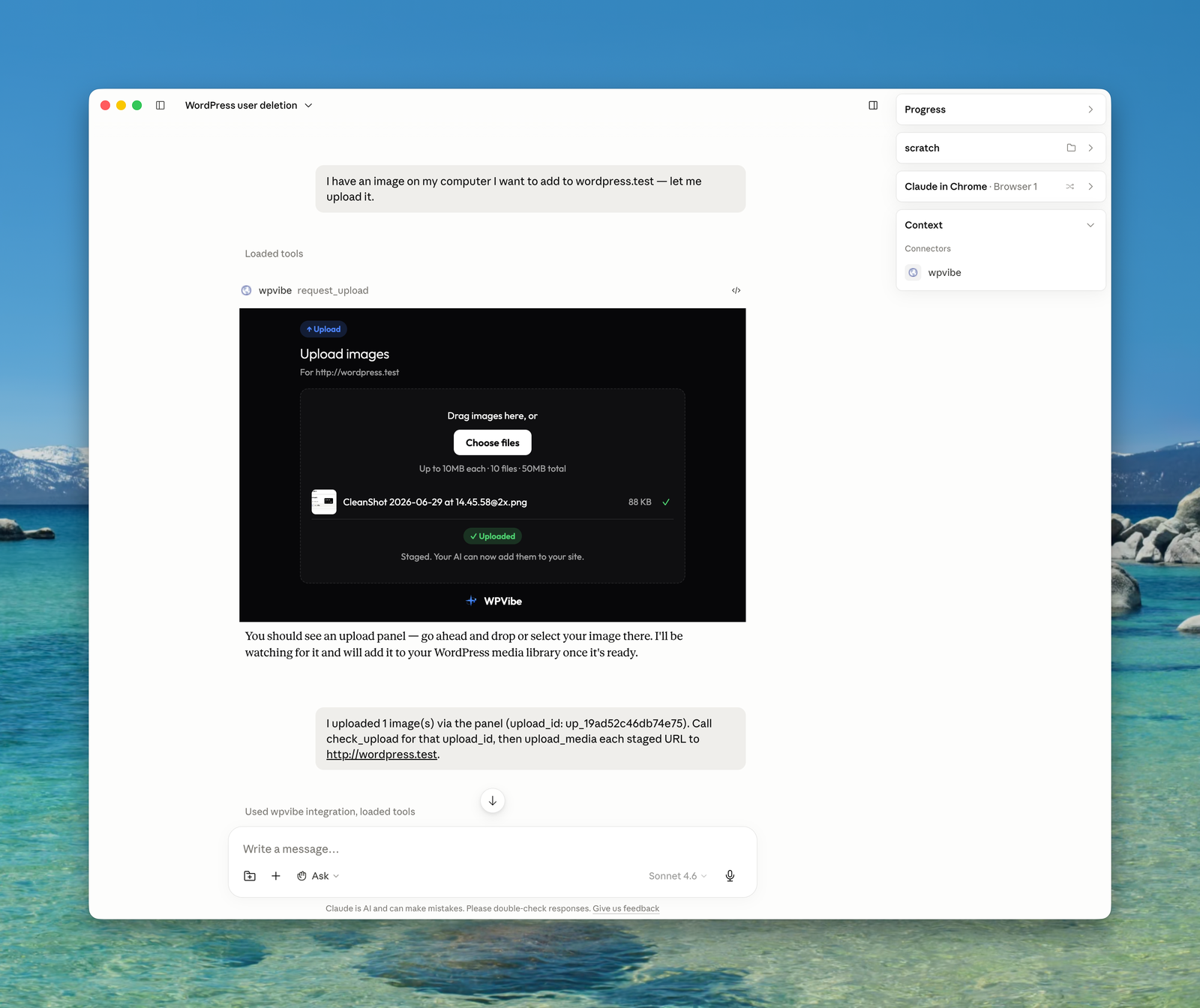
- Images: upload from your computer through the chat, add one from a URL, or search Unsplash.
- White label: hide WPVibe in wp-admin for every user (menu, screens, Dashboard widget, editor panel, Site Health entries, and its Plugins row except while an update is pending), for agencies managing a client’s site. It also turns on WordPress auto-updates for WPVibe where your account may change plugin updates (network-wide on multisite). WPVibe reappears by itself after 30 days without activity.
Approvals and the Approval Log
Access uses a WordPress Application Password, which you can revoke from your user profile at any time.
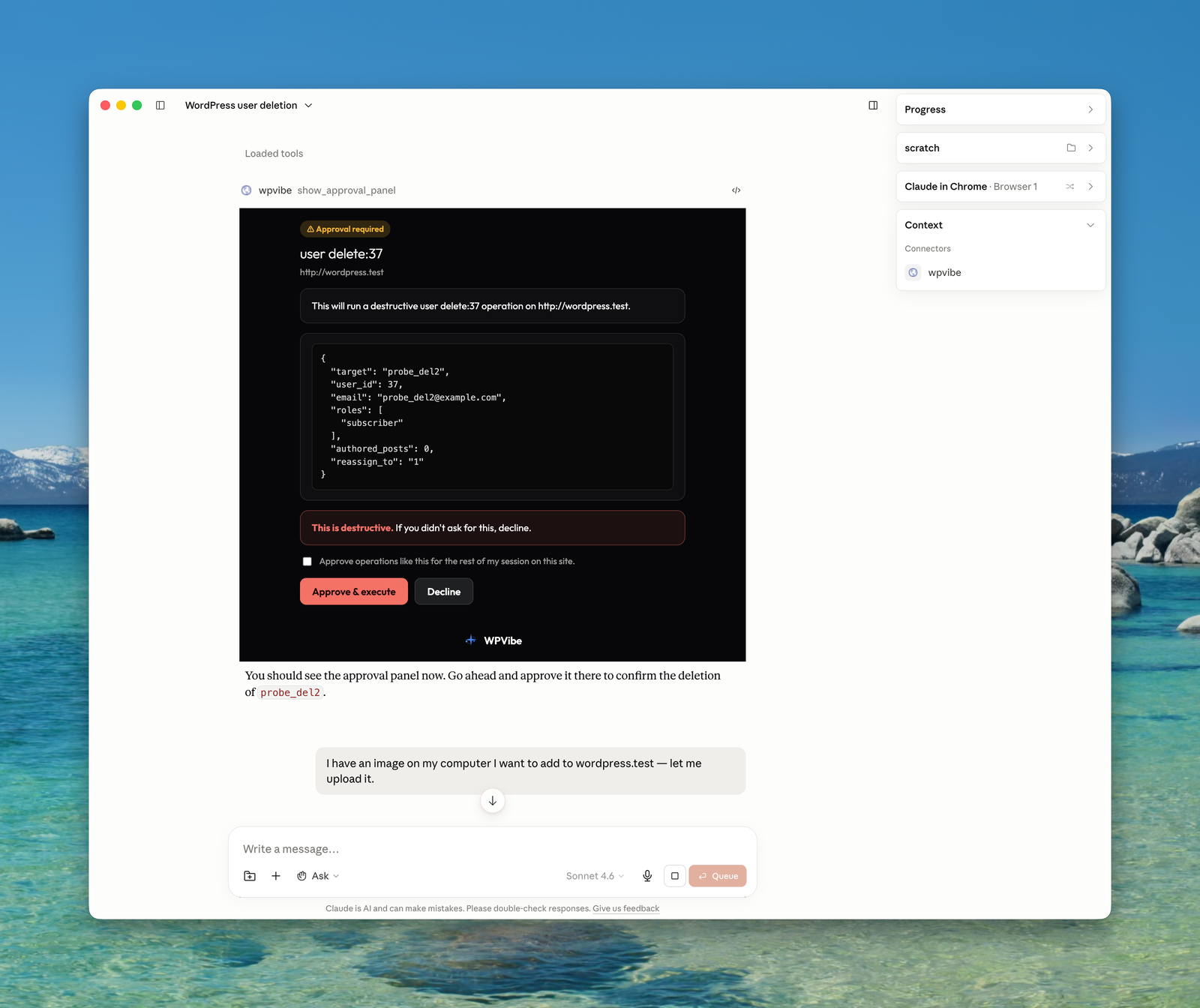
Destructive operations (deleting a user, a database query that changes data, uninstalling a plugin, permanently deleting a post) pause for your approval and show the exact operation, a dry-run preview, and Approve and Decline buttons. An Administrator can turn approvals off for a site with the “Dangerously bypass approvals” setting in wp-admin; then they run without asking and are still logged.
Each destructive operation, approved or run with approvals off, is recorded in the Approval Log in wp-admin with its preview and result. The log keeps the most recent 1,000 entries.
New posts are drafts unless your AI is asked to publish them. Deletes go to the trash wherever WordPress keeps one. Where WordPress keeps none (media files by default, categories, tags and menu items, or everything on a site that turns its trash off), a delete is permanent, as it is in wp-admin.
WPVibe’s settings commands (reading an option or transient, and searching or editing an option’s text) and its database queries keep secrets out of their answers: WordPress’s keys and salts, the AI provider API keys in Settings > Connectors, Akismet’s API key, WPVibe’s own keys, and settings fields whose names mark them as a password, secret, token or API key. These are refused or shown as a masked placeholder, and WPVibe’s settings and meta commands refuse to write that placeholder back. Database queries also mask user password hashes, password reset keys, session tokens and application passwords, and reading WooCommerce API keys through them needs your approval.
Live reload
While your AI works, wp-admin shows a notice for each change with a link to it, and your signed-in front-end tab reloads to show it. Each user can turn this off on the WPVibe page or on their profile.
Third-Party Services
The plugin needs the WPVibe service, and some features call other services. Each one is listed here with what is sent and when. Connections to WPVibe’s servers use HTTPS.
The WPVibe service (mcp.wpvibe.ai, hosted on Cloudflare). Your AI client connects to it over MCP, and it sends your AI’s requests to your site. Whatever your AI reads from or writes to your site passes through it. It keeps your account and the sites you connect, each site’s Application Password encrypted with AES-256-GCM, records of the operations you approve or are asked to approve (which can include the content they change), and logs of the requests your AI makes. When your AI takes a screenshot of a page or reads it as rendered, the service loads that page with Cloudflare’s browser rendering. WPVibe does not sell your data. The Privacy Policy describes what is kept and what account data is shared for analytics and ad measurement.
Diagnostics (your site, read by the WPVibe service). The plugin keeps a short record of your site’s most recent PHP fatal errors (up to five from the last 7 days: the error type, PHP’s own message, the file and line, and the plugin or theme it belongs to), memory use and limit, your host’s name, when WordPress last sent a recovery-mode email, and your WordPress, PHP, WPVibe and active plugin versions. The WPVibe service can read this record through the /wpvibe/v1/diagnostics route, signed with its own key rather than your Application Password, so support can see why a site stopped answering. Nothing is sent unless the service asks, and no page content, request data or stored values are in it.
WPVibe’s relay servers (on DigitalOcean). Requests to your site may pass through relay servers WPVibe runs, so they arrive from fixed IP addresses your host’s firewall can allow. Each request, with the Application Password that authenticates it, passes through in transit. The relays do not store requests, responses or credentials; they log each request’s site hostname, status, timing and any error. The same servers do two jobs for the builder tools: to compile a theme’s styles, they receive the theme files the styles are built from; to save a SeedProd page, they open the SeedProd builder on your site with a single-use login link the plugin issues for that one page, and click Save.
Your AI provider. Whatever your AI reads from or sends to your site also goes to the company that runs your AI, under its terms: for example Anthropic for Claude (terms, privacy) or OpenAI for ChatGPT (terms, privacy).
Connection check (mcp.wpvibe.ai/connection/preflight). When an Administrator clicks “Check site connectivity” on the WPVibe page, the plugin sends your site’s address and a one-time code to this address, and WPVibe’s servers then request your site to see whether they can reach it. No passwords are sent.
Approval failure report (mcp.wpvibe.ai). On your site’s authorization screen for a WPVibe connection, if the approval request is blocked or fails, or the check the screen runs before you click Approve finds a problem, the screen reports it to the WPVibe service with the connection attempt’s ID: the HTTP status, whether the answer was a page or JSON, and the security product if it recognizes one. Never page content. Nothing is reported when approval works. To turn the report off, return an empty list from the wpvibe_authorize_beacon_hosts filter.
Dashboard widget (wpvibe.ai/wp-json/wpvibe/v1/widget-feed). The WPVibe widget on the Dashboard shows suggested tasks (recipes) from wpvibe.ai. When an Administrator opens the Dashboard, the plugin fetches them, at most once every 12 hours (hourly while the feed is unreachable). The request carries no site data: its user agent is “WPVibe/” and the plugin version. The widget does not load in white label mode.
Unsplash. When your AI searches for stock photos, the WPVibe service sends the search words to Unsplash; your site sends nothing. For each photo a search returns, the WPVibe service also sends Unsplash the download report its API terms require. When your AI adds one of those photos, your site downloads it from Unsplash’s image server. Terms, privacy.
Google PageSpeed Insights. When your AI audits a page’s speed, accessibility or SEO, the WPVibe service sends that page’s address to Google PageSpeed Insights, and Google loads the page to test it. Terms, privacy.
Images from a URL. When your AI adds an image by its address, your site downloads it from that address, which can be any public website. The plugin refuses private and local network addresses.
WordPress.org. When your AI installs, updates or checks plugins, themes or WordPress itself, your site contacts WordPress.org (api.wordpress.org and downloads.wordpress.org) for plugin and theme information, downloads and checksums. Like WordPress’s own update checks, these requests carry your site’s address in their user agent. Privacy.
Links in wp-admin. Some buttons open mcp.wpvibe.ai with your site’s address in the link, so the page shows that site: “Connect your AI” and “Check connection” in the Dashboard widget, “Connect Claude / ChatGPT” in the post editor’s WPVibe panel, and “Check authorized access” on the WPVibe page. Nothing is sent until you click. Links to wpvibe.ai carry campaign tags that name the wp-admin screen they came from.
To report a security issue, email security@wpvibe.ai.
Third-Party Libraries
WPVibe bundles three third-party libraries:
- Alpine.js v3.15.12, MIT License, https://alpinejs.dev/, included at
starter-themes/classic/assets/js/alpine.min.js. Used as the interactivity layer (modals, dropdowns, tabs, accordions, sliders) for AI-generated classic themes. Not loaded outside scaffolded themes. - Tailwind CSS browser build (@tailwindcss/browser) v4.3.3 by Tailwind Labs, MIT License, https://github.com/tailwindlabs/tailwindcss, included at
assets/js/tailwindcss-browser.min.js. Styles the draft theme preview while you build a Tailwind theme. Loaded only on draft previews of WPVibe Tailwind themes; published themes use compiled CSS instead. - svg-sanitize (enshrined/svg-sanitize) v1.0.0 by Daryll Doyle, GPL-2.0-or-later, https://github.com/darylldoyle/svg-sanitizer, included at
third-party/svg-sanitize/with its PHP namespace prefixed so it cannot clash with other plugins that bundle it, such as Safe SVG. Used to clean SVG files before WPVibe writes them to a draft theme or adds them to the Media Library.
About WPVibe
WPVibe is a product of SeedProd LLC, the team behind SeedProd. The name is WPVibe, one word: please write WPVibe rather than WPvibe, WP Vibe or VibeAI.