

Vector Expressions
v1.0.2vectorarrow · 2026年3月17日 上架
Embed dynamic expressions in the Gutenberg block editor to personalize content and control block visibility.
- 正在使用
- 10 以下
- 评分
- 暂无
- 累计下载
- 513
- 最近更新
- 2026年3月17日
贡献者
 vectorarrow
截图
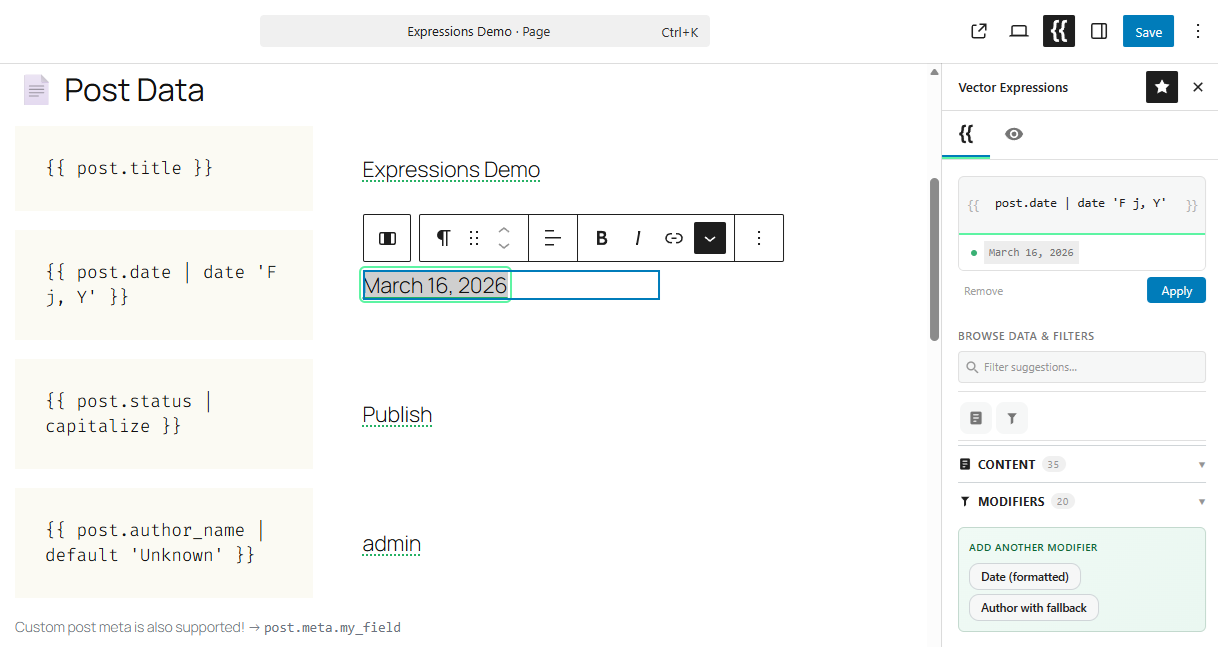
Features
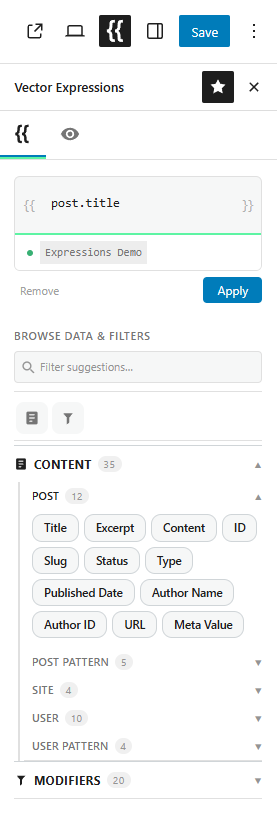
Dynamic Content — Insert live data into any block using a simple template syntax: {{ post.title }}, {{ user.name }}, {{ site.name }}. No shortcodes, no PHP templates, no code.
Personalization — Greet visitors by name, show role-specific content, or display custom messages based on login status. Expressions are evaluated server-side on every page load.
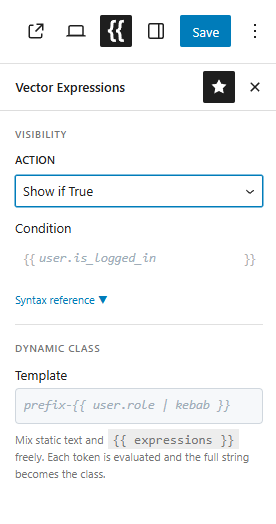
Visibility Control — Show or hide any Gutenberg block based on conditions. Display content only for logged-in users, specific roles, or specific post states — all configured from the block sidebar.
Dynamic CSS Classes — Inject CSS classes into any block based on live data. Style blocks differently for administrators vs. guests, published vs. draft posts, and more.
20+ Built-in Filters — Transform values with chainable pipes: upper, lower, truncate, date, default, match, replace, kebab, and more. Chain them: {{ post.title | upper | truncate 20 }}.
Custom Fields — Access any post or user meta with post.meta.my_field or user.meta.my_field. Sensitive keys are blocked by default.
Full Expression Language — Arithmetic, comparison, ternary, logical operators, string interpolation, and bracket access. All evaluated server-side with zero frontend JavaScript.
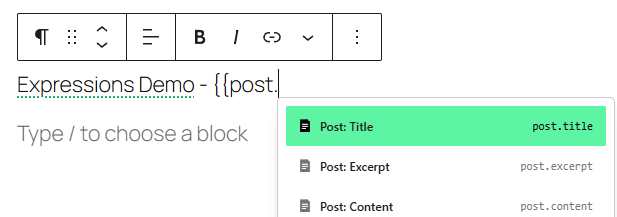
In-Editor Autocomplete — Typing {{ triggers smart autocomplete with categorized suggestions, icons, and live previews.
Extensible — Register custom data roots, custom filters, and custom autocomplete suggestions via WordPress hooks and JavaScript filters.
For complete syntax reference, filter documentation, and developer guides, visit the full documentation.
How It Works
Add an expression to any block’s text content by typing {{ and selecting your expression from the autocomplete menu. The plugin will automatically format it as an expression chip.
{{ post.title }}
{{ user.name | default "Guest" }}
{{ post.date | date "F j, Y" }}
{{ user.is_logged_in ? "Welcome back!" : "Hello, visitor!" }}
Expressions are rendered as interactive chips in the editor and resolved server-side on every page render. No JavaScript runs on the frontend.
For the full syntax guide, data roots, and filter reference, see the documentation.
Source Code
The full, uncompressed source code is publicly available on GitHub.