

Bulk Edit Variation Prices for WooCommerce – VariantNinja
v1.0.2variationxninja · 2026年6月14日 上架
Bulk edit variations in WooCommerce. Update regular and sale prices by product or attribute from one editable grid.
- 正在使用
- 20+
- 评分
- 暂无
- 累计下载
- 571
- 最近更新
- 2026年10月11日
贡献者
 variationxninja
截图
Updating prices on variable products in WooCommerce means opening each product, expanding the variations panel, and editing one row at a time. With a few products that’s fine. With a catalog full of sizes and colors it turns into an afternoon.
Bulk edit variation prices with VariantNinja, a variation price editor for WooCommerce. It puts the prices you need to change into a single editable grid. Pick a product or an attribute, edit the cells, and save. The plugin only writes back the rows you actually touched.
Finding the variations
There are two ways to load variations into the grid:
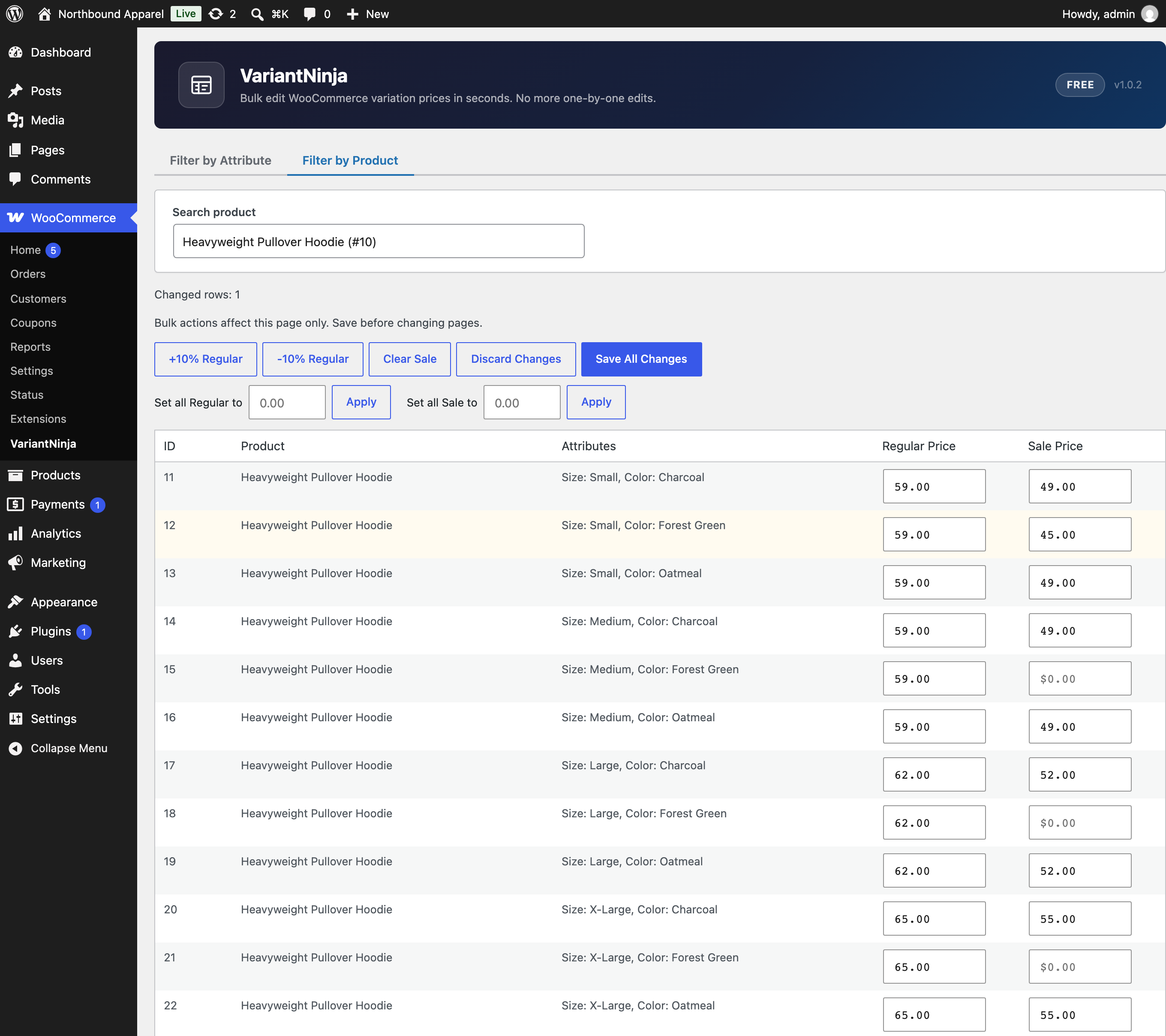
Filter by product searches for one variable product and lists all of its variations. Use this when you want to reprice a single item across its sizes and colors.
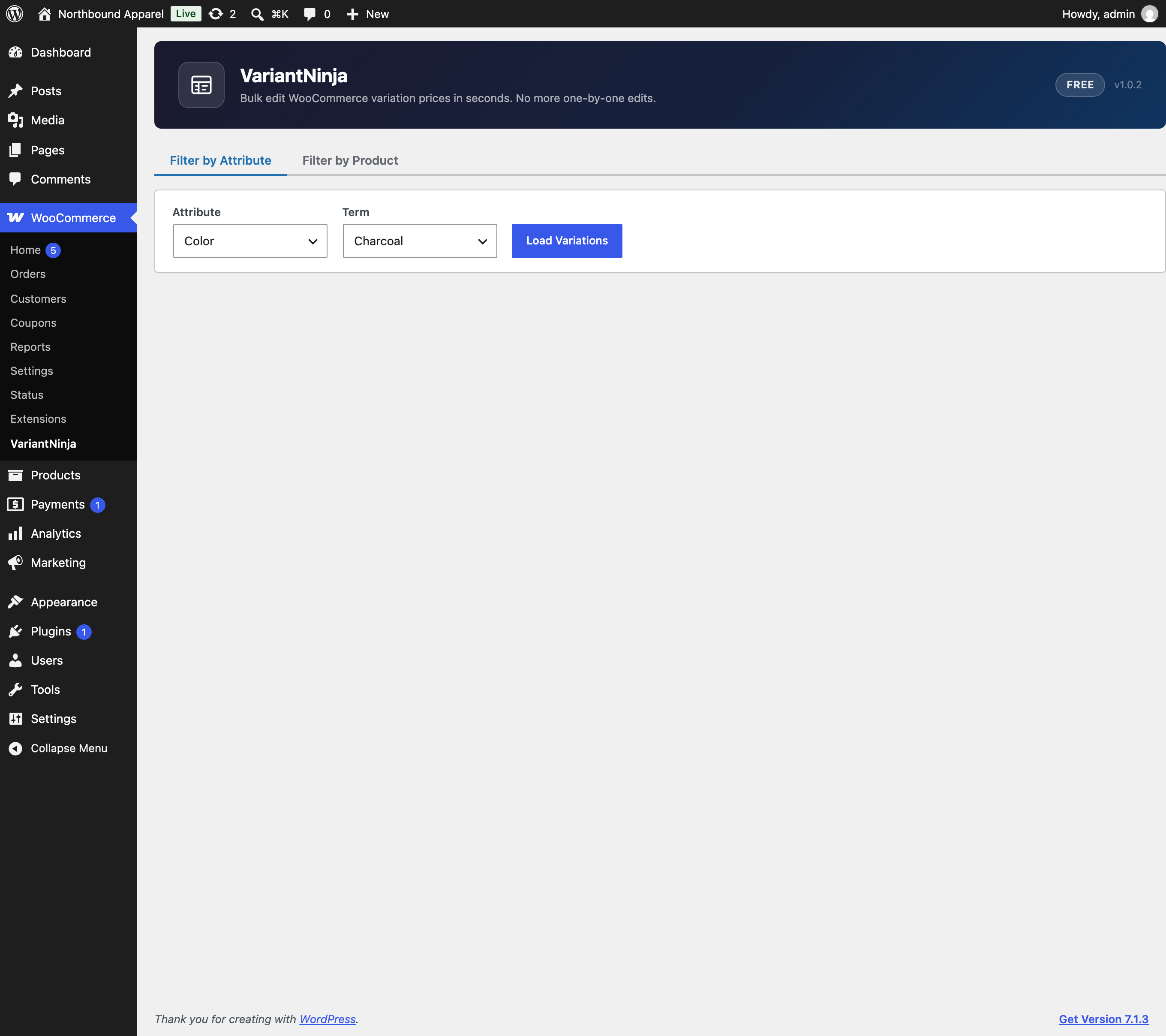
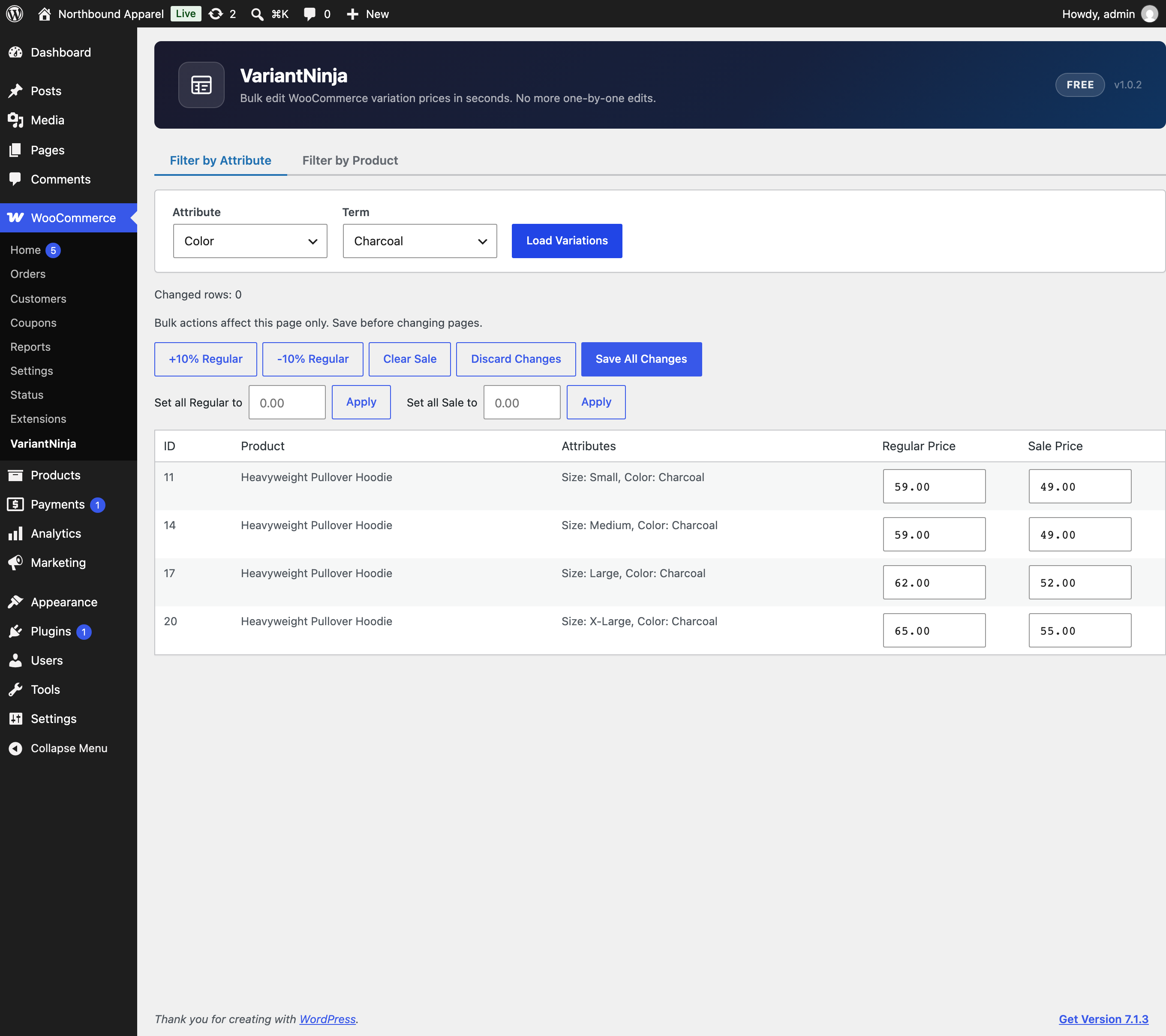
Filter by attribute loads every variation in your store that matches an attribute term, such as Size: Large or Color: Navy. This is how you make catalog-wide changes without opening each product.
Editing
Prices open in a grid with a column for the regular price and a column for the sale price. Click a cell, type a value, move on. Rows you’ve changed stay highlighted so it’s clear what will be saved, and nothing is written until you choose to save.
Bulk actions
When you want to move a lot of prices at once, the action bar applies to every row in the current view:
- Increase or decrease all regular prices by 10%
- Set every regular price to a fixed value
- Set every sale price to a fixed value
- Clear all sale prices
You can still fine-tune individual cells afterwards before saving, or use Discard Changes to put every row on the page back to its loaded price.
Good to know
- Variations load 100 per page, so large catalogs stay responsive.
- Only changed rows are sent when you save, which keeps writes fast and avoids touching prices you didn’t edit.
- WooCommerce price caches are cleared after a save, so the new prices show up on the storefront right away.
- Declares compatibility with WooCommerce High-Performance Order Storage (HPOS).
- Everything runs inside wp-admin over standard AJAX. No external services, no accounts, nothing leaves your server.