
Valserv Analytics for SentinelPro
v1.1.0sentinelpro · 2025年12月12日 上架
Connect your site to SentinelPro Analytics with real-time tracking, post-level metrics, and a privacy-focused dashboard.
- 正在使用
- 10 以下
- 评分
- 暂无
- 累计下载
- 745
- 最近更新
- 2026年1月30日
贡献者
 sentinelpro
截图

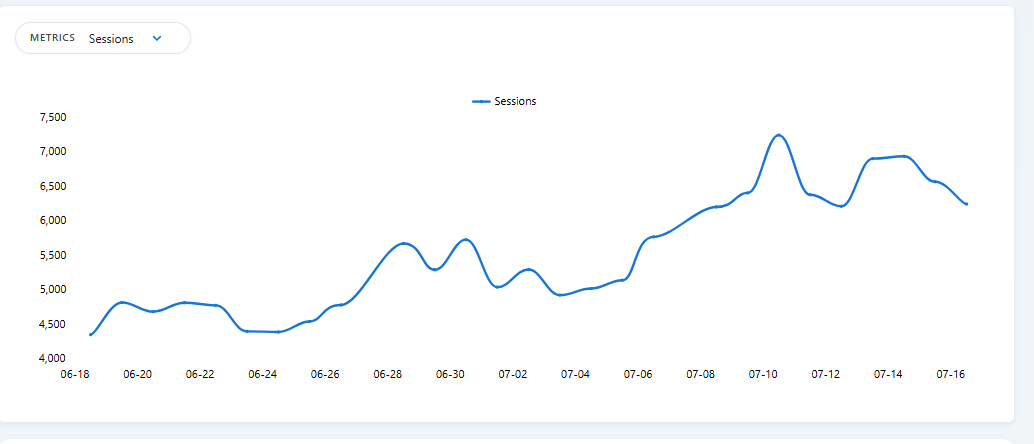
📊 Connect your site to SentinelPro Analytics
🚀 Real-time tracking and post-level insights
🔒 Privacy-focused and lightweight
Valserv Analytics for SentinelPro brings high-performance analytics to your site with a simple setup and zero bloat.
🎯 Key Features
- Instant Integration – Add your SentinelPro tracking code using a Property ID and API Key.
- Post-Level Metrics – View views, sessions, and event data directly in the admin.
- Custom Tracking Options – Disable tracking for logged-in users or customize with filters.
- Performance Focused – Clean code, fast loading, and compatible with all major caching plugins.
- Privacy-First – No personal data is stored or transmitted by the plugin itself.
🧩 Feature Support
- Real-time analytics dashboard (built-in)
- Per-post views, sessions, and event data
- Works with all major themes and editors
- Developer-friendly filters for extending tracking logic
⚙️ General Plugin Features
- Lightweight and fast
- Simple, intuitive settings page
- Works with or without Gutenberg
- Compatible with multisite
- Regular updates and active development
Usage
- Log in to your SentinelPro Analytics account.
- Copy your Account Name, Property ID, and API Key.
- Paste them into the plugin settings.
- (Optional) Adjust tracking behavior, such as enabling logged-in user tracking.
- View analytics directly from your admin dashboard or on individual post listings.
Privacy
Tracking Behavior:
This plugin loads a tracking script from analytics.sentinelpro.com when tracking is enabled and properly configured. The plugin itself does not collect, store, or transmit any personal user data on your WordPress server.
What Data is Sent:
When tracking is active, the SentinelPro tracking script (loaded from analytics.sentinelpro.com/track.js) may collect standard web analytics data such as:
* Page views and navigation paths
* Session information
* Browser and device information
* Referrer information
* IP addresses (which may be anonymized based on your SentinelPro account settings)
Tracking Control:
- Tracking is disabled by default and will not load until you:
- Enable tracking in the plugin settings
- Configure your Property ID and Account Name
- By default, logged-in users are excluded from tracking (configurable in settings)
- All tracking is handled by SentinelPro servers, not by this plugin
Privacy Compliance:
To comply with GDPR, CCPA, or other data regulations:
* Refer to your SentinelPro Analytics account settings for privacy controls such as IP anonymization
* Ensure your site’s privacy policy discloses the use of analytics tracking
* Consider implementing a cookie consent mechanism if required by your jurisdiction
Data Storage:
This plugin stores only configuration data (Property ID, Account Name, API Key) in your WordPress database. No visitor tracking data is stored locally by this plugin.
Support and Development
This plugin is actively developed and maintained by Valserv Inc.
For documentation, feature requests, or support, visit: https://valserv.com/contact
Enjoy using SentinelPro Analytics?
Please consider leaving a 5-star review