

Vachr Appointments – Free Appointment Booking with PayPal & Stripe
v1.3.0vachr · 2026年10月24日 上架
Free appointment booking, no Pro version: unlimited providers, PayPal, Stripe & Mollie, bank QR payments, waiting list, invoices, reception desk.
- 正在使用
- 10 以下
- 评分
- 暂无
- 累计下载
- 502
- 最近更新
- 2026年11月23日
贡献者
 vachr
截图
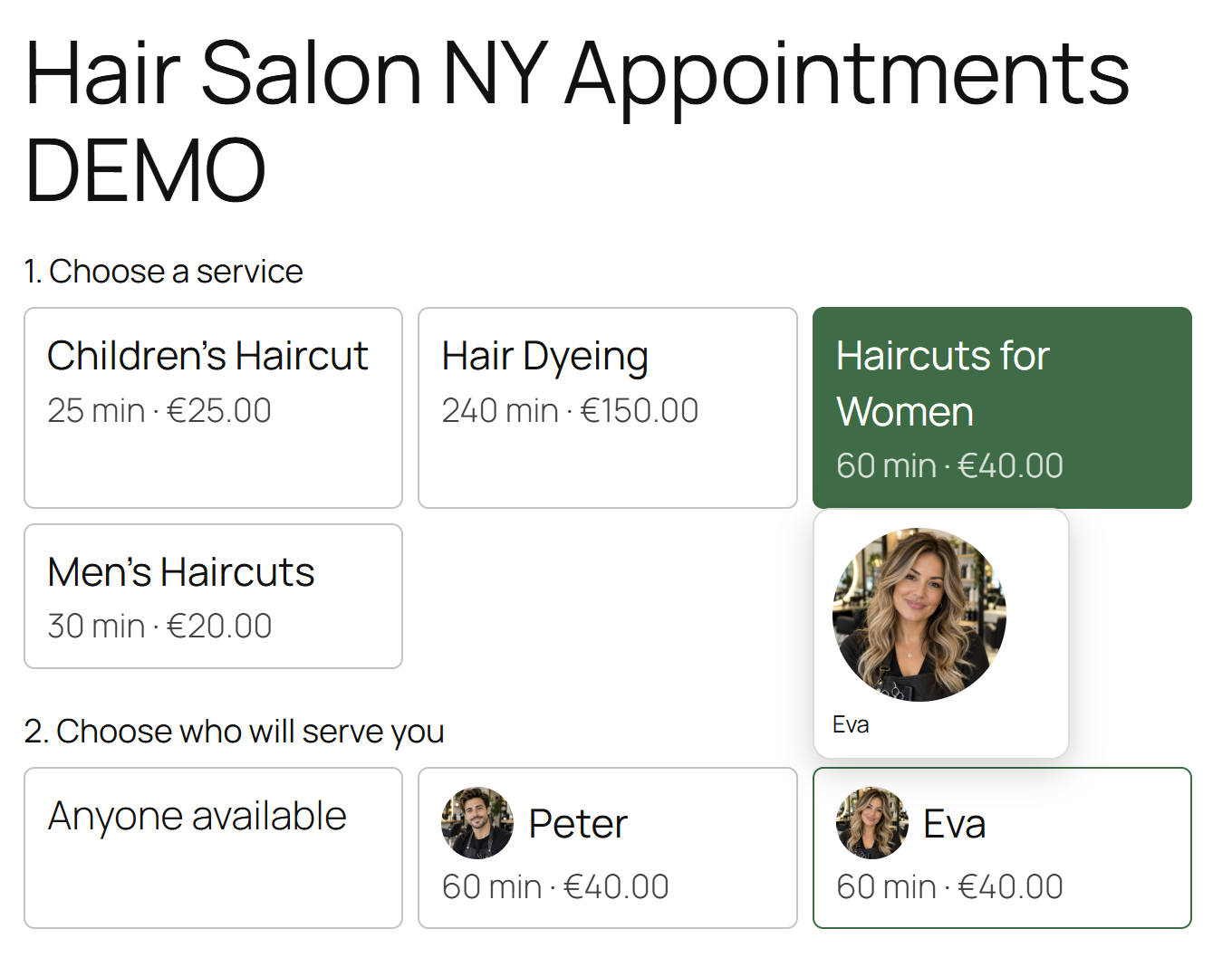
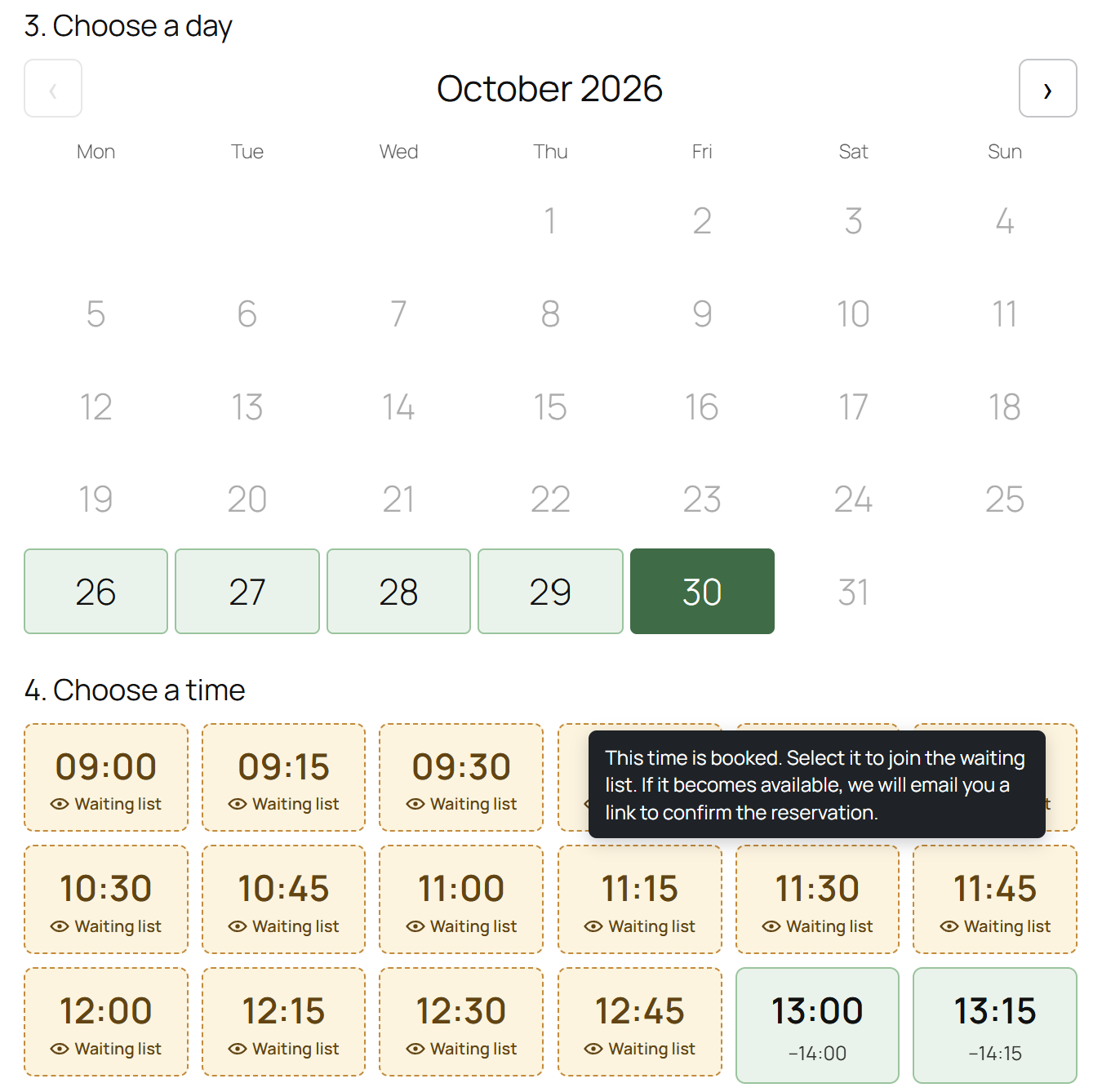

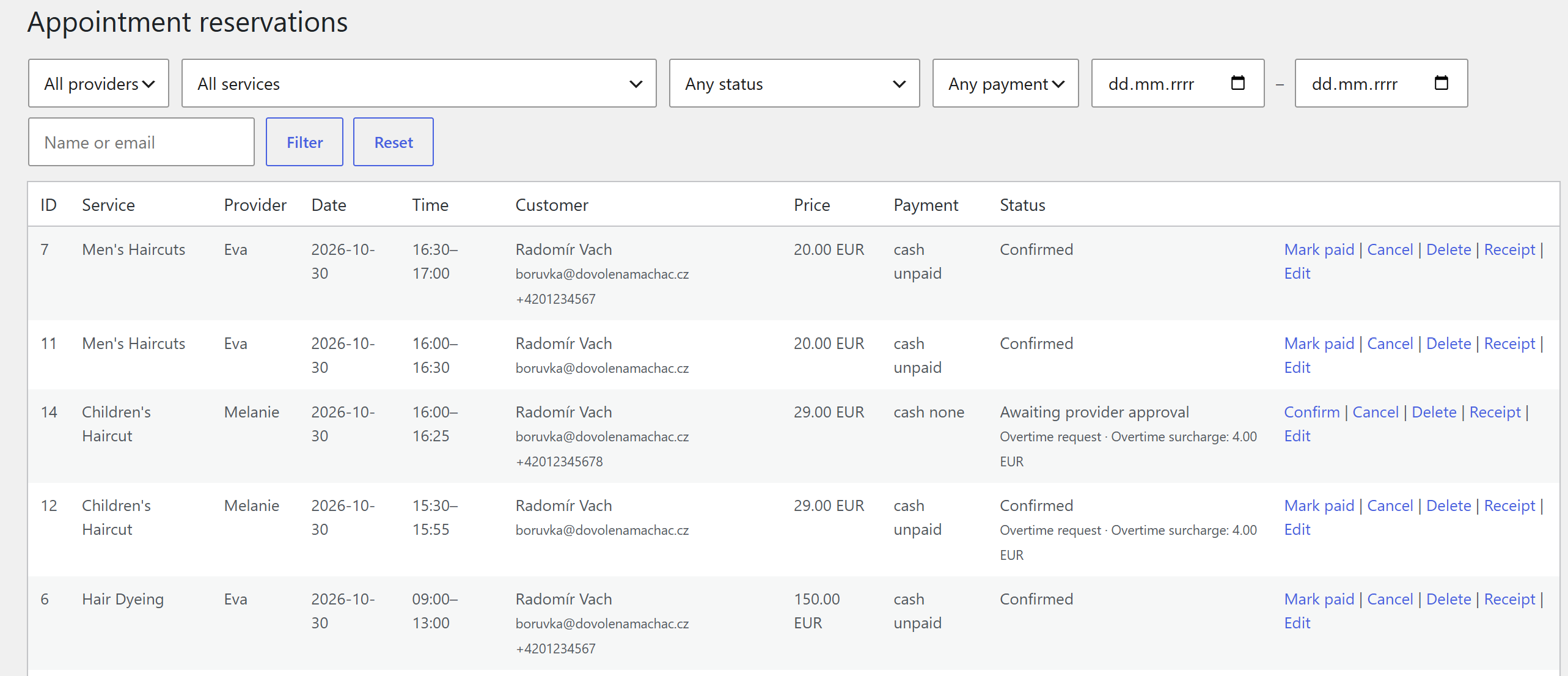
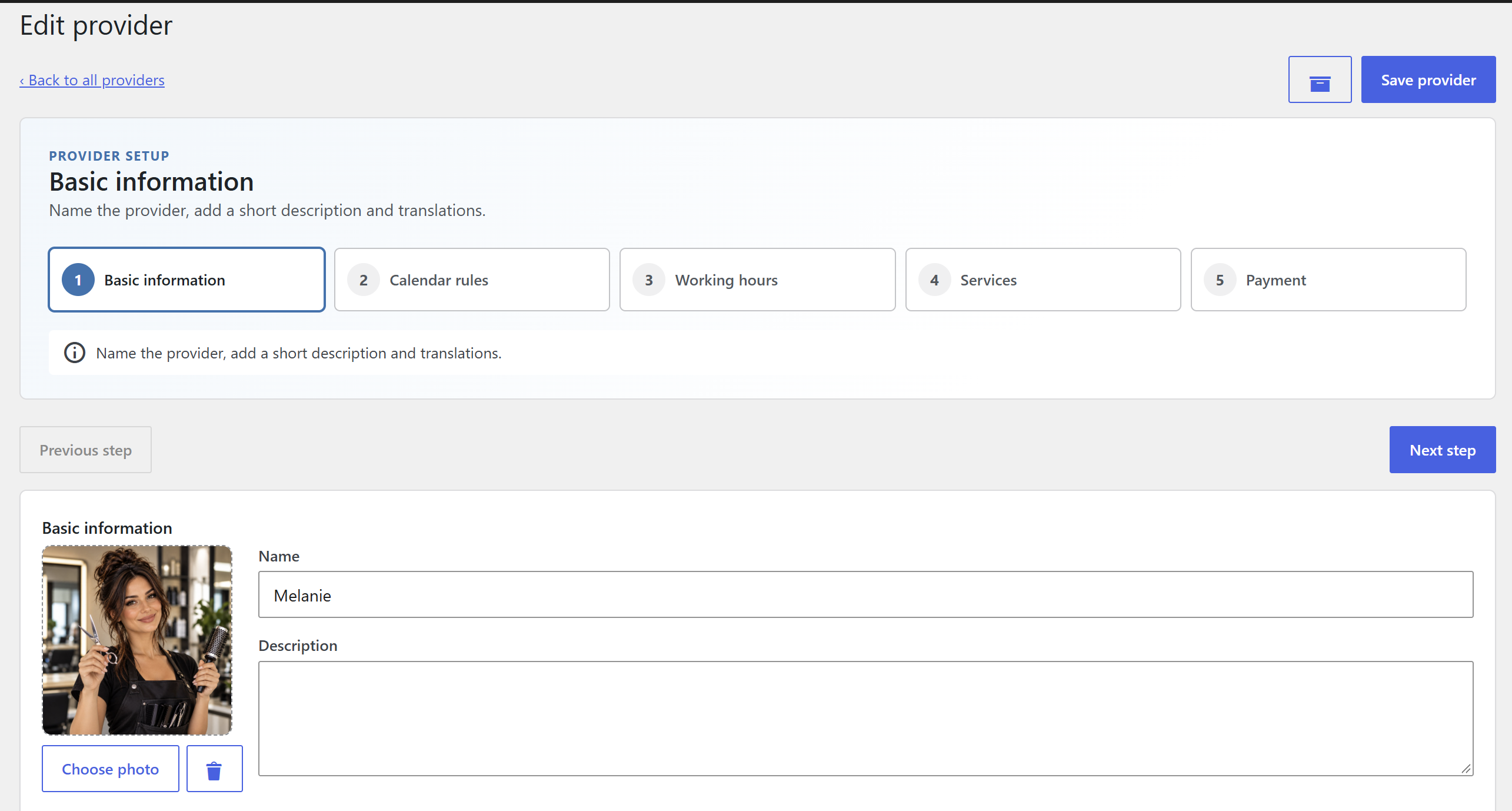

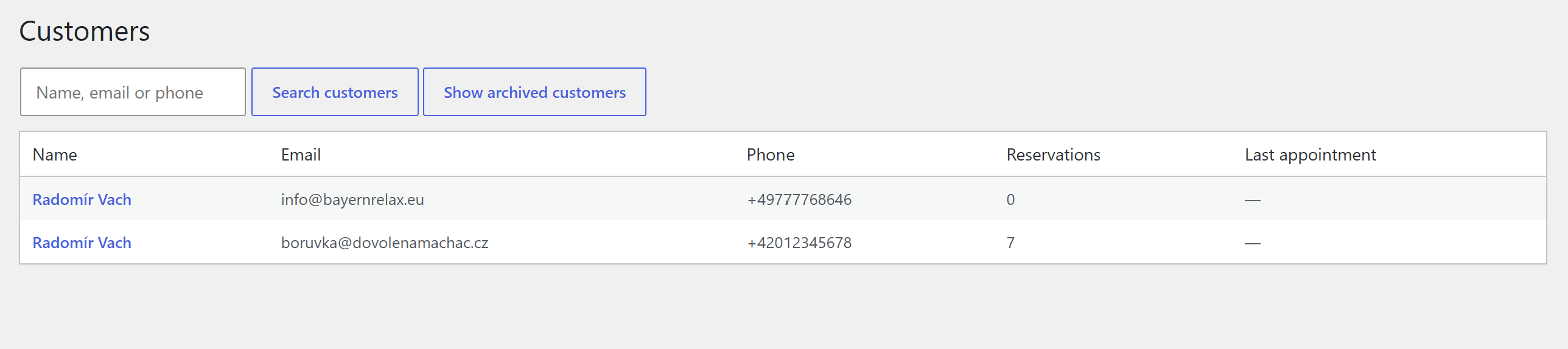
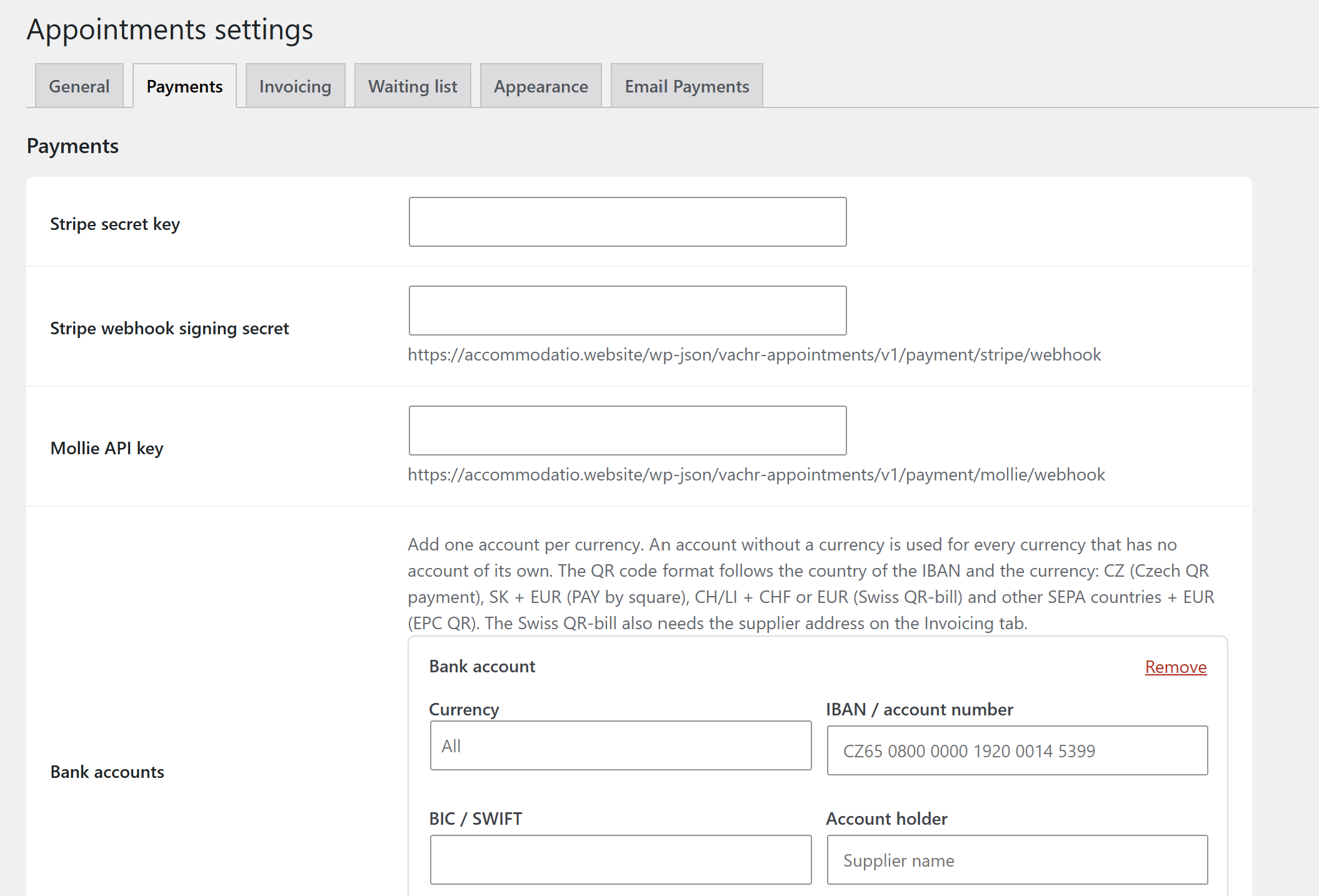
Turn your WordPress site into a 24/7 booking desk for doctors, private practices, hairdressers, barbers, massage therapists, beauty and wellness providers, and other appointment-based businesses. Clients choose a service, provider and available time online, while you manage schedules, reservations and customer records in one place.
Whether you work on your own or run a small team, Vachr Appointments helps cut down on booking calls and message exchanges. Set each provider’s availability, let clients book from your site, accept online or offline payments, and use the waiting list to offer newly freed appointments to interested customers.
Everything is free
Many booking plugins give you a basic free version and put staff, online payments or reminders behind a paid upgrade. Vachr Appointments has no Pro version, no add-ons to buy and no license key:
- No limits on providers, services or bookings.
- No commission and no monthly fee. Online payments go straight to your own PayPal, Stripe or Mollie account; bank transfers and cash cost nothing.
- No external booking service and no sign-up. Bookings and customer records stay in your WordPress database.
Why salons, practices and therapists choose it
- Fewer empty slots after cancellations: the waiting list offers the freed time to other customers automatically.
- Running late? Set the delay on the reception desk and the customers who are coming are told the expected start by email, on their reservation page and on a waiting-room screen.
- A reception desk for staff without WordPress accounts: a password-protected page with the day, week and month calendar and one-click walk-in booking.
- Bookings in your own calendar: every provider gets a private calendar feed for Google Calendar, Apple Calendar or Outlook, and customers get an “Add to Google Calendar” link in their confirmation email.
- Chair rental and shared practices: every provider can have their own bank account and PayPal, Stripe or Mollie account, so each one is paid directly.
- Connect other systems: webhooks call an SMS gateway, CRM or Zapier when a reservation is created, paid, changed or cancelled – with your own URL, headers and body.
- Get paid by bank transfer without checking statements: QR payment codes and automatic matching of bank notification emails to reservations.
- Receipts and proforma invoices with your numbering, tax details and document language.
- Ready for European businesses: 13 translations, multiple currencies, consent handling and Czech, Slovak, Swiss and SEPA payment QR codes.
External services
This plugin connects to external services only when the site owner enables and configures the related feature.
- Stripe: When a customer chooses Stripe for an online payment, the site sends Stripe the reservation description and ID, amount, currency, customer email address, and return URLs to create a hosted checkout session. The plugin also asks Stripe for the payment status when processing its webhook. Stripe’s Services Agreement and Privacy Policy apply.
- PayPal: When a customer chooses PayPal, the site sends PayPal the reservation description and ID, amount, currency, the site name and return and cancel URLs to create an order, and captures that order when the customer returns. The site obtains an access token from PayPal with the client ID and secret configured by the site owner. PayPal’s User Agreement and Privacy Statement apply.
- Mollie: When a customer chooses Mollie, the site sends Mollie the reservation description and ID, amount, currency, and redirect and webhook URLs to create a payment. The plugin retrieves that payment’s status from Mollie when processing its webhook. Mollie’s User Agreement and Privacy Statement apply.
- Google Calendar and other calendar apps: The plugin does not connect to Google itself. If a provider subscribes to their private calendar feed in Google Calendar, Apple Calendar, Outlook or another calendar app, that service downloads the feed from your site; it contains the provider’s reservations with the service, time and the customer’s name, phone and email. The “Add to Google Calendar” link in the confirmation email opens Google Calendar with the service, provider name, time and reservation number when the customer clicks it. Google’s Terms of Service and Privacy Policy apply to Google Calendar.
- Webhooks: If the site owner adds a webhook (Appointments -> Settings -> Webhooks), the site sends an HTTP request to the URL the owner entered whenever a selected event happens. The request contains what the owner put in the URL, headers and body, which can include the reservation number, service, time, price and the customer’s name, email and phone. Nothing is sent unless a webhook is configured and active. The privacy policy of the receiving service applies.
- IMAP mailbox: If the site owner enables email payment import, the site connects to the IMAP server configured by the owner to read bank notification messages and match them to reservations. Mailbox credentials and message contents are sent only to that configured mail server; parsed message contents are not stored by the plugin.
Booking
- Public booking form via the
[vachr_appointment_form]shortcode, a block or an Elementor widget. The reception desk is available as an Elementor widget too. - Each provider has their own working hours, calendar rules, photo, link and phone number.
- Services with their own duration and price; optional overtime surcharge per started 30-minute block.
- Restrict the form to a provider or service and override language or currency with shortcode attributes.
- Hovering a provider icon on the time slots shows a card with an enlarged photo and full name.
- Reception desk
[vachr_appointment_desk]: day, week and month calendar with a date picker, reservations, one-click walk-in booking, deleting unpaid and cancelling paid reservations, usable behind a password-protected page. Staff can also cancel a day or a range of days (for example when the provider is ill) and notify the customers. - Calendar feed per provider: subscribe to a private address in Google Calendar, Apple Calendar or Outlook to see pending and confirmed reservations there; the address can be replaced at any time. Confirmation emails include an “Add to Google Calendar” link.
- Delays: when a provider runs late, the booking form warns visitors, the customer’s reservation page shows the expected later start, and the waiting room shortcode
[vachr_appointment_status provider="1"]shows the delay and the expected start of the remaining times of the day (no personal data, refreshes itself).
Payments
- PayPal, Stripe and Mollie online payments (Stripe and Mollie checkout shows the methods enabled in your account, such as cards, Apple Pay, Google Pay or iDEAL), verified with the gateway before a reservation is marked paid.
- Bank transfer with a bank account per currency and payment instructions in every content language; QR payment codes for Czech (SPAYD), Slovak (PAY by square), Swiss (QR-bill) and other SEPA (EPC) accounts.
- Own payment details for every provider, for example a salon where providers rent a chair: separate bank accounts (QR codes and payment instructions follow the provider) and separate PayPal, Stripe or Mollie keys, so each provider is paid directly. Providers without their own details use the site-wide ones.
- Cash payments.
- Email payment import: match bank notification emails from an IMAP inbox to reservations by number, amount and currency, with a parser profile per bank.
Customers and reservations
- Customer records linked to reservations by email, with a searchable directory and contact cards.
- Upcoming reservations separated from appointment history; notes, contact windows and archiving.
- Optional country, street, phone and language fields, each of which can be made required.
- Typed custom fields with translated labels, descriptions and dropdown choices, assignable to each service.
Waiting list
- Customers can wait for taken times or for any time.
- When a time is freed they receive an email with a confirmation link; the first to confirm gets it.
- Notify one after another or all at once, with configurable confirmation time and entry lifetime.
Invoicing and email
- Printable receipts and proforma invoices with configurable numbering, supplier and tax details and document language.
- Reservation emails and receipts show the final price including surcharges.
Multilingual and multi-currency
- Translations: Czech, German, Spanish, French, Italian, Japanese, Dutch, Polish, Portuguese, Russian, Simplified Chinese, Slovak and Ukrainian. English is the source language.
- Multiple currencies with a base currency and configurable content languages.
Design and protection
- Appearance settings for accent and surface colors, corner radius and maximum width.
- Built-in CAPTCHA and consent handling on the public form.
- Data is stored in the plugin’s own
vachr_appointment_*tables.