

User Profile Picture – Custom Local Avatars
v1.0.10Dew Technolab · 2019年9月24日 上架
Replace Gravatar with a custom profile picture from your Media Library, shown everywhere WordPress displays avatars. Lightweight, no settings.
- 正在使用
- 4,000+
- 评分
- 5.0 / 5
- 累计下载
- 2.9 万
- 最近更新
- 2026年10月24日
 Dew Technolab
 Divyesh Ghediya
截图
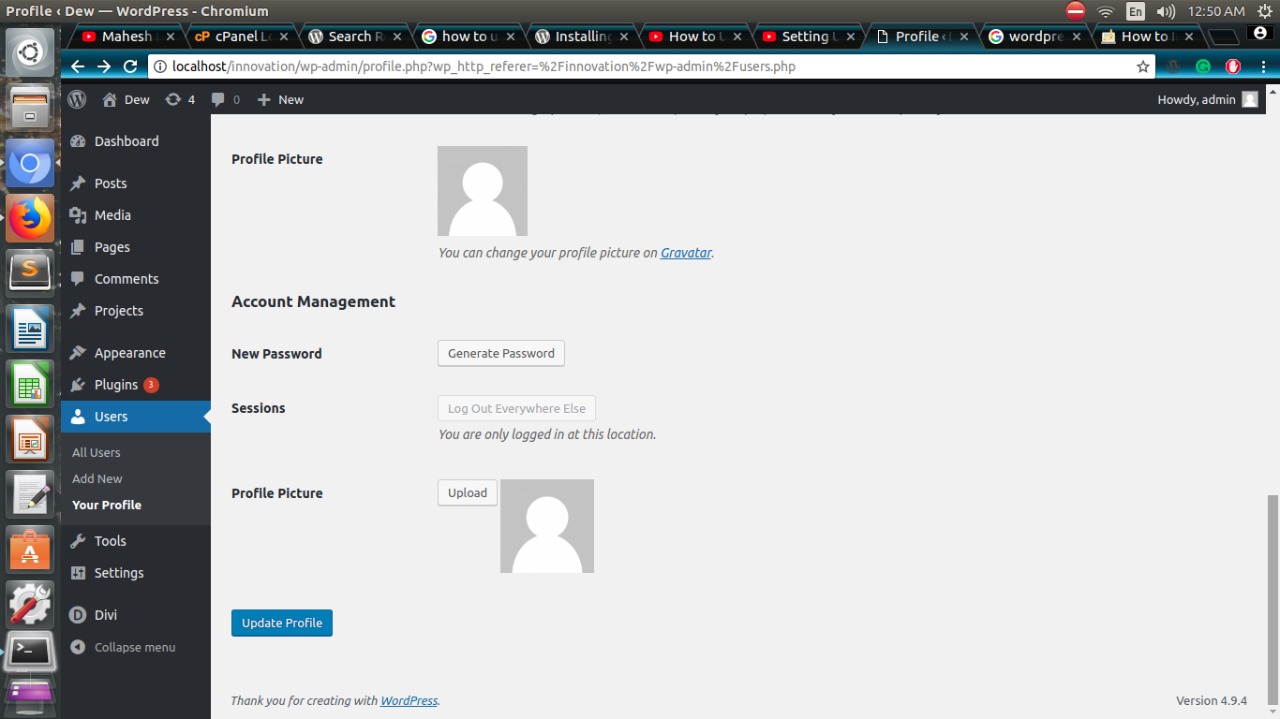
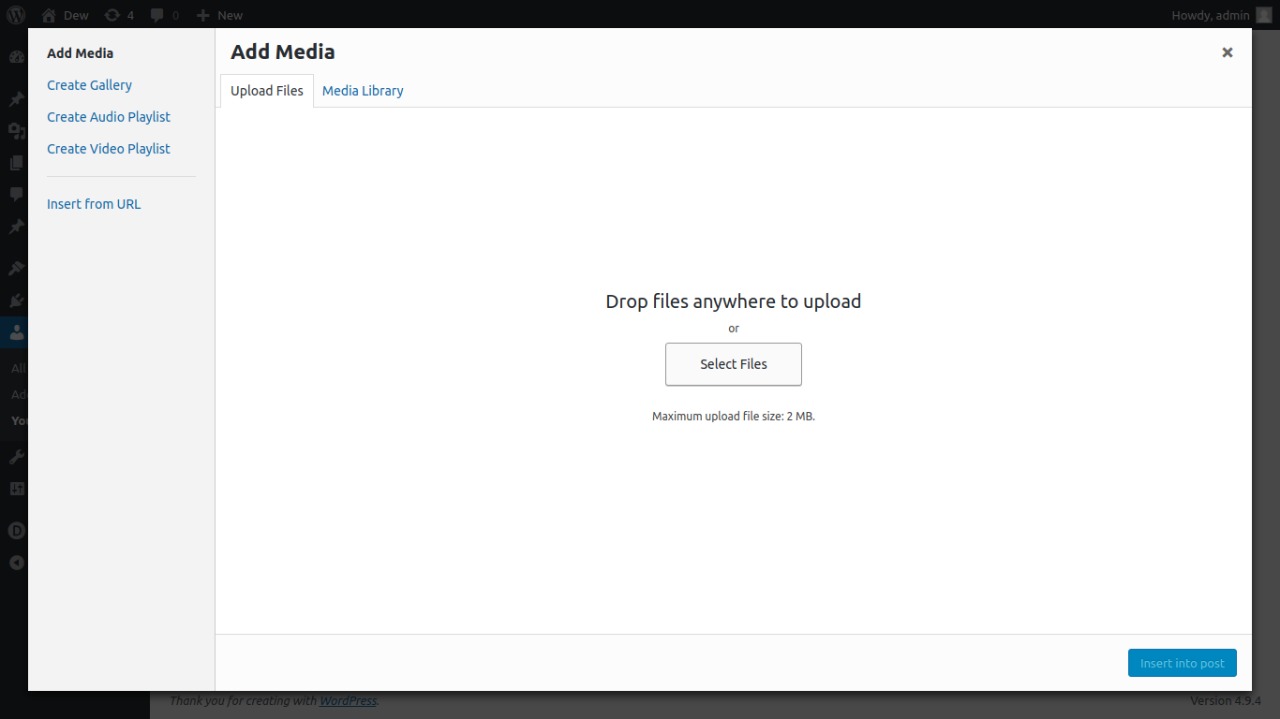
User Profile Picture gives any user a custom profile picture, a local avatar chosen from the WordPress Media Library, instead of their Gravatar.
Choose the picture on the user’s profile screen with the standard WordPress media uploader. From then on it appears everywhere WordPress shows that user’s avatar: comments, author boxes, the admin toolbar, the Users list, the Avatar block, the REST API, and any theme or plugin that uses get_avatar() or get_avatar_url(), such as page builder author boxes and GraphQL APIs.
Features
- Custom profile picture for any user, chosen or uploaded with the native WordPress media uploader.
- Shown everywhere avatars appear: comments, post authors, the admin toolbar, the Users screen, the Avatar and Post Author blocks, and themes and plugins that call
get_avatar()orget_avatar_url(). - Avatar URLs in the REST API (
avatar_urls) and in plugins that ask for the avatar URL, such as page builder widgets and GraphQL APIs, use the custom picture too. - Remove the picture with one click to go back to the Gravatar.
- Pictures are served from your own site, so users don’t need a Gravatar account.
- Users without a custom picture keep their Gravatar or your default avatar.
- Keeps the size, alt text, CSS classes and lazy loading your theme asks for.
- Set the picture when creating a user on Users > Add New.
- Lightweight: no settings page, and the media uploader loads only on the user screens.
- Works with block themes, classic themes and multisite.
- For developers: the
dew_profile_img()function and thedpp_avatar_classesfilter.
How it works
- Go to Users and open a user’s profile, or your own.
- Under Profile Picture, click Upload and choose or upload an image.
- Click Update Profile. The picture now replaces that user’s Gravatar across your site.
To go back to the Gravatar, click Remove under the picture and then Update Profile.
Profile pictures are set by administrators (users who can edit other users), for any user including themselves.
Like the plugin? Please consider leaving a review. It helps other people find it.