

Users Bulk Delete With Preview
v2.6.0maksymvasylchuk · 2024年11月1日 上架
Easily delete multiple WordPress users with the Users Bulk Delete With Preview plugin. Preview details before removal for accuracy and better control.
- 正在使用
- 200+
- 评分
- 5.0 / 5
- 累计下载
- 3,838
- 最近更新
- 2026年11月17日
贡献者
 maksymvasylchuk
截图
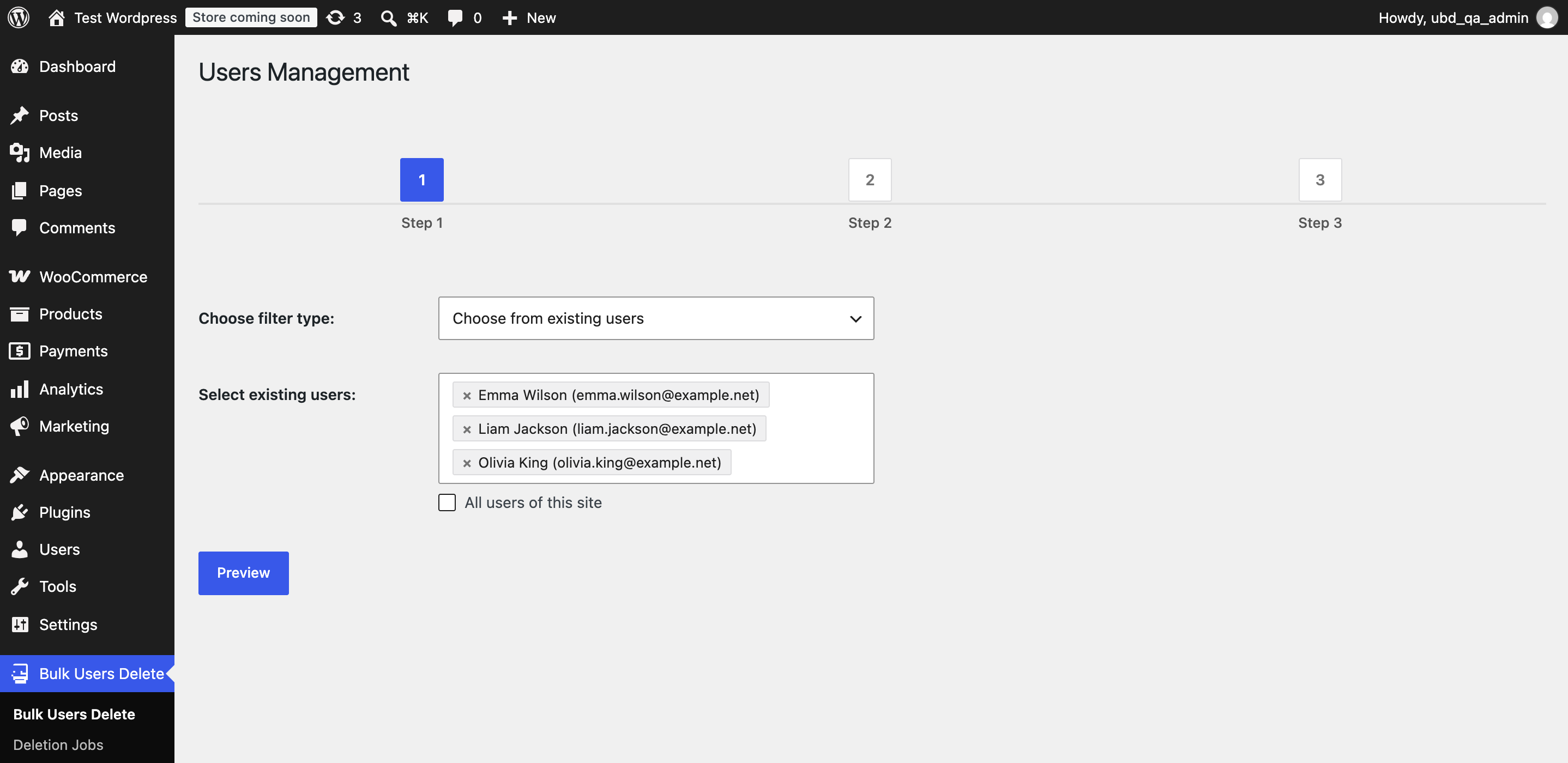
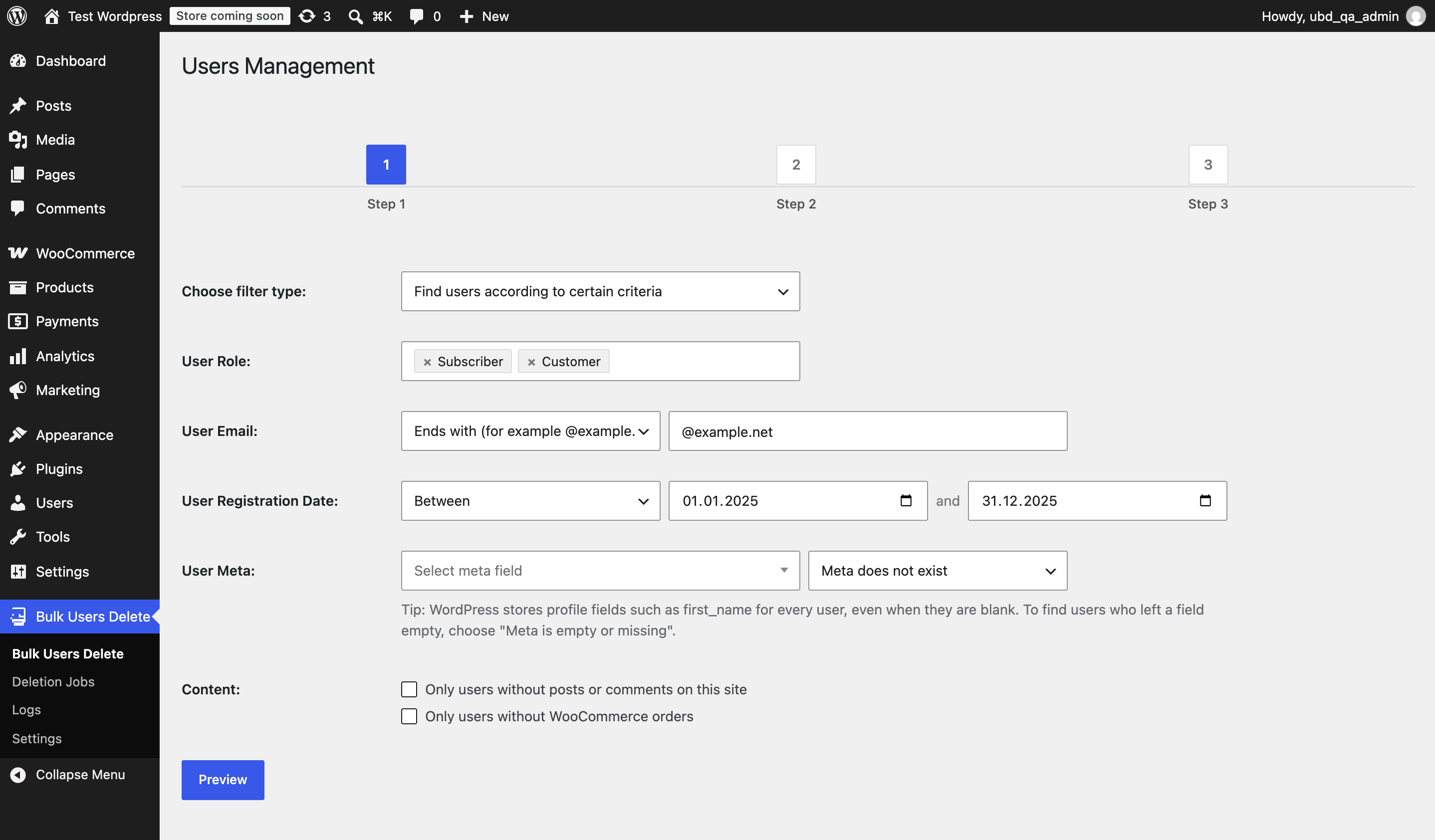
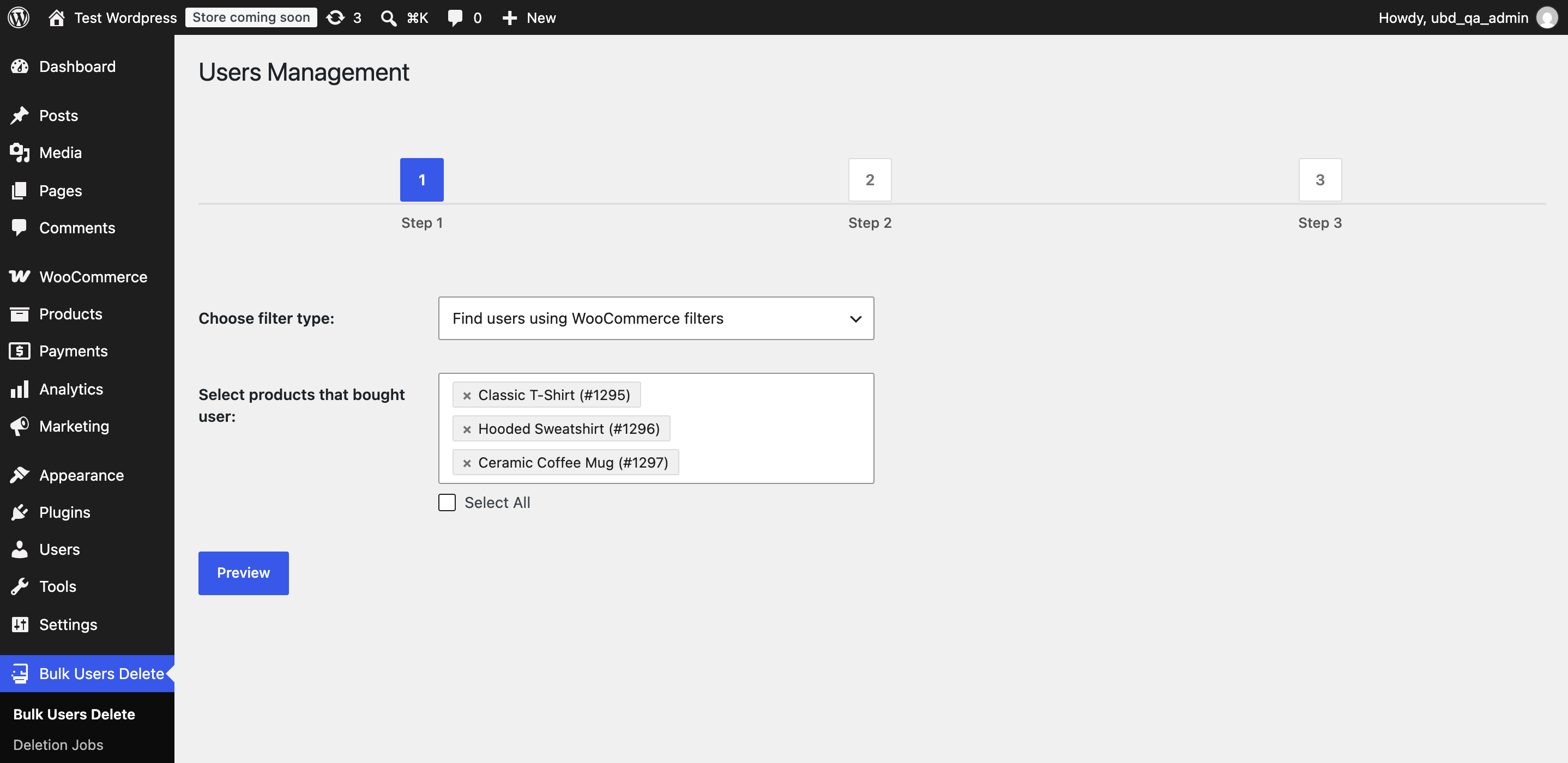
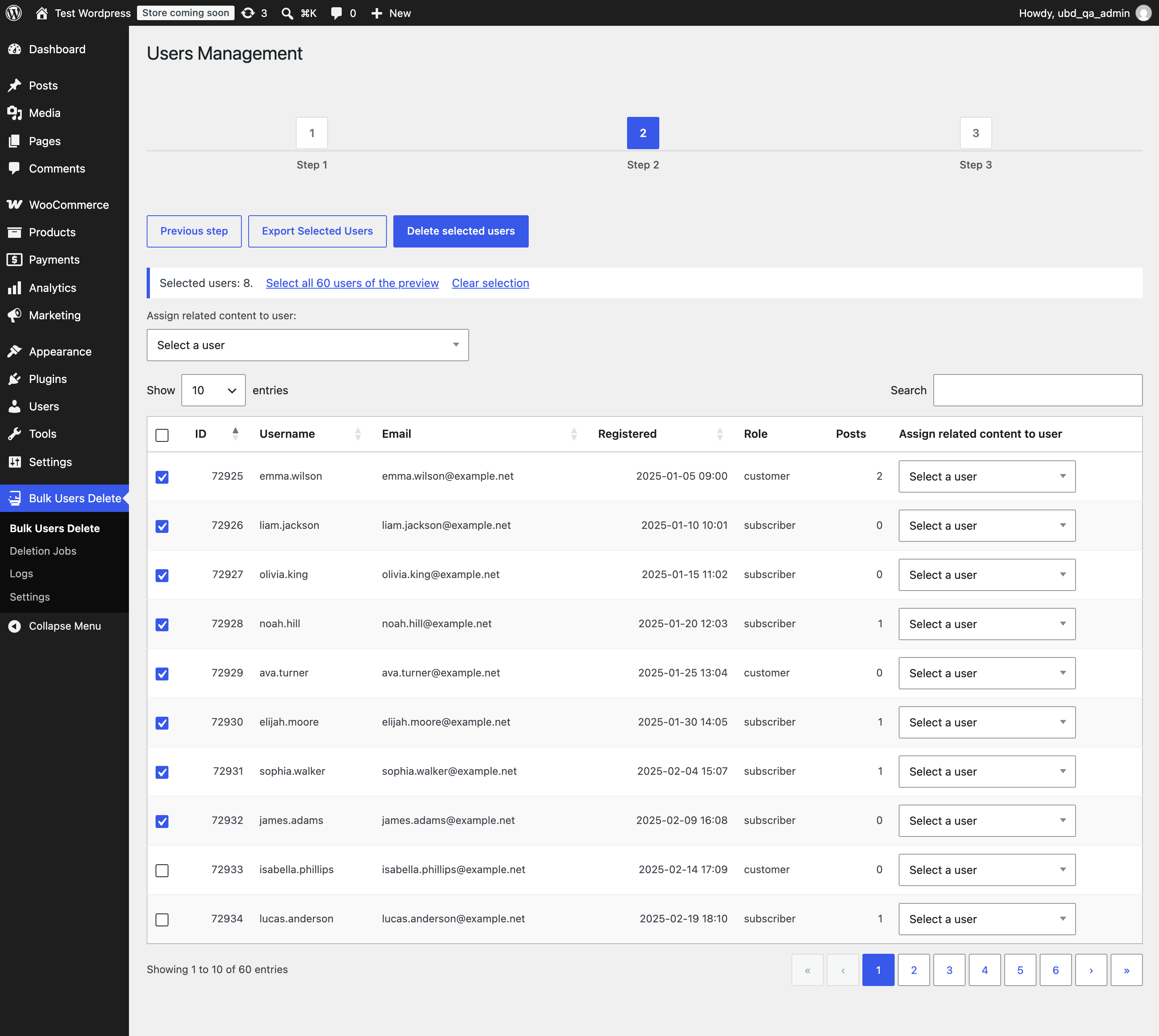
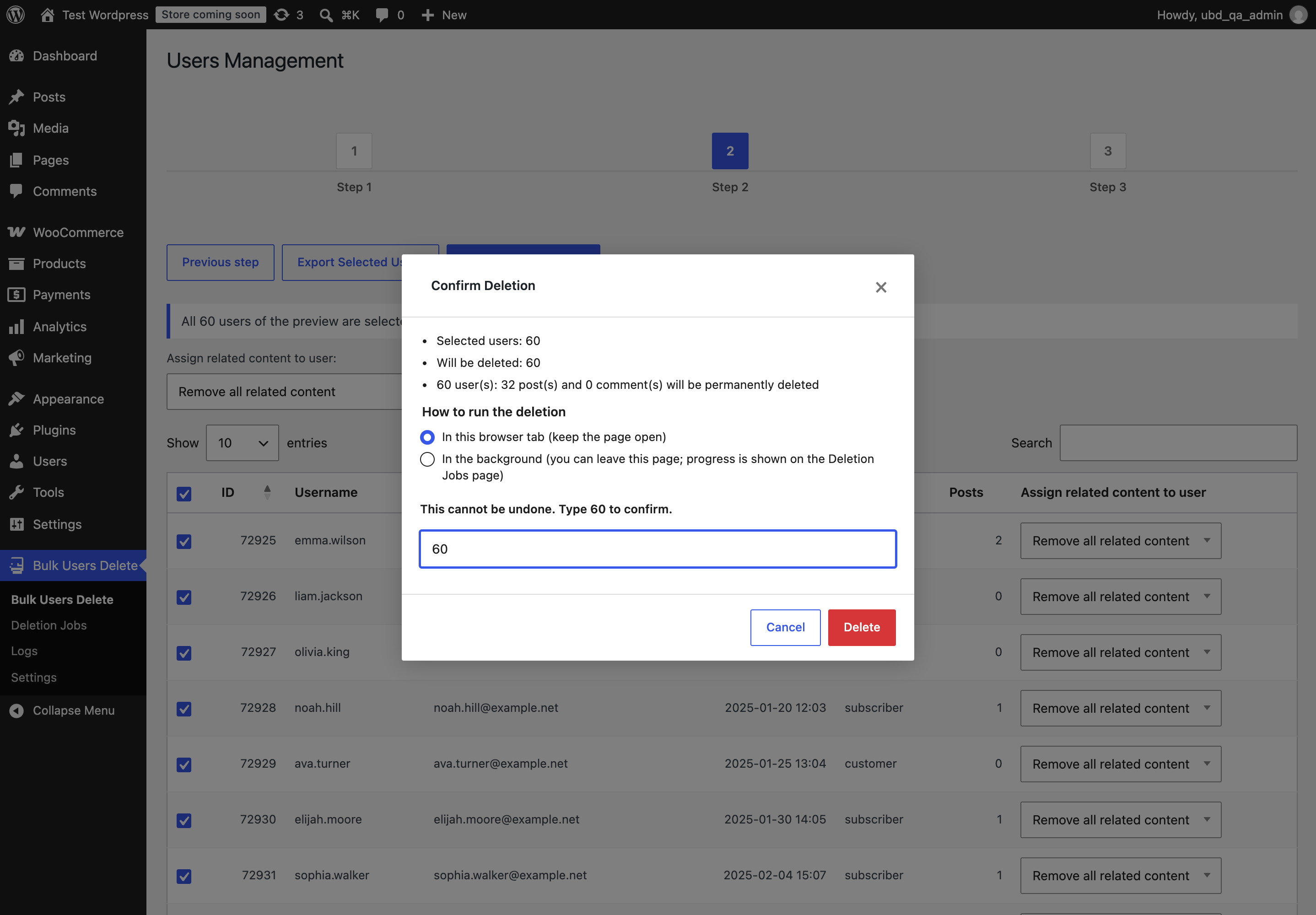
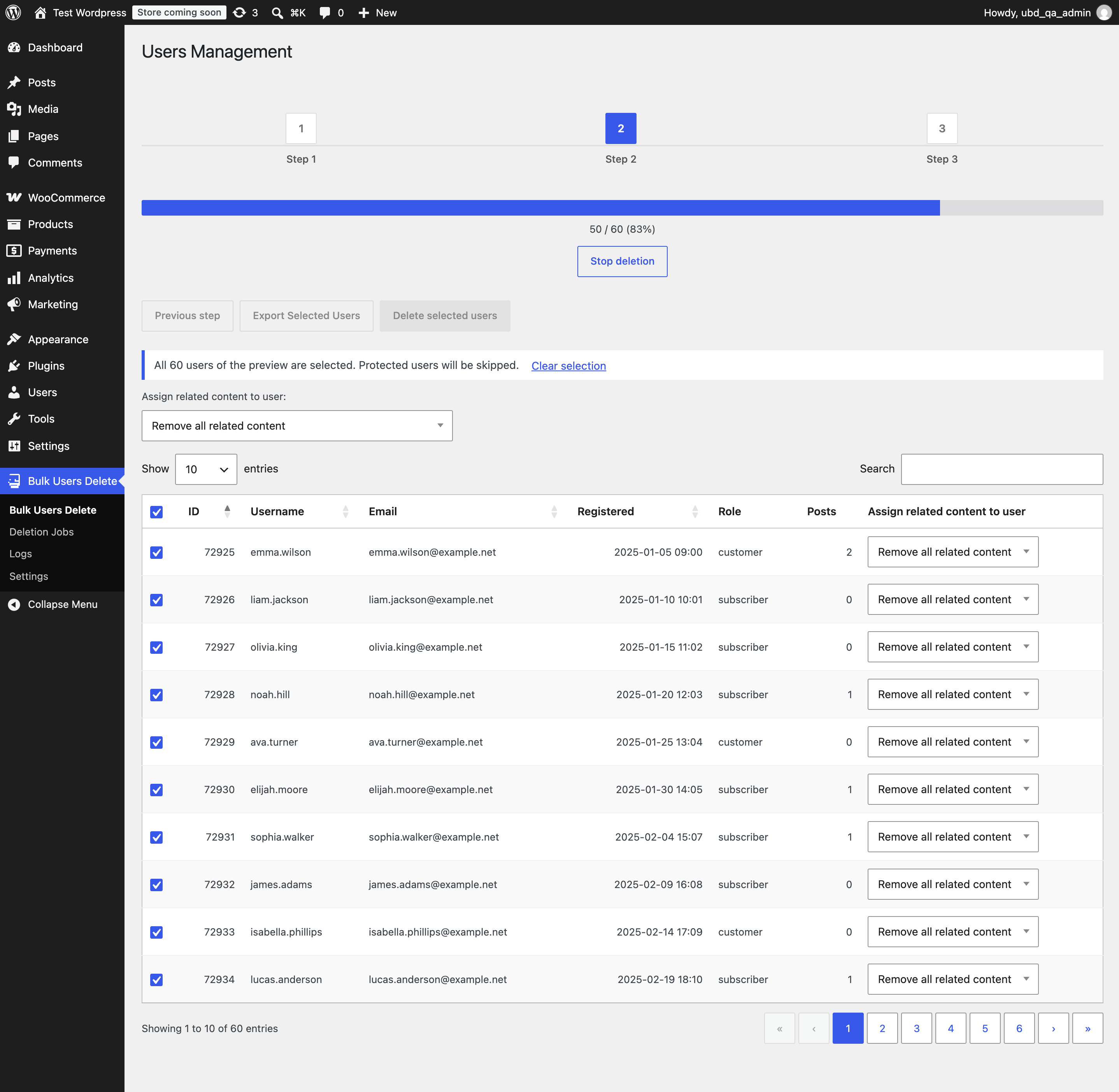
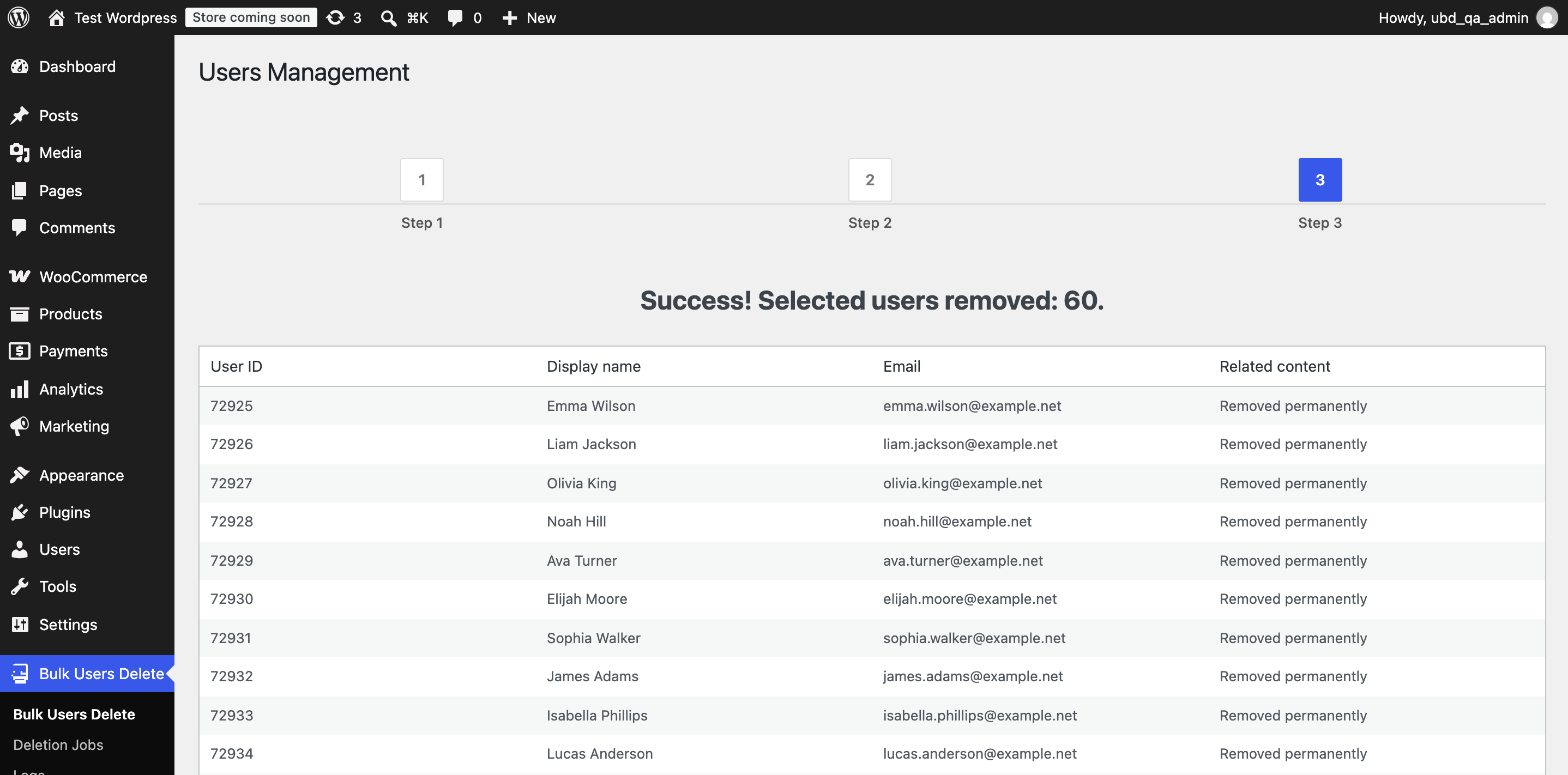
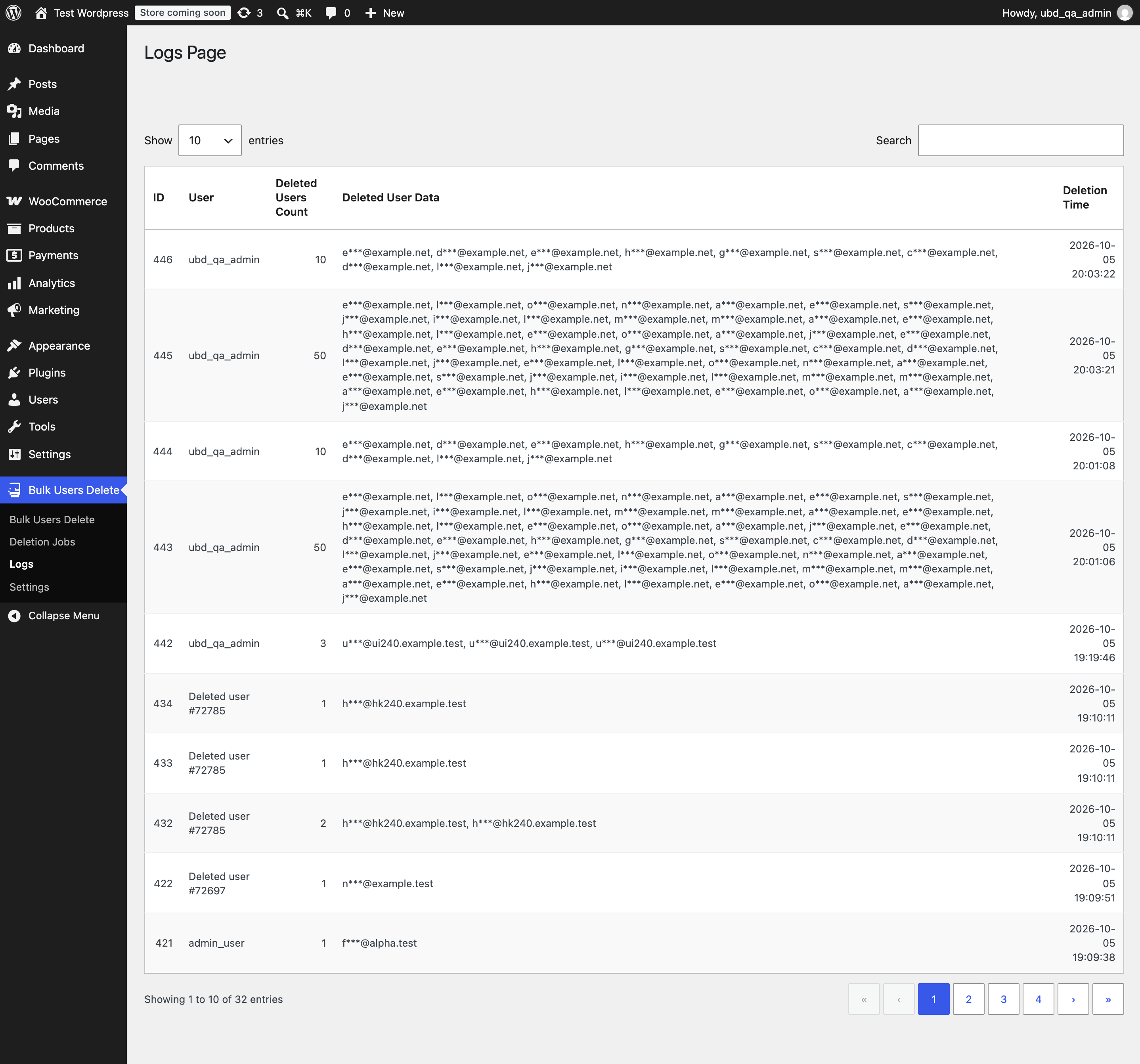
Introducing the Users Bulk Delete With Preview plugin – the ultimate solution for managing large numbers of WordPress users with precision and ease. Whether you’re handling a growing membership site, an extensive e-commerce platform, a WordPress multisite network, or a vibrant community, this plugin simplifies the process of user deletion and site-level user removal while helping you avoid accidental data loss.
Features
-
Bulk Deletion Capabilities:
Effortlessly remove multiple users at once, saving you time and reducing the hassle of deleting users one by one. Perfect for cleaning up inactive accounts, managing user roles, or streamlining your database. -
Preview Before Deletion:
Our plugin includes a crucial preview feature that allows you to review user details before finalizing the deletion process. This step is essential for verifying that you are deleting the correct users, thereby minimizing the risk of accidental removal. -
User Filtering Options:
Easily filter users based on various criteria such as user role, registration date, or email. This powerful filtering system ensures that you can target specific groups of users for deletion, making your management tasks more precise and effective, including WooCommerce orders. -
Safe and Secure:
The Users Bulk Delete With Preview plugin prioritizes your data’s security. It requires confirmation before executing any deletions, ensuring that no user data is lost inadvertently. Additionally, it provides a safeguard by allowing you to export user data before proceeding with bulk operations. -
User-Friendly Interface:
Designed with simplicity in mind, the plugin features an intuitive interface that makes it easy for users of all technical levels to navigate and operate. The clear layout and straightforward options ensure a smooth experience throughout the user management process. -
Single Site and Multisite Support:
On single-site installations, selected users are deleted from the site. On multisite installations, selected users are safely removed from the current site without deleting their network account. -
Export and Audit Tools:
Export selected users to CSV before taking action and keep a log of deletion operations. The CSV can be readable or ready for importing on another site (WordPress field names, no passwords). Exports are generated on demand and downloaded directly, so user data is never left in public upload folders. -
Large Sites, Background Deletion and WP-CLI:
The preview is paged on the server, so it works with tens of thousands of users. Deletions run in batches, in the browser tab or in the background, and can be followed and cancelled on the Deletion Jobs page. The same filters are available on the command line with wp ubdwp find and wp ubdwp delete. -
Translations:
The plugin is available in English, Ukrainian, German, French, Spanish, Italian and Portuguese (Brazil).
Pro add-on
Everything above is free and stays free. The optional paid Pro add-on works on top of this plugin and adds:
- Recycle bin: restore deleted users with their password, profile, roles and posts.
- Scheduled cleanups: run a saved filter every hour, day, week or month, with reports and warning emails before deletion.
- Saved filters, last login, spam and fraud filters, WooCommerce, membership and LMS filters.
- Protection: never delete chosen roles, users or customers, and stop deleted users from registering again.
The add-on can be tried for 7 days.
Documentation
Guides for the free plugin and the Pro add-on, the WP-CLI commands and the hooks for developers: https://maksymvasylchuk.github.io/users-bulk-delete-with-preview/
Minimum Requirements
- PHP 8.0 or greater is required.
Usage
- Once the plugin is activated, navigate to Bulk Users Delete.
- Use the available filters to search for users by role, meta-data, or other criteria.
- Preview the selected users to verify details.
- Select the users you want to delete.
- Confirm the deletion, and the users will be removed from your site.
Credits
This plugin uses the following third-party libraries:
– jQuery – Licensed under MIT License.
– DataTables – Licensed under MIT License.
– Select2 – Licensed under MIT License.