
UPI QR Code Payment Gateway
v1.5.3Dew Technolab · 2021年3月17日 上架
Accept UPI payments in WooCommerce with a QR code. Customers pay with Google Pay, PhonePe, Paytm, BHIM or any UPI app. No gateway fees.
- 正在使用
- 1,000+
- 评分
- 5.0 / 5
- 累计下载
- 3.6 万
- 最近更新
- 2026年10月31日
 Dew Technolab
 Divyesh Ghediya
截图
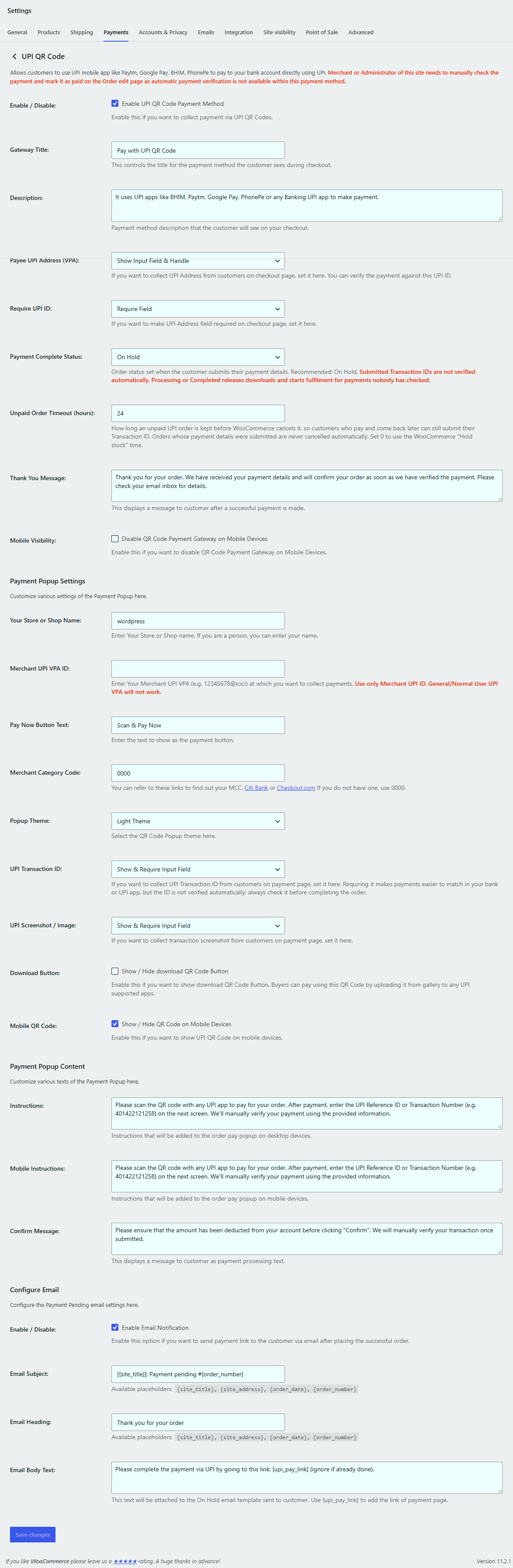
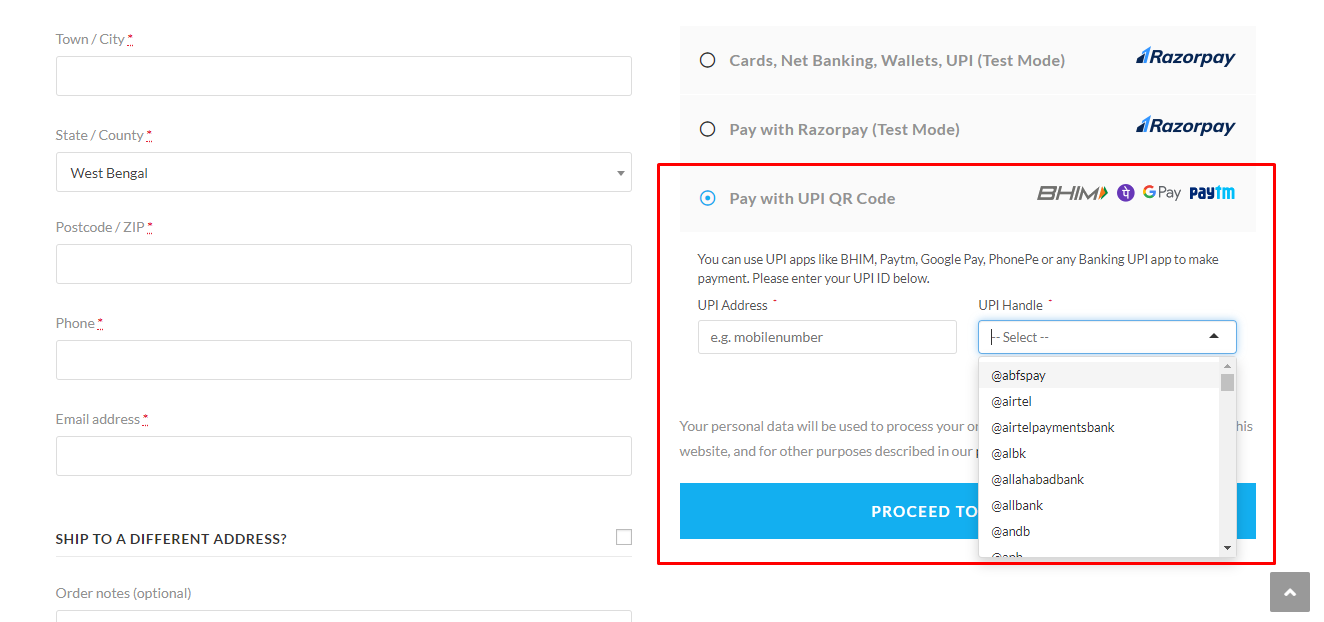


Accept UPI payments on your WooCommerce store with a UPI QR code. Customers scan it with Google Pay, PhonePe, Paytm, BHIM, WhatsApp Pay or any banking UPI app, and the money goes straight into your bank account, with no payment gateway fees.
UPI (Unified Payments Interface) is India’s instant payment system, run by the National Payments Corporation of India (NPCI). It works 24×7.
Features
- UPI QR code with the exact order amount and order number, on desktop and mobile, with an optional “Download QR Code” button on mobile.
- Optional Google Pay, PhonePe, Paytm and “Others” buttons on mobile that open the UPI app with the amount filled in (Merchant UPI ID required), shown with or instead of the QR code.
- Customers enter the 12-digit UPI Transaction ID (UTR) and can upload a payment screenshot.
- Works with the classic checkout and the WooCommerce Checkout block.
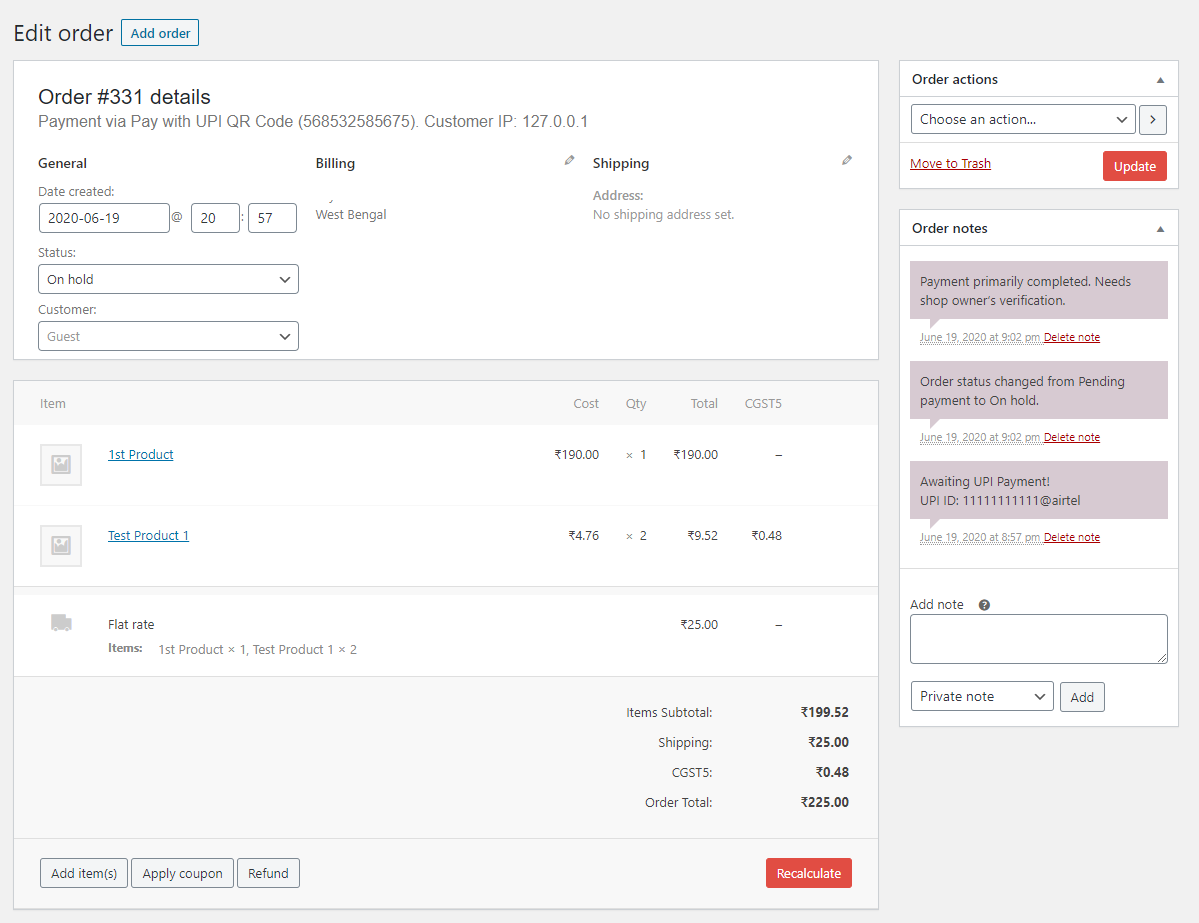
- Orders wait On Hold until you confirm the payment in your bank or UPI app.
- The same UTR can’t be used for two orders, and the UTR and payer UPI ID appear in the Orders list.
- Payment screenshots are stored privately, not in the Media Library, and only shop managers can open them.
- Unpaid UPI orders get extra time before WooCommerce cancels them (24 hours by default), so customers who pay and come back later aren’t lost.
- Optional email with a payment link for customers who haven’t paid yet.
- Light and dark popup themes, and customizable checkout and popup texts.
- Compatible with HPOS, translation-ready, and included in WordPress’s personal data export and erase tools.
Why choose this plugin?
- Built for safety: submitted payments are clearly marked “Submitted, verify payment”, and you are warned if a setting would complete orders before anyone checks the payment.
- Private: payment screenshots show customers’ bank details, so they are never public files.
- No lost orders: a customer who paid but took a while to enter the Transaction ID can still finish, and is told what to do if their order was cancelled.
How it works
- At checkout, the customer chooses UPI and sees a QR code for the order amount.
- They scan it with any UPI app and pay.
- They enter the 12-digit Transaction ID (UTR) shown in their UPI app and, if you ask for it, upload a screenshot.
- The order goes On Hold, and you get the payment notification in your UPI app.
- You check the payment in your bank or UPI app and mark the order Processing or Completed.
UPI payments made by scanning a QR code can’t be verified automatically, so always check each payment before completing the order.
Benefits
- No payment gateway fees or commission.
- Money goes directly into your bank account.
- Simple setup: you only need your merchant UPI ID.
- Send customers a payment link by email.
- Works 24×7.
Support
Community support in the support forum at WordPress.org.
Like the plugin? Please consider leaving a review.