

Unwan – Multiple Address Book for WooCommerce
v1.1.0SmartWP Plugins · 2026年8月6日 上架
One easy address book for WooCommerce. Customers save an address once and use it everywhere — at checkout and in their account.
- 正在使用
- 10+
- 评分
- 5.0 / 5
- 累计下载
- 855
- 最近更新
- 2026年11月5日
 SmartWP Plugins
 Jeet Saha
截图
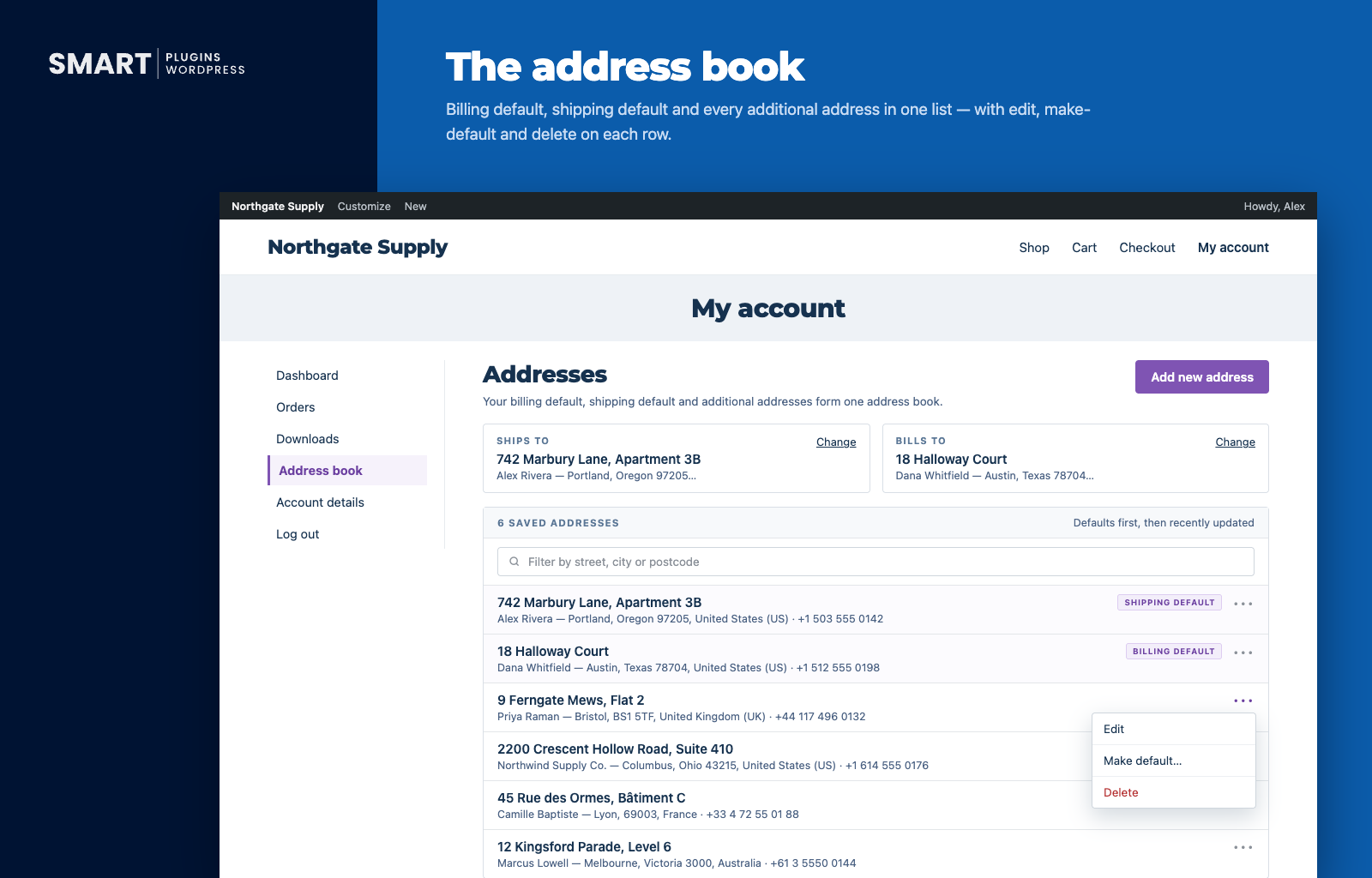
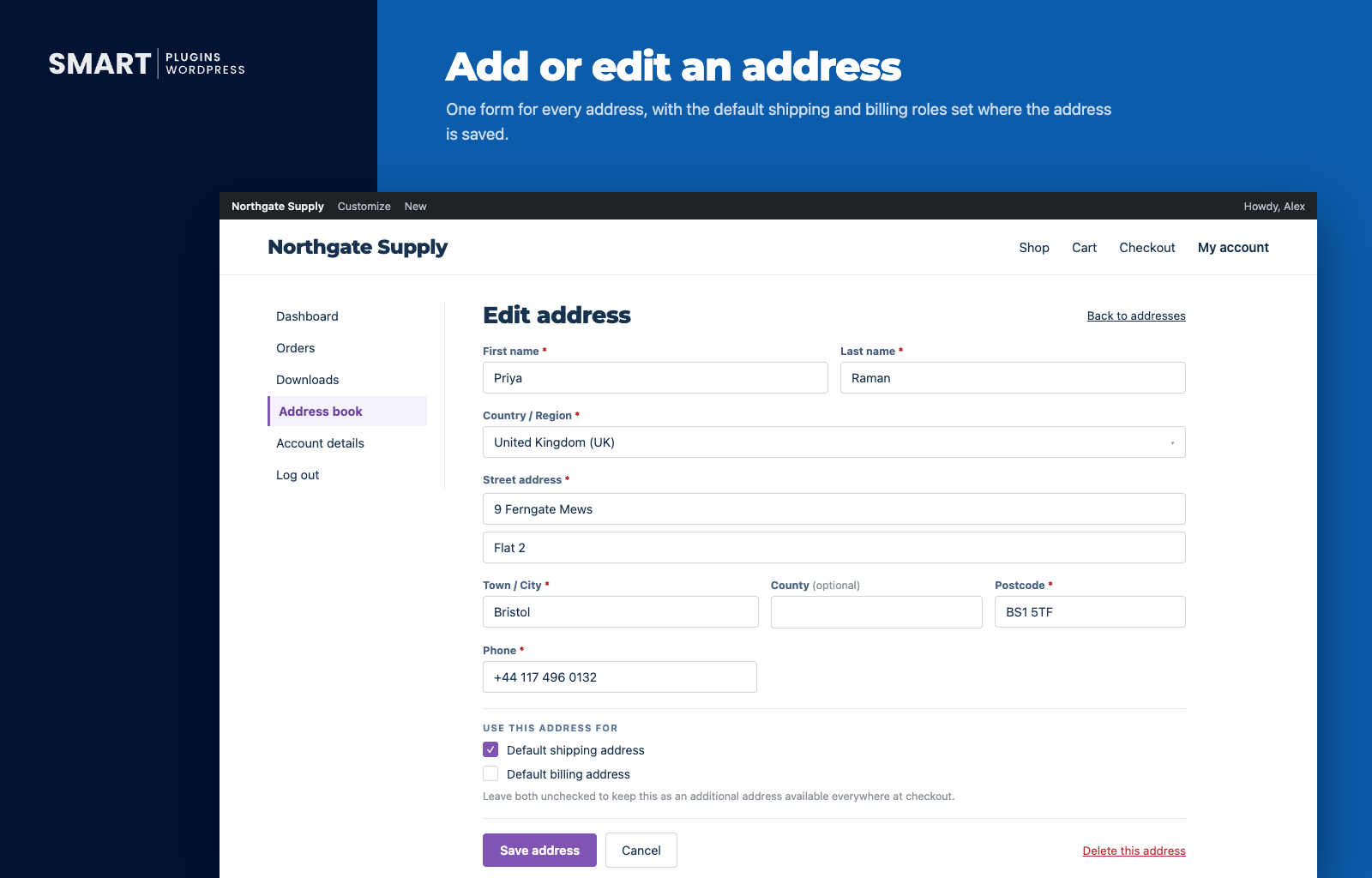
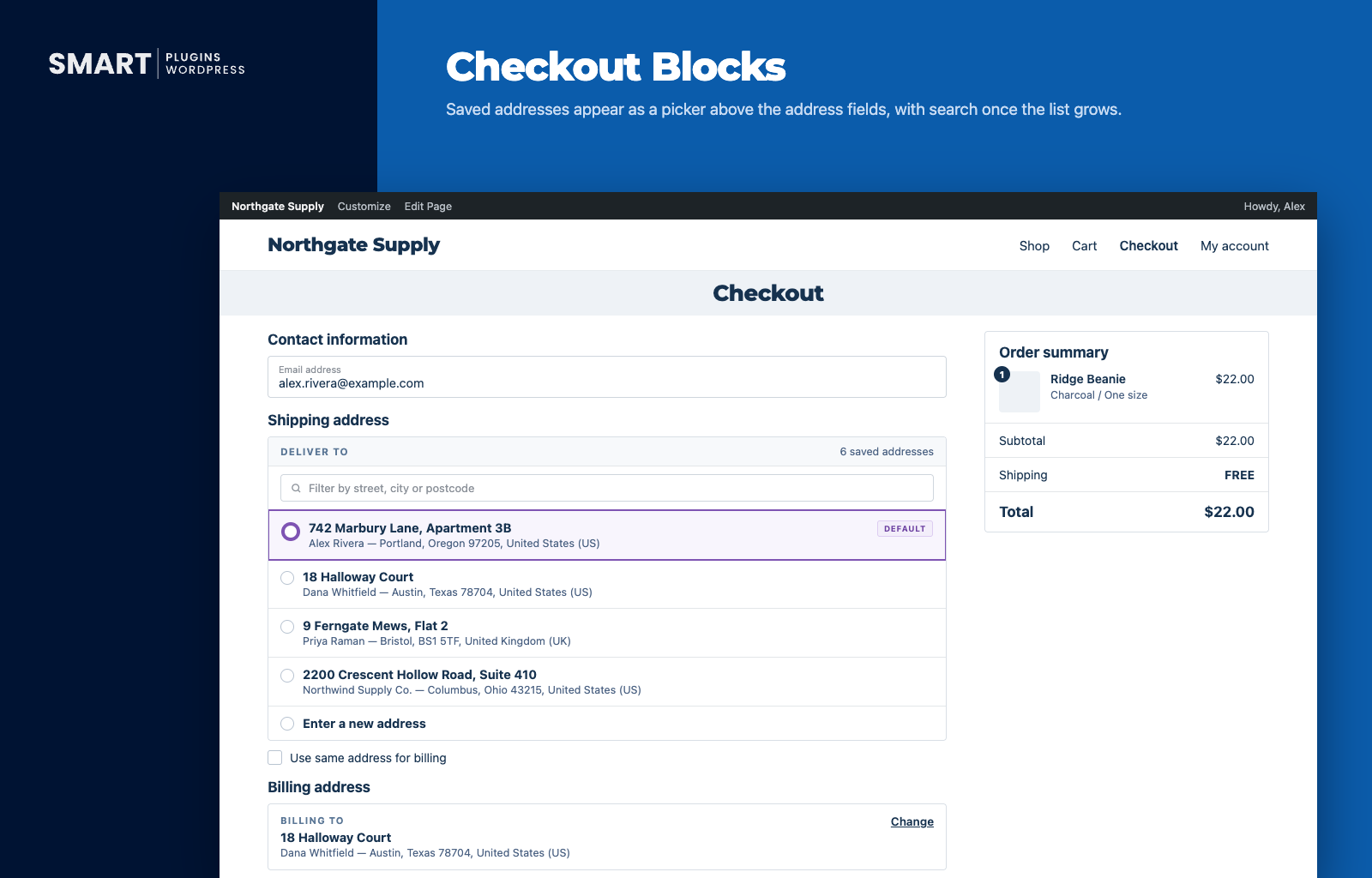
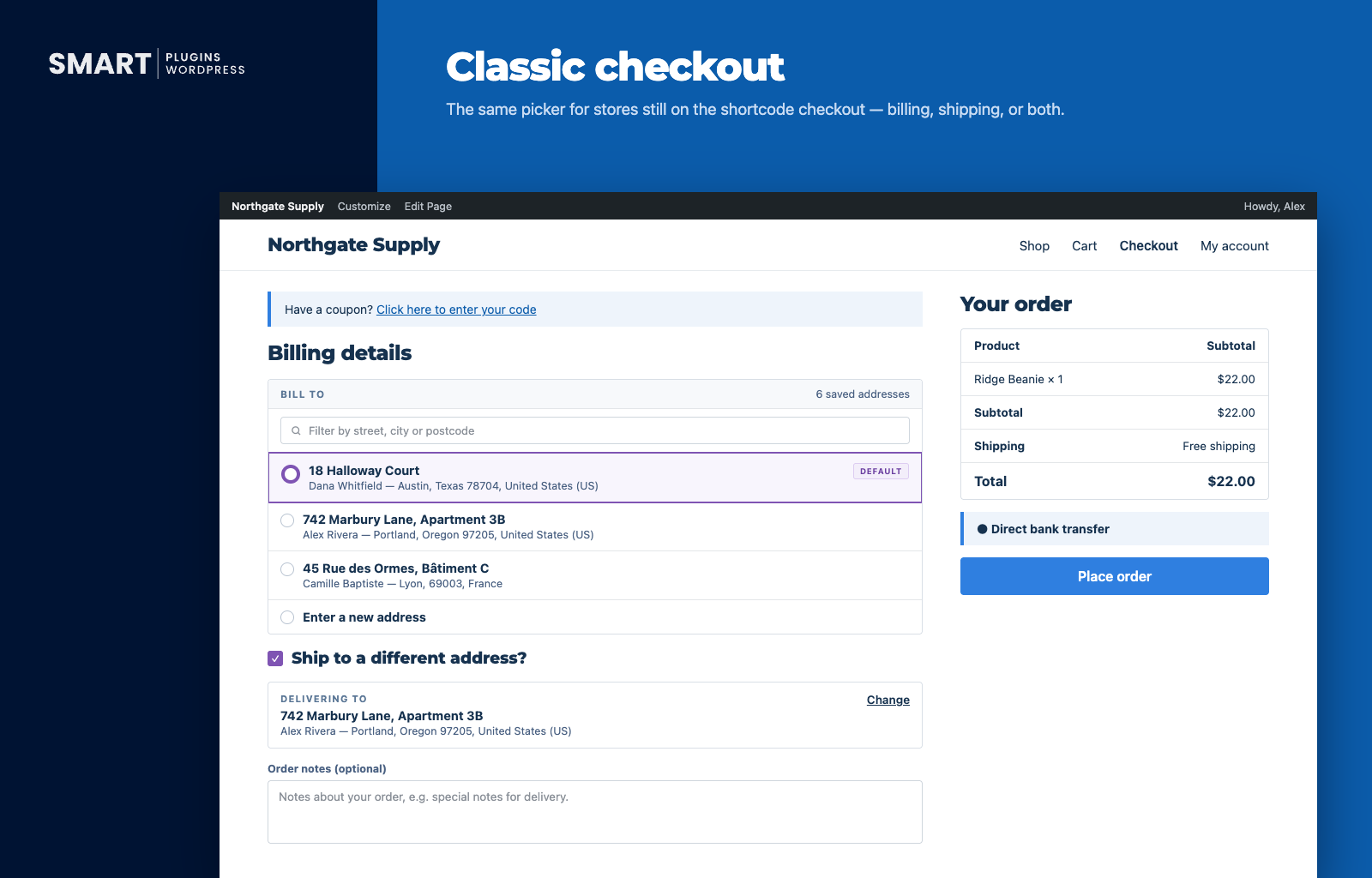
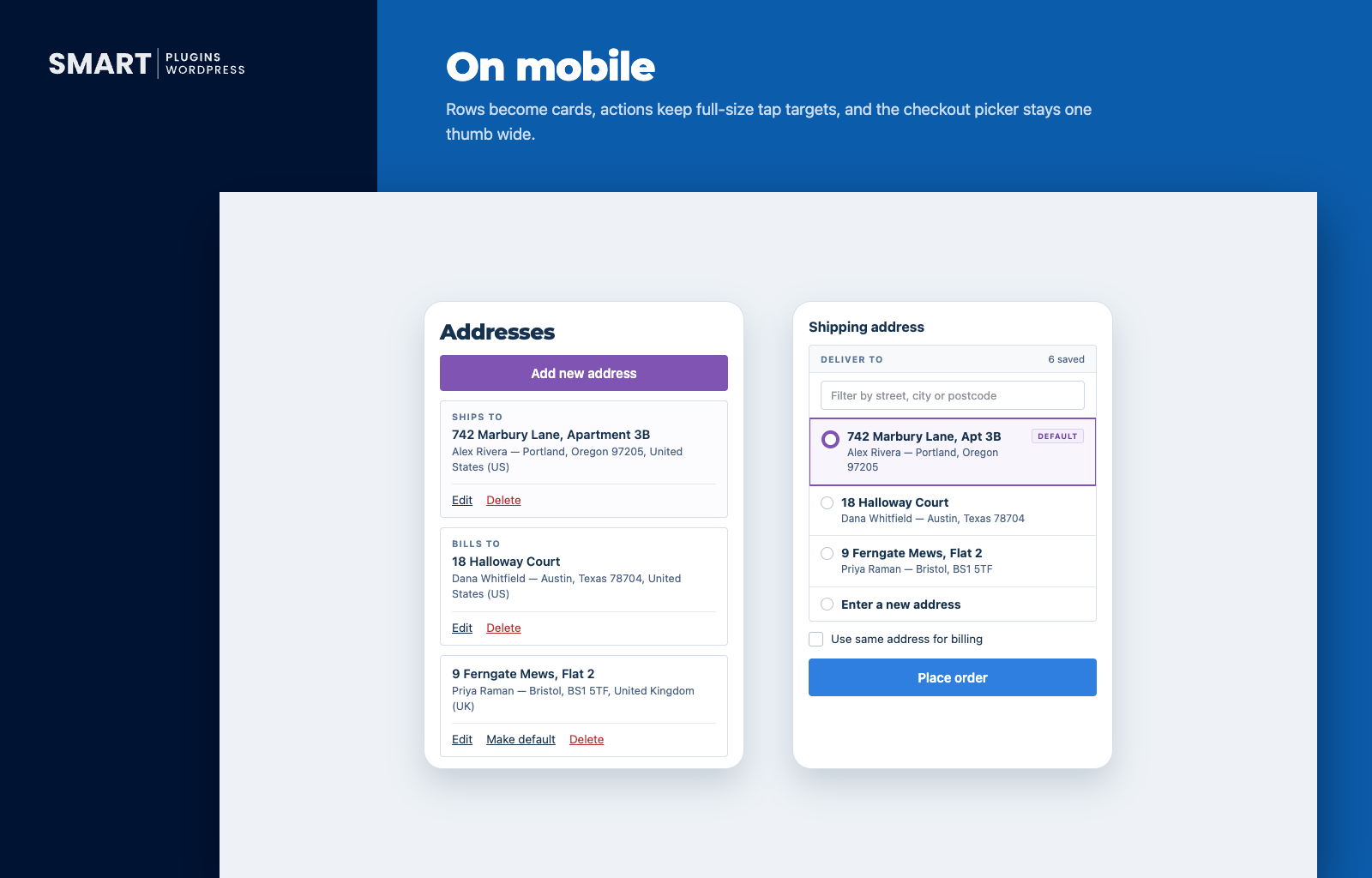
Most WooCommerce stores make customers juggle two address lists — one for billing, one for shipping — and re-type the same details every time they order. Unwan replaces both with one simple address book. Every saved address shows up everywhere, at checkout and in My Account, with no duplicates and no mix-ups.
It’s completely free, with everything included. No “Pro” version, no locked features, no upsells.
Curious how it’s built? The full code is open on GitHub, where you can also report a bug or request a feature.
One address book, not two
Instead of separate billing and shipping lists, Unwan keeps one shared list per customer. Any address can be the billing default, the shipping default, both, or neither. If a customer changes their default, the old address doesn’t disappear — it just goes back into their address book. Duplicate addresses are spotted automatically and merged, so nothing gets saved three times by accident.
Works with any checkout
Unwan works naturally with WooCommerce’s newer block-based checkout — not as a bolted-on workaround. If your store still uses the classic checkout, customers get the exact same picker and experience either way.
Simple to use, on either end
- Returning customers see their address at a glance, with a one-tap “Change” option.
- A search box appears automatically once someone has a few addresses saved.
- Full keyboard support for anyone who prefers not to use a mouse.
- Easy edit, delete, and “make default” options in My Account.
- Clean, simple design — no clunky dropdowns or layout jumps.
Saved addresses for your team, too
Taking an order over the phone or creating one by hand? On the admin order screen, pick the customer and a “Saved addresses” dropdown appears above the billing and shipping fields. Choose one and the order’s address fills in, ready to edit. Nothing staff enter is added to the customer’s address book, and their default addresses never change.
Matches your brand
Choose light, dark, or “match the customer’s device,” plus your own accent color. Every button and highlight throughout the picker and My Account updates to match — no design skills needed.
Won’t slow your site down
This was a priority from day one. Unwan has a negligible impact on site speed and loading times — it doesn’t add any new database tables, it only loads on the checkout and My Account pages, and it never phones home or tracks anything. It’s also carefully built to play nicely with your other plugins and themes.
Everything is customizable
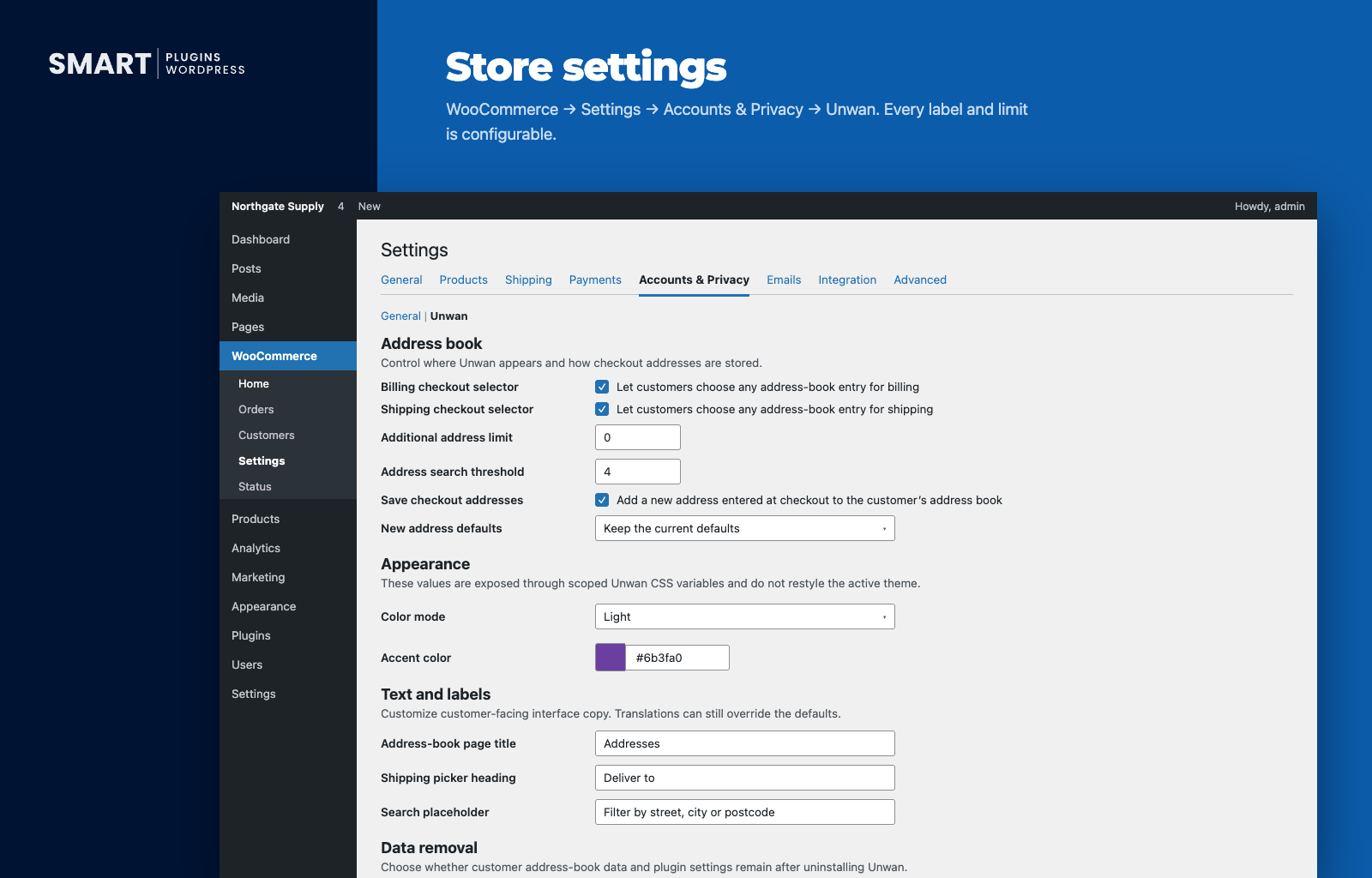
From WooCommerce > Settings > Accounts & Privacy > Unwan, you can control:
- Whether the address picker appears for billing, shipping, or both.
- Whether staff get the saved-address dropdown on the admin order screen.
- How many addresses a customer can save.
- When the search box appears.
- Whether checkout addresses save automatically, and whether they become the new default.
- Colors and light/dark/system theme.
- Every bit of text customers see.
- Whether to remove all data if you ever uninstall the plugin.
Nothing needs to be touched to get started — the defaults work fine on their own.
Unwan is developed and maintained by SmartWP Plugins.
More from SmartWP Plugins
WP CodeKit — WordPress code generators (CSS, PHP, hooks, and more) with live previews, so you know what you’re getting before you copy it.
CSS LabKit — Visual tools for building shadows, gradients, and animations. See it, tune it, copy the CSS.
GrowQuest — Custom WordPress and WooCommerce development, for stores that have outgrown off-the-shelf plugins.