
Unit Price for WooCommerce
v1.2.7Condless · 2020年11月26日 上架
WooCommerce plugin for configuring products which are sold by units but priced by weight.
- 正在使用
- 900+
- 评分
- 4.8 / 5
- 累计下载
- 2.7 万
- 最近更新
- 2026年8月23日
贡献者
 Condless
截图

WooCommerce plugin for configuring products which are sold by units but priced by weight.
For example: fish, watermelon, cabbage.
How To define products which are sold by units but priced by weight
- In the plugin settings enable the ‘Quantity Units’ option
- Go to the edit product screen
- Set the price of 1 unit of the product in the price field (General tab)
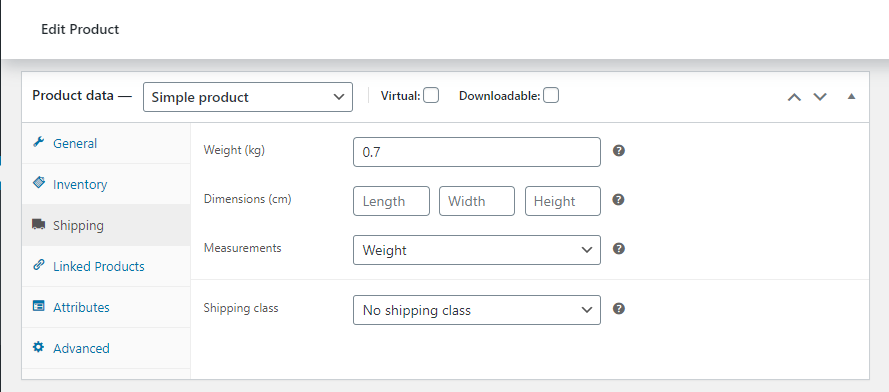
- Set the weight of 1 unit of the product in the weight field (Shipping tab)
- Select ‘Weight’ in the ‘Quantity Units’ option (Unit Price tab)
How It Works
- The customer choose how many items he needs from the product
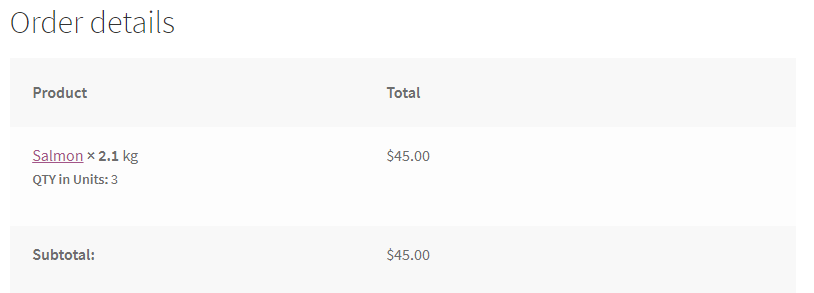
- On order creation the item quantity is recalculated based on its weight
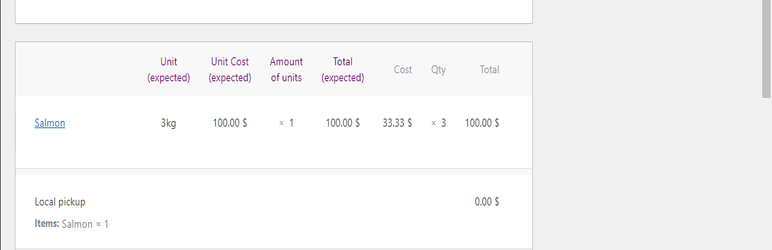
- The shop owner will be able to update the quantity of it from the edit order screen after he weighs the item
For example:
1. The customer purchased 1 Salmon fish
2. The configured weight of Salmon fish is 3kg, when order is created the quantity of the fish will be modified automatically from 1 to 3
3. The shop owner will weight the actual fish, find out it’s 3.2kg, so he will change the quantity in the order from 3 to 3.2, the total price of the item will be updated automatically
Note: It’s recommended to use with Authorized / Delayed Payment method so the shop owner will be able to charge the exact amount after he weights the products, the order status should be ‘Pending payment’ / ‘delayed payment’.
Features
- Quantity Units: Config products which are sold by units but priced by weight (suitable for fish store and butcher).
- Quantity Step: Set decimal quantity step per product/variation- for products which are sold by weight (per kg/gram, suitable for supermarket, deli and bakery, selling fruits, vegetables, nuts).
- Quantity Suffix: Set quantity suffix per product/variation.
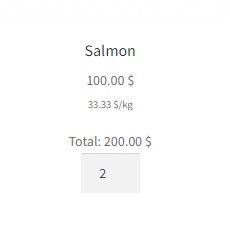
- Price Quantity: Display the price per specific quantity per product/variation.
- Subtotal: Display the product price by the selected quantity in real-time.
- Shop Page Quantity: Allow to choose product quantity on archive pages.