
Ultimate Business Dashboard
v3.1.1Ziyad Bachalany · 2025年5月26日 上架
🌟 Save time managing your business finances with seamless Dext and QuickBooks integration, flexible CSV imports, and insightful reports in your WordPr …
- 正在使用
- 10 以下
- 评分
- 暂无
- 累计下载
- 1,741
- 最近更新
- 2026年11月25日
贡献者
 Ziyad Bachalany
截图
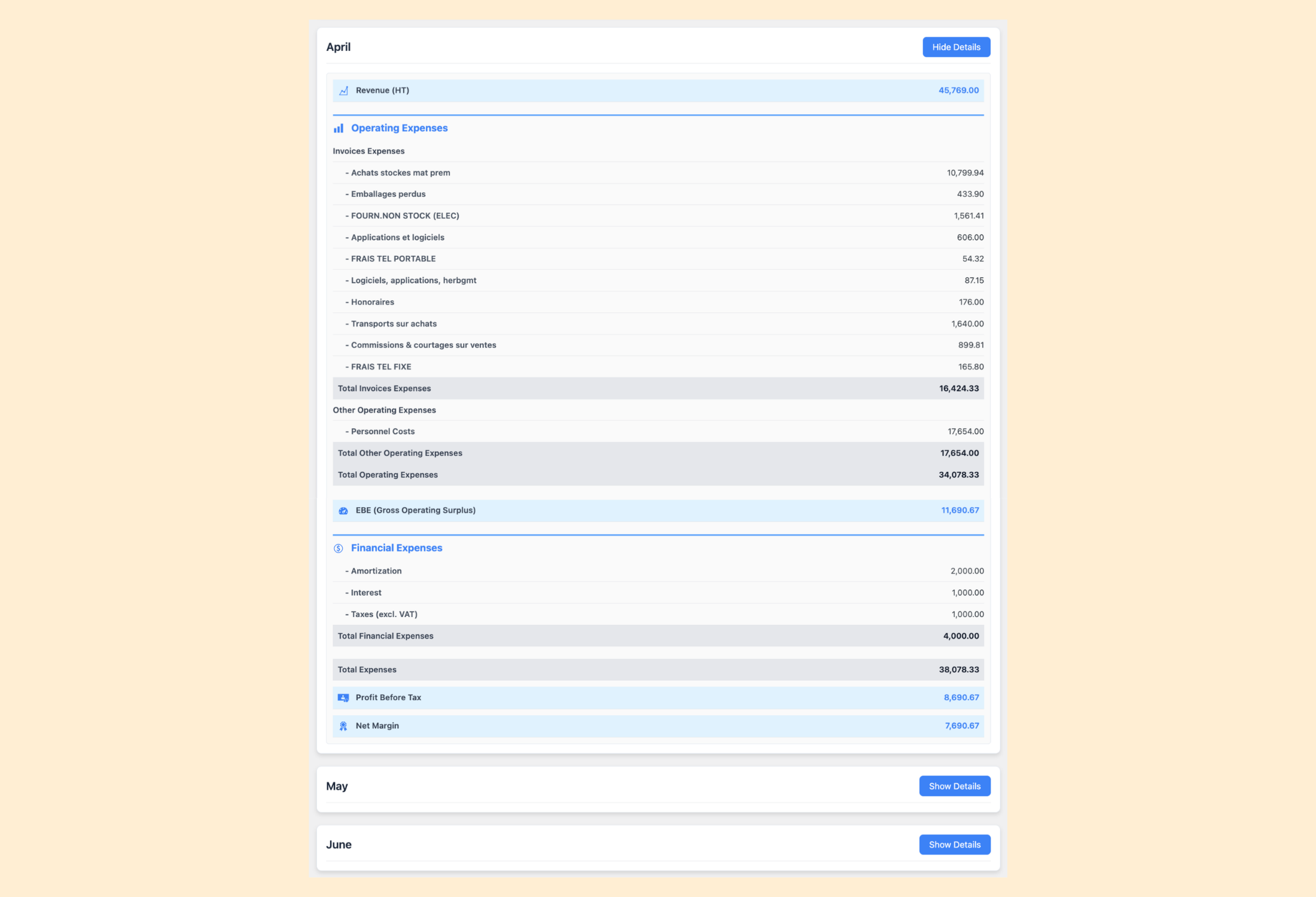
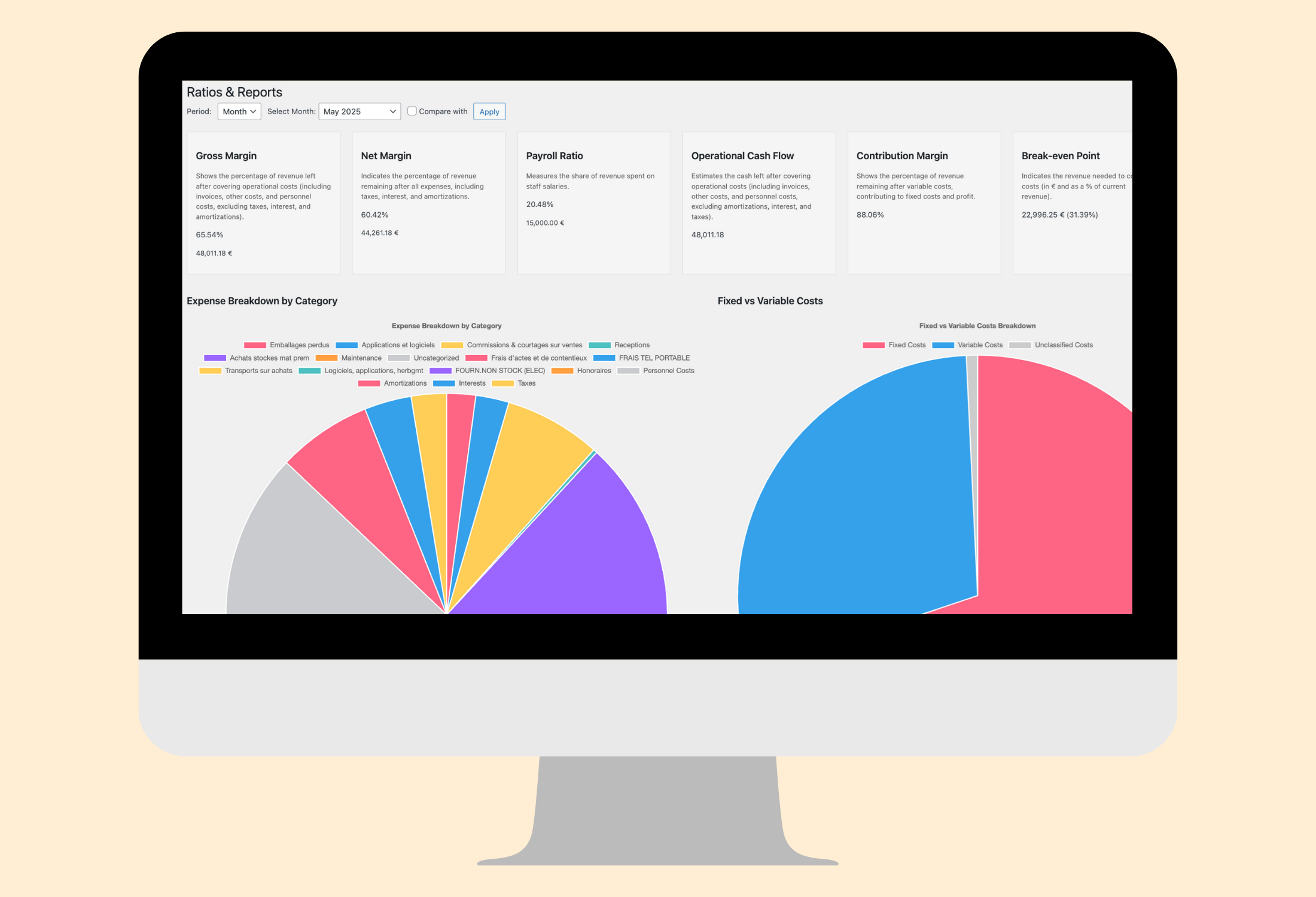
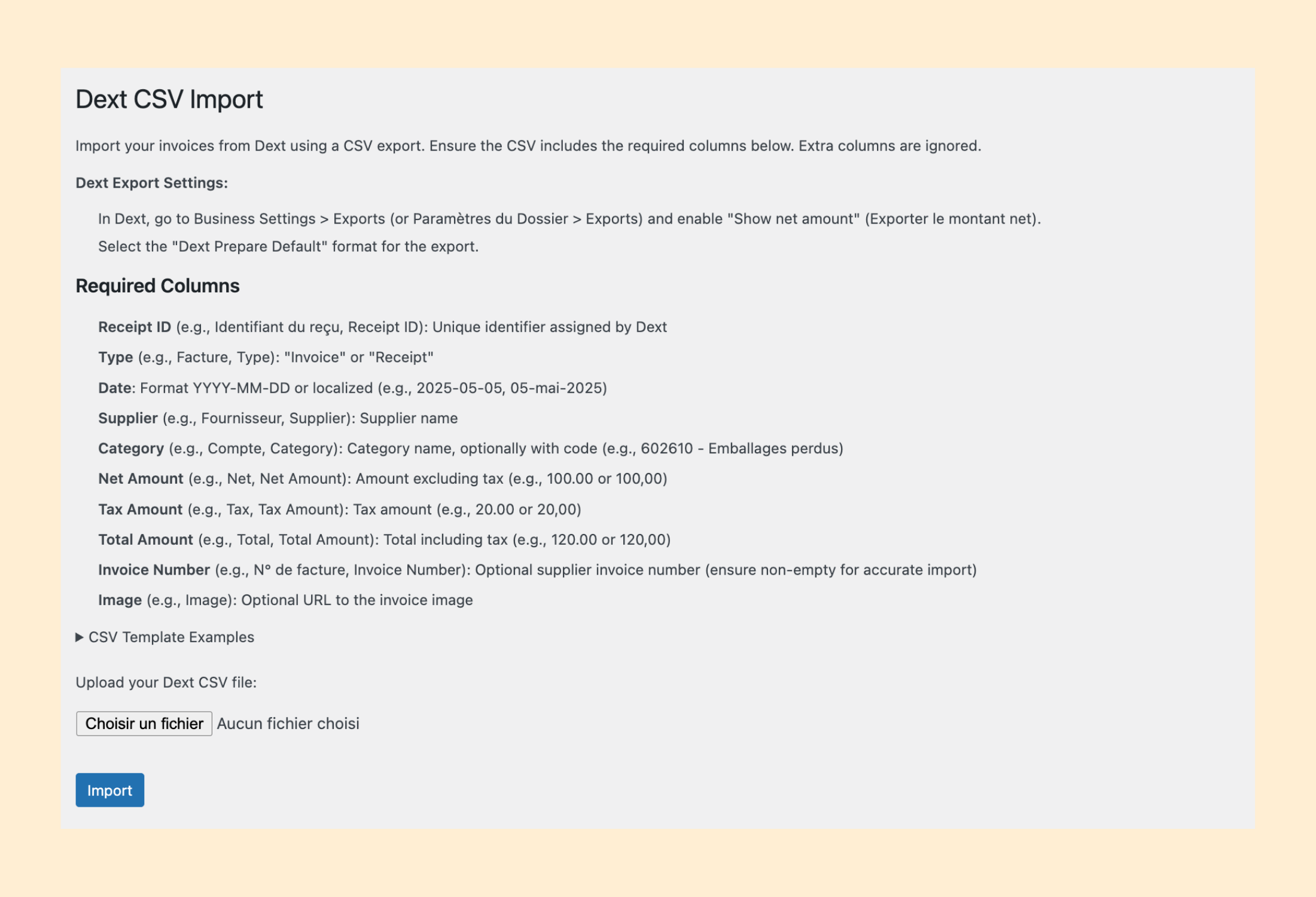
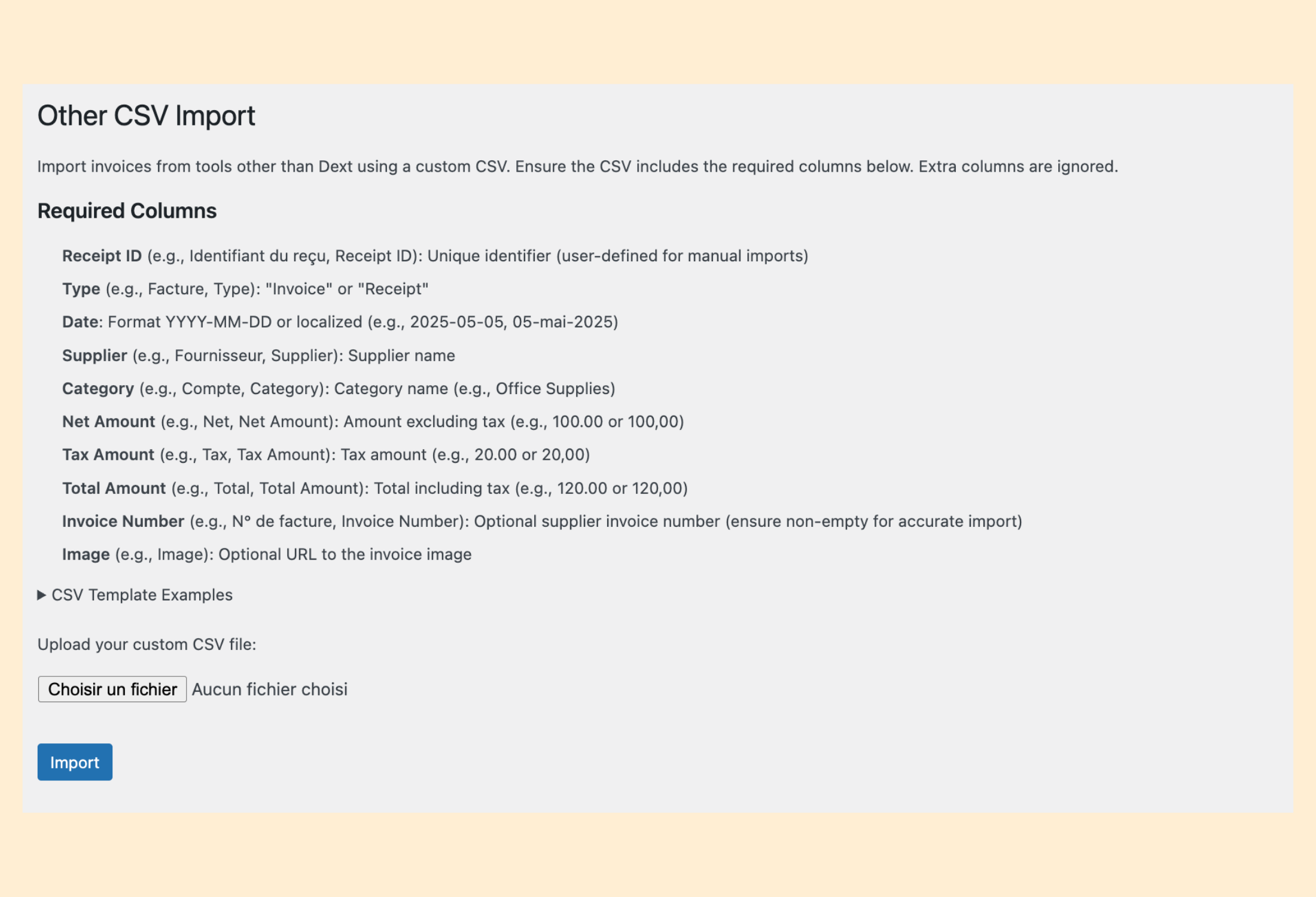
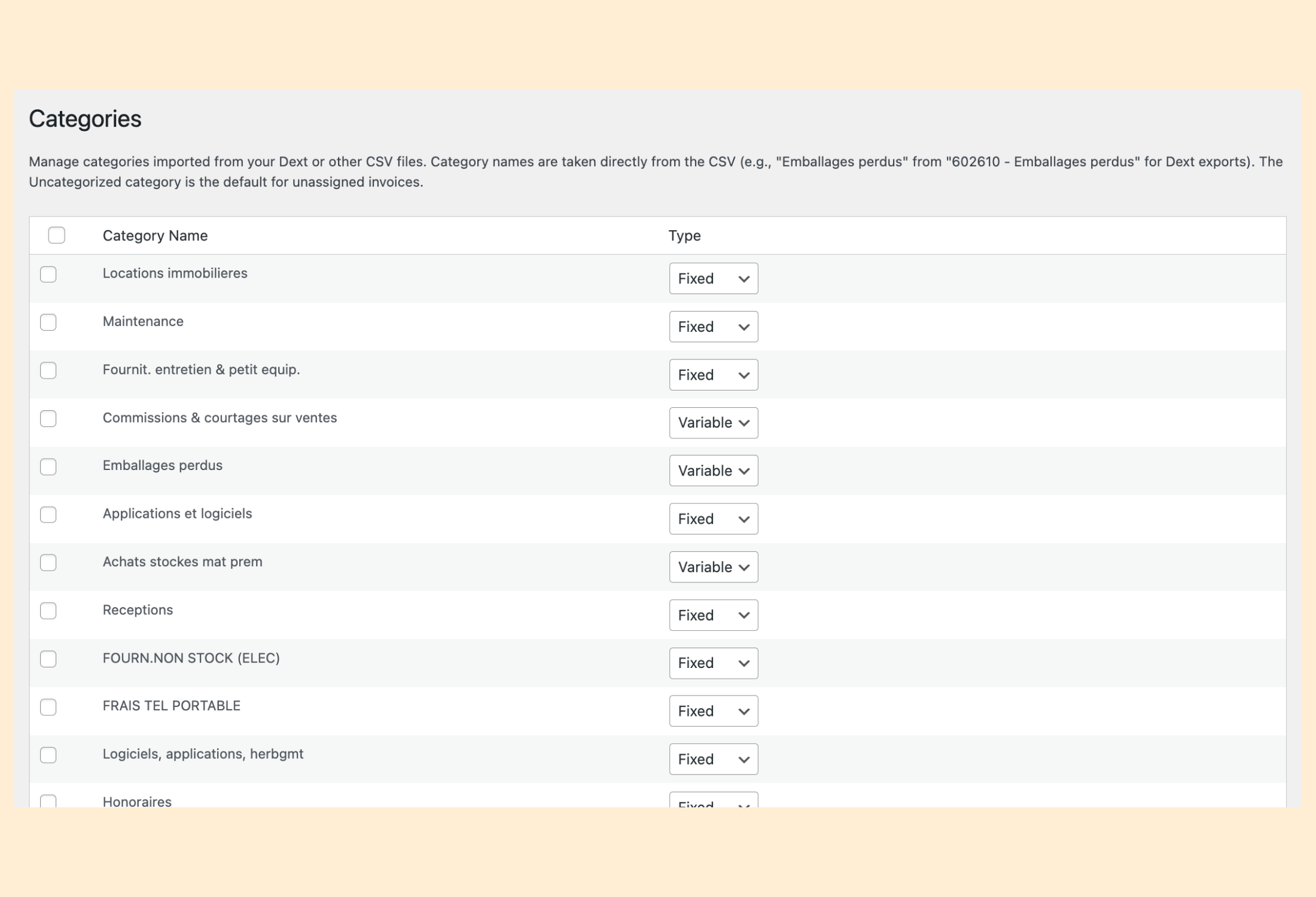
🚀 Ultimate Business Dashboard turns your WordPress admin into a real‑time profit cockpit. Stop flying your company blind. Instead of waiting for your accountant’s annual report, you get a clear, month‑by‑month income statement—updated the instant an invoice is issued or an expense is recorded.
🛠️ Integrate with Dext and QuickBooks for automatic invoice imports, or manually upload invoices from any source using flexible CSV files. Track revenues, expenses, and key financial ratios with ease, and visualize your performance with interactive pie charts.
With Ultimate Business Dashboard, take control of your finances like never before:
- Real‑time P&L: Know your net profit and margins for the current month and year at a glance. Say goodbye to the trap of relying on cash flow alone, which misleads many entrepreneurs until it’s too late.
- Flexible data sources: Connect Dext or QuickBooks for automatic imports, or upload any CSV you like.
- Turn invoices into insights: Pie charts and KPIs translate raw figures into insights everyone can grasp.
Empower your business with simple, smart financial tools—start today in your WordPress dashboard!
Learn more at Tulipe Media.
Features
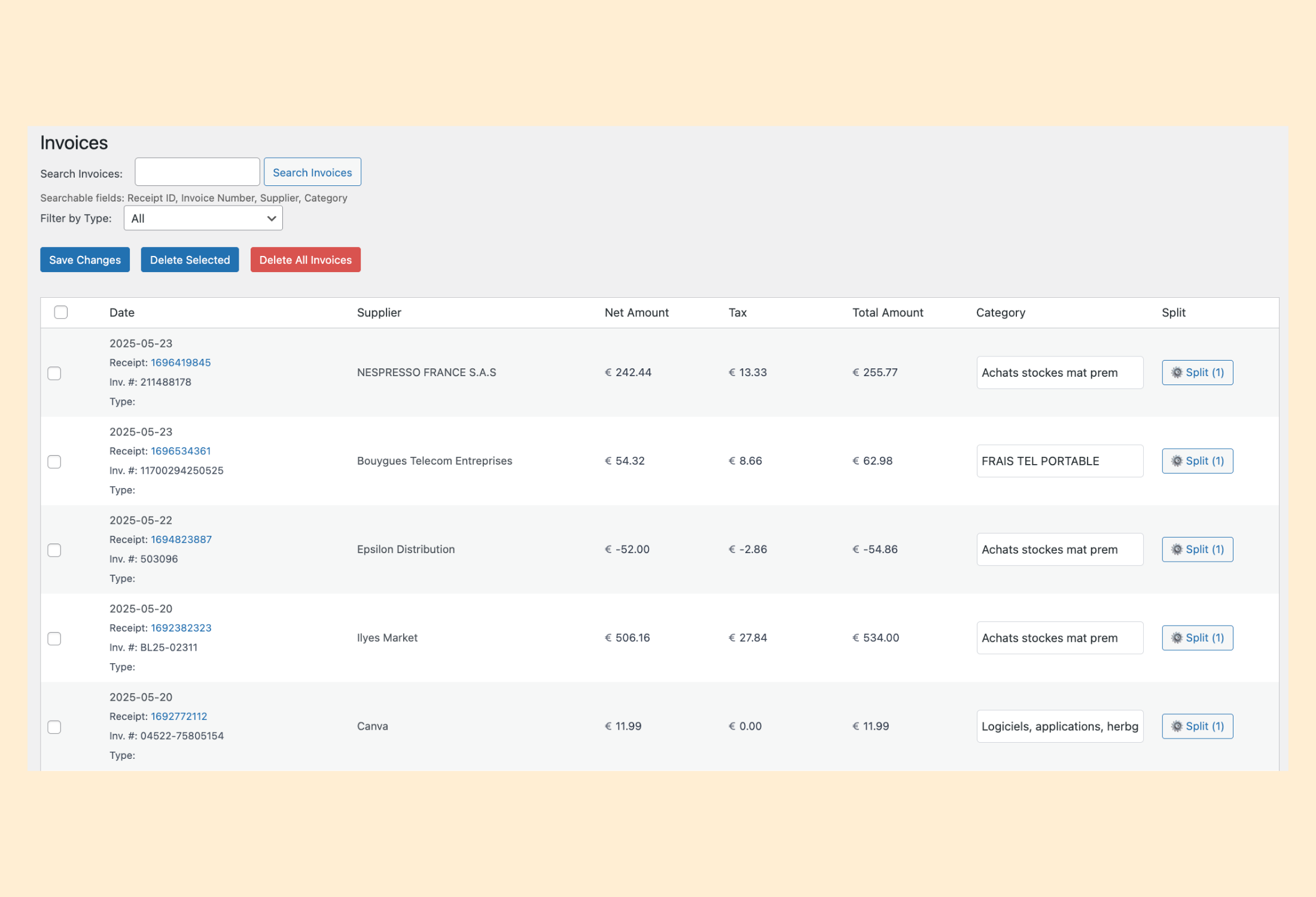
- Invoice Management: Import, view, categorize, edit and manage invoices from Dext, QuickBooks or custom CSV files for streamlined bookkeeping.
- Ratios & Reports: Generate detailed financial reports with metrics like gross margin, net margin, payroll ratio, and break-even point, visualized with pie charts for actionable insights.
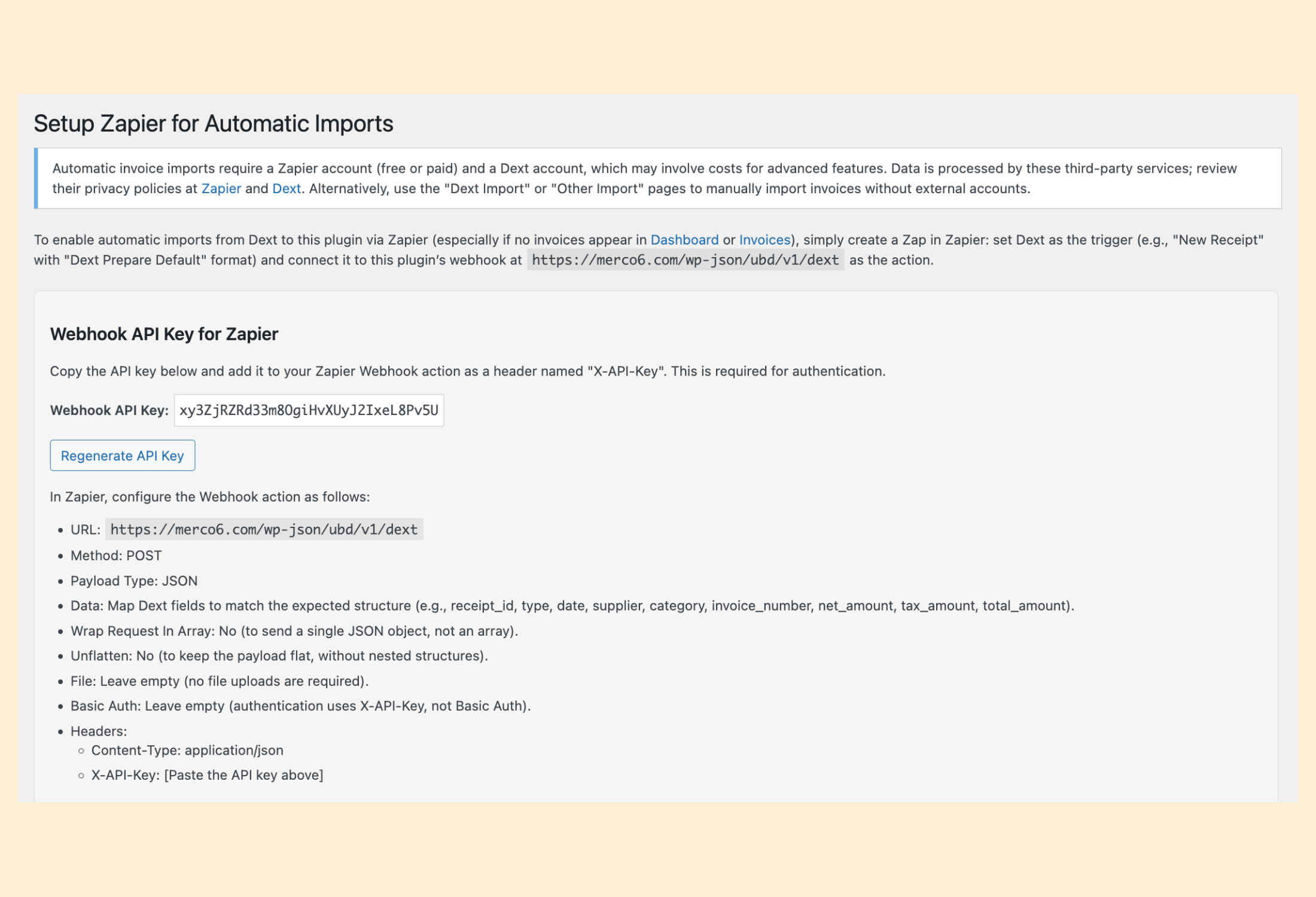
- Dext Integration: Seamlessly import invoices from Dext using Zapier webhooks or CSV exports to save time.
- QuickBooks Integration: Seamlessly import invoices directly from your QuickBooks account.
- Custom CSV Imports: Import invoices from any source with a flexible CSV format for maximum compatibility.
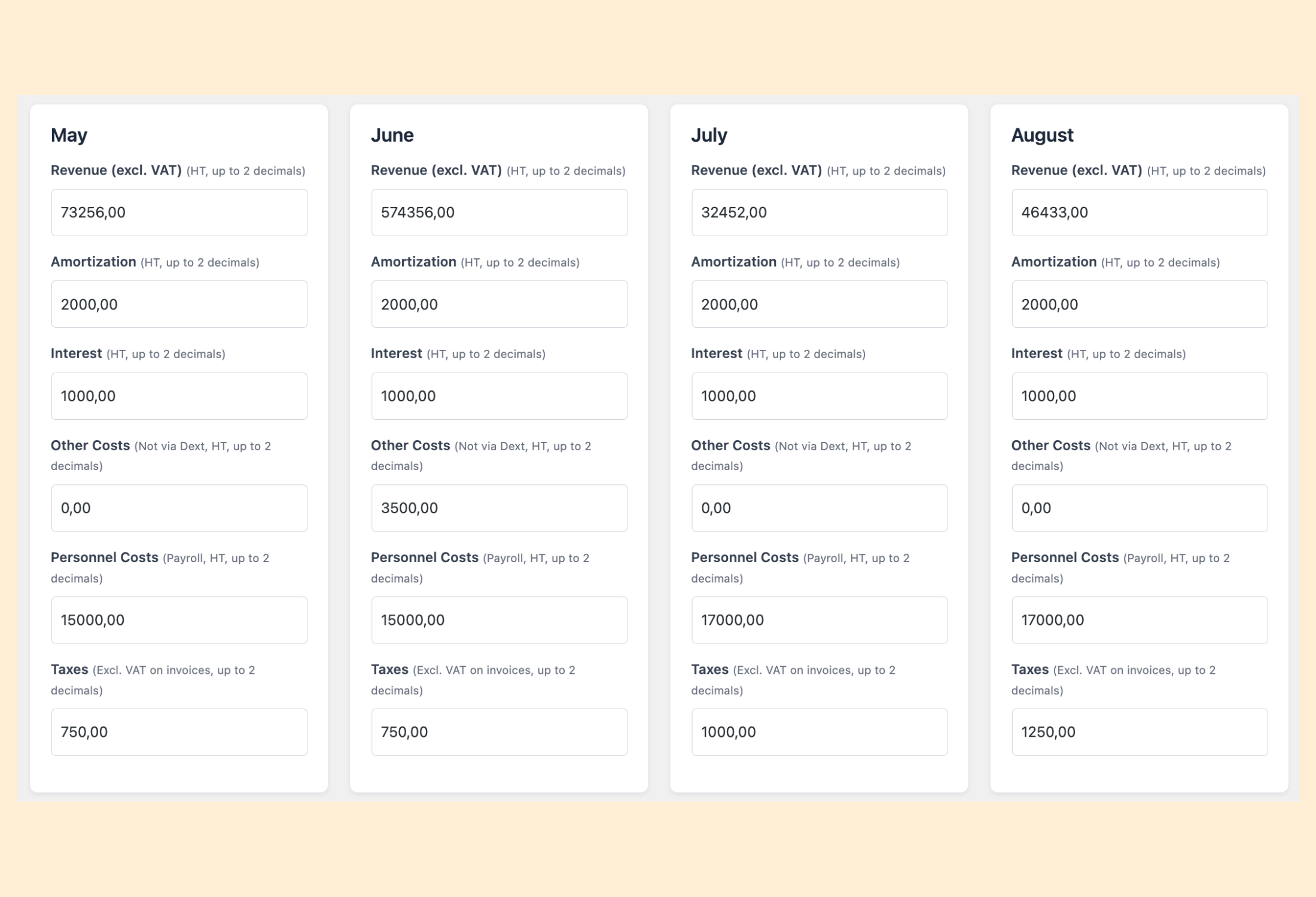
- Financial Tracking: Enter monthly revenues, costs, taxes, and amortizations to monitor your business performance effortlessly.
- Category Management: Place each category in an income statement line (purchases, rent, energy, other external charges, taxes, personnel, depreciation, financial or exceptional expenses) and tag it as Fixed, Variable, or None for precise cost analysis and better budgeting.
- Two Presentations: French income statement (gross margin, value added, EBE, current result) or international (gross profit, operating expenses, EBITDA, EBIT).
- Spread Functionality: Spread invoice costs over multiple months or amortize investments for accurate financial planning and forecasting.
- Several Establishments: Restaurants, shops or companies in one dashboard: each one has its invoices, its data and its own Dext import address; view each establishment or the whole group (consolidated), with the exchanges between your establishments removed.
- Recurring Charges: Rent, insurance or direct debits whose invoices arrive late or all at once are counted every month (expected amount), then replaced by the real invoice once it is counted in its month, with a received / expected view.
- Current Profit: Mark an invoice as non-recurring to keep it out of EBITDA and of the current profit before tax.
- User Management: Assign custom roles (Viewer, Editor, Manager) to control access and permissions for dashboard features, ensuring secure and tailored user experiences.
- Settings Management: Easily reset or uninstall the plugin with full control over data retention for a worry-free experience.
- Responsive Design: Fully responsive interface for desktop and mobile devices, ensuring accessibility anywhere.
Who’s This For?
- Business Owners looking to streamline financial management, such as bakeries, coffee shops, restaurants, retail shops and associations.
- Freelancers needing a simple tool to track invoices and expenses.
- Firms seeking actionable financial insights without complex software.
Contribute
- 🌐 Translate: Help make the plugin accessible worldwide! Contribute translations at WordPress Translate.
- Donate: Support ongoing development with a coffee! ☕ Donate now.
- Rate Me: Love the plugin? Share a 5-star review on WordPress.org to help others discover it.
- Follow Me: Stay updated on Instagram, LinkedIn, X, Facebook, or YouTube.
GDPR Compliance
Ultimate Business Dashboard stores invoice data locally in your WordPress database. When using Zapier or Dext for automatic imports, data is processed by these third-party services. Ensure your Zapier and Dext accounts comply with GDPR by reviewing their privacy policies at Zapier and Dext. The plugin provides “Delete Data on Uninstall” and “Reset Data” options in the “Settings” page to remove all locally stored data (e.g., invoices, categories) from your WordPress database, supporting GDPR’s right to erasure. For data processed by third-party services like Zapier or Dext, you must manage deletion directly through their platforms.
Credits
Developed with ❤️ by Ziyad Bachalany and contributors.
Support
Need help? Visit our support page for documentation and FAQs, or ask the community on WordPress.org.
License
This plugin is licensed under GPLv2 or later.