
Two Factor Authentication
v1.17.0David Anderson / Team Updraft · 2015年3月20日 上架
Secure WordPress login with Two Factor Authentication - supports WP, Woo + other login forms, HOTP, TOTP (Google Authenticator, Authy, etc.)
- 正在使用
- 2 万+
- 评分
- 4.4 / 5
- 累计下载
- 92 万
- 最近更新
- 2026年11月18日
 David Anderson / Team Updraft
 DNutbourne
截图
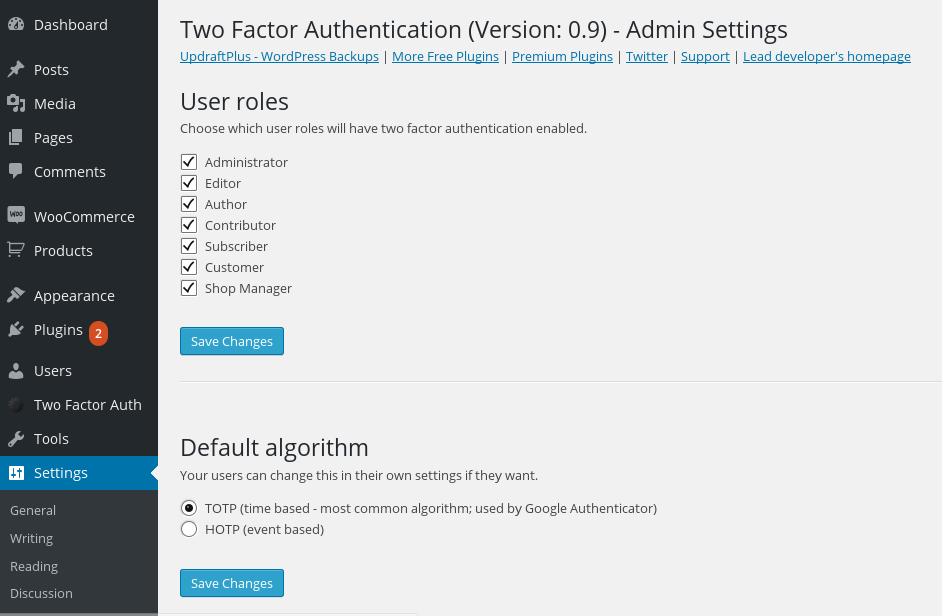


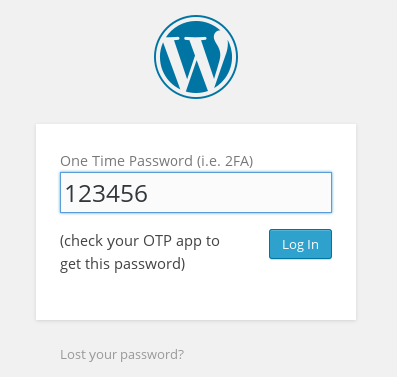
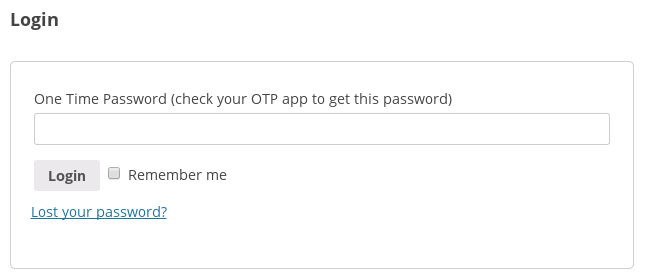


Secure WordPress login with this two factor authentication (TFA / 2FA) plugin. Users for whom it is enabled will require a one-time code in order to log in. From the authors of UpdraftPlus – WP’s #1 backup/restore plugin, with over two million active installs.
Are you completely new to TFA? If so, please see our FAQ.
Features (please see the “Screenshots” for more information):
- Supports standard TOTP + HOTP protocols (and so supports Google Authenticator, Authy, and many others).
- Displays graphical QR codes for easy scanning into apps on your phone/tablet
- TFA can be made available on a per-role basis (e.g. available for admins, but not for subscribers)
- TFA can be turned on or off by each user
- TFA can be required for specified user levels, after a defined time period (e.g. require all admins to have TFA, once their accounts are a week old) (Premium version), including forcing them to immediately set up (by redirecting them to the page to do so)
- Supports front-end editing of settings, via [twofactor_user_settings] shortcode (i.e. users don’t need access to the WP dashboard). (The Premium version allows custom designing of any layout you wish).
- Site owners can allow “trusted devices” on which TFA codes are only asked for a chosen number of days (instead of every login); e.g. 30 days (Premium version)
- Encrypt the TFA-generating secret keys using an on-disk encryption key, so that an attacker would need to break into both your WordPress database and your files in order to break TFA codes (as well as breaking a user’s password in order to use them)
- Works together with “Theme My Login” (both forms and widgets)
- Includes support for the WooCommerce and Affiliates-WP login forms
- Includes support for Ultimate Membership Pro
- Includes support for CozmosLabs Profile Builder
- Includes support for Ultimate Member login forms (Premium version)
- Includes support for Elementor Pro login forms (Premium version)
- Includes support for bbPress login forms (Premium version)
- Includes support for Easy Digital Downloads login forms (Premium version)
- Includes support for RegistrationMagic login forms (Premium version)
- Includes support for login forms from the Gravity Forms User Registration add-on (Premium version)
- Includes support for login forms (shortcode forms only) from Paid Memberships Pro (Premium version)
- Includes support for any and every third-party login form (Premium version) without any further coding needed via appending your TFA code to the end of your password
- Does not mention or request second factor until the user has been identified as one with TFA enabled (i.e. nothing is shown to users who do not have it enabled)
- WP Multisite compatible (plugin should be network activated)
- Simplified user interface and code base for ease of use and performance
- Added a number of extra security checks to the original forked code
- Alert users if someone appears to have found out their password, as indicated by successfully entering a password but repeatedly entering an incorrect TFA code.
- Emergency codes for when you lose your phone/tablet (Premium version)
- When using the front-end shortcode (Premium version), require the user to enter the current TFA code correctly to be able to activate TFA
- Works together with “WP Members” (shortcode form)
- Administrators can access other users’ codes, and turn them on/off when needed (Premium version)
Why use TFA / 2FA ?
Read this! https://www.wired.com/2012/08/apple-amazon-mat-honan-hacking/
How Does TFA / 2FA Work?
This plugin uses the industry standard TFA / 2FA algorithm TOTP or HOTP for creating One Time Passwords. These are used by Google Authenticator, Authy, and many other OTP applications that you can deploy on your phone etc.
A TOTP code is valid for a certain time. Whatever program you use (i.e. Google Authenticator, etc.) will show a different code every so often.
Plugin Notes
This plugin began life in early 2015 as a friendly fork and enhancement of Oscar Hane’s “two factor auth” plugin.