
Turbo Button
v1.0turbopayments · 2025年12月30日 上架
Turbo Button allows you to quickly create payment links in Wordpress using the Turbo payments platform.
- 正在使用
- 10 以下
- 评分
- 暂无
- 累计下载
- 630
- 最近更新
- 2025年12月30日
贡献者
 turbopayments
截图


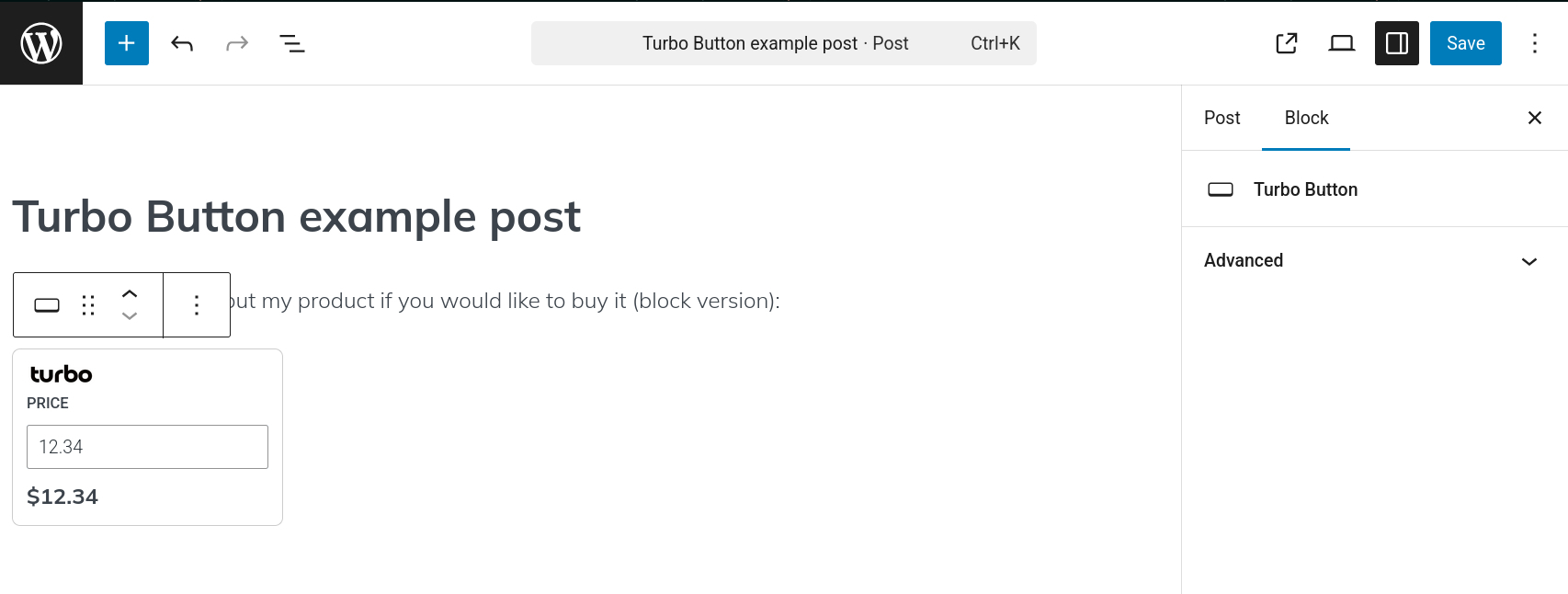


To get started, make sure to set your Turbo username in Settings > Turbo Button.
If you have not yet created an account, please visit Turbo for more information, and Turbo to register.
Plugin features and usage instructions:
-
Shortcode: In the WordPress visual editor, enter “[turbo $price]” in the location you would like to insert a payment link. The $price should be a valid dollar amount like $1.00. So to create a payment link for $1.00 use [turbo 1.00]. Save the post, and view the page in WordPress. The payment link will now redirect to your Turbo account’s landing page for checkout.
-
Gutenberg block: In the WordPress visual editor, enter /turbo, then select the Turbo Button block. Enter the price for the link you would like to create. Save the post, and view the page in WordPress. The payment link will now redirect to your Turbo account’s landing page for checkout.