

Tumult Hype Animations
v1.9.21tumultinc · 2017年11月15日 上架
This plugin allows you to upload your Tumult Hype animations to your Wordpress site to easily embed them using shortcodes on posts and pages.
- 正在使用
- 1,000+
- 评分
- 5.0 / 5
- 累计下载
- 3.8 万
- 最近更新
- 2026年11月17日
 tumultinc
 ERALION
截图
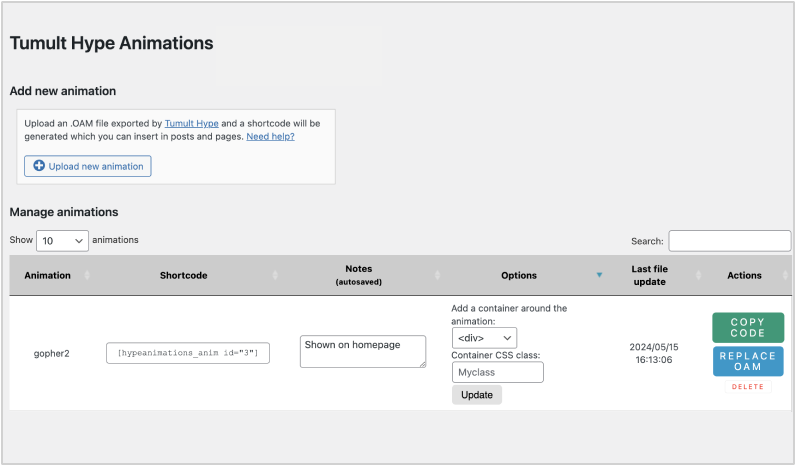
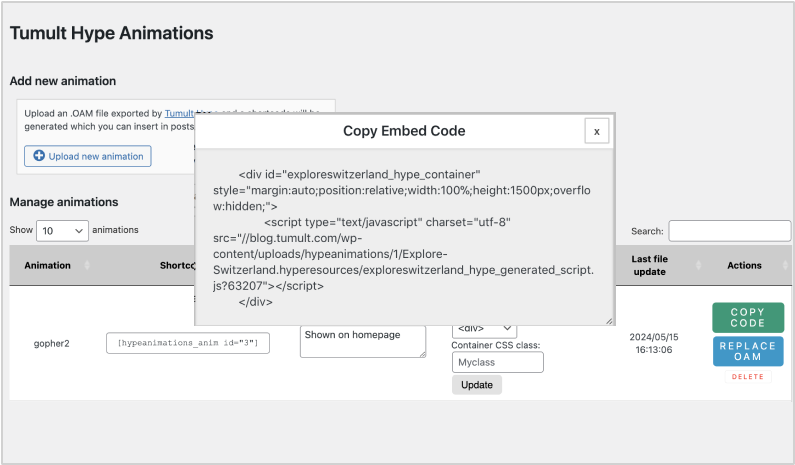
This plugin allows you to upload your Tumult Hype animations to your WordPress site to easily embed them using shortcodes on posts and pages. You can also copy the embed code to use your WordPress site as a Tumult Hype animation host.
Only Editors and Administrators can upload and manage animations, because Tumult Hype animations contain JavaScript. On multisite networks, only Super Admins can. Authors and Contributors can still embed an existing animation by adding its shortcode to a post.
For detailed information and support for this plugin, please visit the support forum. If your animation doesn’t show up at all, please first read the following responsive design tips on the forums.
Usage
- In Tumult Hype Professional, Select File > Export as HTML5 > OAM Widget. Note: Do not export with any spaces in your filename or foreign characters or rename your .oam file after export.
- In the Hype Animations section in the Admin dashboard, click Upload New Animation and select your .oam file. You must be an Editor or Administrator (a Super Admin on multisite) to see this section.
- After successful upload, the plugin will generate a shortcode you can use in posts and pages.