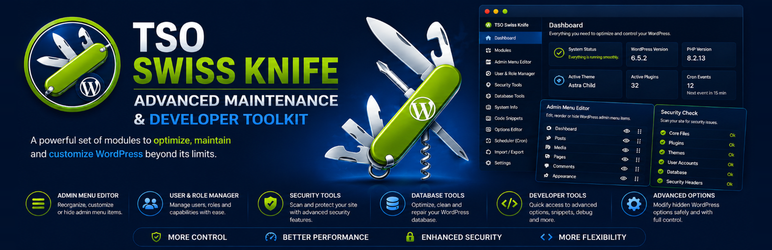

TSO Swiss Knife – Advanced Maintenance & Developer Toolkit
v1.3.4deadko · 2026年7月23日 上架
Admin toolkit with 40+ modules for cron, debug, security, database, redirects, roles, maintenance, staging copies, and site health reports.
- 正在使用
- 10 以下
- 评分
- 暂无
- 累计下载
- 2,173
- 最近更新
- 2026年11月24日
贡献者
 deadko
截图


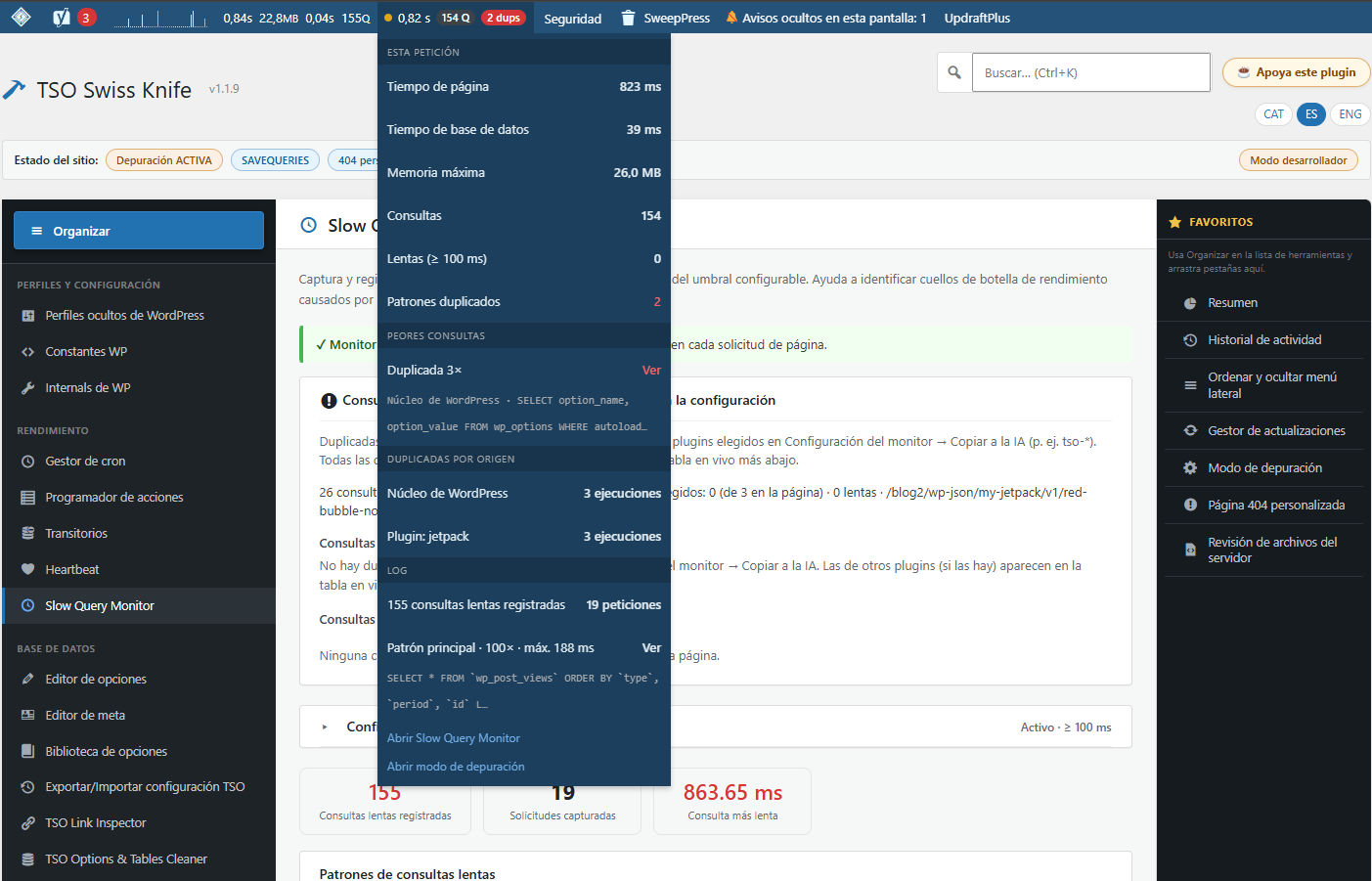
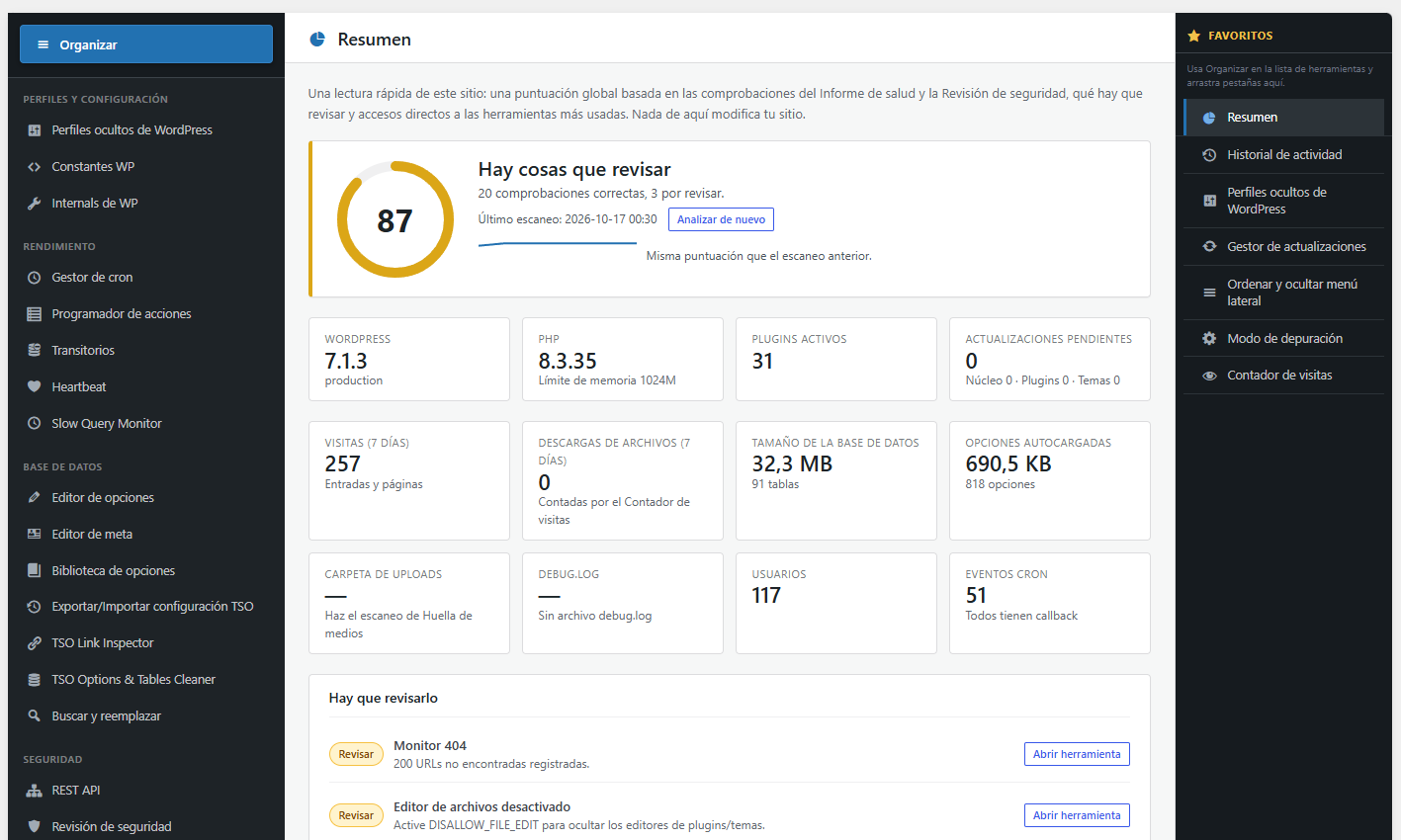
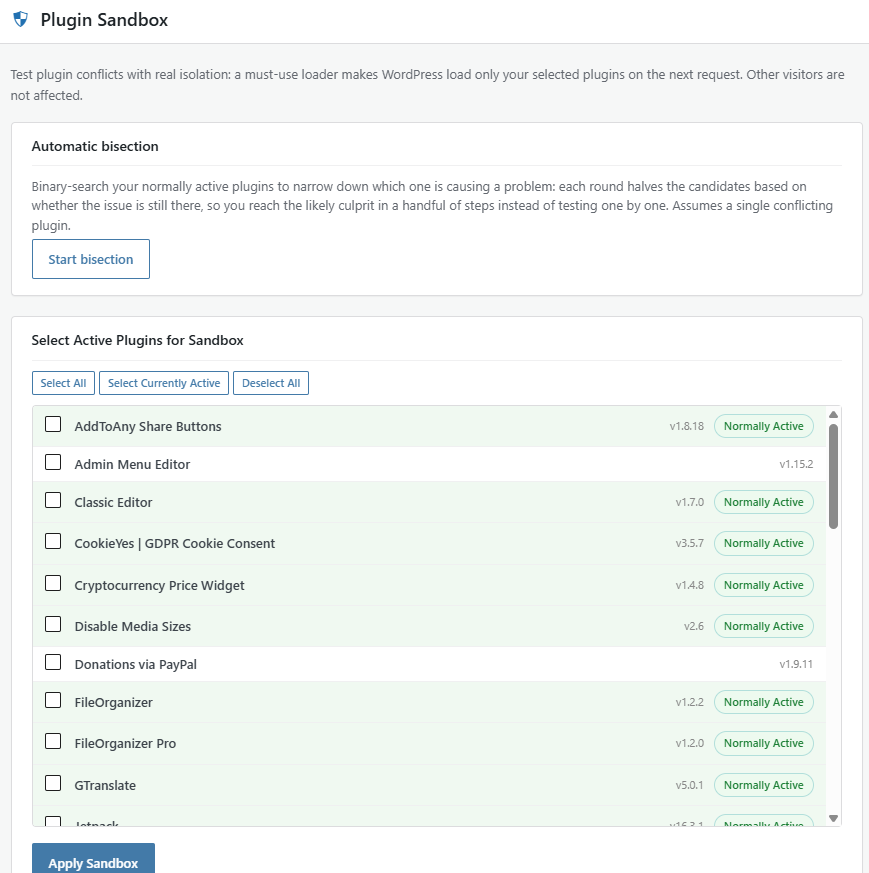
TSO Swiss Knife gives WordPress developers and site administrators a single, well-organised panel (under TSO Plugins › Swiss Knife) to inspect and control the internal systems that affect performance, stability, and security.
Included modules
- Overview — Landing dashboard with a 0–100 site score built from the Health Report and Security Review checks, the items that need attention (each with Open tool, Ignore 30 days and Ignore always), quick vitals that deep-link into the matching tool section, shortcuts and recent activity. Nothing is sent off-site.
- Activity History — Central log of changes across all plugin tools (options edited, database replacements, maintenance mode, admin menu, and more). Pinned as the default favorite for quick access.
- Hidden WordPress Profiles — Apply quick presets and toggle safe performance, content, and privacy constants via JSON under the plugin uploads folder (no wp-config.php editing). Runtime filters apply on the next request.
- Cron Manager — List scheduled WP-Cron events (WordPress core events at the bottom), sort them, run or delete non-core hooks one by one or in bulk, and filter the events whose hook has no callback. WordPress core cron events stay read-only (no manual Run / Edit / Delete).
- Action Scheduler — Inspect WooCommerce Action Scheduler tables, pending actions, and queue health when the library is present.
- Debug Mode — One-click Developer mode for staging that turns on
SAVEQUERIESfor the Slow Query Monitor, saved as JSON underwp-content/uploads/tso-swiss-knife-advanced-maintenance-developer-toolkit/config/.WP_DEBUG,WP_DEBUG_LOG,WP_DEBUG_DISPLAYandSCRIPT_DEBUGare set by WordPress before plugins load, so the tab shows their current value and source (read-only) plus copy-pastewp-config.phpsnippets to change them. - Options Editor — Search, inspect, edit, and safely delete
wp_optionsrows with core options protected. - Meta Editor — Browse and edit post and user meta. Without an object ID, search matches meta keys only (not values).
- Option Library — Save named option presets and re-apply them across environments.
- Plugin & Theme Leftovers — Find database rows that point to plugins or themes that are no longer installed, delete them group by group, and undo any deletion from a backup.
- View Counter — Cache-safe visit counter for posts, pages and outbound link clicks. It uses no cookies.
- Export/Import TSO Configuration — Back up and restore selected plugin settings as JSON (Redirects and their on/off switch, Staging Mode, Login Protect, Slow Query, Security Review constants/alerts/server rules, Hidden Profiles runtime flags, Activity History settings, and more). Does not include Debug Mode JSON under uploads, the Staging mail log, sandbox sessions, or the Slow Query log.
- Transients — Filter by status and purge expired or all transients in bulk (site transients on multisite require a network/super admin).
- WP Constants — Read-only overview of relevant constants grouped by category.
- WP Internals — Inspect post types, taxonomies, roles, query vars, rewrite tags, and shortcodes.
- REST API Controls — Disable anonymous REST API access or block individual namespaces.
- Heartbeat Controls — Set Heartbeat mode (default / disable frontend / disable editor / disable all) and interval.
- Update Manager — Review pending core, plugin, and theme updates, optionally block update checks (staging), and control update email notifications.
- Slow Query Monitor — Log slow database queries when SAVEQUERIES is enabled, flag failed queries and bad practices, run EXPLAIN on stored SELECT queries, inspect live queries for the current request, export CSV/JSON, and open a summary from the admin bar.
- Search & Replace — Run dry-run or live serialized-safe search and replace across database tables.
- Hooks Inspector — Browse the live
$wp_filterglobal, with callback details and a real-time search filter. - Rewrite Rules Flush — Soft or hard flush with a single click; search within the current rules table.
- Server Files Review — Scan for unexpected PHP files in uploads and other writable directories; optionally save
robots.txt/.htaccesswhen you confirm. - Redirects — Manage safe redirect rules stored in the database with import and export support, switch them all off without deleting them, and review the 404 Monitor to see who is behind each missing URL.
- Custom 404 Page — Assign a WordPress page as the site 404 response while keeping the original URL and a real HTTP 404 status (no redirect).
- Slug Manager — Bulk-edit post and term slugs with conflict detection.
- Health Report — Compact checks for risky settings, logs, 404 noise, and related issues; download HTML/JSON in the plugin UI language.
- Reorder & Hide Sidebar — Drag to reorder WordPress admin menu items, rename labels, nest items under another section, or hide items for all admins.
- Users & Sessions — Summary cards (totals and users per role), per-account session cards with single or full session close, a searchable and sortable All users list with bulk role change (including “select all matching users” and Undo), inactive accounts, and login history.
- Roles & Capabilities — Step-by-step screen: choose a role, review what each capability allows, add or remove capabilities, apply templates, clone a role or compare two roles. Dangerous capabilities are blocked or flagged.
- Media Cleaner — Review unattached media, missing attachment files, and unreferenced uploads.
- Uploads Disk Footprint — Scan the uploads folder for size and file-type footprint statistics.
- Image Sizes Audit — Review registered image sizes and disable unused sizes where appropriate.
- Security Review — Tabbed hardening: Overview checks, WordPress-layer toggles (XML-RPC, pingbacks, author scans, DISALLOW_FILE_EDIT and related constants), reversible Apache server rules (Indexes, deny wp-config / .ht* / sensitive files, PHP in uploads and cache), and Accounts & keys guides (salts, table prefix, admin username — never auto-changed). Soft-disables overlapping .htaccess writers when Kadence Security, Wordfence or similar is active.
- Core File Integrity — Verify WordPress core files against official checksums and flag unexpected changes.
- Login Protection — Custom login URL, brute-force limits, and related hardening controls.
- Comment Anti-Spam — Local honeypot/rate-limit rules plus optional reputation or cloud checks (off until you enable them and add keys where required).
- Email Diagnostics — Inspect wp_mail settings and send a test email.
- Staging Mode — For test copies only (all off by default): red STAGING admin-bar label, ask search engines not to list this copy (without changing Settings Reading), hold outbound email, pause WP-Cron execution, and keep a short administrator-only mail log in the database (CSV export). Turn everything off before copying the database back to production.
- URL & HTTPS Doctor — Explain whether the saved Home and Site addresses still match https, www, and how you opened the admin. Optional one-click loopback check of this site’s own home URL (redirects are not followed), and an optional count of leftover http:// copies of that address. Does not change the database.
- Server & Runtime — Read-only view of PHP limits, object-cache drop-in, other wp-content drop-ins, must-use plugins, and optional OPcache reset when the host allows it.
- Content Audit — Find hidden content issues such as empty titles, missing thumbnails, duplicate titles, and broken shortcodes. Long slugs are reviewed and fixed in the Slug Manager.
- Maintenance Mode — Toggle a 503 maintenance page with a custom message and IP whitelist.
- Plugin Sandbox — Isolate plugin conflicts via a must-use loader: only your selected plugins load for your admin session.
- More TSO Plugins — Other free TSO plugins, with a shortcut to open each one that is already installed.
Translations
- The plugin is translated into Catalan, Spanish and English. On TSO Plugins › Swiss Knife, administrators can switch the plugin UI between Auto (follows the WordPress language), Catalan, Spanish and English without changing the site-wide language.
- The same choice applies to this plugin’s AJAX responses and admin downloads (for example Health Report HTML/JSON and URL Doctor messages). It does not change the rest of wp-admin.
- Other languages can be contributed via Translate WordPress.
External services
This plugin can optionally contact third-party services. None of these calls run unless a site administrator enables the related feature and, where required, provides an API key.
Comment Antispam (optional)
When Comment Antispam reputation or cloud checks are enabled, visitor data from comments or protected contact forms may be sent as follows:
- Stop Forum Spam (
https://api.stopforumspam.org/api) — Used to look up whether an IP address or an email address has been reported as spam. Read-only anonymous lookups: no account or API key is needed. Sends the visitor public IP and an MD5 hash of the email (never the plain email or the username), only when the option is enabled, once per IP/email every 6 hours. Failed lookups pause for a few minutes and the submission is then allowed. Service: Stop Forum Spam. Terms of use · Privacy policy. - AbuseIPDB (
https://api.abuseipdb.com/api/v2/check) — Used to check IP reputation. Sends the visitor IP and your AbuseIPDB API key (request header). Service: AbuseIPDB. Terms of use · Privacy policy. - CleanTalk (
https://moderate.cleantalk.org/api2.0) — Used for cloud spam filtering when CleanTalk mode is selected. Sends your CleanTalk access key plus sender email, IP, nickname, URL, message content, and post/page context. Service: CleanTalk. Terms of use and privacy policy. - Project Honey Pot (HTTP:BL) — Optional DNS-based IP reputation lookup using your HTTP:BL access key and the visitor IPv4 address. Service: Project Honey Pot. Terms of use · Privacy policy.
- Akismet — When cloud mode is set to Akismet and the Akismet plugin is active, spam checks are handled by Akismet according to its own settings and policies. Service: Akismet. Terms of service · Privacy policy.
Core File Integrity (optional)
When you run a core integrity scan, the plugin requests official WordPress core checksums from https://api.wordpress.org/core/checksums/1.0/. Only the WordPress version and locale are sent (no personal data). Service: WordPress.org. Privacy policy.
Update Manager language packs (optional)
When an administrator clicks Install pending translations on the Update Manager tab, WordPress downloads language packs from https://api.wordpress.org/translations/ (via core Language_Pack_Upgrader). Locale and package metadata for pending translations are sent; no personal visitor data. This does not run automatically. Service: WordPress.org. Privacy policy.
404 Monitor host lookup (optional)
When an administrator clicks Look up host on a row of the 404 Monitor, the server asks its DNS resolver for the host name of that row’s visitor IP (reverse lookup) and for the address of that host name (forward lookup), to confirm that a crawler such as Googlebot is genuine. Only the IP address already shown in the table is sent, to the DNS resolver your server is configured to use; no other third-party service is contacted. It never runs automatically.
URL & HTTPS Doctor (optional)
When you click Check this site, the plugin requests this site’s own home URL through the WordPress HTTP API (a loopback, similar to Site Health). Redirects are not followed. No third-party host is contacted and no personal data is sent. The request only runs after an administrator clicks the button.
Health Report security headers (optional)
Opening Health Report (or downloading its HTML/JSON) may request this site’s own home URL with a HEAD request to list common security response headers. Results are cached briefly. No third-party host is contacted and no personal data is sent.