
TransactWorld Payment Integration
v1.0.0Transact World Ltd · 2025年6月18日 上架
Integrates TransactWorld payment processing into WooCommerce, supporting secure Visa, Mastercard, and other payments with real-time reconciliation.
- 正在使用
- 10 以下
- 评分
- 暂无
- 累计下载
- 719
- 最近更新
- 2025年6月18日
需要 WordPress 2.0+已测试到 6.8.13
 Transact World Ltd
截图
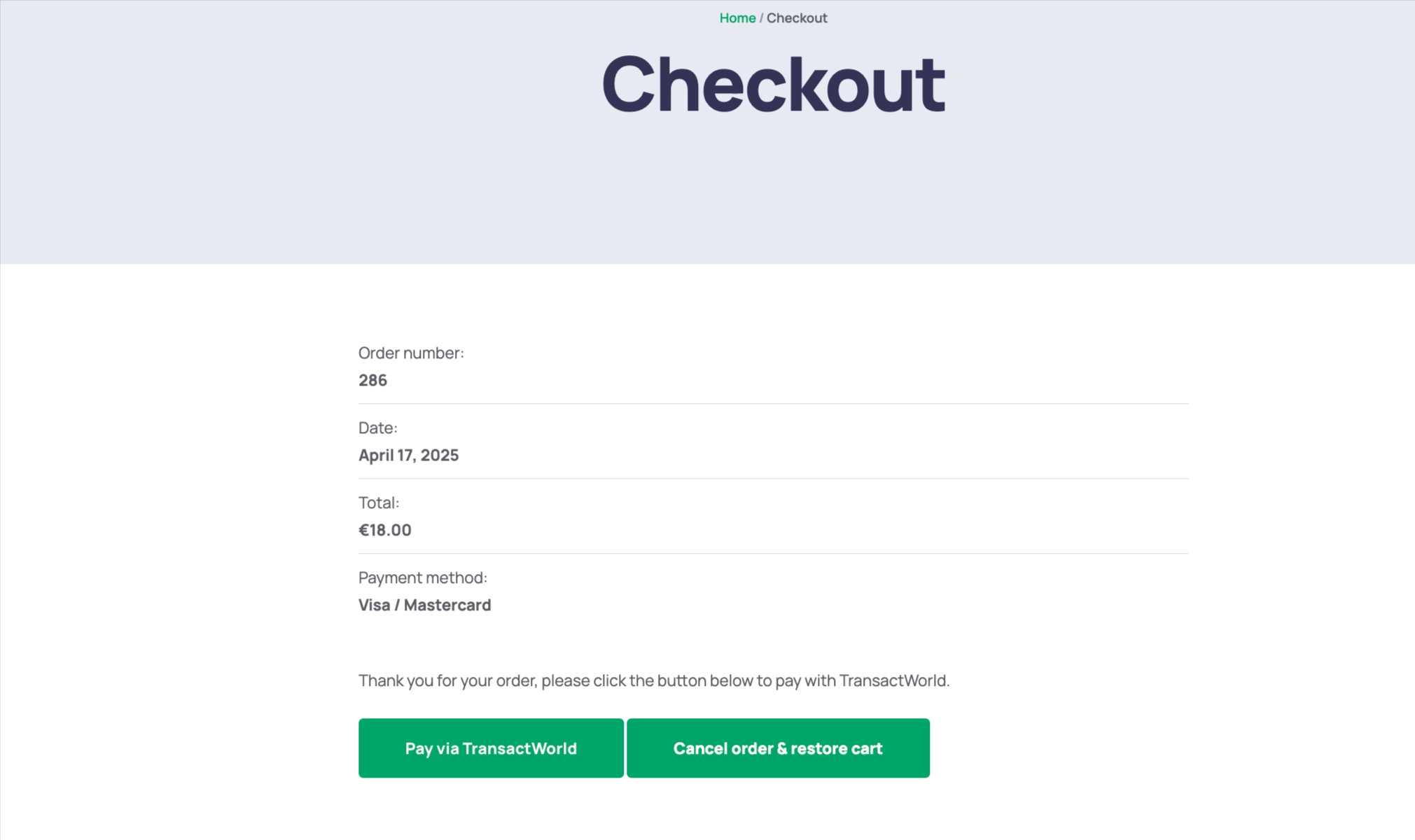
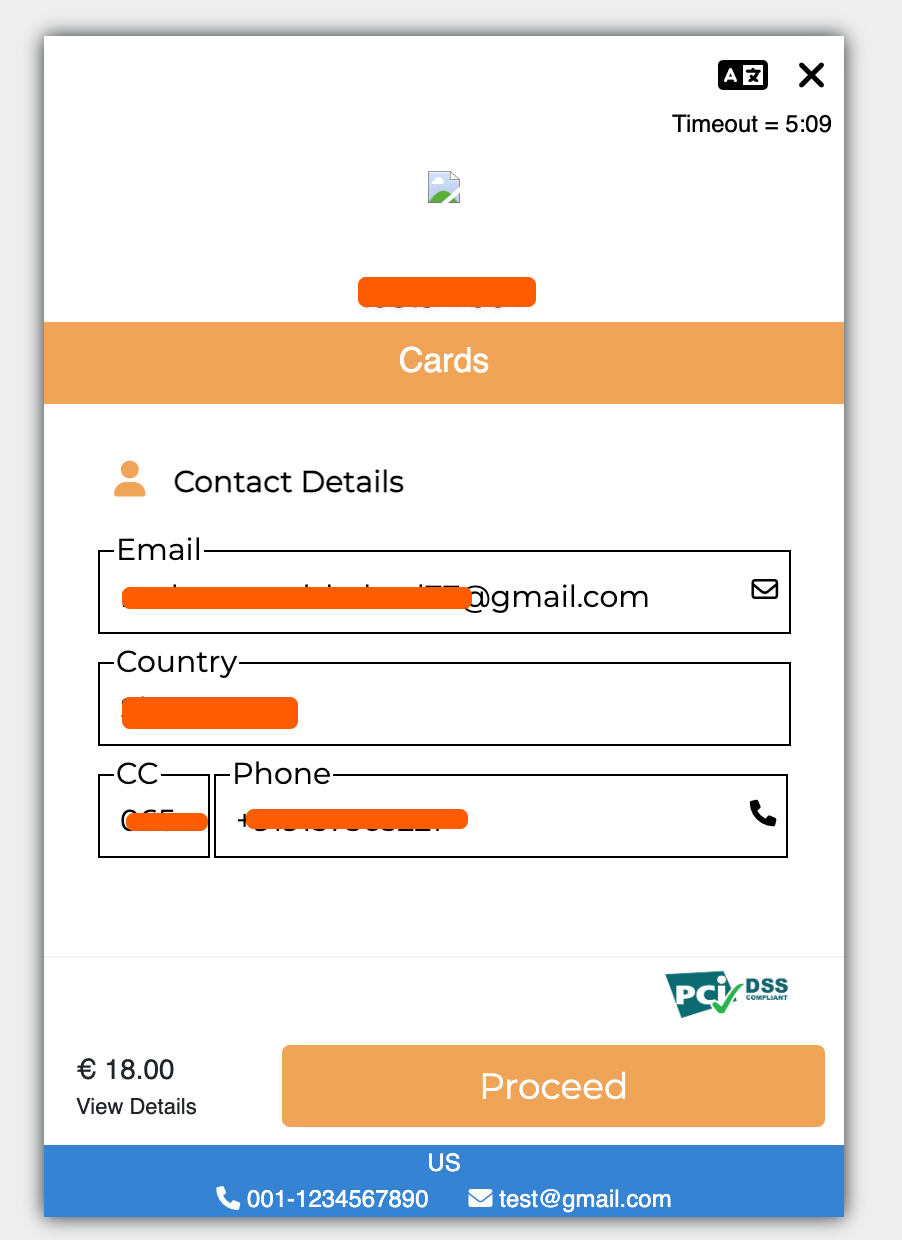
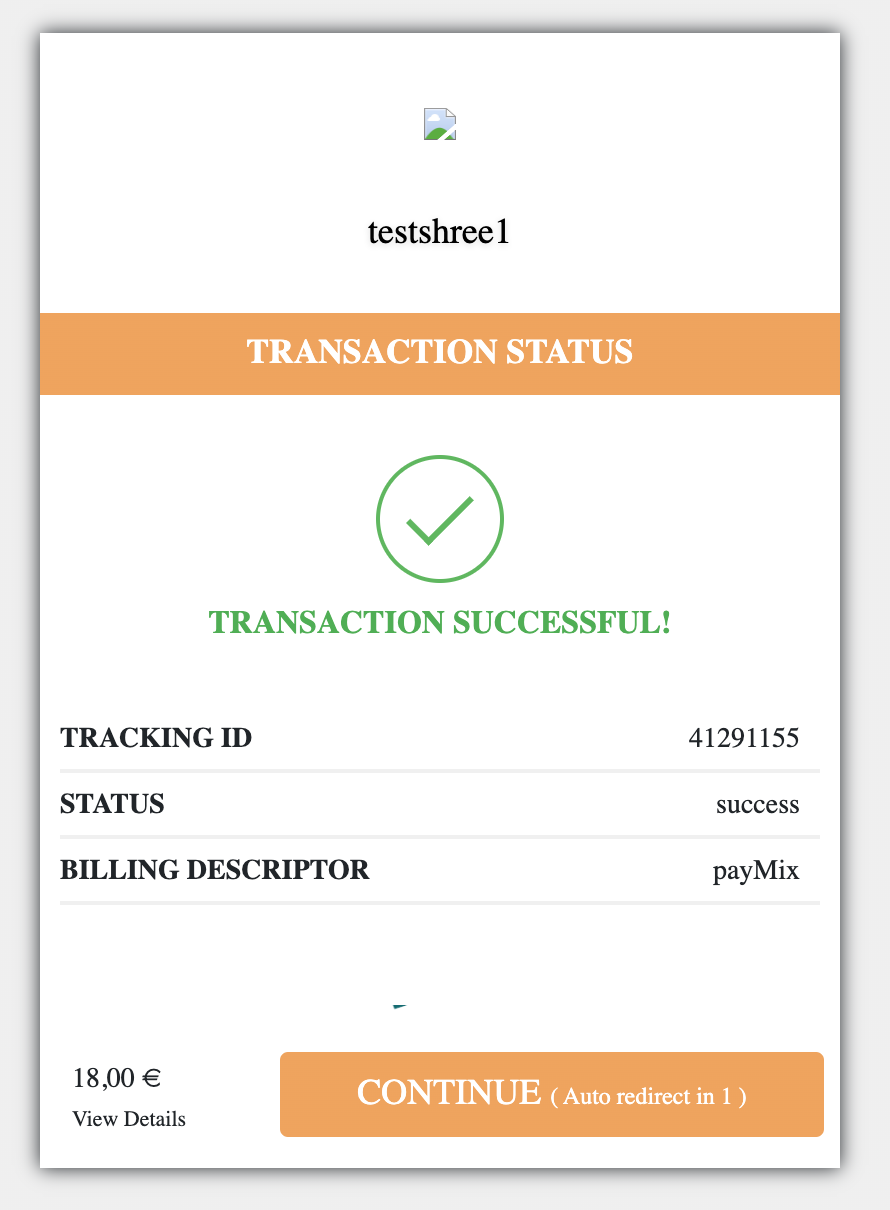
The TransactWorld Payment Integration plugin enables WooCommerce stores to process payments securely via the TransactWorld API. It supports Visa, Mastercard, and other major card networks, with features like PCI DSS-compliant transactions, real-time order reconciliation, and sandbox/live mode configurations. Suitable for businesses of all sizes, the plugin ensures accurate order management and secure payment processing.
Features
- Accept payments via Visa, Mastercard, and other major card networks.
- PCI DSS-compliant transaction processing.
- Real-time reconciliation to update order transaction status.
- Sandbox and live mode configurations.
- Supports Merchant ID, Partner ID, Working Key, and Store IP validations.
- Transaction query and reconciliation functionality.
Configuration
- Go to WooCommerce > Settings > Payments tab.
- Locate TransactWorld Pay and click Manage.
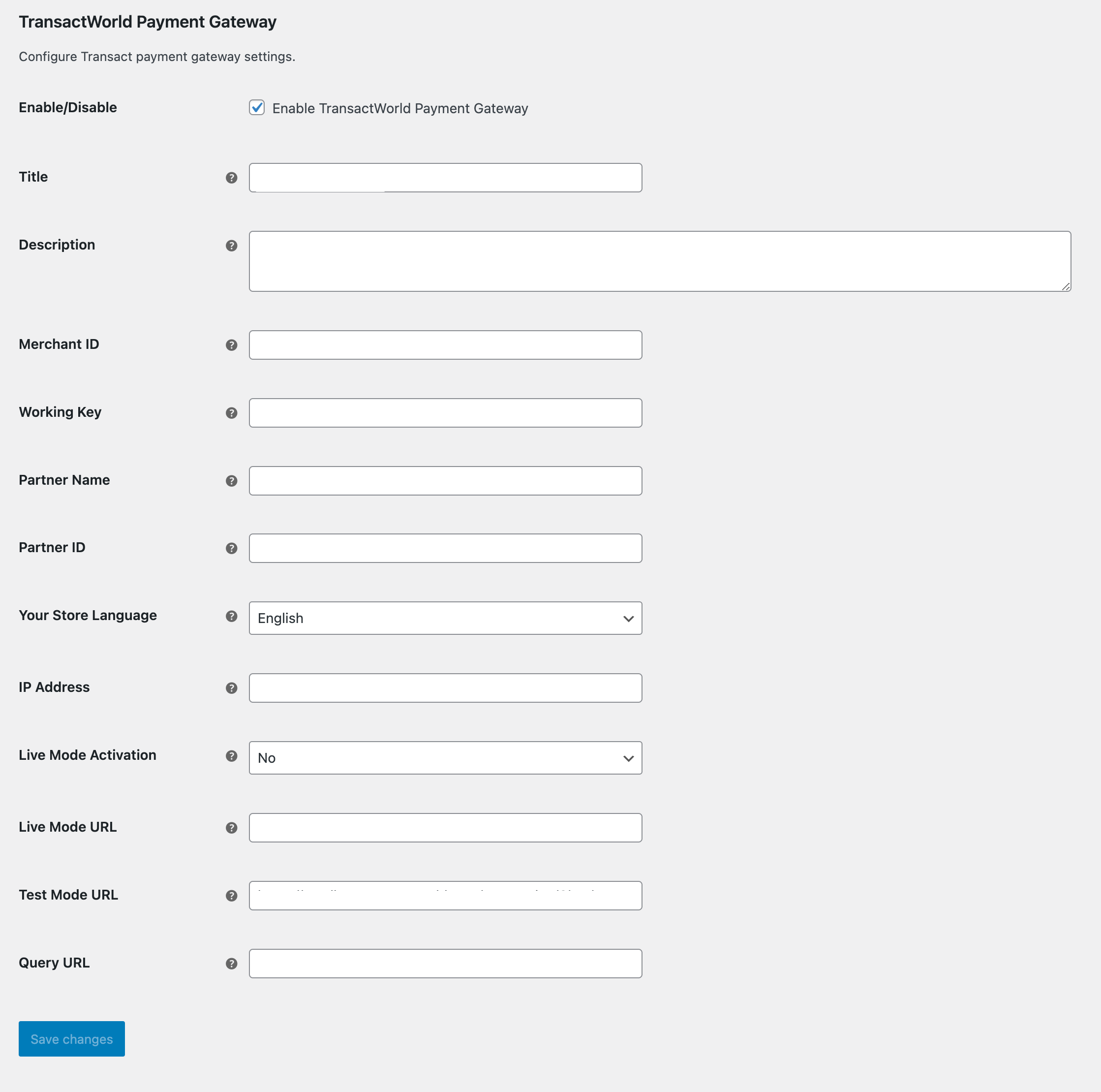
- Configure the following:
- Title: Payment title (e.g., TransactWorld Pay).
- Description: Payment method description (e.g., Pay securely by Credit or Internet Banking).
- Merchant ID: Your TransactWorld Merchant ID.
- Working Key: Secret key issued by TransactWorld.
- Partner Name (Optional): Required for TransactWorld partner program accounts.
- Partner ID (Optional): Required for partner program accounts.
- Store Language: Preferred language (e.g., English). Contact TransactWorld for additional languages.
- IP Address: Server IP for transaction validation.
- Live Mode Activation: Yes for live transactions, No for sandbox mode.
- Live Mode URL: URL for live transaction processing.
- Test Mode URL: URL for sandbox testing.
- Query URL: URL for reconciliation queries.
Payment Workflow
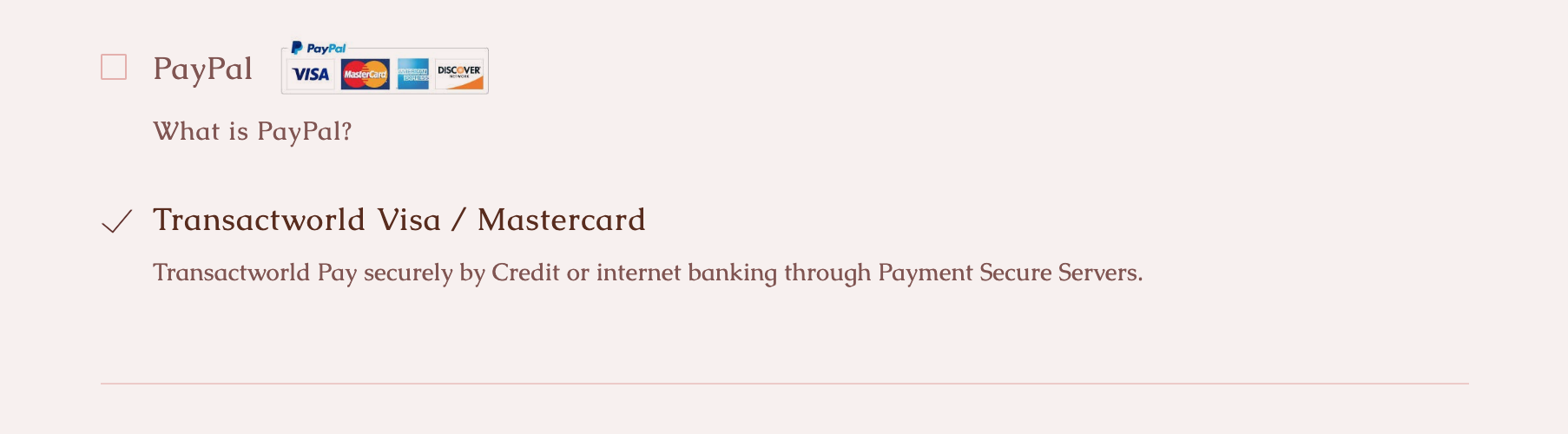
- Customer selects TransactWorld Pay at checkout.
- Redirects to TransactWorld’s secure payment page.
- Customer enters card details and completes payment.
- On success, the WooCommerce order status updates automatically.
- Use sandbox mode to test the payment flow before going live.
Reconciliation
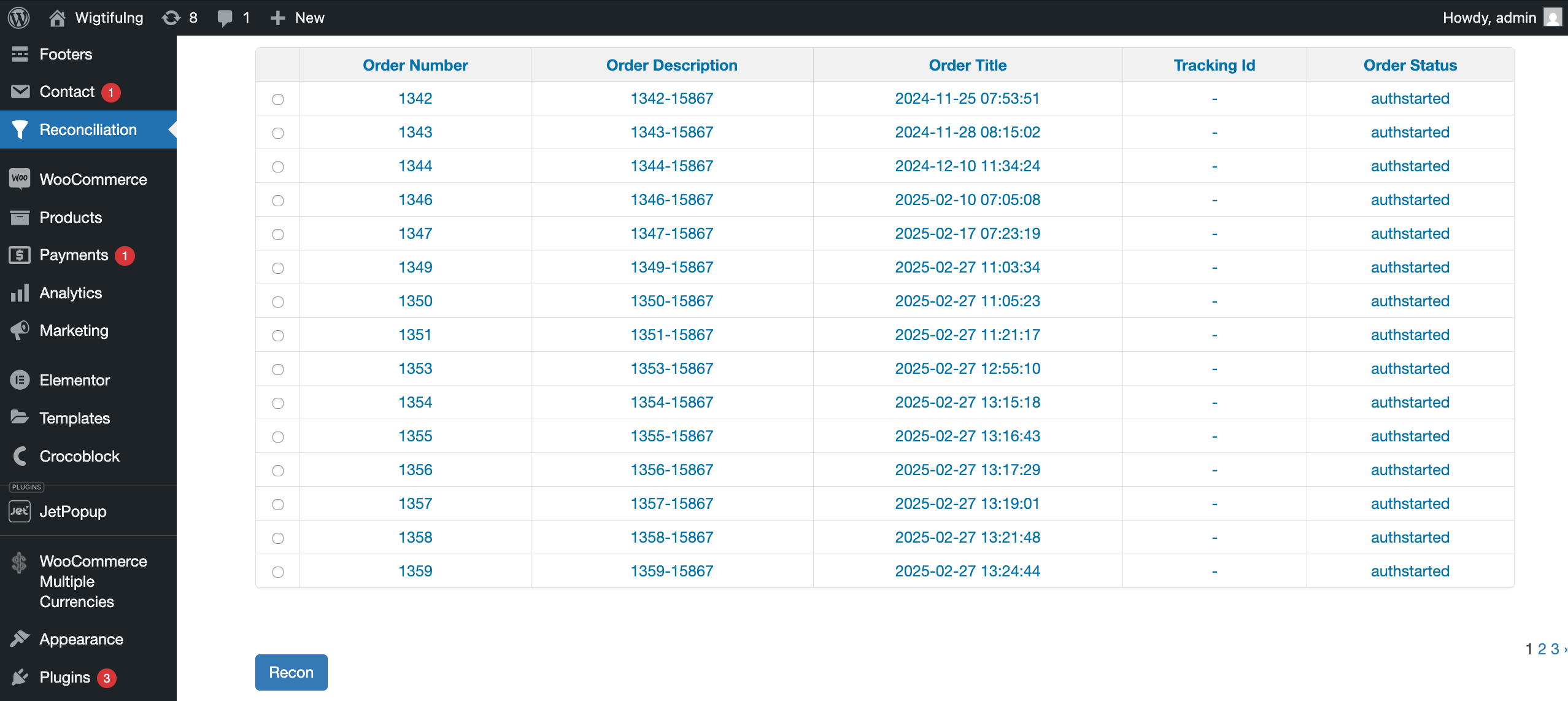
- In the WordPress admin panel, go to Reconciliation.
- View the table showing:
- Order Number
- Order Description
- Order Title
- Tracking ID
- Order Status
- Click Recon to fetch updated transaction status from TransactWorld.
- The table updates order records based on API data, ensuring synchronization.
Testing in Sandbox Mode
- Set Live Mode Activation to No.
- Use the Test Mode URL provided by TransactWorld.
- Obtain sandbox credentials from your TransactWorld merchant dashboard.
- Place a test order to verify the payment flow.
Security
Transactions are processed via TransactWorld’s PCI DSS-compliant servers. No cardholder data is stored on your WordPress server.
Additional Notes
- PHP Requirements: Requires PHP 7.4 or higher.
- Support: Email support@transactworld.com or visit https://transactworld.com/support.
- Bug Reports: Submit issues at https://transactworld.com/report-bug.