
Totals Report for WooCommerce
v2.0.0bigdrop.gr · 2025年4月22日 上架
Stock totals and stock value by category, year-end inventory snapshots, and exports your accountant can open in Excel.
- 正在使用
- 10 以下
- 评分
- 暂无
- 累计下载
- 608
- 最近更新
- 2026年10月17日
需要 WordPress 6.5+已测试到 7.1.5PHP 7.4+
 bigdrop.gr
 Christoforos Aivazidis
截图
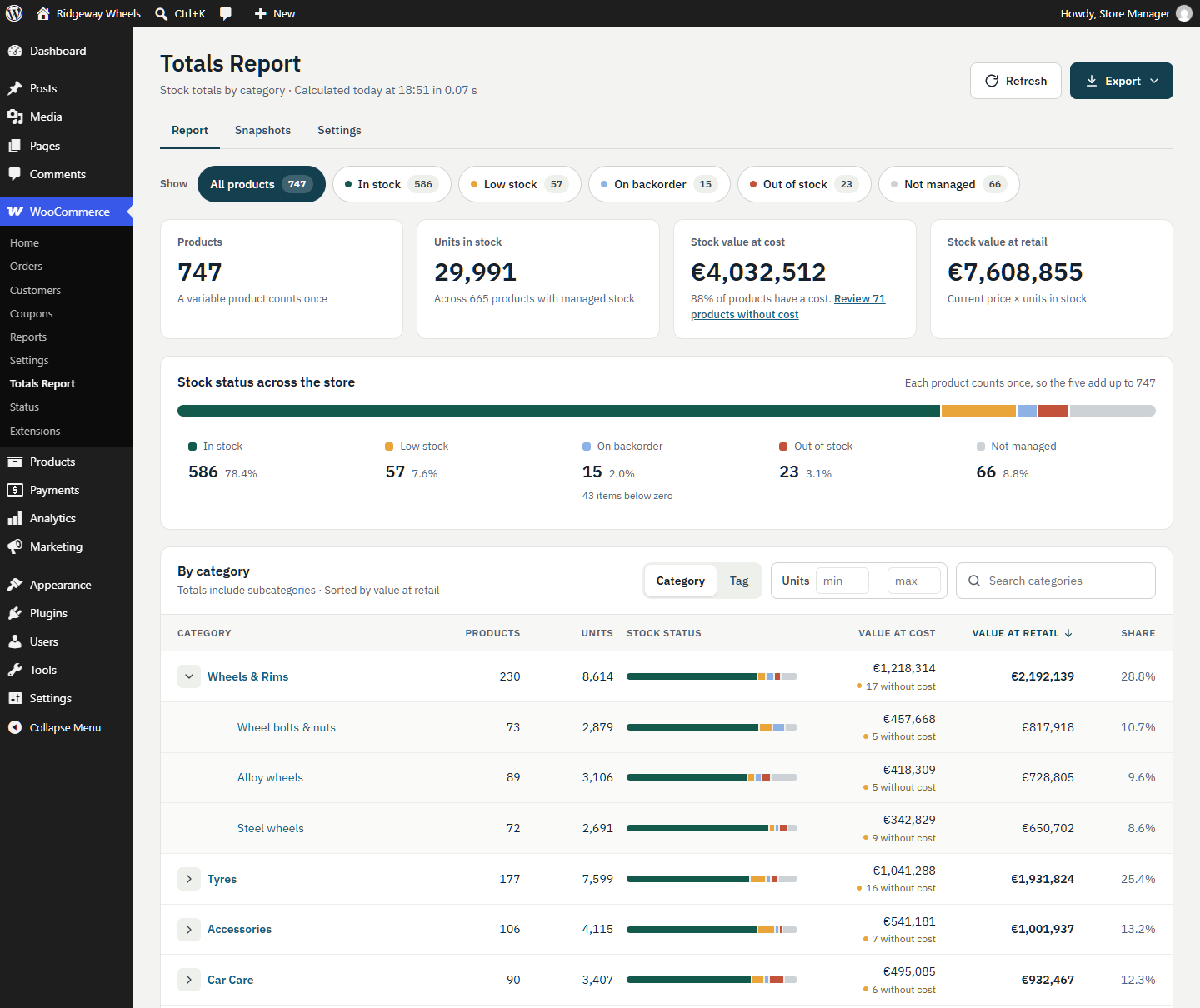
Totals Report for WooCommerce answers three questions in one screen:
- How many products and units do I have in stock, per category?
- What is my stock worth, at cost and at retail price?
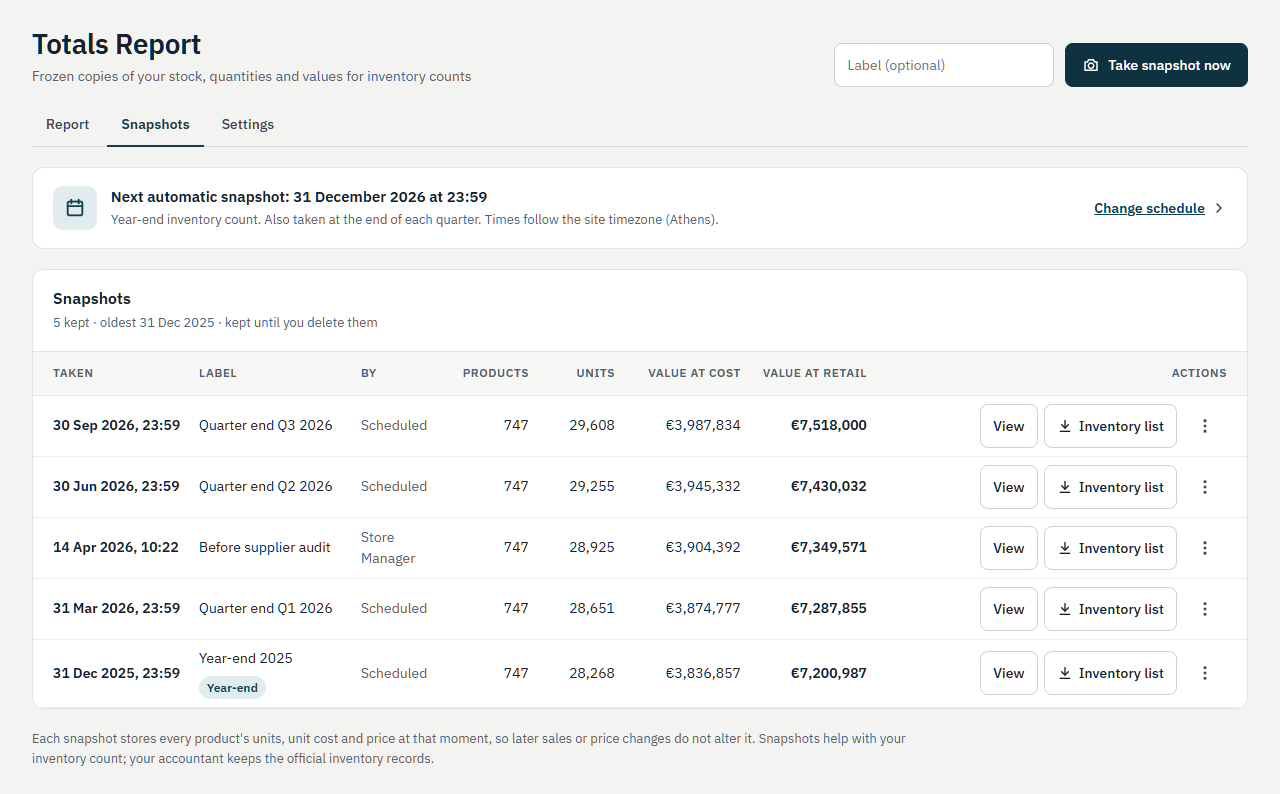
- What did I hold on 31 December, for the year-end inventory count?
WooCommerce Analytics lists stock product by product. Totals Report adds up stock per category or tag, puts a value on it, and keeps inventory snapshots you can hand to your accountant.
Stock totals at a glance
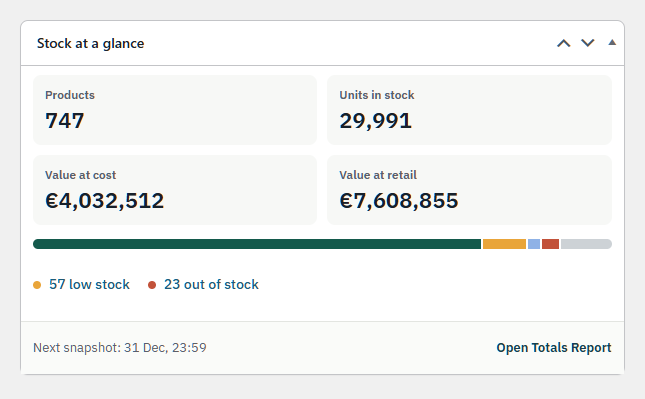
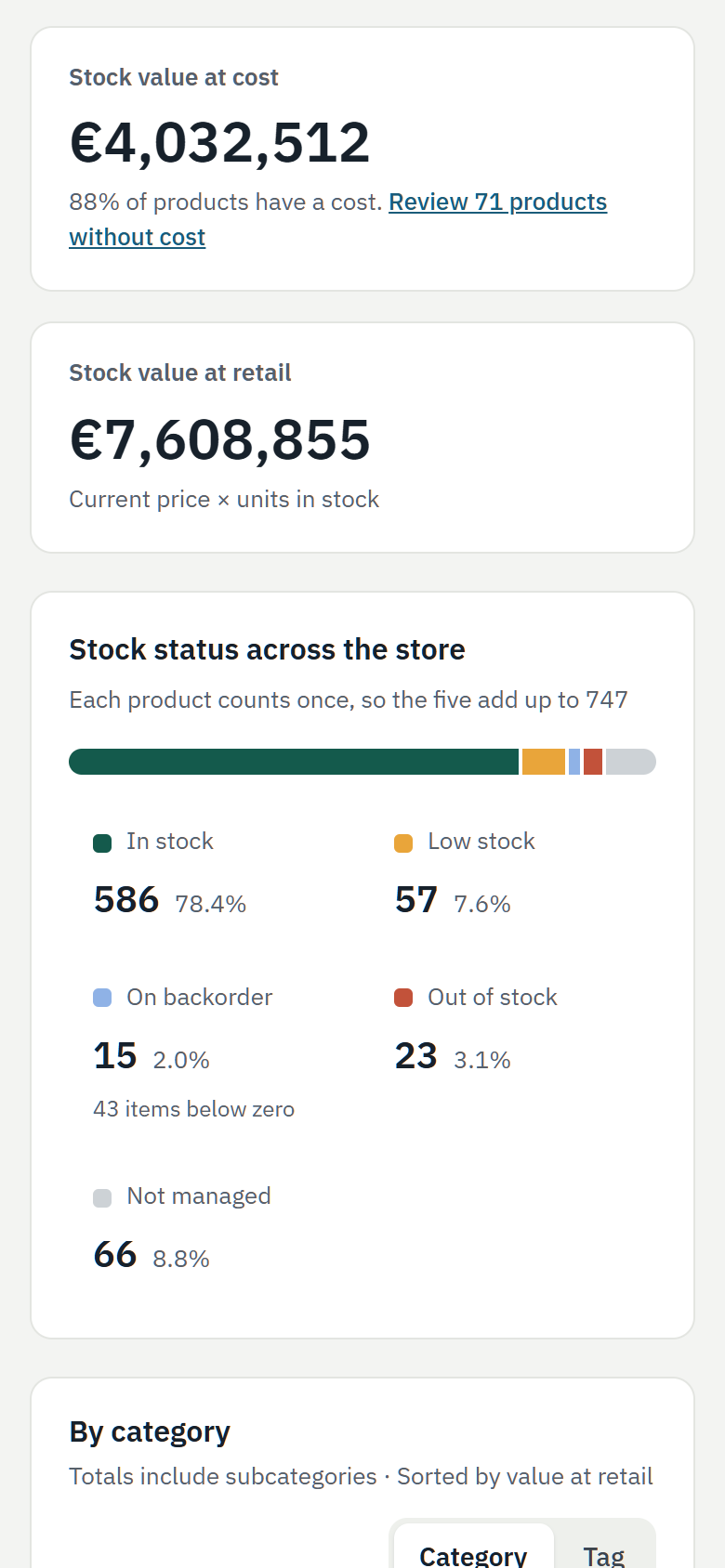
- Products, units in stock, stock value at cost and stock value at retail
- Five clear stock states that always add up: in stock, low stock, on backorder, out of stock, stock not managed
- Totals per category (with subcategories) or per tag
- Filter by stock status and by units in stock, search, and sort the table by name or by any figure
- Click a category or tag to open its products in WooCommerce, filtered by stock status where WooCommerce supports it
Stock valuation
- Value at cost uses the native WooCommerce Cost of Goods Sold field
- Value at retail uses the current price or the regular price, your choice
- Shows which products have no cost yet, so the valuation is never silently incomplete
Year-end inventory count (stocktake)
- Inventory snapshots freeze units, unit costs and prices at a moment in time
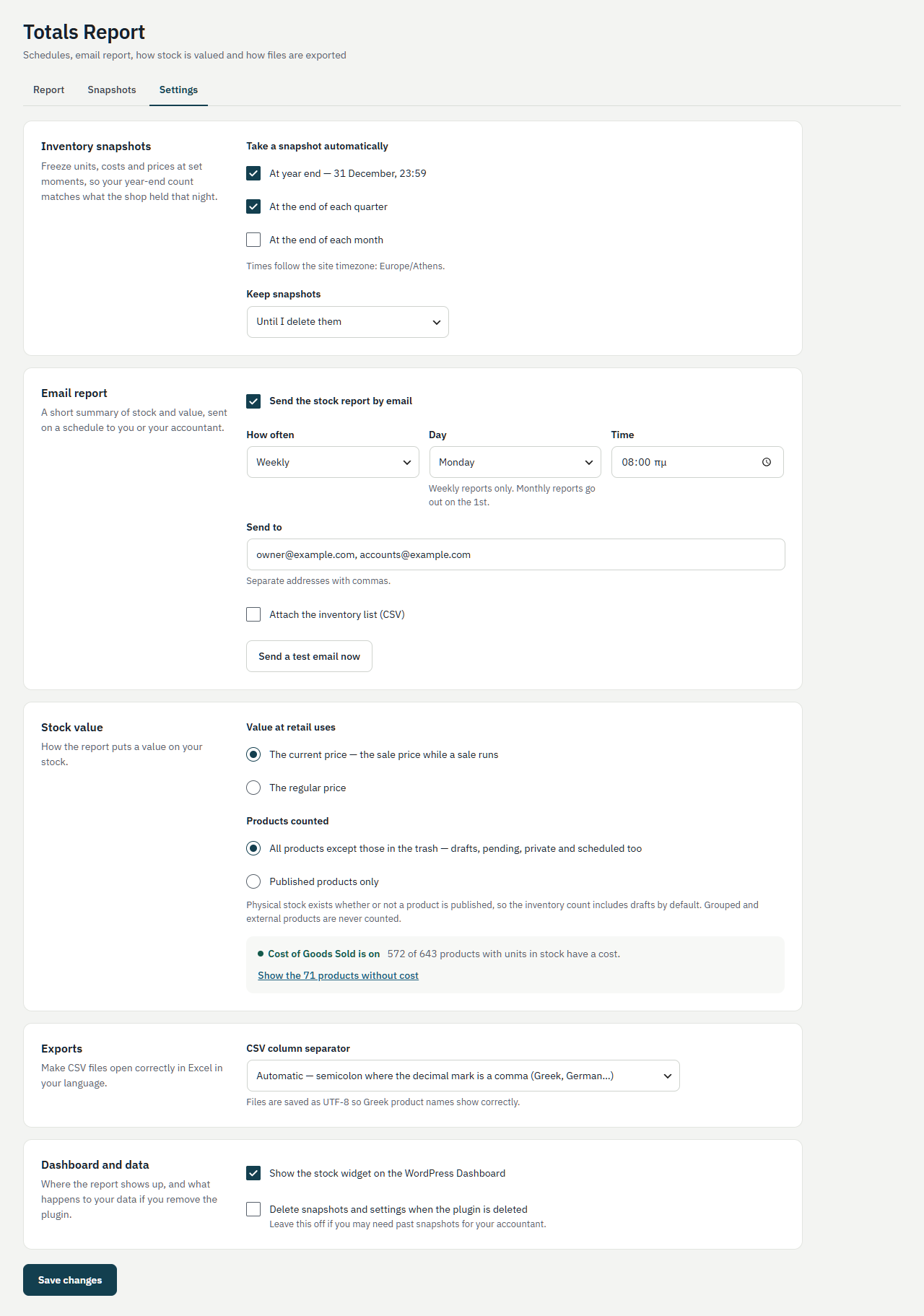
- Automatic snapshot at year end (scheduled for 31 December, 23:59, in your site’s timezone), and optionally at the end of each quarter or month
- Take a snapshot any time, give it a label, and view its frozen figures later
- Inventory list export: every product and variation with SKU, units, unit cost and value (variations that share their parent’s stock are one row), ready for your accountant
Exports that open correctly
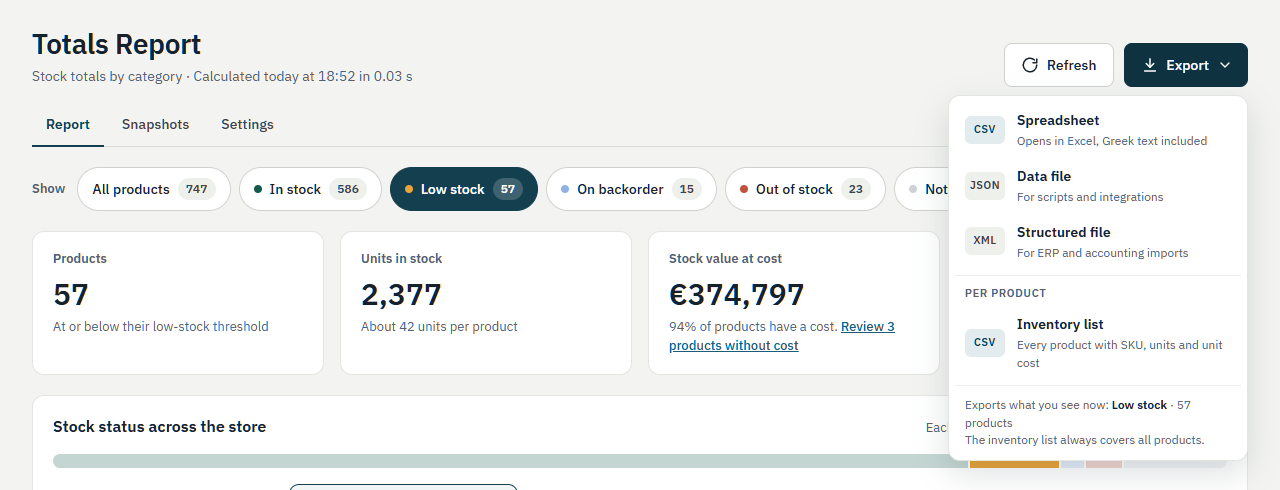
- CSV, JSON and XML summaries of what you see on screen
- CSV files open in Excel with Greek and other non-Latin characters intact, with the right separator for your site language (you can change it in Settings)
- Spreadsheet formula injection is neutralised in every CSV
Also included
- Weekly or monthly stock report by email, with the inventory list attached if you want
- “Stock at a glance” widget on the WordPress Dashboard
- Fast on large catalogues: built on WooCommerce’s product lookup table, no slow product-by-product loops
- Fully translated into Greek; translation-ready for every language
- No external requests, no tracking, no ads