
ToolDocs™
v1.1.0Trevor Walter · 2026年5月26日 上架
Manage your documents with permanent download links that never change, even when you replace the file.
- 正在使用
- 10+
- 评分
- 暂无
- 累计下载
- 675
- 最近更新
- 2026年10月29日
贡献者
 Trevor Walter
截图
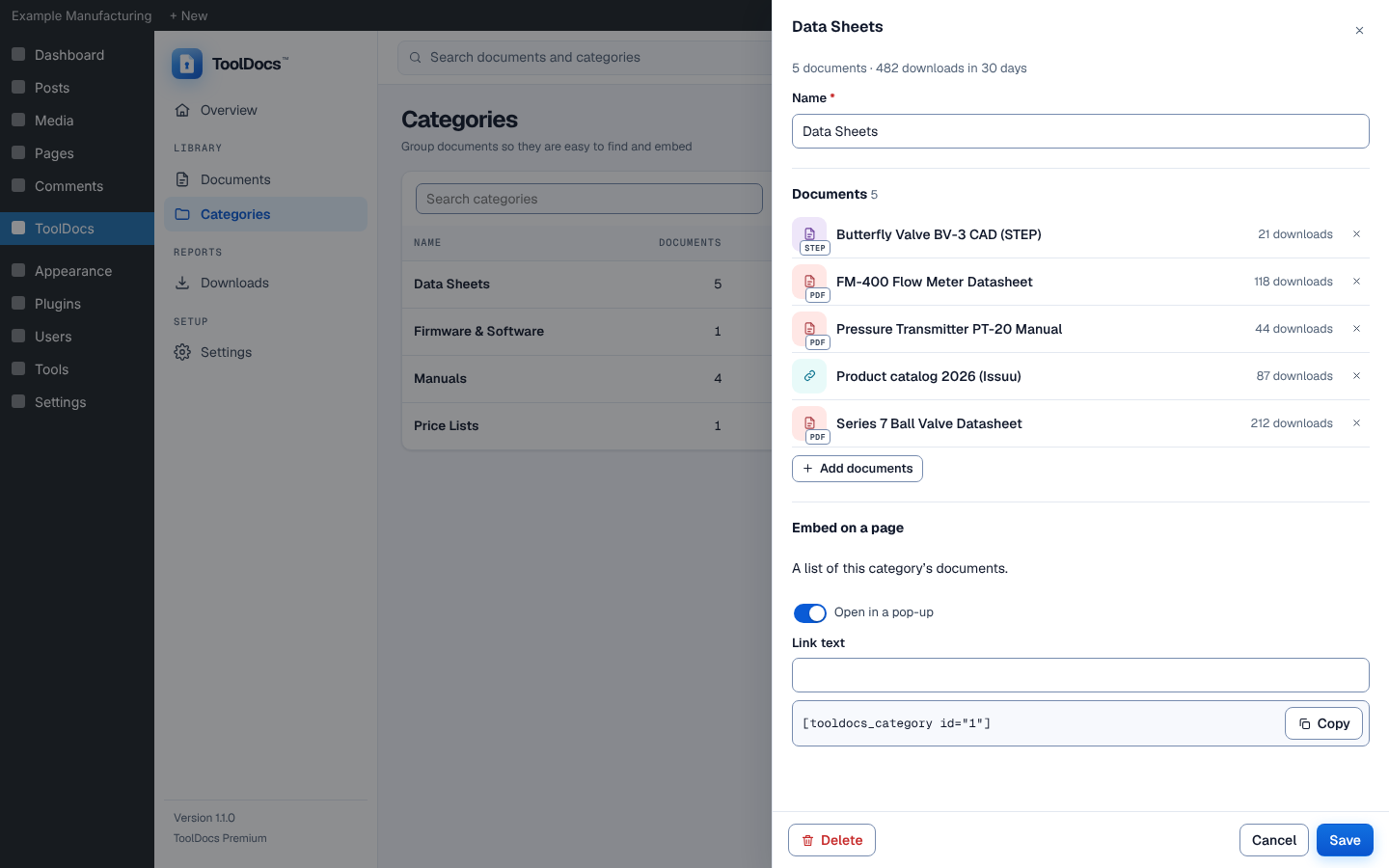
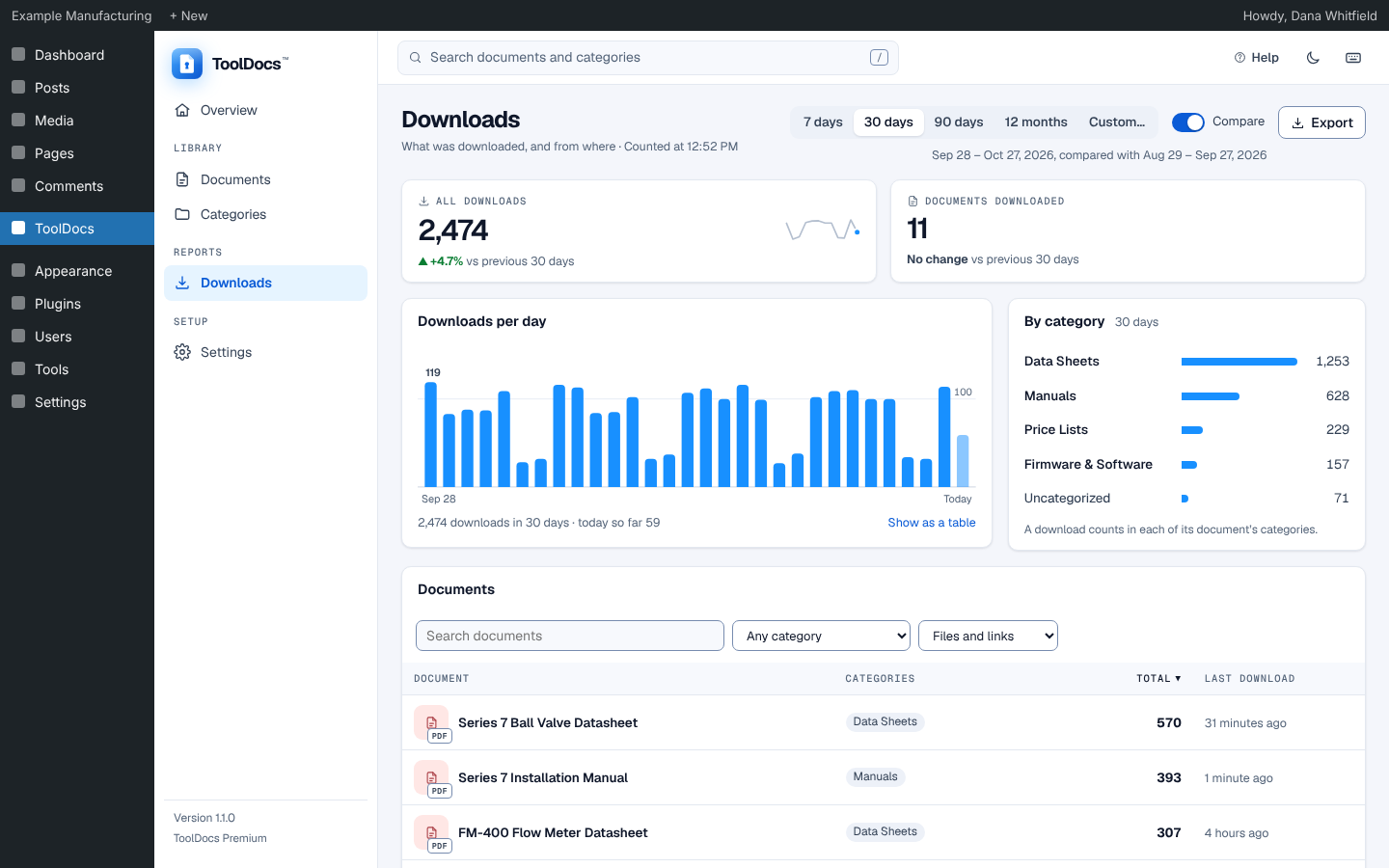
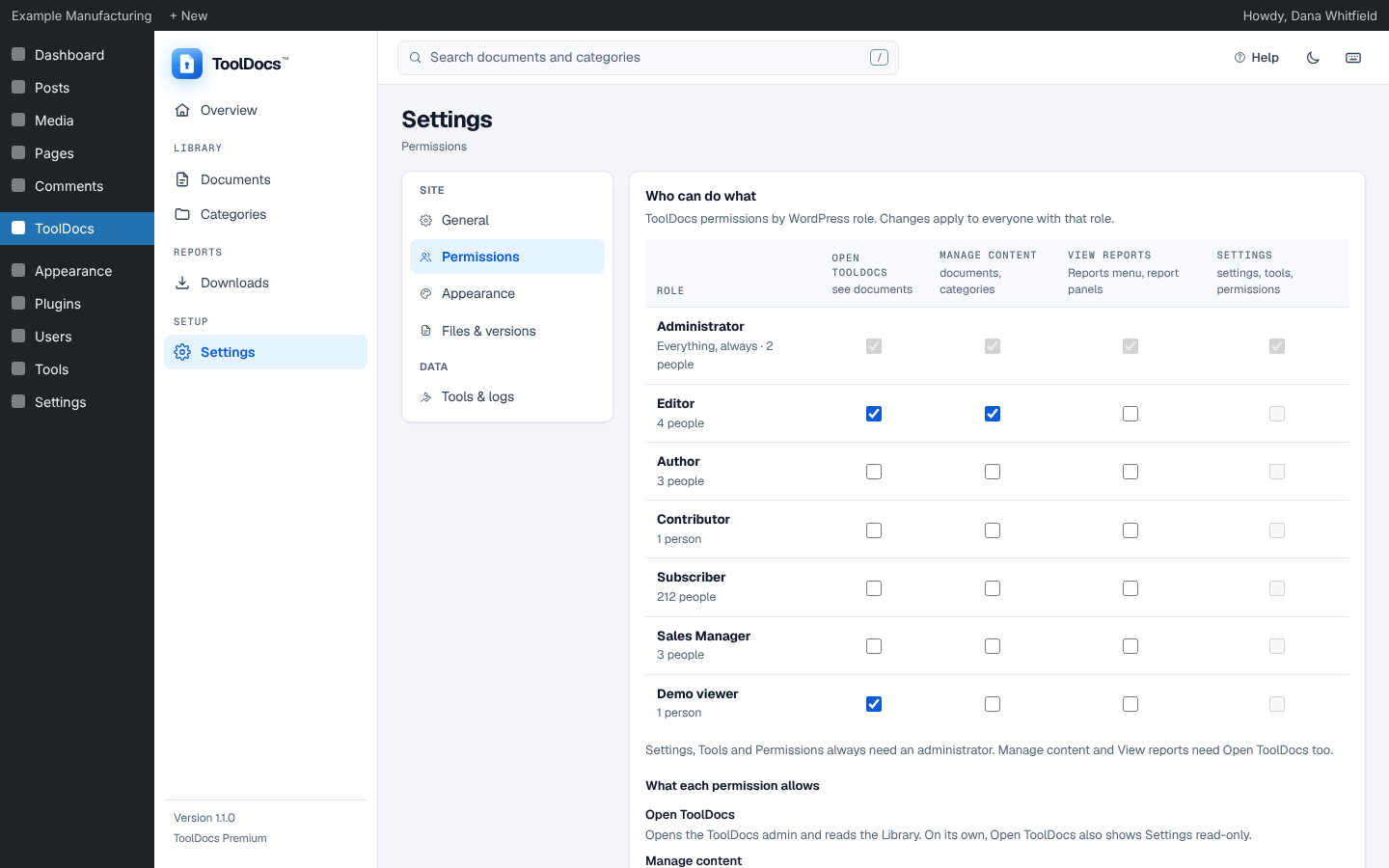
ToolDocs™ is a document manager for WordPress. Upload a document once, share its permalink or shortcode, and replace the file whenever it changes: the link stays the same, old versions are kept if you want them, and every download is counted.
Library
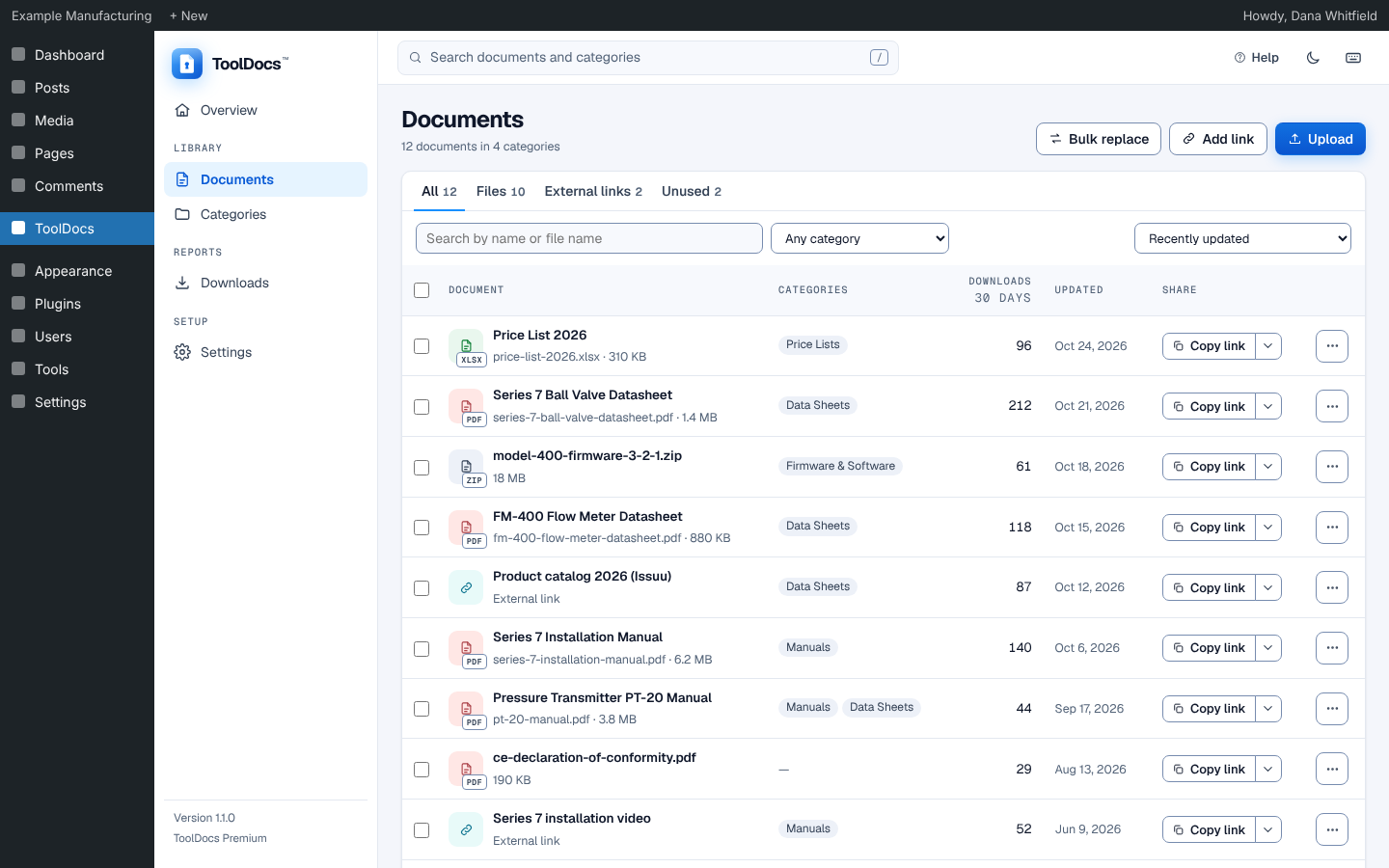
- Upload PDF, Word, Excel, ZIP and any other file type WordPress allows, by drag and drop, from any screen. Large files are sent in pieces, so uploads over 100 MB work behind proxies that limit request size.
- Add external URLs as documents with their own permalink.
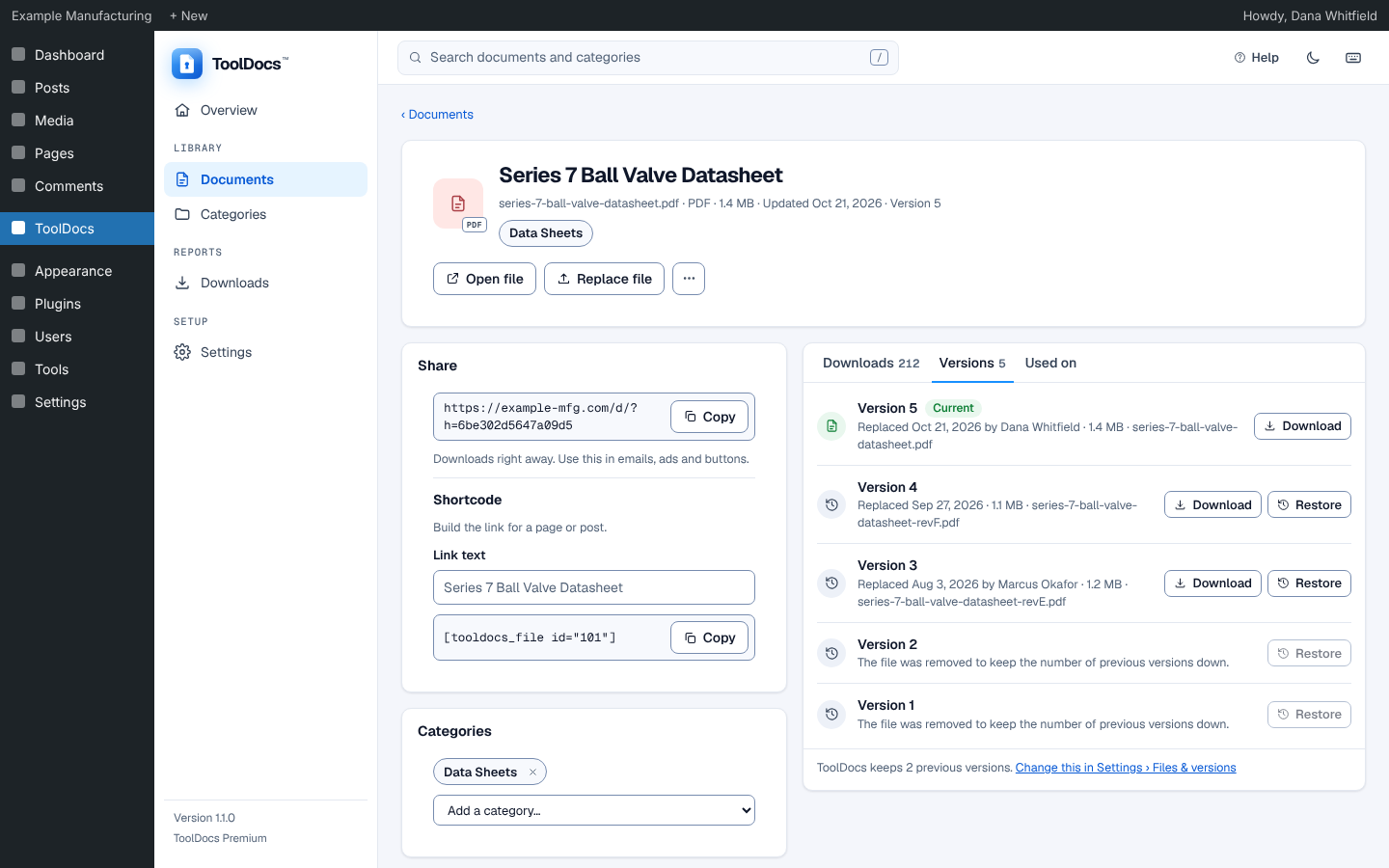
- Replace a file or a link in place: the permalink, shortcodes and download count stay.
- Bulk replace: drop in a batch of new files and ToolDocs matches them to the documents they replace.
- Version history with Restore, keeping 0 to 4 previous versions.
- Give a document a display title for its links and lists, without renaming the file visitors download.
- See where a document is used: pages and posts that link to it, embed its shortcode or reach it through a category.
- Organise documents into categories and embed a whole category, inline or in an accessible pop-up.
Reports
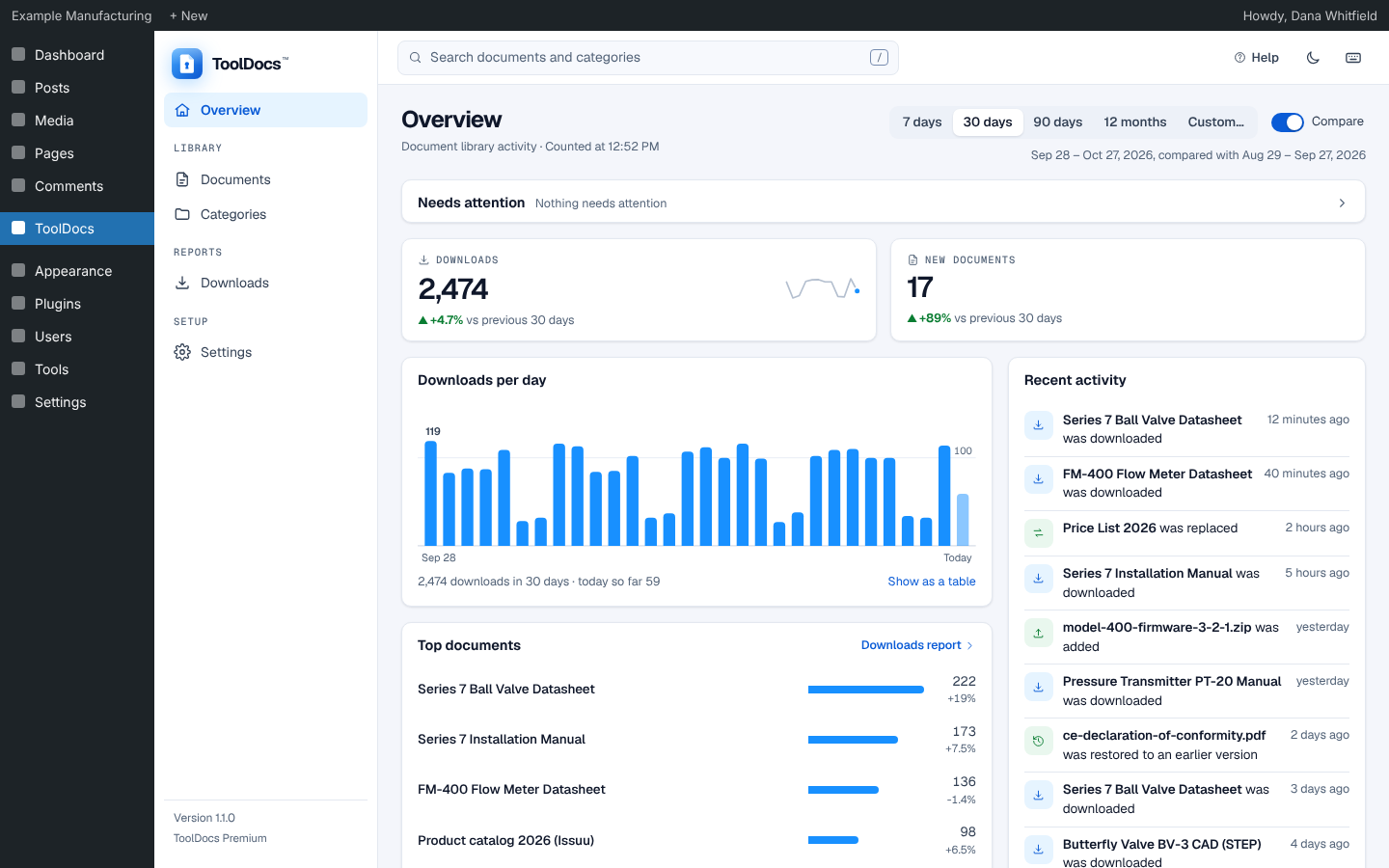
- Overview with downloads against the previous period, a daily chart, top documents, recent activity and library size.
- Downloads report: trend by day, week or month, documents, categories and where downloads start, for any date range with comparison. Export it as CSV files.
- Per-document download history with CSV export.
Admin
- A modern admin with light and dark themes, search (press
/), keyboard and screen reader support, and translatable text. - Permissions: choose which roles can open ToolDocs, manage documents and view reports, and give report access to individual people.
- Optional “Protect document files” setting that blocks direct file URLs, so documents are only reached through their tracked permalink (Apache
.htaccess; an nginx rule is shown to copy). - Documents are kept out of the public media API and attachment pages.
Shortcodes
[tooldocs_file id="X"]– a download link for one document, with its file type icon. The link shows the document’s display title, or its file name when it has none. Optionallink_text="..."sets your own text.[tooldocs_category id="Y"]– every document in a category, listed by title, behind a “View Documents” link that opens a pop-up. Optionalmodal="false"lists them on the page instead, andlink_text="..."changes the pop-up link’s text. The older[tooldocs_category_files category_id="Y"]still works.
The Document page and the category drawer in the admin build these shortcodes for you.
How it works
- Upload documents in ToolDocs › Documents, or add external URLs.
- Copy a document’s permalink or shortcode and use it anywhere on your site, in emails or in print.
- When the document changes, replace the file. Every link keeps working and points at the new version.
- Follow downloads on the Overview and in Reports › Downloads.
ToolDocs works entirely inside your WordPress site. It makes no requests to external services.
Development
The admin is a Vue 3 app built with Vite. Its source is in admin-app/src/ and the built files are in admin-app/dist/. To build it:
- Go to the
admin-app/directory. - Run
npm ci. - Run
npm run build.
The visitor-side script’s source is in front/. To build it, run npm ci and then npm run build in front/.
Third-party resources
- Vue, Vue Router, Pinia and TanStack Query (MIT), bundled in
admin-app/dist/. - Geist and Geist Mono fonts by Vercel (SIL Open Font License 1.1), bundled in
admin-app/dist/assets/; the licence is inadmin-app/dist/assets/Geist-OFL.txt. - A subset of Font Awesome Free 6 icons by Fonticons, Inc. (icons CC BY 4.0, fonts SIL OFL 1.1), bundled in
assets/fontawesome/; seeassets/fontawesome/LICENSE.txt.