

Toolbar Publish Button
v1.8webbistro · 2013年3月19日 上架
Scroll less in WordPress admin area! A small UX improvement will keep Publish button within reach and retain the scrollbar position after saving.
- 正在使用
- 5,000+
- 评分
- 4.8 / 5
- 累计下载
- 9.5 万
- 最近更新
- 2021年8月28日
贡献者
 webbistro
截图


Too often it turns out very inconvenient to scroll WordPress admin page back and forth in the quest for the big blue button to save latest changes.
Simple jQuery script of this plugin duplicates Update / Publish / Save Changes / Save Draft / Preview Changes button for posts, pages, custom posts, taxonomies, user profiles, and settings to the top WordPress admin bar, so that it stays on site while you are scrolling your admin page. The plugin options allow to keep the scrollbar position after saving.
The plugin is well-integrated with the Advanced Custom Fields, and capable to leave open ACF field groups after saving your edits.
The plugin does not affect any native WordPress functionality, it just redirects your click to the original button, and uses the current button text, of course, with the current language.
Plugin options allow:
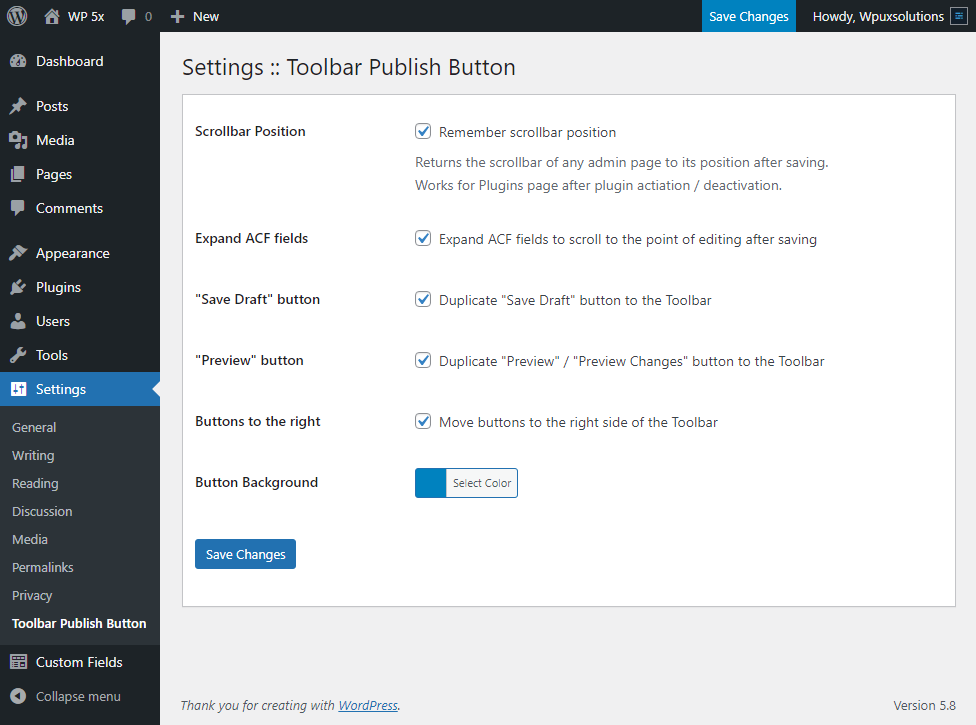
- to keep the scrollbar position after saving for admin pages including Plugins page on activation / deactivation,
- to choose which buttons to show on the admin bar,
- to move buttons to the right side of the Toolbar,
- to set a background color for its buttons to highlight them.