TokenForge
v0.58.0Prista Digital · 2026年10月29日 上架
Design tokens, fluid scales, utility classes, contrast and accessibility checks for any WordPress site, with Bricks and WooCommerce support.
- 正在使用
- 10 以下
- 评分
- 暂无
- 累计下载
- 628
- 最近更新
- 2026年11月13日
贡献者
 Prista Digital
截图

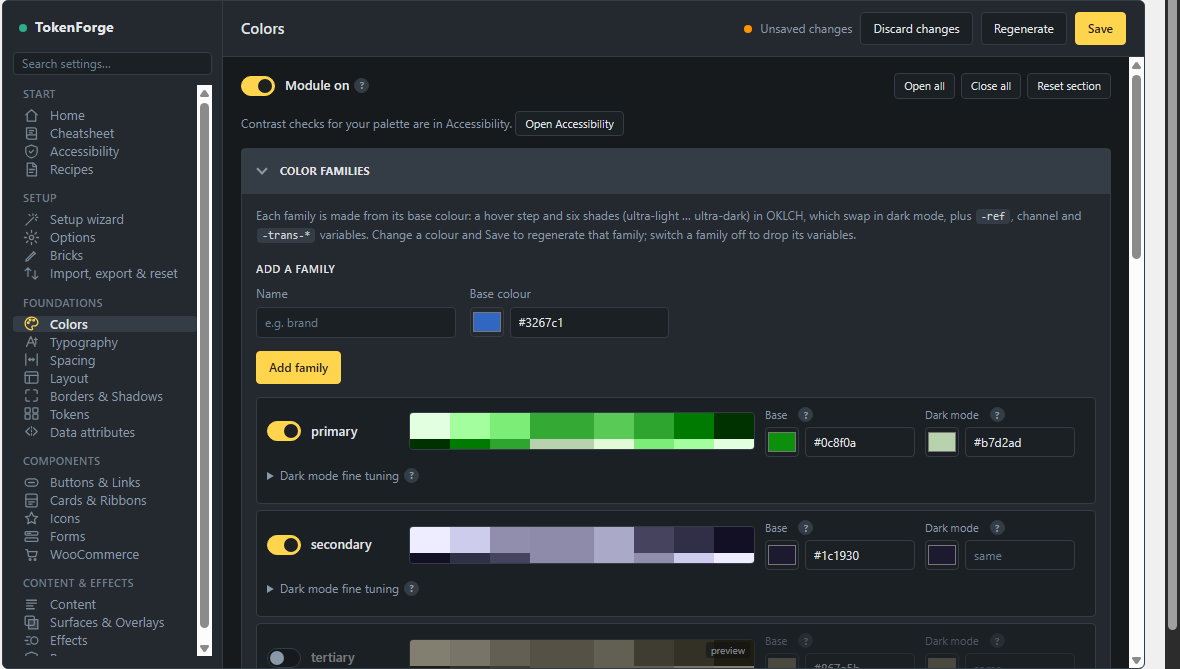
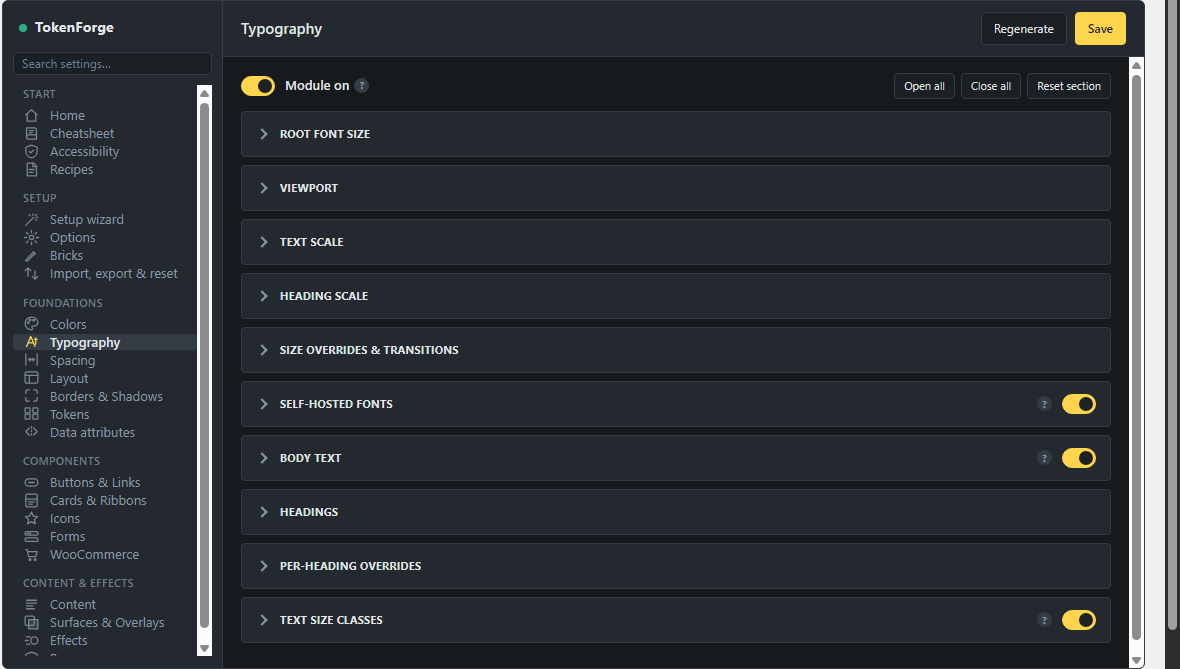
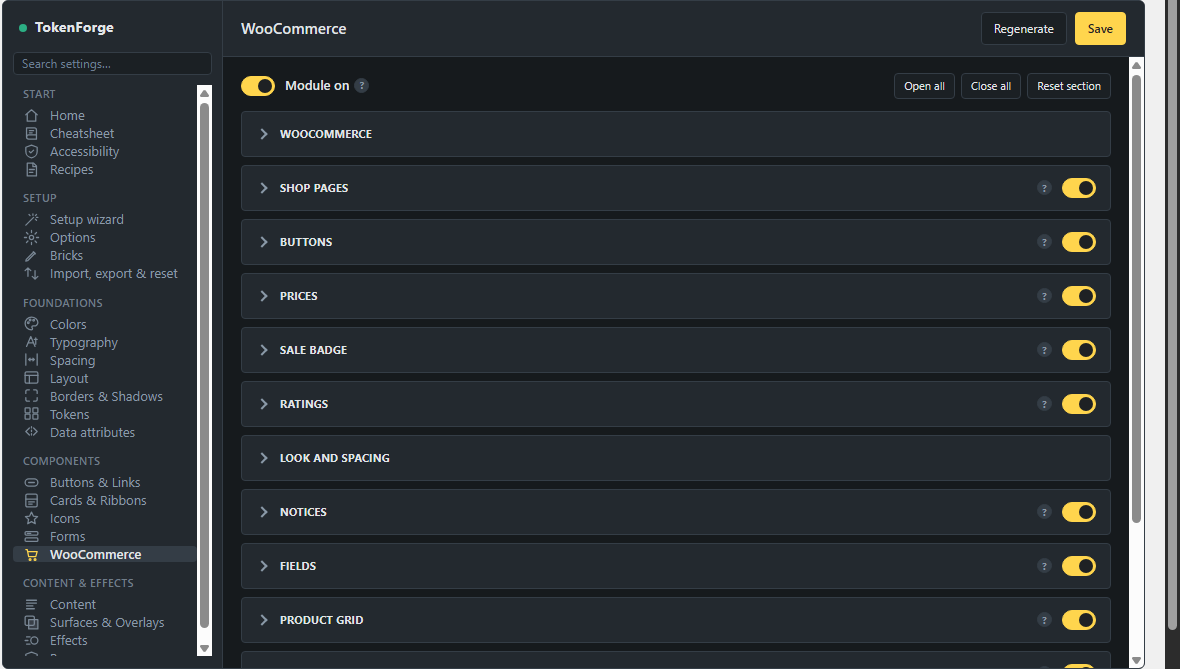

TokenForge is a design system you set up once and use everywhere. Colours, type and spacing scales, layout, buttons, cards, icons, effects and more are all CSS variables and classes, built into one static stylesheet that loads on your front end, in the block editor and, with Bricks, in the builder.
Why TokenForge
- One place to set your whole design: colours, type, spacing, layout and components.
- Works with the block editor, Bricks, Etch, Oxygen, Breakdance, Divi and Elementor. Bricks has the deepest support today.
- Etch, Oxygen, Breakdance, Elementor and Divi: the TokenForge window inside the editor, TokenForge variables by right-click in style fields, TokenForge classes by right-click in the class field (Divi: its Attributes list), the input helper (space-m becomes var(–space-m)), variable, class and recipe suggestions in the custom CSS box, placeholder text recipes in text fields and the TokenForge stylesheet in the canvas. The builder’s own Save keeps every change.
- Block editor: your colours, font sizes, spacing, font families and shadows are the presets the editor offers. It also gets ready patterns, a Button style for each button family, a class field with suggestions on top of the block sidebar, and optional editor tools (a compact, builder-style block sidebar, swapped and resizable sidebars, a dark interface, outlines in the canvas, the TokenForge window). Placeholder text recipes (?ipsum-short, ?ipsum, ?ipsum-long) work in the editor canvas too. All of it is set on the Block editor screen.
- Bricks: your tokens stay in step with Bricks variables, colours, global classes and the theme style. The dashboard and a design check also open inside the builder.
- Moving from another utility framework? Press Import from Automatic.css under Import, export & reset. You confirm before it runs, and the settings history can undo it. Custom CSS does not come across, so move it into your builder’s own CSS box.
- One stylesheet, built when you save, not on every page load. Unused classes can be left out after a site scan.
- Accessibility checks: contrast in light and dark mode, with a suggested fix you can apply in one click.
- Export your tokens as W3C design token files, for Figma, Tokens Studio and Style Dictionary.
- Settings history: the last 20 saves are kept, and a restore can be undone.
- Free under GPLv2 or later. No account needed. The only outside service is Google Fonts, and only when you ask for it.
A new site starts ready: a complete starter design system (every token, colour family and setting), so there is nothing to import. Reset to defaults any time, for everything or one section.
Design system
- Colour families: shades generated from one colour in light and dark mode, with a live preview. Add, remove or edit your own families.
- Fluid type and spacing scales from one setting each, plus a width scale, a root font size, grids and automatic gaps.
- Layout, gutters, boxed or full width, borders, radius, shadows, icons, header height and prose styles.
- Utility classes for spacing, grids and grid placement, flex grids (equal-width items with a centred or stretched last row), flex and alignment, text styles, corners and more, with optional breakpoint variants ({class}-at-{bp}). Unused classes can be left out of the stylesheet after a site scan, to keep it small.
- A Tokens screen that lists every variable, the setting that makes it and where it is used. Add your own tokens in a built-in or your own category.
- Dark mode: assign it by section and add a light or dark switch anywhere, with a shortcode or a block.
Accessibility
- Contrast check of text, links, focus rings and buttons against their backgrounds, in light and dark mode (WCAG 2 AA, with the APCA value shown). Each problem gets a suggested colour token, applied with one click.
- Automatic attributes for the front end, every one off by default: hidden decorative icons, alt text from the media library, menu labels, the current page mark, a new tab notice and two labelled guesses. TokenForge adds only what is missing and stores nothing.
- Data attributes for layout and behaviour without custom code, listed under Data attributes below, with a screen that shows where each one is used.
- A page check in the builder, based on the open-source axe-core engine. It runs only when an administrator presses Run check, and nothing is saved unless you choose a fix.
Fonts
- Self-hosted fonts: upload TTF or OTF files and TokenForge turns them into WOFF2 (or WOFF), preloads them and lists them in the builder’s font list.
- Or download a Google font once to your server. Your visitors never contact Google.
WooCommerce
- While WooCommerce is active: shop, product, cart, checkout and account pages, product cards and filters, header carts, and the Cart and Checkout blocks, styled with your tokens.
- Every part has its own switch. The shop styles load only on pages that show the shop, or on every page if you choose.
Data and tools
- Export and import your settings, and export your tokens as W3C design token files (light and dark) for Figma, Tokens Studio and Style Dictionary. Each import shows a preview of every change first.
- Settings history: before every save, import, reset or setup, TokenForge keeps a copy (the last 20). You can see what changed and put any copy back, and a restore can be undone.
- WP-CLI commands: regenerate, export, import (with –dry-run), snapshot, history, restore, status and contrast.
- Guidance and abilities for AI agents (MCP and Bricks AI).
- The dashboard and its settings are translatable (translate.wordpress.org).
With Bricks
When Bricks is active, TokenForge also:
- Syncs your tokens into Bricks global variables, the colour palette and global classes, so they appear in the builder’s pickers and autocomplete. The sync runs both ways.
- Keeps a Bricks theme style for the whole website in step with your settings, both ways.
- Adds the full dashboard inside the builder, right-click menus for variables and classes, a BEM class generator, a design check (typed colours and font sizes that should be tokens, contrast in light and dark mode, sizes off the type scale) and the page check.
- Extends the Bricks form element with steps (back, next and a progress bar), conditional fields, required-if rules, calculated fields, sliders, star ratings, ranges, input masks, character counters, date rules, choices filled from your content, live values on the page, send limits, an Update meta action, an Add to cart action, and form presets. Each has its own switch.
- Keeps the form submissions in the builder: search, read and unread marks, statuses, notes, editable entries, CSV or JSON export, and optional auto-delete after a set number of days (only after a dry run you confirm).
- Has a setup wizard that sets Bricks’ own settings for working with TokenForge in one go. You choose which, and Undo puts them back.
Data attributes
These attributes work on any element in Bricks, the block editor or your own markup. Each one is listed on the Data attributes screen with where it is used.
- data-tf-stack: switches a row to a column below a breakpoint.
- data-tf-space: section spacing or stack gap.
- data-tf-surface: a raised panel from your colour tokens.
- data-tf-reveal: shows an element on scroll, using the visible effects.
- data-tf-clamp and data-tf-ratio: limit lines of text and keep a fixed shape.
- data-tf-copy: a copy button for a value on the page.
- data-tf-tooltip: a tooltip that stays on screen, also on a phone.
- data-tf-filter-group, data-tf-filter and data-tf-term: a list filter with no code.
- data-tf-decorative: marks an image as decorative (Mark as decorative in the builder).
- data-tf-state: marks an element as open, active or disabled, so your CSS can style that state. Disabled also dims the element and blocks mouse clicks.
TokenForge is original software released under the GPLv2 or later.
Developers
A developer can add SCSS from code. The filter tokenforge_global_scss receives an empty string and returns SCSS. TokenForge compiles it with its own library (mixins and functions) and adds it last to the stylesheet. A compile error never breaks the site.
This is code, not a setting. Put it in a child theme’s functions.php or in a mu-plugin, never in TokenForge’s own files, so an update does not remove it.
An add-on can load its scripts and styles in the editor of every supported page builder. The action tokenforge_builder_enqueue passes the builder (bricks, etch, oxygen, breakdance, elementor or divi). It fires in the editor page for users who can edit posts, after TokenForge’s own assets (the window, handle tokenforge-panel, for administrators; the tools, handle tokenforge-builder, outside Bricks). Call wp_enqueue_script and wp_enqueue_style as usual; where the builder’s editor skips the WordPress queue (Oxygen, Breakdance), TokenForge prints them. In Divi it fires in the top window, where the settings panels are; the canvas is the same-origin frame #et-vb-app-frame. The block editor has its own action, tokenforge_block_editor_enqueue, which passes the editor switches.
Roadmap
Planned, with no dates yet:
- Block editor: panels for block styles and the global styles.
- More accessibility checks, with clearer fixes.
Example: add add_filter( 'tokenforge_global_scss', 'my_pricing_scss' ); to your functions.php, then define my_pricing_scss( $scss ) so it appends .pricing { padding: var(--space-m); } to $scss and returns it.
TokenForge is developed by Prista Digital. Website: https://pristadigital.com