

TimeFly
v0.2.1LaughterOnWater · 2025年11月7日 上架
Control when content appears on your WordPress site with dynamic time-based visibility scheduling.
- 正在使用
- 10+
- 评分
- 暂无
- 累计下载
- 638
- 最近更新
- 2026年2月9日
贡献者
 LaughterOnWater
截图
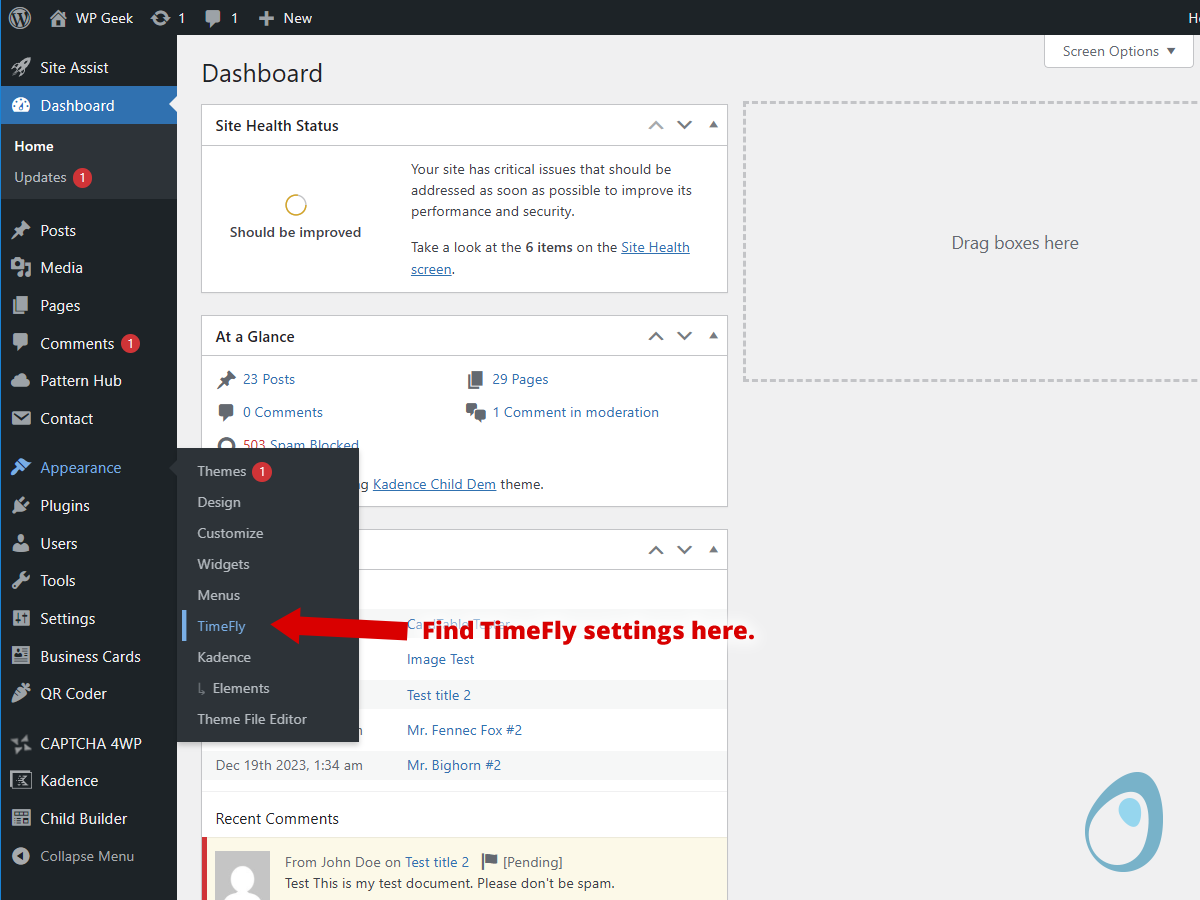
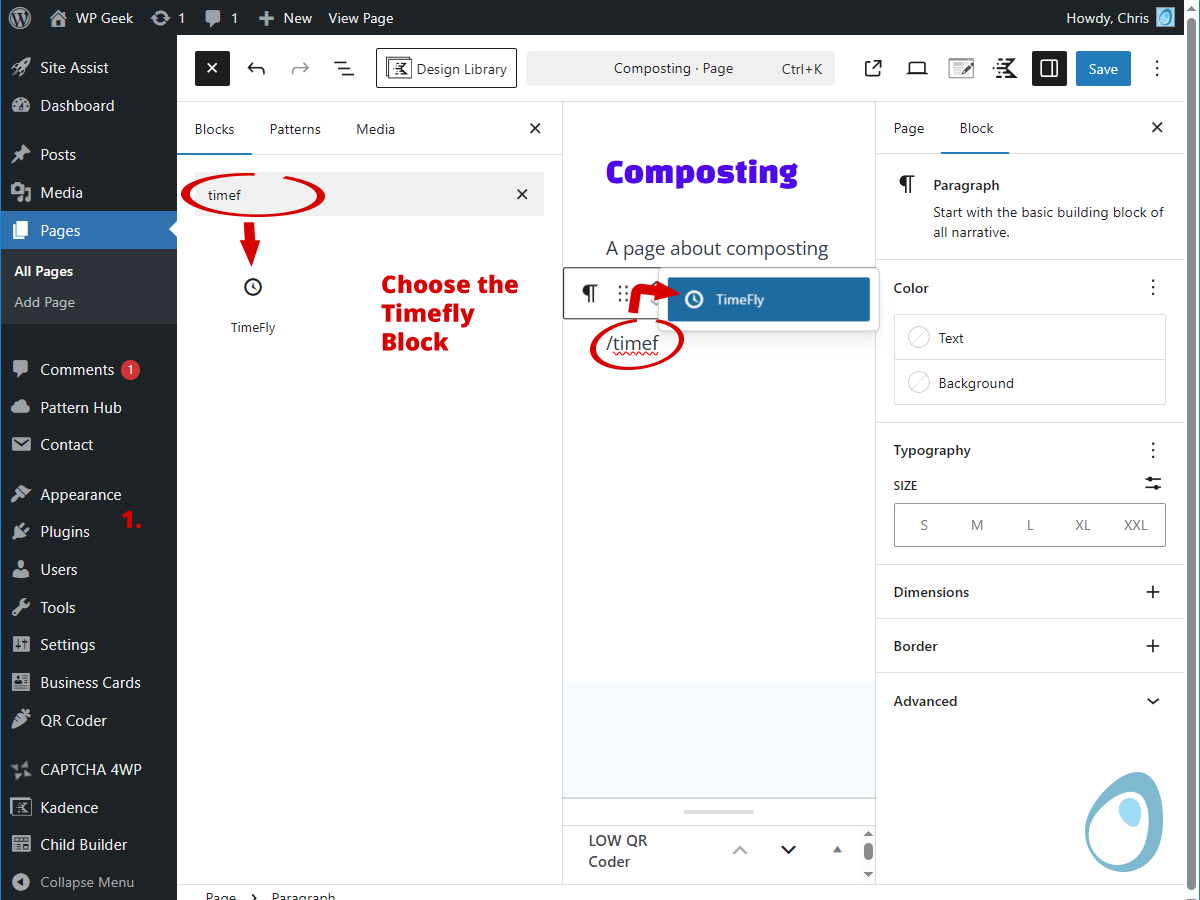
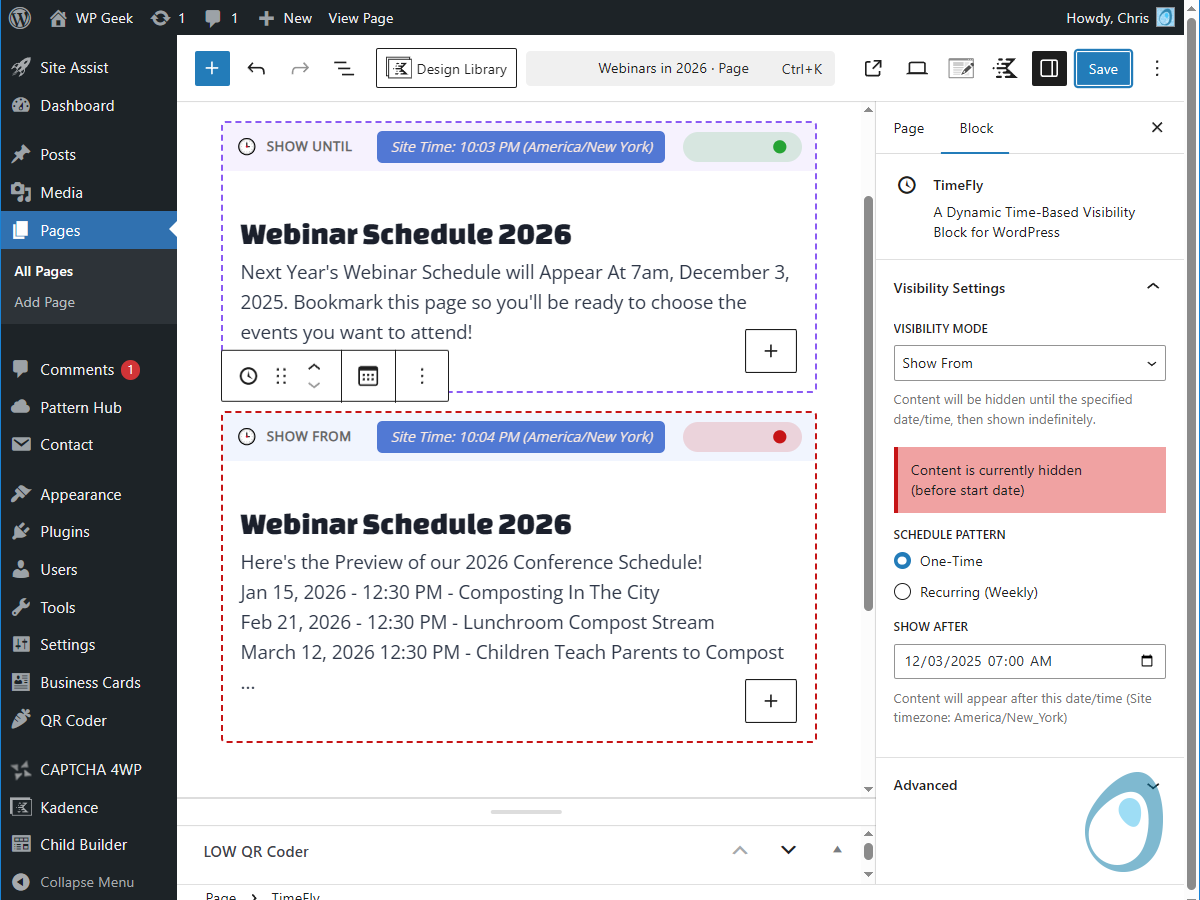
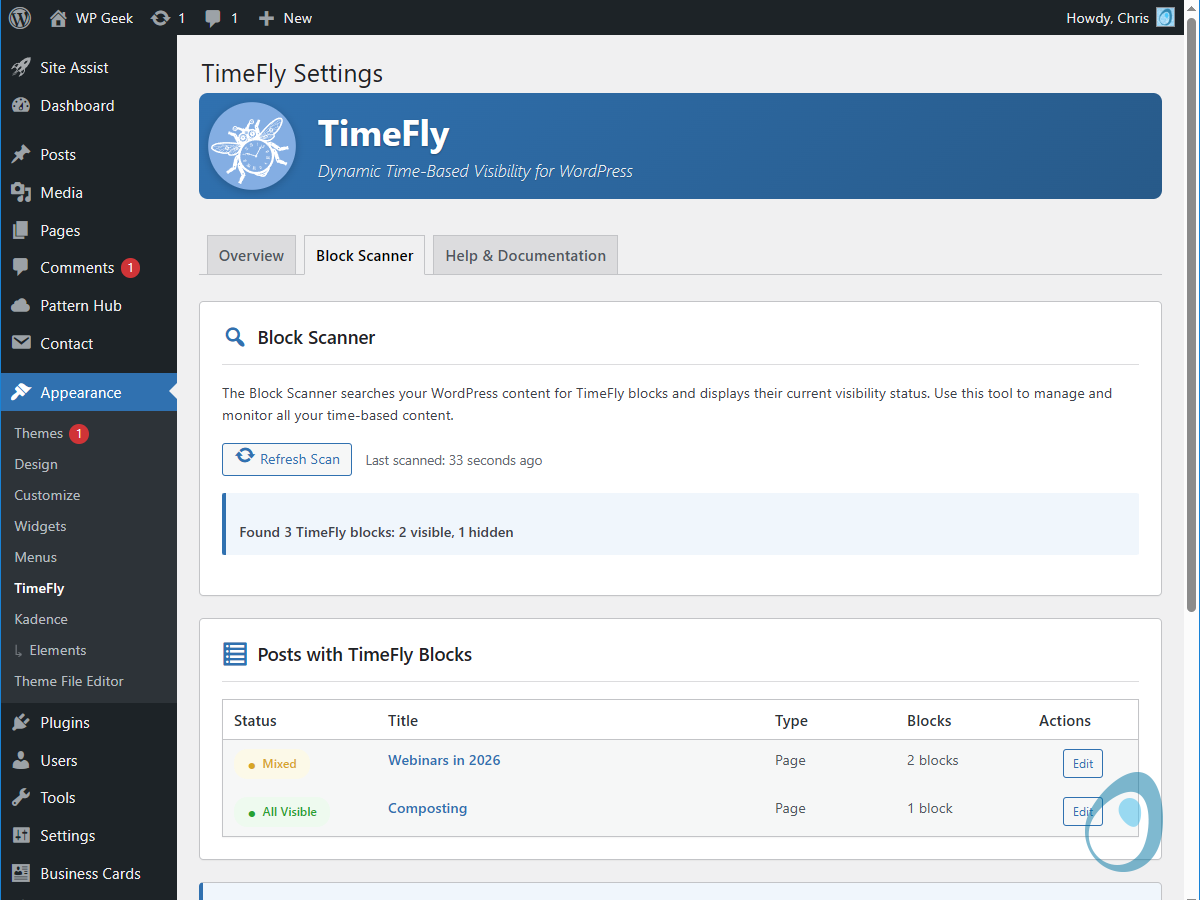

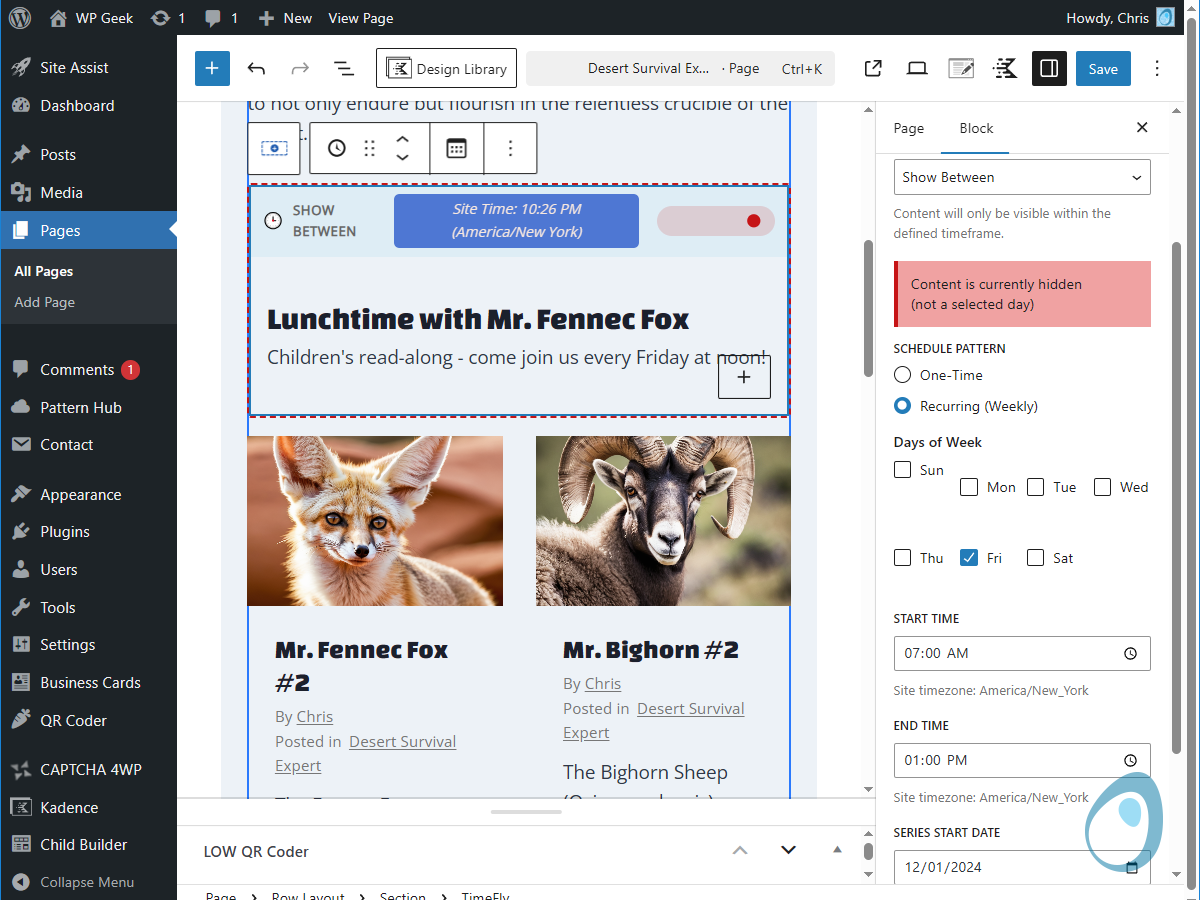
TimeFly adds powerful time-based visibility control to WordPress through a custom block that automatically shows or hides content based on your schedule. Perfect for announcements, seasonal promotions, business hours, and any content that should only be visible during specific times.
Key Features
-
Three Visibility Modes:
- Show Until – Content visible now, hidden after specified date/time
- Show From – Content hidden now, visible after specified date/time
- Show Between – Content only visible within specific date/time range
-
Flexible Scheduling:
- One-time schedules for specific dates
- Recurring weekly schedules for business hours or regular events
- Support for complex recurring patterns
-
User-Friendly Interface:
- Real-time visibility status preview in editor
- Site timezone awareness with current time display
- Visual status indicators (visible/hidden/misconfigured)
- Validation to prevent invalid date ranges
-
Developer Features:
- Clean, semantic HTML output
- SEO-friendly (hidden content absent from HTML)
- Works with any WordPress block inside
- Professional code quality and documentation
Use Cases
- Display “We’re Open!” during business hours
- Show seasonal promotions during specific dates
- Hide outdated announcements automatically
- Display event information only until event date
- Show different content for weekdays vs weekends
- Create time-sensitive calls-to-action
How It Works
- Add a TimeFly block to any page or post
- Select your visibility mode (Show Until, Show From, or Show Between)
- Choose one-time or recurring weekly pattern
- Configure your dates and times
- Add your content inside the block
- Publish – content automatically appears/disappears on schedule
All scheduling uses your WordPress site timezone for accurate visibility control.
Technical Details
- Uses WordPress block editor (Gutenberg)
- Server-side rendering for security and performance
- Transient caching for efficient block scanning
- No database tables created
- Lightweight with minimal performance impact
Support
For support, feature requests, or bug reports, please visit the WordPress.org support forum.
Developer Information
TimeFly is built with modern WordPress development practices:
- React-based block editor interface
- Server-side rendering with PHP
- WordPress coding standards compliant
- Comprehensive PHPDoc documentation
- Security-first approach with proper sanitization
- Performance-optimized with transient caching
- Accessibility-ready with ARIA attributes
Source Code
The compiled JavaScript in /build/index.js is built from human-readable source files in the /src directory of the plugin. Source files include block.json, edit.js, save.js, render.php, and SCSS stylesheets. The build process uses @wordpress/scripts. All source code is included in the plugin distribution.
The plugin is open for contributions and feature suggestions. Visit the support forum to participate in development discussions.
Privacy Policy
TimeFly does not collect, store, or transmit any user data. All scheduling information is stored locally in your WordPress database as part of block content. No external services are contacted. No cookies are set. No analytics are tracked.
Credits
Developed by LaughterOnWater with a focus on code quality, user experience, and WordPress best practices.