
Themify Builder
v7.8.6themifyme · 2018年12月11日 上架
Build responsive layouts that work for desktop, tablets, and mobile using intuitive drag & drop editor with live preview.
- 正在使用
- 6,000+
- 评分
- 3.9 / 5
- 累计下载
- 68 万
- 最近更新
- 2026年11月20日
贡献者
 themifyme
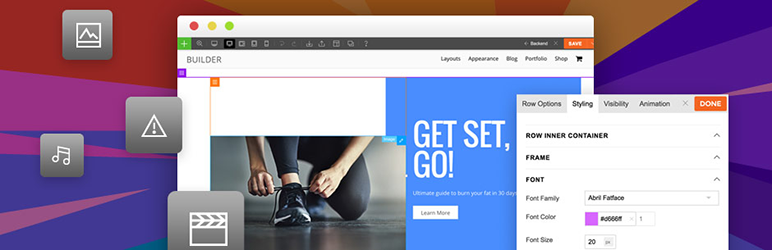
The Themify Builder is the most powerful and easy to use page designer and builder for WordPress. Design any layout that you can imagine with its drag and drop interface, and with live preview, you can see everything come together right in front of your eyes. Simply select, drag and drop, and you’ve built beautiful pages – without any coding!
The Builder is modular in design and is optimized for better performance resources. It’s also SEO friendly, translatable, and supports multi-site networks. In addition, it comes with its own cache system that reduces the server resources and process processes pages faster. Works on any post type, support HTML input, and play well with all major plugins such as WooCommerce, SEO Yoast, Disqus, MailChimp, Jetpack, WPML, and Contact Form 7.
Themify Builder – Overview
Builder Features:
- Responsive across all resolutions.
- Frontend live preview editing.
- Compact backend Builder editing.
- Includes all modules (Text, Video, Accordion, Gallery, Post, Widgetized, Widget, Menu, Button, Slider, Map, Icon, Feature, etc.)
- Custom styling – Google fonts, background color, padding, margin, and border.
- Undo/Redo Builder modifications as you edit.
- Copy/Paste modules, rows, and columns.
- Import/Export specific modules, rows, and columns from one computer to another.
- Easily duplicate any module or row.
- Row and column layout pre-set grids. Rows and columns can be nested in sub rows or columns.
- Draggable column widths.
- 60+ predesigned Builder layouts.
- 60+ animation effects.
- Responsive Styling.
- Background – slider, video, parallax scrolling, and gradient.
- Revisions – allows you to save your Builder layout with unlimited versions.
- Visibility control where you can set whether a module or row is visible on a specific device.
- Layout parts – re-usable parts that can be included in the Builder.
- Custom CSS