

Theme Blvd String Swap
v1.1.0Jason · 2012年1月30日 上架
When using a theme with Theme Blvd framework version 2.4+, this plugin is will allow to translate strings you see on the frontend of your website.
- 正在使用
- 100+
- 评分
- 5.0 / 5
- 累计下载
- 9,782
- 最近更新
- 2018年1月18日
贡献者
 Jason
截图
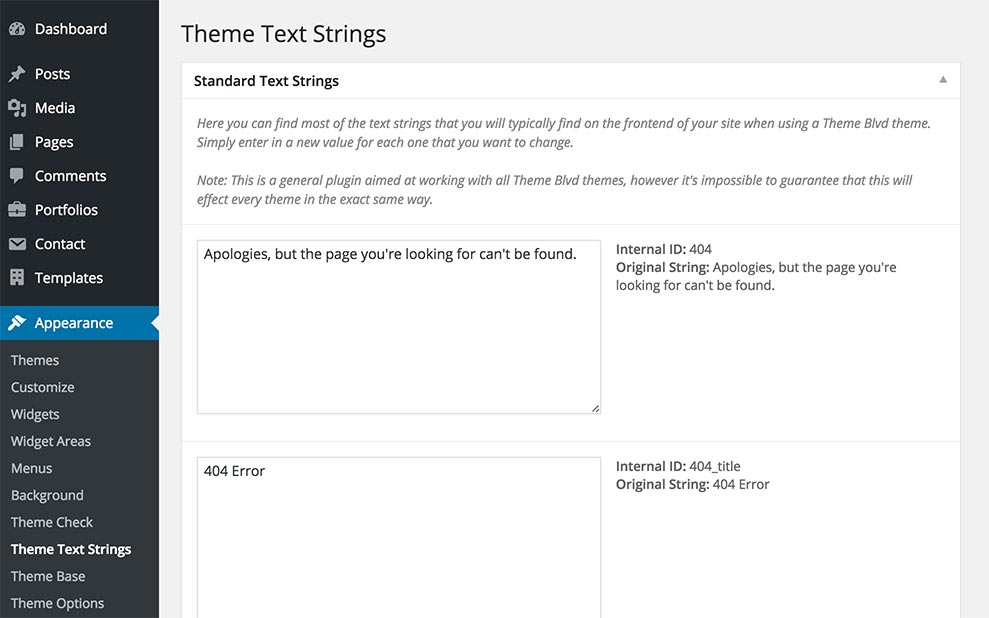
When using a theme with Theme Blvd framework version 2.4+, this plugin is will provide you with a user-friendly interface to translate most of the strings you see on the frontend of your website.
Who is this plugin for?
This plugin is useful for people trying to accomplish a couple different things. Let me explain.
Localization: The most obvious use for this plugin would be to allow you to translate the theme’s frontend text strings into whatever language you want your site displayed in. But then, why not use WordPress localization? Yes, all Theme Blvd themes of course come localization-ready, but let’s face it this is daunting task for most. Let’s say you just can’t figure out how this darn WordPress localization works, this will give you a simpler option. Or say you don’t care about translating everything throughout the WordPress admin panel, and all you care about is the audience coming to your site, this is also the quick alternative to localization that’ll be perfect for you.
Simply Changing Text: And don’t forget about the other obvious use for this plugin. What if you simply do not like the way I word the things I’ve coded into the theme framework? So, in that case, even if your site is in English, you may still find this plugin useful, as you can simply swap out select text strings througout the site with your own.
How does it work?
Within the Theme Blvd framework, most strings that appear on the frontend of your site come from a single array that we’ve placed a filter on. This means that from your own child theme or plugin, you could easily change any one of these text strings.
After you install this plugin, you can then go to Appearance > Theme Text Strings in your WordPress admin panel and change any of these text strings through the user-friendly interface, opposed to ever editing any code.