

Temporary Login Without Password
v1.9.11storeapps · 2016年8月3日 上架
Give developers or support staff temporary admin access to your WordPress site — no username, no password, and it expires automatically.
- 正在使用
- 9 万+
- 评分
- 5.0 / 5
- 累计下载
- 216 万
- 最近更新
- 2026年11月24日
 Icegram
 storeapps
 Nirav Mehta
 Sandhya M
 Mansi
 Sachin Punde
 jaysoni
 mdivyesh3851
截图
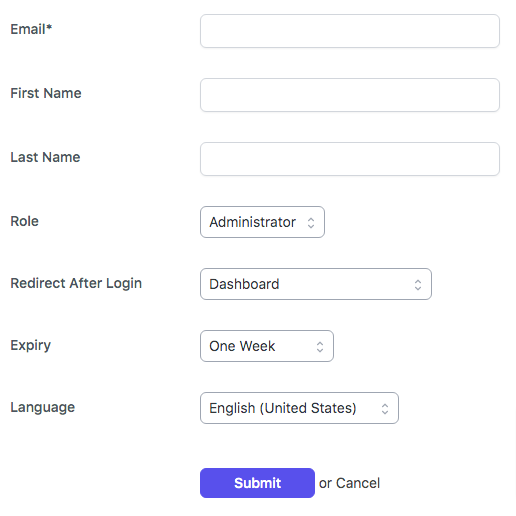
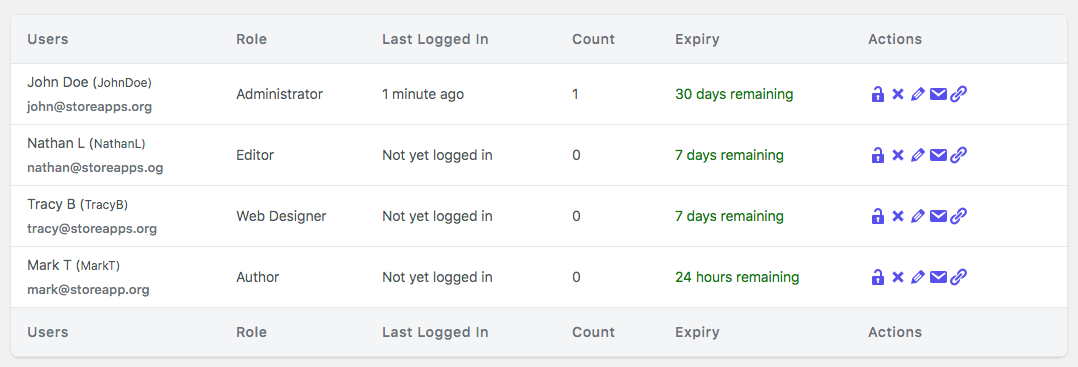
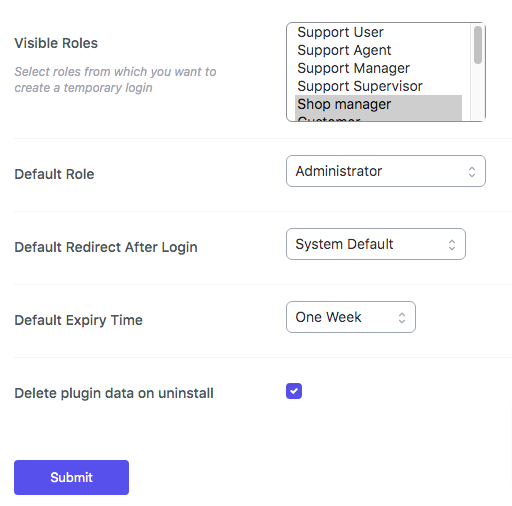
Temporary Login Without Password lets you create a self-expiring login link and share it with a developer, support agent, or guest editor — instead of handing over your username and password.
The person just clicks the link and they’re logged in. No account setup, no shared credentials, no password to remember or revoke later. You choose the role and the expiry, and access shuts off automatically when the time is up.
How it helps
Every time you share your real admin login with an outside developer, you’re trusting them with permanent access — and you have to remember to change the password after. TLWP removes that risk entirely. Generate a link, set it to expire in an hour, a day, or a custom date, and you’re done.
Benefits
- Create unlimited temporary logins
- Assign any WordPress role to a temporary account
- No username or password needed — login is just a click
- Set expiry by time (hour, day, week, month) or a custom date
- Redirect the user to a specific page after login
- Set a language for the temporary user
- See last login time and number of times accessed
- Track what each temporary user did with detailed activity logs
Who this is for
- Site owners who need to give a developer quick access without sharing real credentials
- Agencies onboarding client sites for support or maintenance
- Bloggers giving guest writers or editors short-term review access
- Developers who want a clean, auditable way to request site access from clients
For Developers
If you need admin access to a client’s WordPress site to resolve an issue, send them this:
Hi {%customer_name%},
To allow me to investigate your site, please install the free plugin Temporary Login Without Password, and share the temporary admin link it generates. Once I have access, I’ll check the site and try to resolve the issue.
Note: Set the expiry to one month, and send me the generated link as a reply to this email.
TLWP Pro
Free covers the essentials. Pro adds:
- Limit link usage — cap how many times a login link can be used
- Instant admin alerts — get notified every time a temporary login is accessed
- Full activity log — see exactly what actions each temporary user performed
Our other plugins
- Icegram Express — newsletter plugin for leads, broadcasts, and automated post notifications
- Icegram Mailer — reliable email delivery for WordPress & WooCommerce
- Icegram Engage — popups, welcome bar, and opt-ins
- Post / Page Duplicate — one-click content duplicator
- Switch User Login — switch between WordPress accounts from the admin bar