

Template Skeleton Creator
v1.0Apurv Bhatt · 2026年3月11日 上架
Template Skeleton Creator helps developers quickly generate WordPress template files using predefined options directly from the admin panel.
- 正在使用
- 10 以下
- 评分
- 5.0 / 5
- 累计下载
- 544
- 最近更新
- 2026年8月13日
贡献者
 Apurv Bhatt
截图

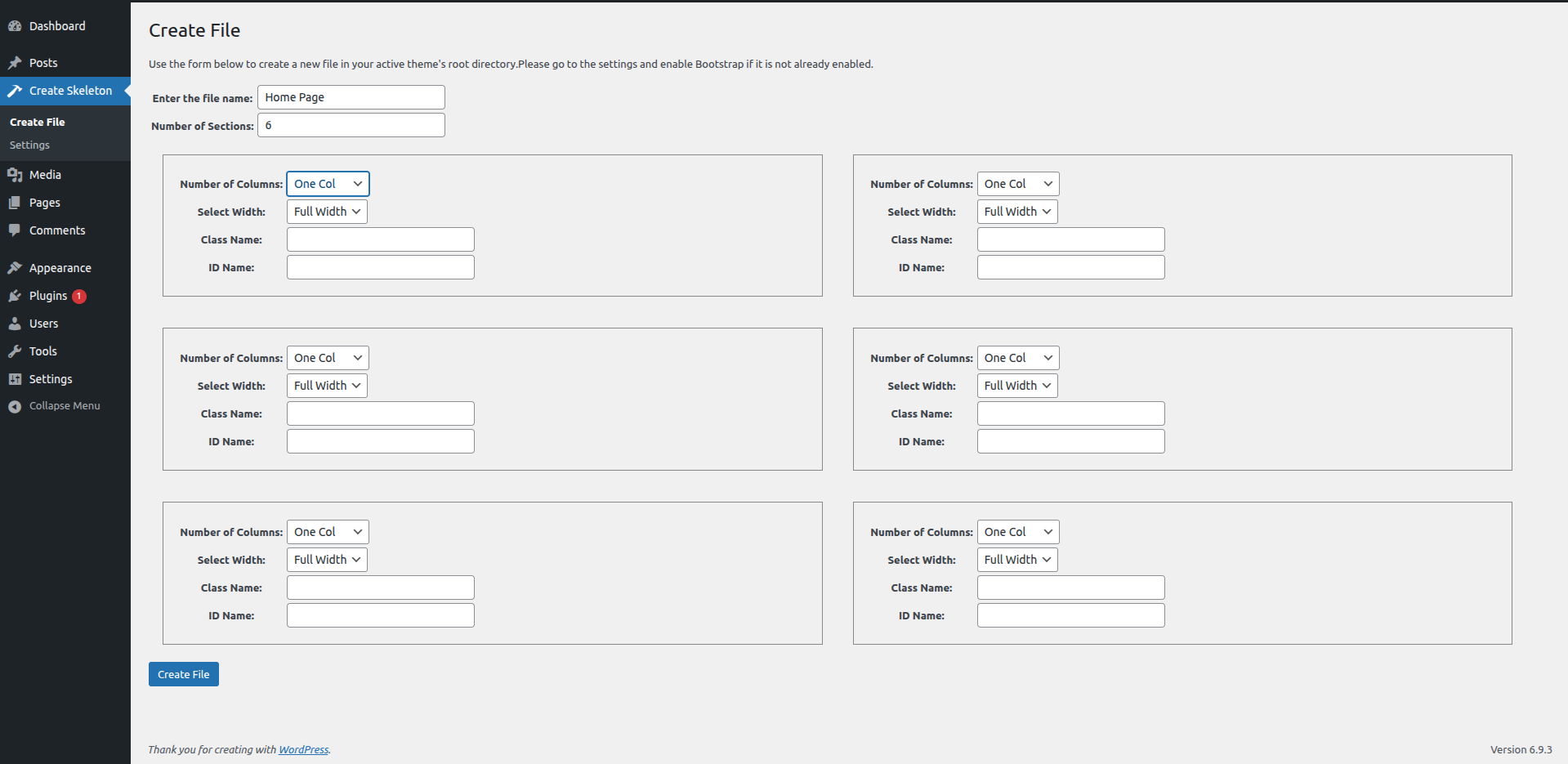

Template Skeleton Creator is a lightweight WordPress plugin that allows developers to quickly generate WordPress template files directly from the admin dashboard.
Instead of manually creating template files, the plugin provides a simple interface where users can select predefined template options and generate the required template structure automatically.
This tool helps streamline the development workflow by reducing repetitive tasks and saving development time.
Template Skeleton Creator is especially useful for developers who frequently build custom WordPress themes or need to create multiple template files during development.
Features
- Generate WordPress template skeleton files
- Easy-to-use admin interface
- Predefined template options
- Saves development time
- Lightweight and developer friendly
- No coding required for basic usage
Usage
-
Access the Plugin:
- Go to the WordPress admin panel.
- Navigate to
Settings->Template Skeleton Creator.
-
Create a Template:
- Select from the predefined template options.
- Fill in the required fields with the necessary values.
- Click
Generateto create the custom template file.
-
Manage Templates:
- View and manage your created templates from the plugin’s interface.
- Edit or delete templates as needed.
License
This plugin is licensed under the GPL-2.0+. For more details, see the GPL-2.0+ License.