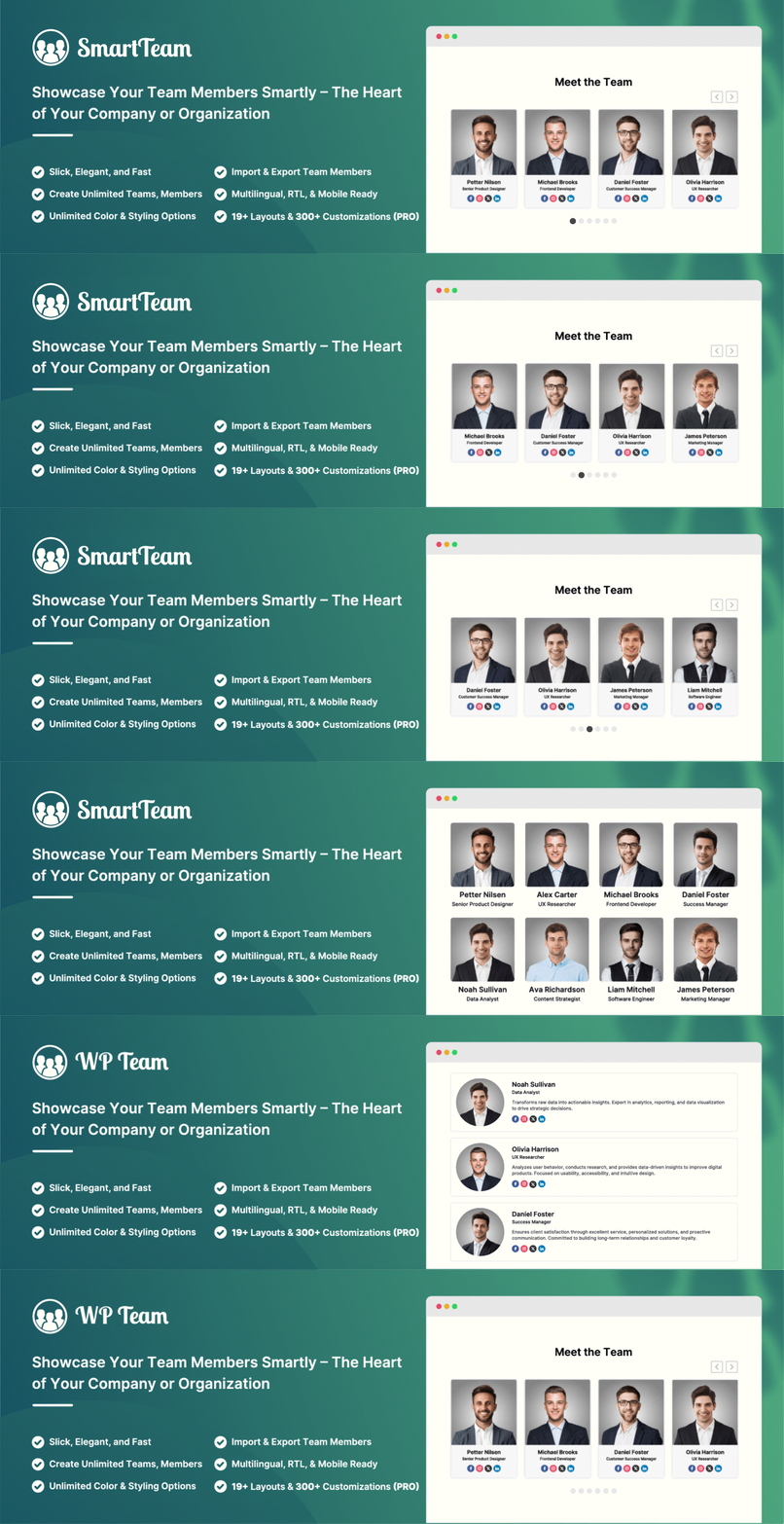

Responsive Team Members Showcase, Team Grid, Team Slider, and Staff List – Smart Team (formerly WP Team)
v4.0.0ShapedPlugin LLC · 2016年10月11日 上架
Show your team with blocks or shortcodes in Grid, Carousel, List, Isotope filter, and Org Chart layouts. Responsive, no code needed.
- 正在使用
- 4,000+
- 评分
- 4.7 / 5
- 累计下载
- 20 万
- 最近更新
- 2026年11月18日
 ShapedPlugin LLC
 Shamim Mia
 Rubel Miah
 Md Khalil Uddin
截图
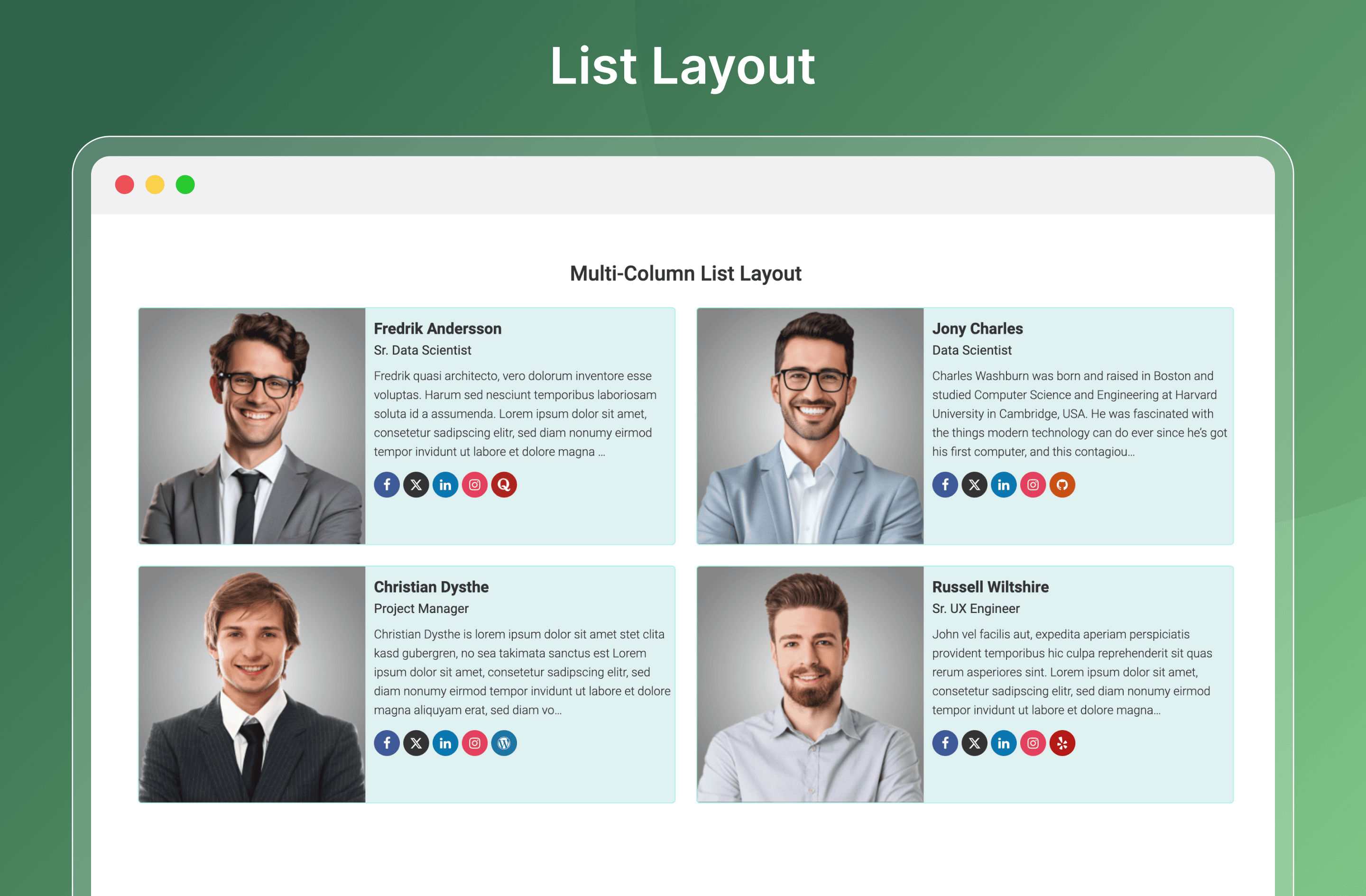
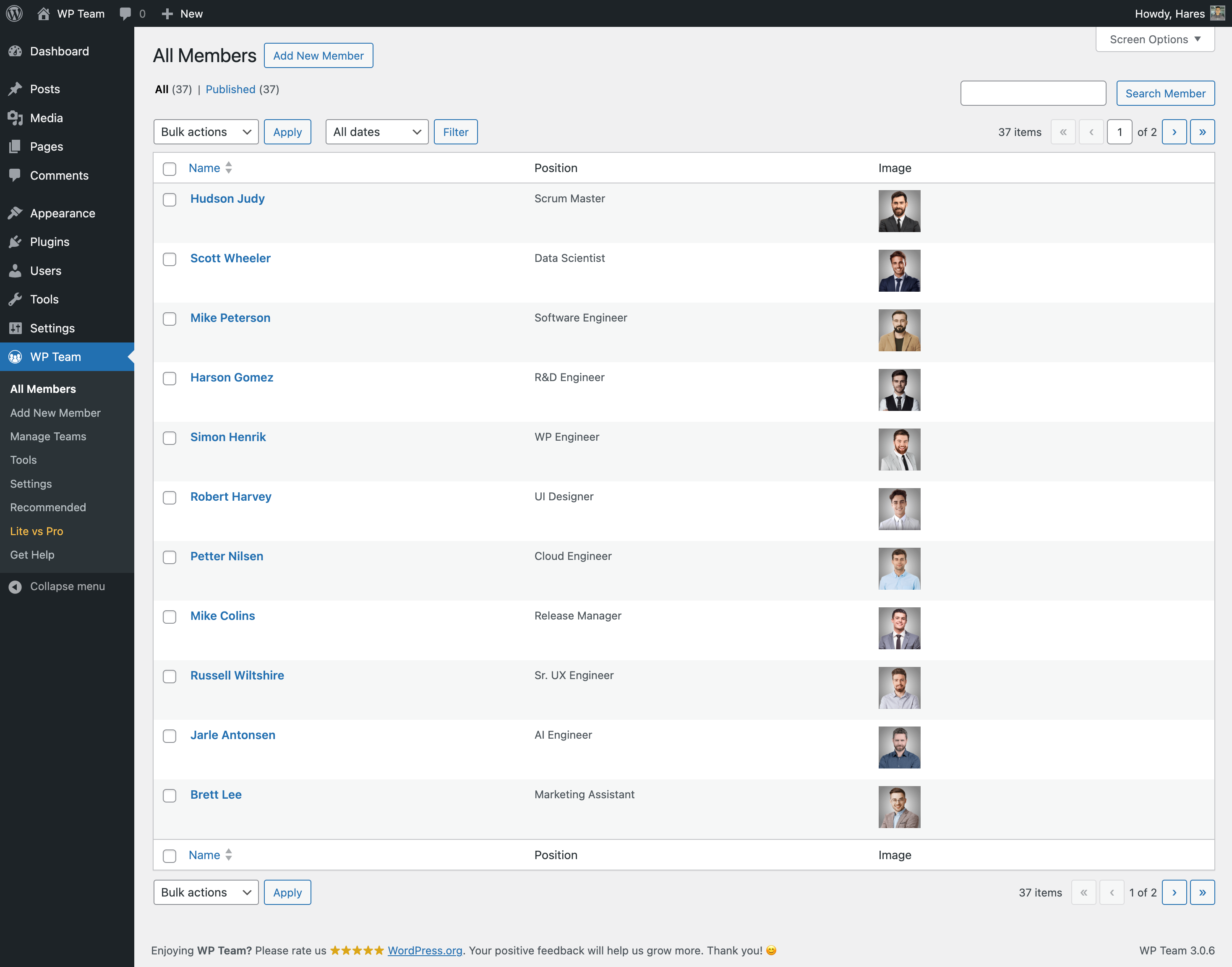
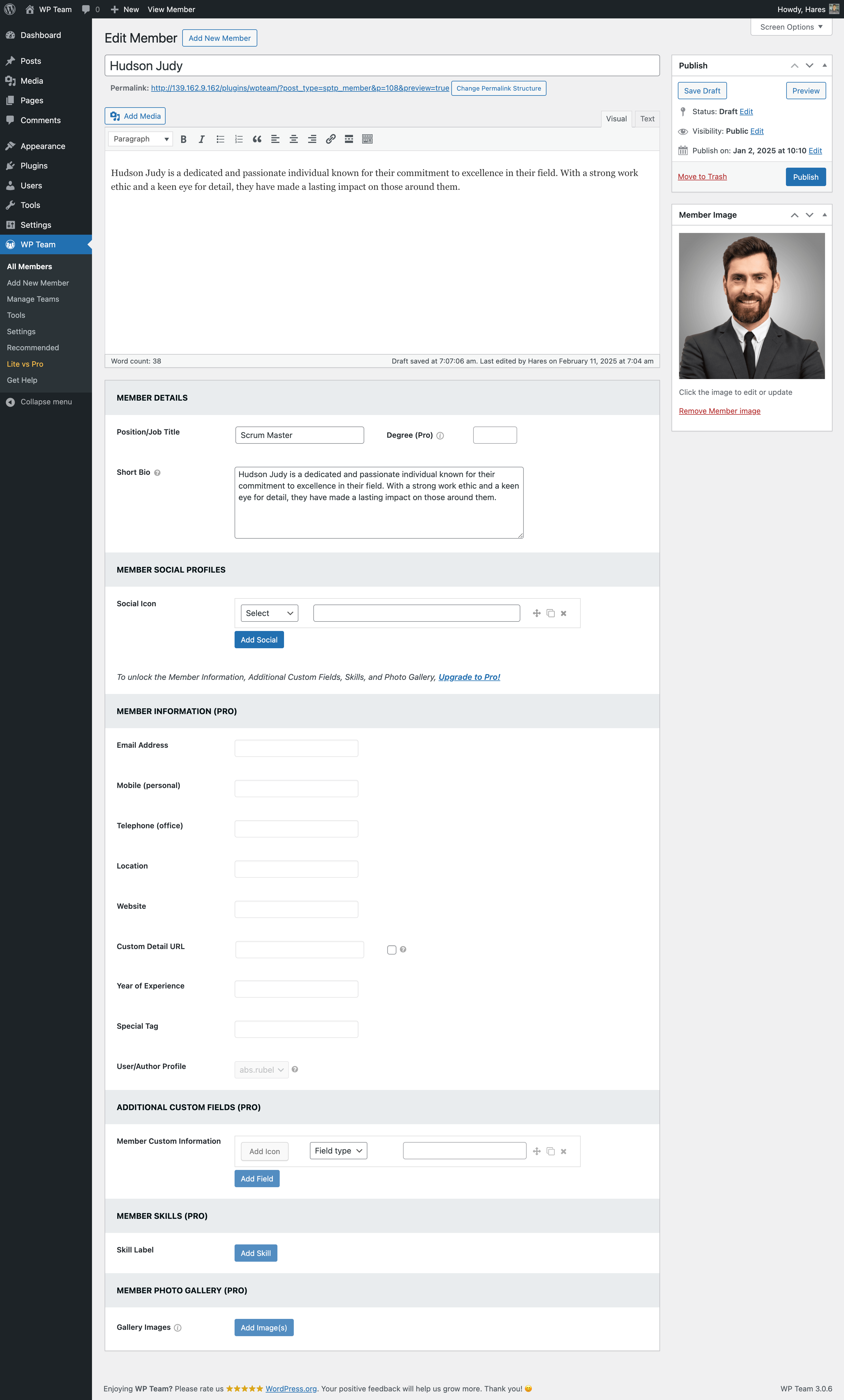
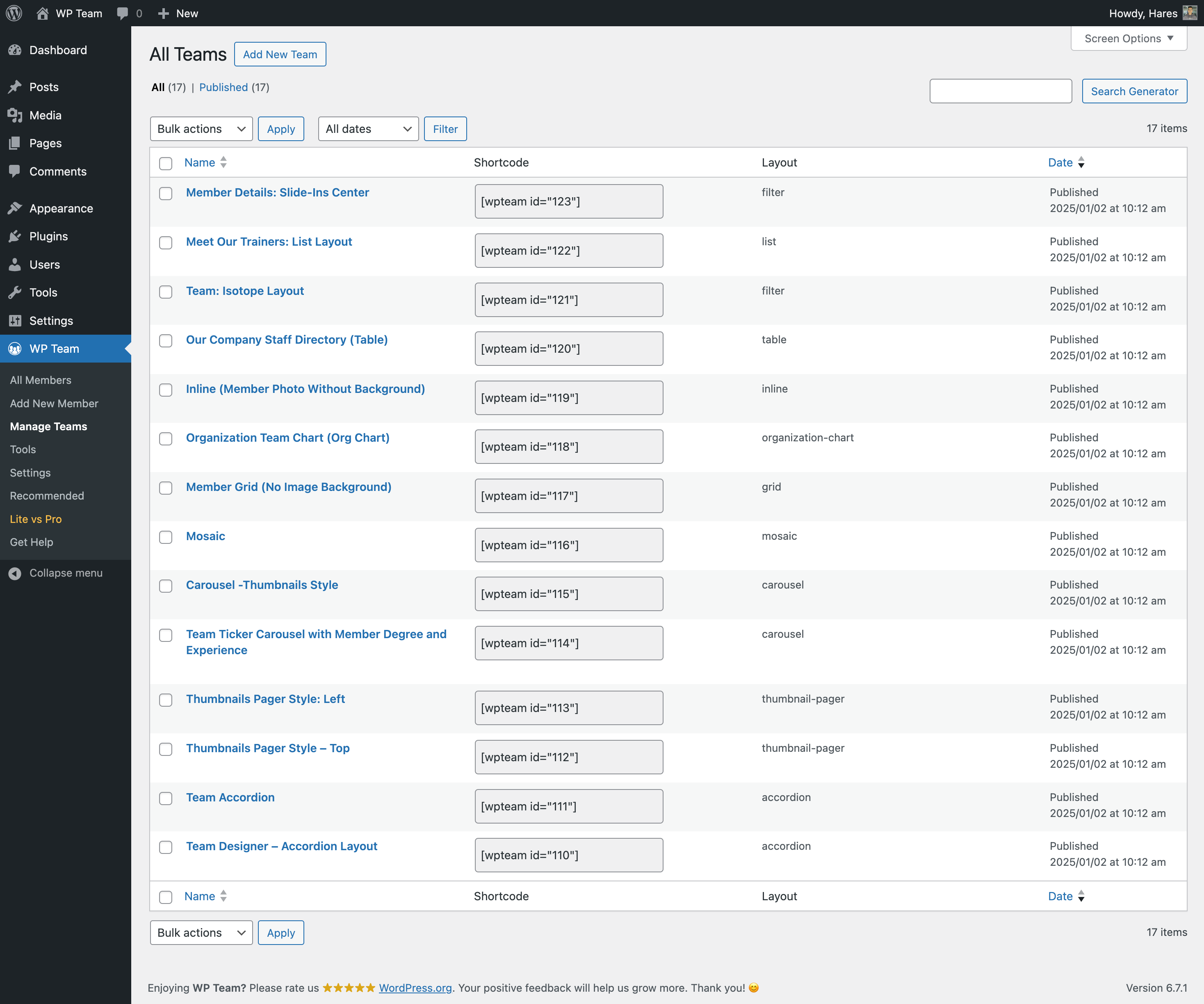
Live Demo | Documentation | Support
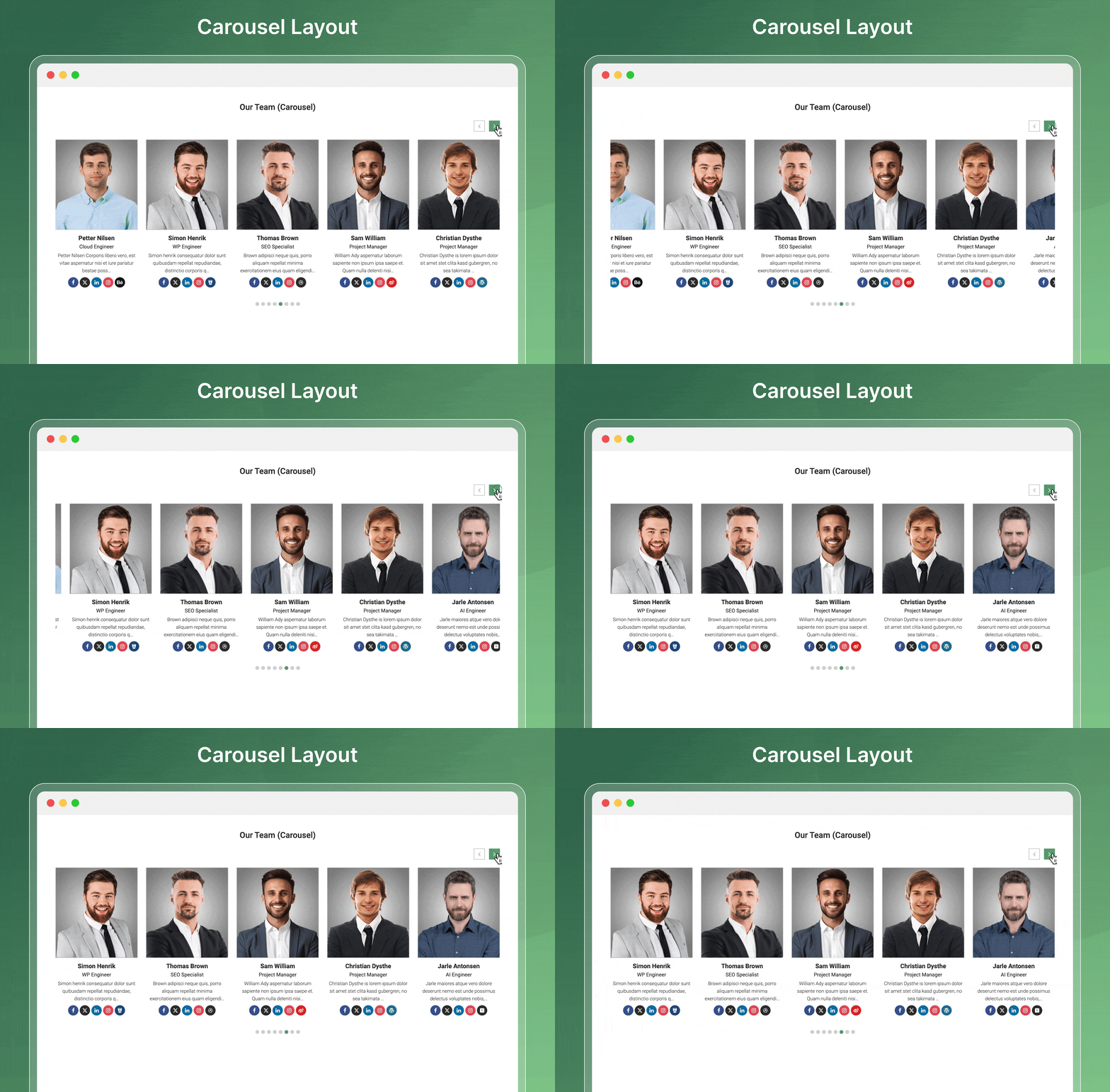
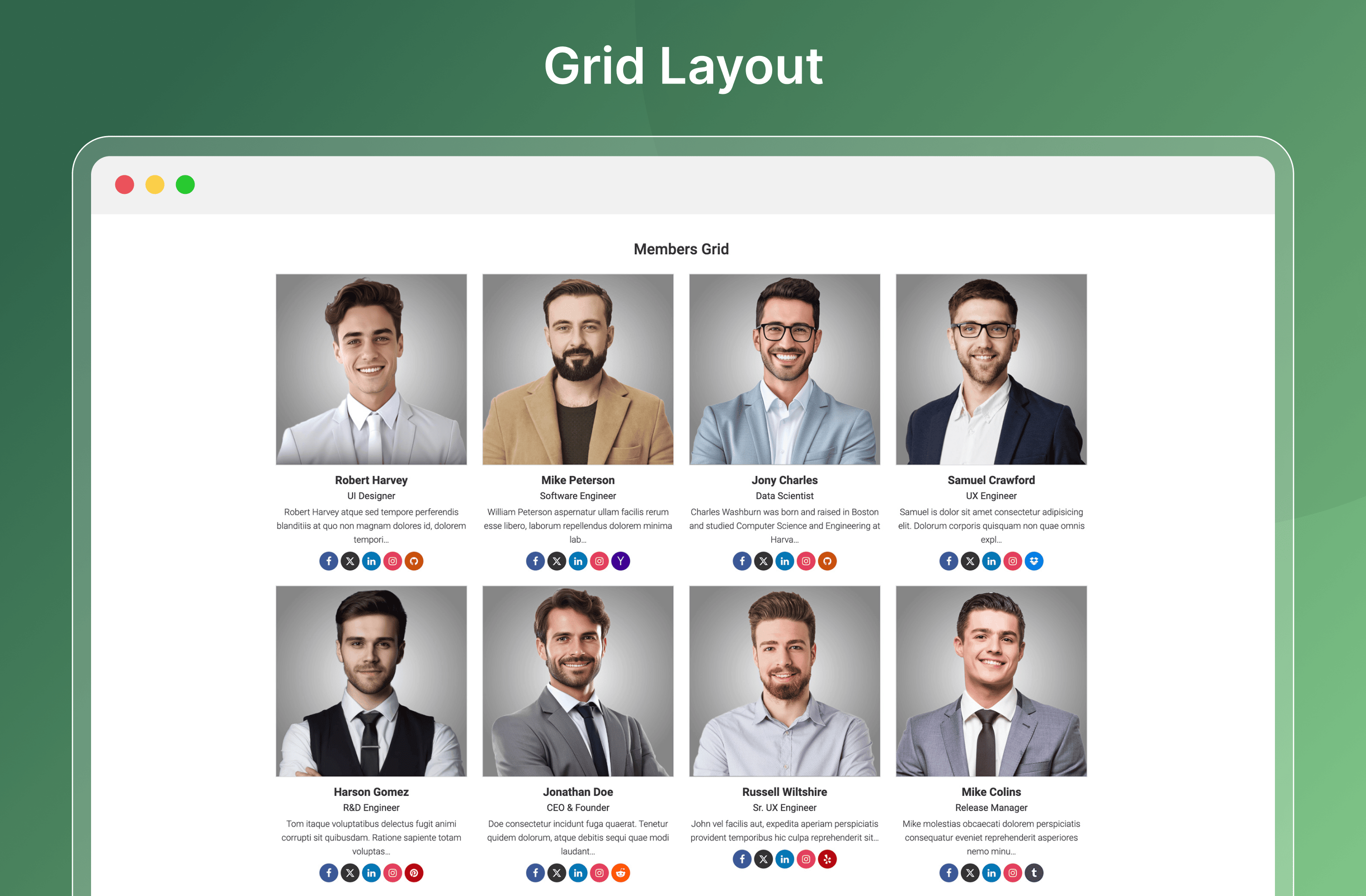
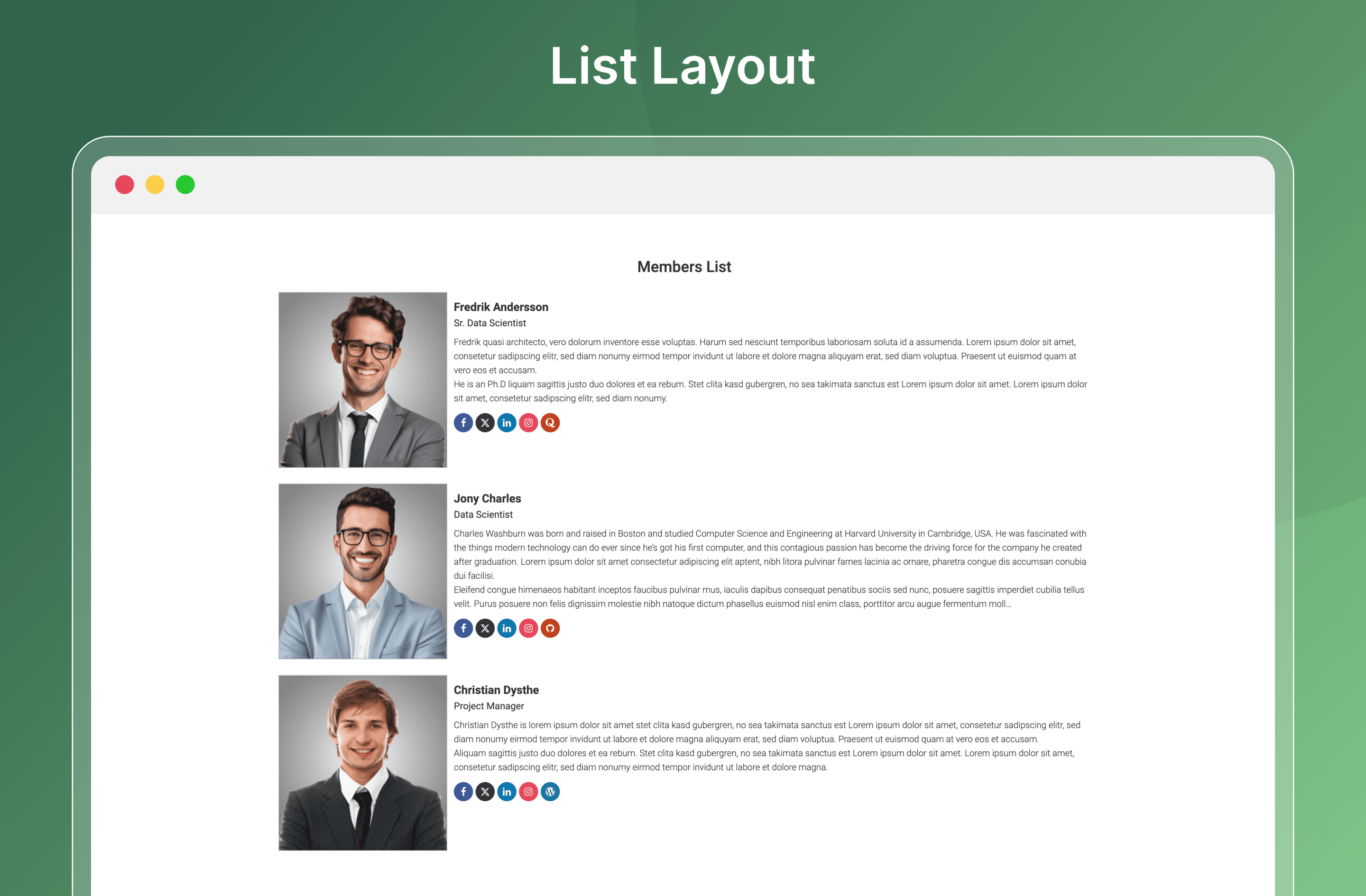
Smart Team is a WordPress team showcase plugin for creating and managing team member displays. Build team sections visually with the Smart Team Grid and Carousel blocks in the block editor, or use the classic shortcode generator with 5 layouts: Carousel, Grid, List, Isotope filter, and Organization Chart. The main purpose is to display team or staff members, but it can also be used for other content that requires an image and text.
Version 4.0 adds a new block editor experience, a redesigned admin dashboard with a setup wizard, Ready Patterns, an AI Team Builder that works with your own API key, Saved Templates for page builders, and Department and Designation taxonomies to organize your team.
Why use Smart Team?
Displaying your team members helps visitors connect with the people behind your organization. Smart Team allows you to create team member pages without coding knowledge. The plugin provides an intuitive interface for building team displays.
Who is Smart Team perfect for?
- Business Owners & Startups – Showcase your staff, departments, and leadership team.
- Agencies & Freelancers – Present your creative team or collaborators.
- Educational Institutions – Display teachers, professors, faculty, or students.
- Medical & Corporate Websites – Highlight doctors, lawyers, executives, and professionals.
- Non-profits & Organizations – Introduce volunteers, board members, or community leaders.
- Event & Conference Websites – Showcase speakers, mentors, or trainers.
- Online Communities & Clubs – Present members, admins, or contributors.
Available Input Fields
- Member name
- Designation (taxonomy)
- Department (taxonomy)
- Photo/Image
- Short bio
- Full description
- Social links (Facebook, X, LinkedIn…)
- Skills with percentage bars (up to 3 per member)
You can show/hide and customize every field.
Available Layouts
Blocks (block editor)
- Grid
- Carousel
Shortcode generator
- Carousel
- Grid
- List
- Isotope filter
- Organization Chart
Block Editor Features
- Smart Team Grid and Carousel blocks – build team sections visually, no shortcode needed.
- Member blocks: Name, Designation, Image, Bio, Description, Skills, and Social Profile.
- Ajax Pagination block for the Grid that loads more members without a page reload.
- Transform a Grid block into a Carousel block and back in one click.
- Ready Patterns library of pre-built team layouts; free patterns insert in one click, Pro patterns are marked.
- AI Team Builder – create a team layout from a prompt with your own OpenAI, Anthropic, Gemini, or Groq API key.
- Block template for the member single page, on block and classic themes.
- Saved Templates with the [sptp_saved_template] shortcode, to design once and reuse anywhere.
Dashboard & Admin Features
- Redesigned admin dashboard with Dashboard, Blocks, Modules, Saved Templates, Single Page, and Settings pages.
- Setup wizard that gets your first team showcase ready in minutes.
- Team Showcase Placements report – see every page, post, template, and widget area that shows a team.
- Turn each Smart Team block on or off from the Blocks page.
- Modules: White Label, Preloader, Member Social Profiles, Member Skills, and AI Team Builder – turn on only what you need.
- Department and Designation taxonomies to organize, group, and filter large teams.
- Export and import teams, members, departments, and designations (JSON).
Key Features List
- Fully responsive and mobile-ready.
- Create unlimited teams and members.
- 5 shortcode layouts (Carousel, Grid, List, Isotope filter, and Organization Chart).
- Shortcode Generator.
- Filter shortcode members by Department and Designation, with term relation and operator controls.
- Pagination for the Grid, List, and Isotope layouts.
- Member styles: Bottom, Top, Left, Right, and Caption, plus a Make it Card Style option.
- Skill bars on member cards and the single page.
- Multiple team shortcodes on one page.
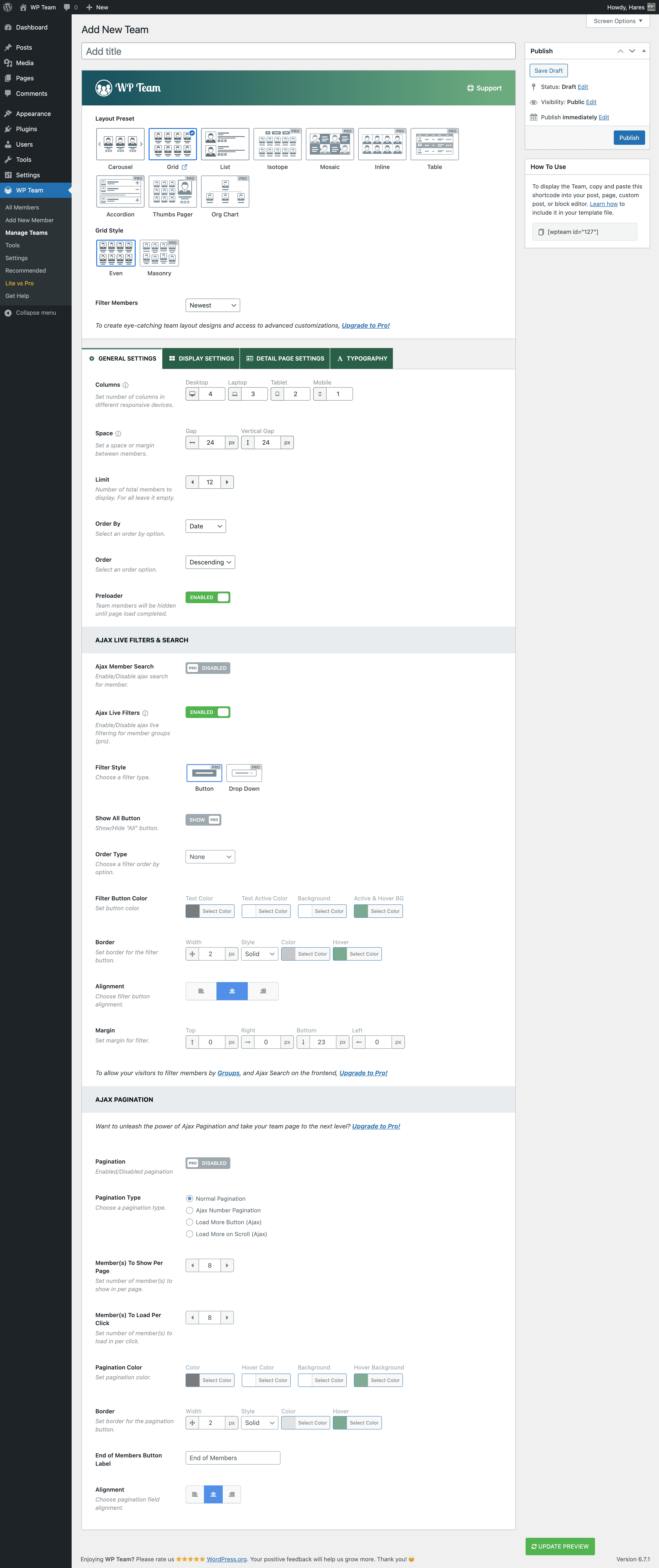
- Settings panel – no coding required!
- Control columns in different devices.
- Control the total members to display.
- Display random order members.
- Margin or space between members.
- Member border, radius, and background color.
- Show/hide every element of a member.
- Social icon position, margin, and shapes.
- Choose the image size from the available crop sizes.
- Photo/Image border and background color.
- Image zoom in/out effect.
- Detail page link (on/off).
- Detail page fields control.
- Unlimited color & styling.
- Order & order by.
- 15 Team carousel slider options.
- Translation & RTL Ready.
- Multisite supported.
- Custom CSS options.
- Compatible with any theme.
- Page builder modules for Elementor, Divi (4 and 5), WPBakery, Beaver Builder, Oxygen and Bricks — each displays a Saved Template; switch each one on or off under Settings Integrations.
- Opt-in diagnostic data sharing (see External services).
The Pro version of Smart Team provides extra layouts, more styling controls, and extended customization options for building team member showcases with added flexibility.
Documentation
If you have any questions about working with Smart Team, you can take a look at the online documentation.
For Support and Bug Reporting
If you encounter an issue or find any bugs, post it in the support. You can also get support via WordPress.org.
Author
Designed and Developed by ShapedPlugin, LLC
Source Code
The block editor scripts in dist/editor/, the admin dashboard script in dist/dashboard/ and the Divi 5 module script in dist/divi5/ are compiled. Their human-readable source is included in the plugin’s apps/ folder (apps/blocks/, apps/dashboard/ and apps/divi-5/). To rebuild them, run npm install and npm run install:divi5, then npm run build from the plugin folder (uses @wordpress/scripts, plus webpack for the Divi 5 module; see package.json and apps/divi-5/package.json).
Third-party libraries bundled with the plugin: Swiper 12.2.0 (MIT, https://swiperjs.com) in src/Frontend/js/swiper.min.js with its source in swiper.js, and Isotope 3.0.6 (GPLv3, https://isotope.metafizzy.co) in src/Frontend/js/isotope.pkgd.min.js with its source in isotope.pkgd.js. Both load from the plugin folder; no CDN is used.
External services
This plugin does not track visitors. Apart from the opt-in diagnostic data described below, it connects to the services below only when you use the related feature.
Smart Team diagnostic data (ShapedPlugin) – optional; sent only after an administrator agrees.
Nothing is sent unless an administrator agrees to it: by clicking Accept & Close on the admin notice, by finishing the setup wizard with the diagnostic data box ticked (it starts ticked; untick it to decline), or by turning on Smart Team Settings Advanced Controls Contribute to Smart Team. After that, your site’s server sends a report to ShapedPlugin’s collector (api.shapedplugin.com) once when you agree and then once a week. The report contains the site administrator’s email address and first and last name (as set on their profile), the site URL and language, the active theme’s name, the WordPress, PHP, Smart Team and Smart Team database versions, the name and version of each active plugin, and the names of the Smart Team blocks the site uses. No team member content, post content or visitor data is sent, and nothing is sent from local or private-network sites. Turn Contribute to Smart Team off to stop it; deactivating or deleting the plugin also stops the weekly report.
Terms of service: https://shapedplugin.com/terms/ · Privacy policy: https://shapedplugin.com/privacy-policy/
Smart Team Ready Patterns library (ShapedPlugin) – lists and inserts pre-built team layouts in the block editor.
When you open the Patterns Library in the block editor, or when the AI Team Builder (see AI providers below) looks for a matching free pattern, your site’s server requests the pattern list from ShapedPlugin’s pattern server (demo.getwpteam.com/wp-json/wp-team-pro/v1/pattern-list, cached for 24 hours), and requests a pattern’s block markup when you insert a free pattern. These requests send your site’s URL and WordPress version (in the standard WordPress user agent) and, for an insert, the pattern ID; the server counts inserts per pattern to rank patterns by popularity. Your browser also loads the pattern thumbnails and live previews from the same server, which sends your IP address and browser information. No request is made until you open the library or generate with the AI Team Builder, and it can be turned off with the sptp_ready_patterns_enabled filter.
Terms of service: https://shapedplugin.com/terms/ · Privacy policy: https://shapedplugin.com/privacy-policy/
Google Fonts – loads web fonts chosen in a Smart Team block’s typography settings.
When a page contains a block that uses a Google font, the visitor’s browser requests the font stylesheet from fonts.googleapis.com (and font files from fonts.gstatic.com). This sends the visitor’s IP address and browser information to Google. On the frontend, no request is made if no Google font is selected or when Google Fonts is turned off under Settings Performance.
Terms of service: https://developers.google.com/terms · Privacy policy: https://policies.google.com/privacy
Google Fonts Developer API – lists the available fonts in the block editor.
When you open a Smart Team block’s Typography settings in the block editor, your browser requests the list of available fonts from www.googleapis.com/webfonts/v1/webfonts. This sends your IP address, browser information and the plugin’s API key to Google; no site content is sent. The editor also loads the selected font’s stylesheet from fonts.googleapis.com to preview it.
Terms of service: https://developers.google.com/terms · Privacy policy: https://policies.google.com/privacy
Pravatar – sample member photos in the block editor.
When your site has no team members yet, the Grid and Carousel blocks preview with sample members so you can judge the card designs; your browser loads their photos from i.pravatar.cc, which sends your IP address and browser information. This happens only in the block editor and only while no member exists — never on the frontend.
Terms of service and privacy: https://pravatar.cc/
AI providers: OpenAI, Anthropic, Google Gemini, Groq – the AI Team Builder (“Build with AI” in the block editor).
Nothing is sent until an administrator adds their own API key for a provider under Smart Team Settings AI Configuration (or connects one in WordPress’s own Settings Connectors). Your site’s server then contacts the provider: (1) to check a key against the provider’s model list when it is saved, and again when an administrator opens AI Configuration and the last check is more than 12 hours old; (2) when a WordPress Connector is set up, to read that connector’s available models when an administrator opens AI Configuration (cached for up to 12 hours); (3) when a user clicks Generate, sending your prompt, a description of the Grid/Carousel settings the AI may choose, the current values of those settings when refining an existing block, and the names, tags, use cases and short descriptions of matching free Ready Patterns. The API key travels in a request header. No team member content, post content or visitor data is sent. Keys are stored encrypted; administrators only ever see a masked form (first and last four characters), and the block editor never receives any part of a key. Nothing is sent when the module is turned off (Smart Team Modules Create Team with AI) or when the site has turned AI features off.
OpenAI (api.openai.com) – Terms of use: https://openai.com/policies/terms-of-use/ · Privacy policy: https://openai.com/policies/privacy-policy/
Anthropic (api.anthropic.com) – Terms of service: https://www.anthropic.com/legal/commercial-terms · Privacy policy: https://www.anthropic.com/legal/privacy
Google Gemini (generativelanguage.googleapis.com) – Terms of service: https://ai.google.dev/gemini-api/terms · Privacy policy: https://policies.google.com/privacy
Groq (api.groq.com) – Terms of service: https://groq.com/terms-of-use/ · Privacy policy: https://groq.com/privacy-policy/
WordPress.org plugin directory – shows ShapedPlugin’s other free plugins on the Our Plugins tab of the plugin’s admin dashboard.
When an administrator opens the Our Plugins tab, your site’s server asks the WordPress.org plugin directory (api.wordpress.org) for the details of those plugins (cached for 24 hours), and your browser loads their icons from WordPress.org. This sends the standard WordPress request (your site’s URL and WordPress version) and your IP address and browser information for the icons. Nothing is installed unless you click Install Now, which uses WordPress’s own installer.
The version badge in the dashboard header also opens a changelog drawer. When an administrator opens it, your site’s server requests this plugin’s page data from api.wordpress.org (cached for 24 hours) to show the release notes. This sends the standard WordPress request (your site’s URL and WordPress version).
Terms of service: https://wordpress.org/about/terms-of-service/ · Privacy policy: https://wordpress.org/about/privacy/
YouTube – shows the Getting Started tutorial video in the plugin’s admin dashboard.
The Getting Started page (admin only) offers a YouTube tutorial video; the embedded player from youtube.com is loaded only after you click play, sending your IP address and browser information to YouTube.
Terms of service: https://www.youtube.com/t/terms · Privacy policy: https://policies.google.com/privacy