

Talkieon Live Chat
v1.0.4Talkieon · 2026年10月30日 上架
Add live chat and an AI support agent to your WordPress site. Answer visitors from one inbox on the web, desktop or phone.
- 正在使用
- 10 以下
- 评分
- 暂无
- 累计下载
- 438
- 最近更新
- 2026年11月25日
贡献者
 Talkieon
截图


Talkieon puts a chat button on every page of your site. Visitors ask a question, and you answer it from the Talkieon inbox in your browser, on the desktop app or on the mobile app.
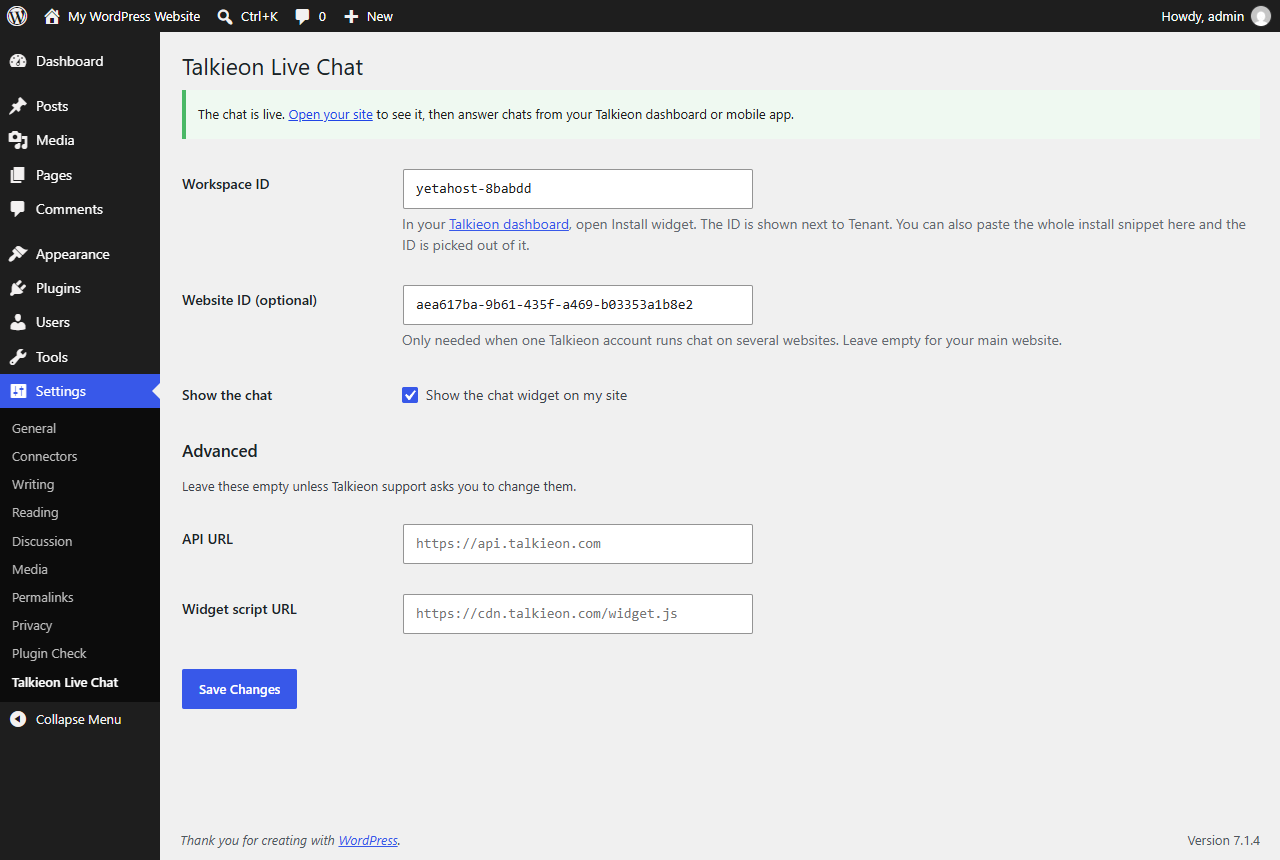
This plugin connects your WordPress site to your Talkieon account. Paste your Workspace ID into the settings page and the chat appears. There is no code to edit.
What you get with Talkieon
- Live chat with a shared team inbox: assign chats, leave private notes for teammates, and see each visitor’s location and the pages they viewed next to the chat
- An AI agent on every plan that answers from your help articles and website, and hands the chat to a person when it should. The free plan includes 50 AI credits a month.
- Two-way translation, so you can answer visitors in their own language
- Offline messages: visitors leave their email and get your reply there
- See who is on your site right now and which pages they viewed
- WhatsApp, Instagram, Messenger and email in the same inbox. The free plan connects one messaging channel; Growth and up connect them all.
- Android and Windows apps, with push notifications
- WooCommerce: see which chats were followed by an order, and what it was worth. On the Scale plan the AI can also look up a shopper’s order and what is in stock.
- Remove the “Powered by Talkieon” badge from the Growth plan
- A free plan for up to 3 team members and 1 website, with no credit card. Paid plans start at $6 a month.
The look of the chat (colour, position, greeting, opening hours) is set in your Talkieon dashboard. Changes apply to your site straight away, without touching WordPress.
Several websites, one account
If one Talkieon account runs chat on more than one website, add the Website ID too, so each site’s chats land under the right website.
WooCommerce
With WooCommerce active, each order is sent to Talkieon from the order received page, so the Talkieon dashboard can show the sales that came after a chat. There is nothing to set up.
For developers
The widget config can be changed with the talkieon_lc_widget_config filter, for example to pass a signed visitor identity so returning customers are recognised:
add_filter( 'talkieon_lc_widget_config', function ( $config ) { $config['identity'] = my_signed_identity(); return $config; } );
To stop sending WooCommerce orders, use the talkieon_lc_track_purchase filter:
add_filter( 'talkieon_lc_track_purchase', '__return_false' );
External services
This plugin connects your site to Talkieon, a hosted live chat service. It cannot work without it.
On every public page of your site it loads the chat widget script from https://cdn.talkieon.com/widget.js. The script then talks to https://api.talkieon.com.
- When a page loads, the widget sends your Workspace ID (and Website ID if set) to fetch your chat settings.
- While a visitor has your site open, the widget sends a small presence signal with the page URL, page title and referrer, so your team can see who is on the site. The visitor’s IP address reaches the service as part of any web request and is used to estimate their country and city.
- When a visitor chats, their messages, any name or email they type, and any images or voice messages they send are sent to Talkieon and stored so your team can reply.
- With WooCommerce active, when a customer reaches the order received page, the order total, currency and order number are sent to Talkieon so it can show which chats were followed by an order. No customer name, email, address or product details are sent. Like the presence signal, this only happens once the widget is allowed to track the visitor.
Nothing is sent from the WordPress admin area, and nothing is sent until you save a Workspace ID.
The service is provided by Talkieon. Terms of service, Privacy policy.