Takumi PWA
v1.0.0yoshiromoriyama · 2026年10月29日 上架
Turn your WordPress site into an installable app with no setup. Offline reading, install prompt, app-style navigation and more.
- 正在使用
- 10 以下
- 评分
- 暂无
- 累计下载
- 298
- 最近更新
- 2026年10月30日
贡献者
 yoshiromoriyama
截图

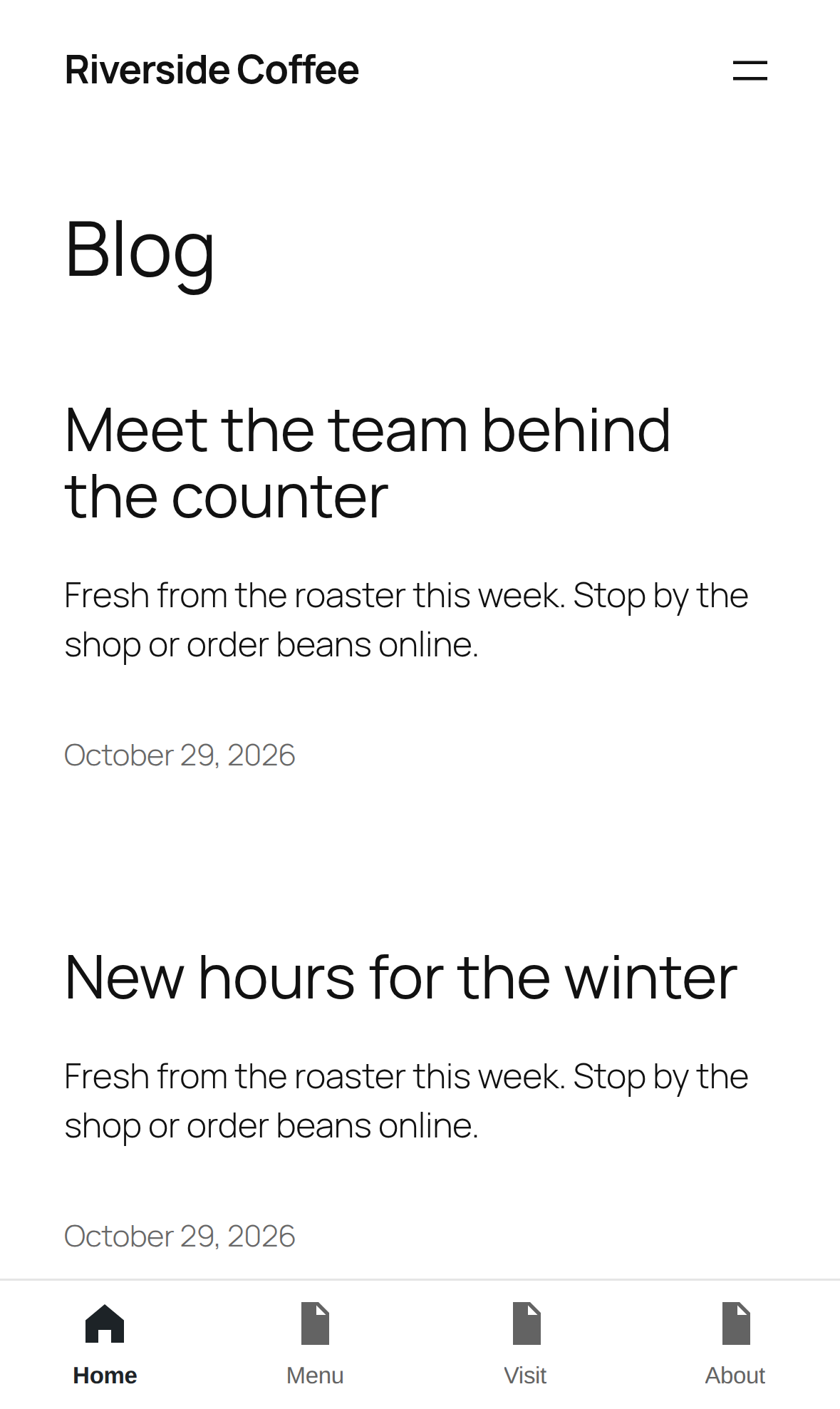
Takumi PWA makes your site installable on phones and computers as a Progressive Web App. Visitors add it to their home screen and open it like an app: full screen, with your icon, and readable even on a weak or missing connection.
There is nothing to set up. On activation the plugin takes your site title, Site Icon and theme colors and builds the app from them. Every setting can be changed later, but none has to be.
Works out of the box
- Web app manifest and service worker, generated from your site settings. No files are written to your site root and no rewrite rules are needed.
- One image, every icon. Upload a single square image (or just use your Site Icon) and the plugin produces every size phones ask for, including the Android adaptive icon and the iPhone home screen icon. With no image at all, a simple placeholder keeps the site installable.
- Offline reading. Pages visitors have opened stay available without a connection. A friendly offline screen lists the pages that can still be read.
- Safe caching, decided for you. The admin, the login screen, logged-in views, previews, and WooCommerce or Easy Digital Downloads carts, checkouts and account pages are never stored.
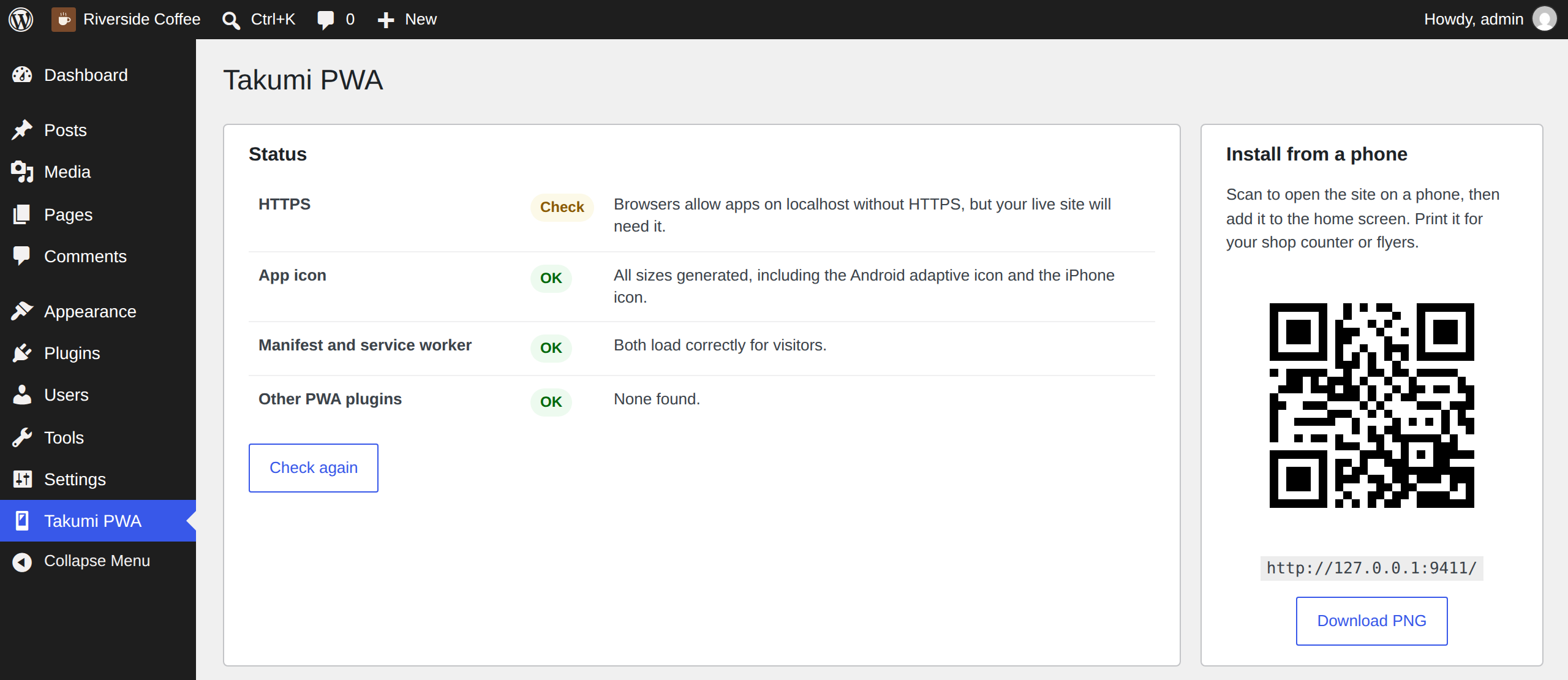
- Status checklist. One screen shows whether HTTPS, the icons, the manifest and the service worker are all working, and says in plain words what to do when something is not.
App features
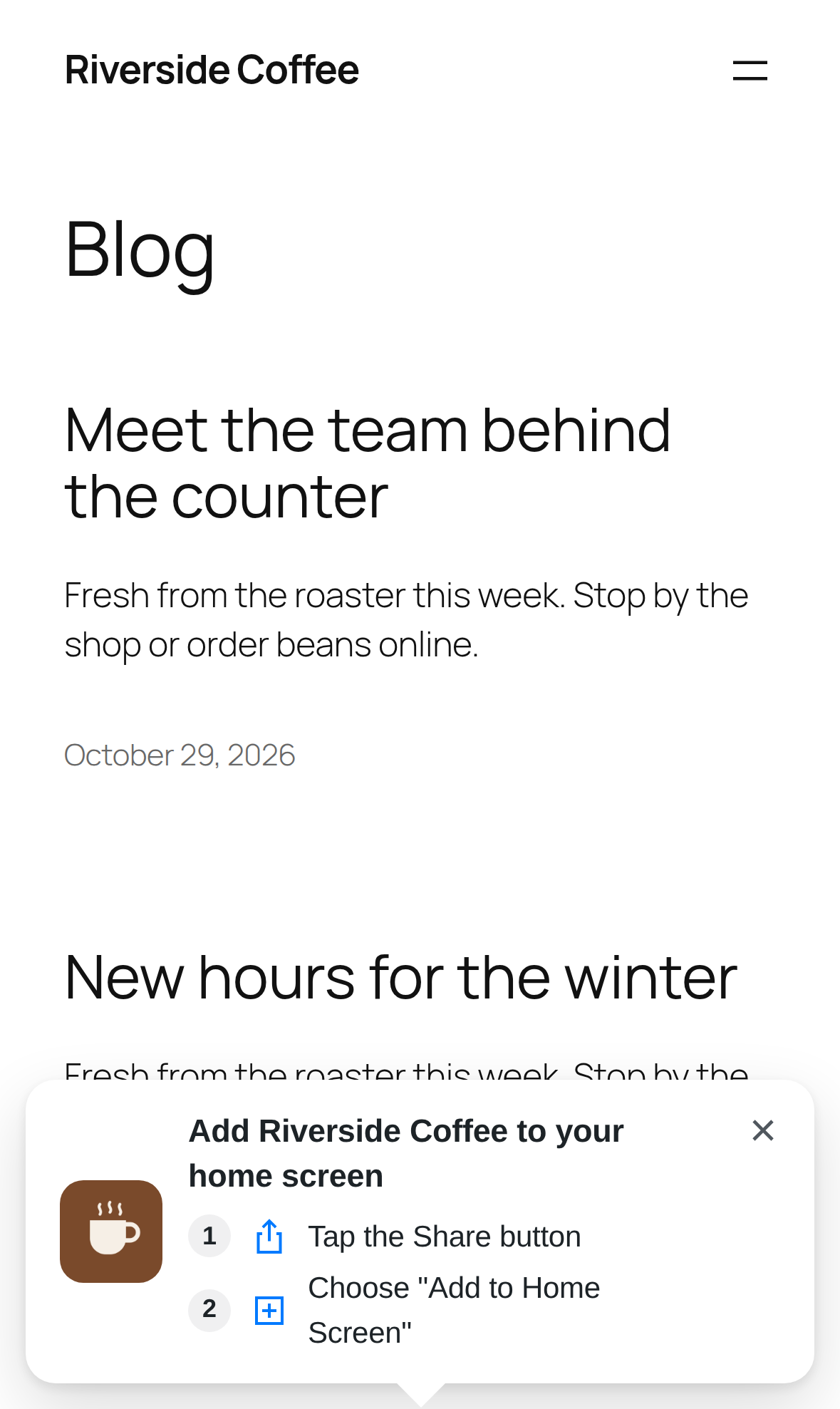
- Install banner. Invites visitors to install the app from their second visit. iPhone and iPad users, whose browser has no install button, get the two steps shown with pictures.
- Install button shortcode. Place
[tkpwa_install_button]anywhere to add your own install button. - QR code. A printable QR code on the settings screen, for shop counters, flyers and business cards.
- Bottom navigation bar. App-style tabs at the bottom of the screen, built automatically from your existing menu, with icons chosen to match each link.
- Icon shortcuts. Long-press the app icon to jump straight to your main pages.
- Loading screen. Shows your icon while the next page loads, instead of a frozen screen.
- Pull to refresh and a reading progress bar.
- Show or hide in the app. Add the CSS class
tkpwa-hide-in-appto any block to hide it in the installed app, ortkpwa-only-in-appto show it only there.
Works with your other plugins
- Contact Form 7, WPForms and Gravity Forms: with “Offline forms” on, a message submitted without a connection is kept on the device and sent automatically once the connection returns.
- Polylang and WPML: each language gets its own manifest, start page and translated app name.
- Share to your site: on Android, the installed app appears in the Share menu. Sharing a link or text from another app starts a new draft post with it.
- Conflict warning: if another PWA or push notification plugin is active, you are told on activation, because a site can run only one service worker.
Credits
The QR code is drawn with qrcode-generator by Kazuhiko Arase, MIT license, bundled with the plugin. Nothing is loaded from external servers.
Developed and maintained by Yoshiro Moriyama, founder of Takumi Web Services, a WordPress development studio based in Toronto, Canada.