

TagEasy – Conversion Tracking Setup & Monitoring
v0.2.1bpmac021 · 2026年11月5日 上架
Easy conversion tracking setup for any WordPress site: free tracking audit, one-click Google Tag Manager install, GA4-ready events, Consent Mode v2.
- 正在使用
- 10 以下
- 评分
- 暂无
- 累计下载
- 431
- 最近更新
- 2026年11月7日
贡献者
 bpmac021
截图
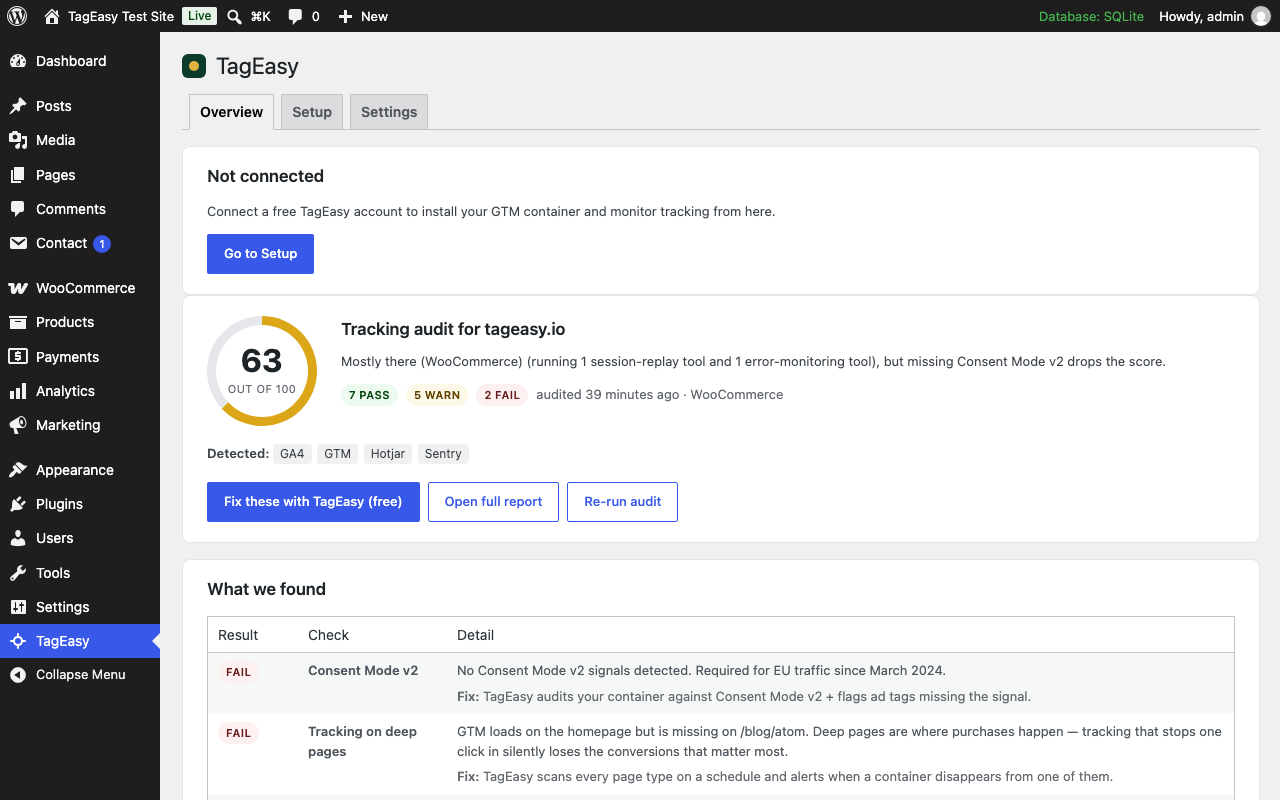
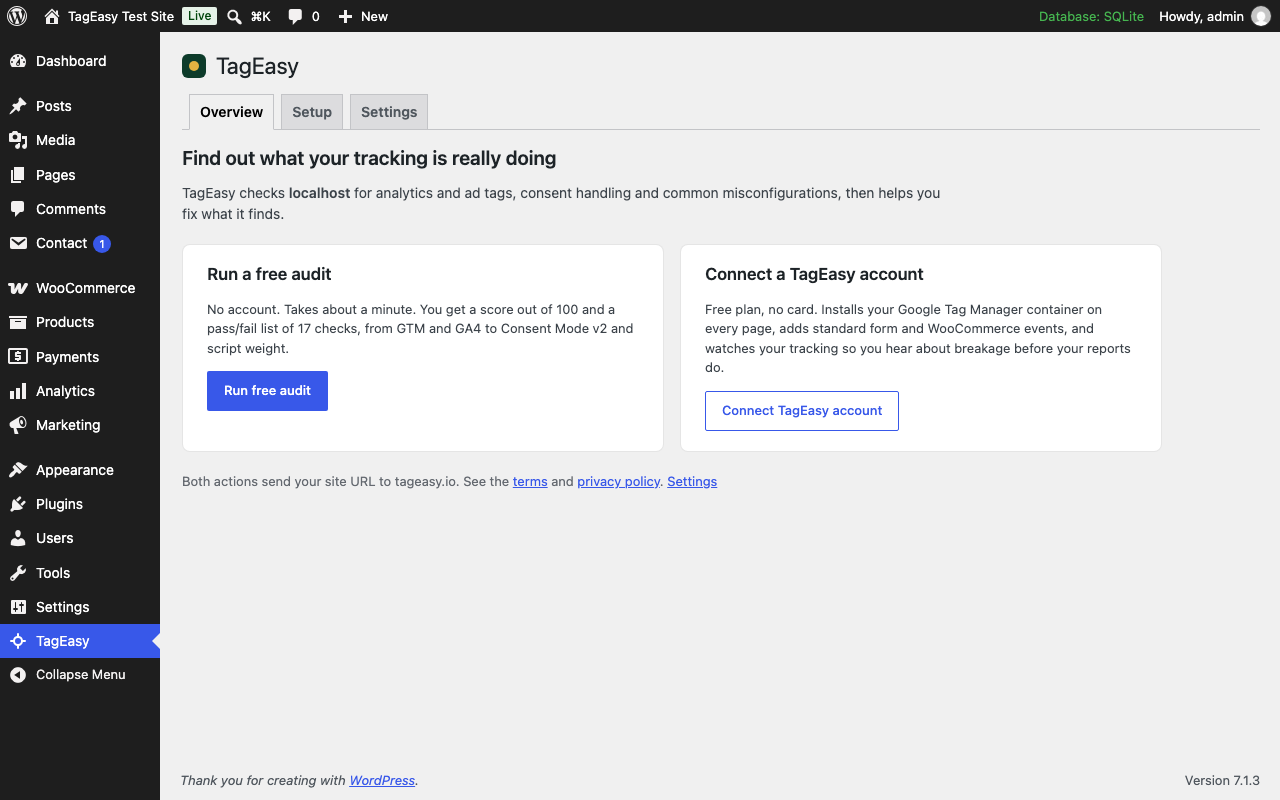


Conversion tracking on WordPress usually means pasting snippets into a theme, hoping the form plugin fires something useful, and finding out weeks later that the purchase tag broke. TagEasy makes the setup a few clicks and keeps watching it afterwards.
Start with a free audit, no signup. From the plugin’s Overview tab, audit your site and get a score out of 100 with a pass/fail list: Google Tag Manager, GA4, Consent Mode v2, ad pixels, PII in URLs, script weight, HTTPS, duplicate GA4 properties and more, each with the fix. The audit runs on tageasy.io against your public home page, and the result is public: tageasy.io shows the score and findings for your domain at tageasy.io/sites/your-domain (see External services).
Install Google Tag Manager without touching your theme. Connect a free TagEasy account and the plugin loads your container on every page, excludes logged-in administrators, and refuses to double-load when Site Kit, GTM4WP, WPCode or your theme already has a container. It checks for other containers when you connect, whenever a plugin is activated or deactivated and twice a day, and checks Site Kit and GTM4WP on every page. Your container keeps loading if tageasy.io is briefly unreachable.
Get events worth tagging. The plugin pushes standard GA4-schema events to the dataLayer:
generate_leadon successful submits from Contact Form 7, WPForms, Gravity Forms, Elementor Pro Forms and Fluent Forms- WooCommerce:
view_item,view_item_list,add_to_cart,remove_from_cart,begin_checkout,add_payment_info,purchase(once per order), for both the classic and the Blocks cart and checkout phone_clickandemail_clickon tel: and mailto: links
Respect consent. With your container, Google Consent Mode v2 defaults are set before any tag loads: denied for visitors in the EEA, UK and Switzerland until they consent, granted elsewhere. If Complianz, CookieYes or Cookiebot is active, TagEasy leaves consent to them; with a banner that registers a consent type with the WP Consent API, consent choices are forwarded to Google.
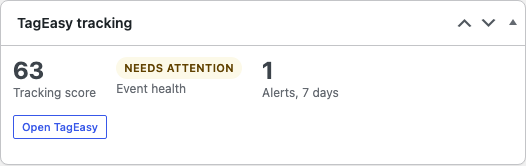
Know when it breaks. With a connected account, the Overview tab and a dashboard widget show your tracking score and plan usage. On TagEasy plans with event monitoring they also show which events have fired in the last 7 days and open alerts, with one click through to the full TagEasy dashboard.
Planned: WooCommerce orders server-side. The plugin includes code to send each paid order, refund and cancellation from your server to TagEasy, which would forward it to the destinations you connect there, so purchases are counted even when a browser blocks tags. TagEasy does not accept these orders yet, so the feature is not available on any plan. It is off by default, and the “Send WooCommerce orders server-side” setting appears on the Settings tab only once TagEasy turns the feature on for your account.
What is free?
The plugin is a bridge to the TagEasy service. The plugin itself never locks or disables anything; what a connected site sees depends on its TagEasy plan.
- Free, no account: the tracking audit and the dataLayer events.
- Free TagEasy account: the Google Tag Manager install with conflict detection, Consent Mode v2 defaults, and the Overview tab with your tracking score.
- Growth plan and up: event monitoring, which shows which of your events fired in the last 7 days.
- Business plan and up: alerts when event volume drops.
Server-side WooCommerce orders are planned and not yet available on any plan.
New TagEasy accounts get a 14-day trial with the paid monitoring features. Prices are at https://www.tageasy.io/pricing.
External services
This plugin connects to the following services.
Google Tag Manager
Used to load the Google Tag Manager container configured in your TagEasy account. When a container ID is set, every front-end page view loads https://www.googletagmanager.com/gtm.js (and the ns.html noscript iframe for visitors without JavaScript). Google receives the visitor’s IP address, user agent, page URL and referrer, plus any data the tags in your container collect. Consent Mode v2 defaults are set before GTM loads, unless Complianz, CookieYes or Cookiebot manages consent on the site. Logged-in administrators are excluded by default. GTM loads once an account is connected and your TagEasy site has a container; you can turn it off in Settings. Nothing from Google loads before that.
Provided by Google LLC: Terms https://policies.google.com/terms, Privacy https://policies.google.com/privacy
TagEasy
Used for the free tracking audit, the account connection and tracking monitoring. The service runs at https://www.tageasy.io. Every request your server makes to it carries a User-Agent header with the plugin version, your WordPress version and your home URL. What is sent, and when:
- Running the free audit (admin, when you click “Run free audit” or “Re-run audit”): the host name of your home URL. No account is needed. tageasy.io fetches your public home page and publishes the result: the score and findings for your domain appear on a public page at https://www.tageasy.io/sites/your-domain, which search engines can index, and in the list of recent audits on tageasy.io. Anyone can run the same audit of any public site on tageasy.io.
- Connecting an account (admin, when you click “Connect TagEasy account”): your home URL, the connecting administrator’s email address, and your WordPress and plugin versions. In return the plugin receives a token that identifies this one site. It is stored encrypted and can be revoked from the plugin or from your TagEasy account at any time.
- While connected (your server, twice a day and when you open the Overview tab or press “Refresh data”): the site token, to read your site’s Google Tag Manager container ID, tracking health, alerts and plan usage. Requests that carry the token never follow redirects. Disconnecting, or deleting the plugin, sends one request to revoke the token. Your visitors’ browsers send nothing to tageasy.io through these requests.
- Server-side WooCommerce orders (not available yet: TagEasy does not accept these orders on any plan, so the setting does not appear; once it does, your server sends them only when “Send WooCommerce orders server-side” is turned on in Settings): about three minutes after an order is paid, and when it is refunded or cancelled, your server sends the order to tageasy.io: order number and totals, line items, coupon, currency, the billing email, phone, first and last name, city, state, postcode and country (not the street address), the customer IP address and browser user agent recorded at checkout, the landing page, advertising and analytics identifiers read from first-party cookies on your site at checkout (such as the Google Analytics client id and session id, the Meta
_fbp/_fbccookies and ad click ids likegclid), and the consent choices recorded at checkout. tageasy.io forwards these events to the analytics and advertising services connected in your TagEasy account, such as Google Analytics, Google Ads, Meta, TikTok, Pinterest or Snapchat, under your account’s settings. When this is on, the plugin’s front-end script also stores ad click ids from landing URLs in a first-party_te_idscookie (only after advertising consent; otherwise for the browser tab only) and mirrors the visitor’s Consent Mode choices into a_tageasy_consentcookie. When WooCommerce erases an order’s personal data, the plugin asks tageasy.io to erase its copy, sending the order id and a SHA-256 hash of the billing email, never the address itself. - Event verification (front end, connected accounts on plans that include event monitoring): every front-end page view that loads your container also loads a small script from tageasy.io, at a per-site URL with a token that your account provides. The first time on a page that one of your monitored events fires, the script reports the event name and the time, the names of the event’s parameters and the type of each value (such as text or number), and the page address as origin and path, without the query string or fragment. The path can still contain an ID, such as the order number in a WooCommerce order-received address (
/checkout/order-received/123/). When a value, or the query string or fragment, looks like an email address, phone number or card number, the report also flags which parameter (or the page address) and which kind, never the value. It never sends parameter values, so no form contents or amounts, and the report contains no cookie or visitor identifier. As with any request, the visitor’s browser sends tageasy.io its IP address and user agent (standard request headers) when it loads the script and when it sends a report; TagEasy does not store them with the report. The script is only loaded when the container loads, so it respects the same administrator exclusion and thetageasy_tracking_allowedfilter.
The Google Tag Manager conflict check fetches your own site’s home page from your server: when you connect, after a plugin is activated or deactivated, after the plugin is updated, twice a day, and when you click “Check for other containers” on the Setup tab. That request goes to your site only, not to a third party.
Provided by Hexcorp: Terms https://www.tageasy.io/terms, Privacy https://www.tageasy.io/privacy