

TableRefresh – Auto Sync for TablePress
v1.0.1Arsen Manukyan · 2026年11月5日 上架
Keep TablePress tables up to date with a CSV file or a public Google Sheet: hourly, daily, weekly, or with one click.
- 正在使用
- 10 以下
- 评分
- 暂无
- 累计下载
- 486
- 最近更新
- 2026年11月20日
贡献者
 Arsen Manukyan
截图
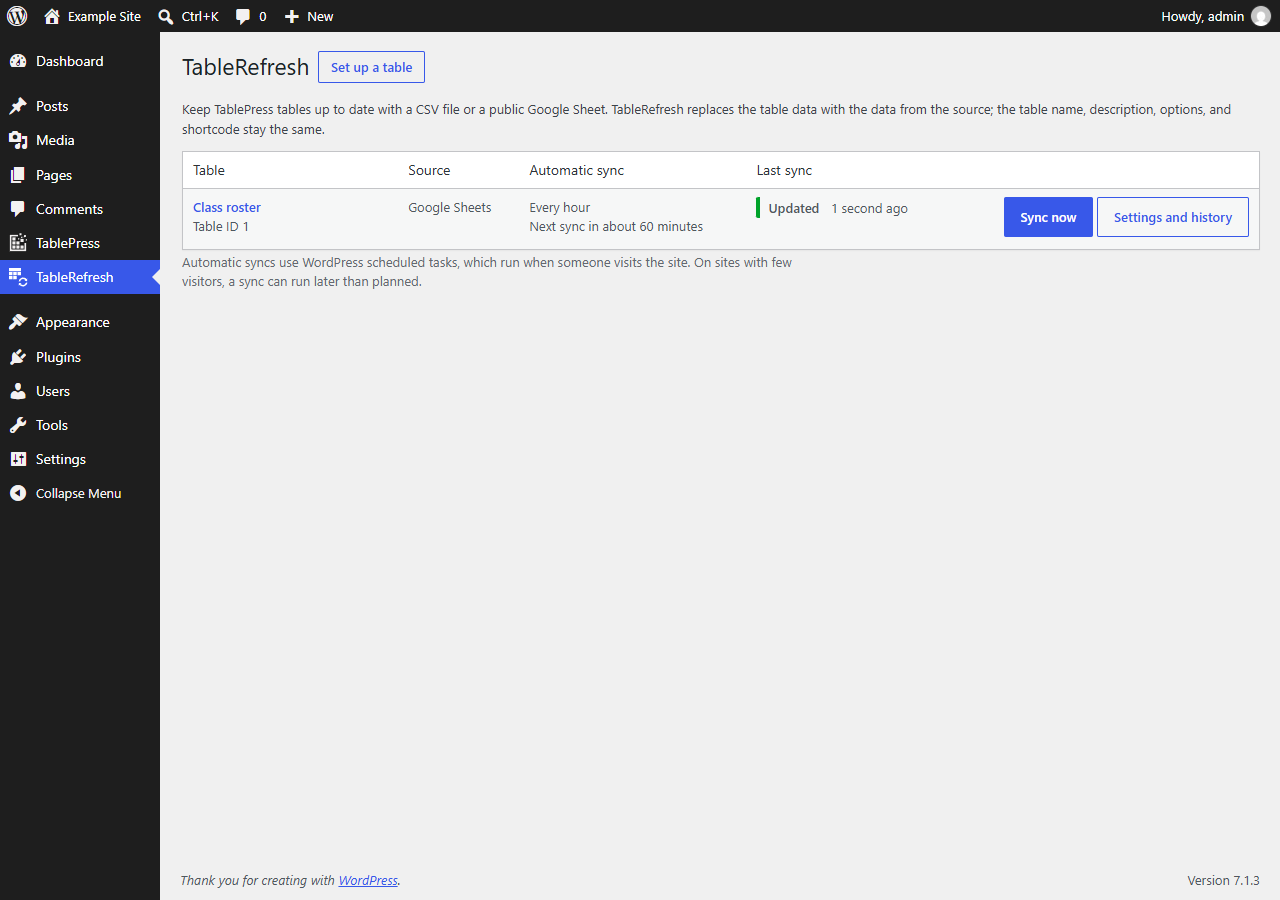


TableRefresh fills existing TablePress tables with the data from a CSV file on the web or from a public Google Sheet, and keeps them up to date. Pick a table, paste a link, and choose how often to sync. The table ID, shortcode, name, description, and all table options stay the same, so pages that show the table need no changes.
TableRefresh is an independent add-on for the free TablePress plugin. It is not made by, affiliated with, or endorsed by TablePress or its developer.
Features
- Set up in the TableRefresh menu, right below TablePress: choose a table, paste a CSV or Google Sheets link, choose hourly, daily, or weekly.
- “Sync now” updates a table immediately.
- Each table shows its last result, its last successful sync, and the 10 most recent attempts in plain language.
- Google Sheets sharing links work as they are; TableRefresh finds the CSV export address itself.
- Edits made in TablePress are never overwritten without asking: if someone changed a table after the last sync, automatic sync pauses until you decide to keep the changes or replace them with the source data. A table that someone else has open in the TablePress editor is not synchronized.
- A sync replaces a table completely or not at all. The complete file is downloaded and checked before anything is written; a failed or interrupted update is undone.
- Cell content from the source is filtered for unsafe HTML. Formulas and shortcodes from the source are shown as text, not run.
- At most 5 revisions created by synchronization are kept per table; revisions you create yourself are never deleted.
- WP-CLI commands for scripts and server cron jobs.
- No account, no paid service, no tracking.
External services
TableRefresh downloads the data source that you enter: a CSV file at the address you choose, or a Google Sheet from Google’s servers (docs.google.com and googleusercontent.com). For each sync, your site sends a normal web request for that address; no data about your site or its visitors is sent. When you use Google Sheets, Google’s Terms of Service and Privacy Policy apply. TableRefresh contacts no other service.
Requirements
- WordPress 6.7 or newer, PHP 7.4 or newer with the cURL extension.
- The free TablePress plugin, version 3.0 or newer.
- MySQL or MariaDB with the InnoDB storage engine for the posts, postmeta, and options tables (the WordPress default). On other storage engines, synchronization is refused, because a table could not be updated all at once; see the FAQ. SQLite (for example WordPress Playground) is not supported.