
Tabbed Widgets Reloaded
v0.2Anupam Saha · 2012年1月21日 上架
Create tab and accordion type widgets without writing a single line of code.
- 正在使用
- 10+
- 评分
- 暂无
- 累计下载
- 7,143
- 最近更新
- 2012年2月8日
需要 WordPress 2.9+已测试到 3.3.2
贡献者
 Anupam Saha
截图
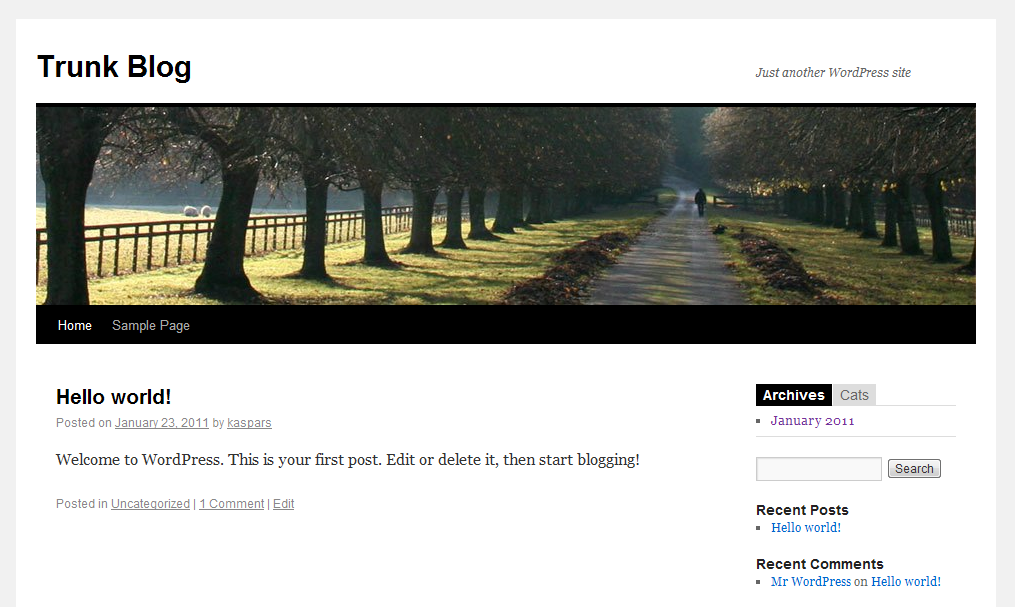


Tabbed interfaces can save a lot of vertical space and make your website look less cluttered.
Accordion type tabs are particularly useful if you want to have longer tab titles or more tabs that
wouldn’t otherwise fit into the given horizontal width.
Features:
- Use other widgets for tab content and specify custom tab titles.
- Make tabs rotate in a set interval, which makes them more noticeable and prominent.
- Set a random start tab on each page load so that all tabbed content gets equal exposure.
- Make unlimited number of tabbed widgets that can be then used as regular widgets under ‘Design’ › ‘Widgets’.
- Ability to add custom style sheet under your theme folder. Just create a folder name “tabbed-widgets-reloaded” under your theme folder and create a file “tabbed-widgets.css” and out your all custom styles in it.
Why are Tabbed Widgets better than your theme’s built-in tabs?
With Tabbed Widgets you can use any widget inside the tabbed interface and you are no longer limited to what the theme designer had in mind.
Tabbed Widget design services
Tabbed widgets created by this plugin have very little CSS applied by default because every theme is very different. So, if you like to customize it’s design, you can drop in a line to me. I will help you to achieve your goal.