
Syntax Highlighting
v0.1webstartup · 2017年4月26日 上架
HighLight Code allows you to add syntax highlighting to the snippets contained in your articles. NOTE (beta): This plugin is very felt, it is still in …
- 正在使用
- 10 以下
- 评分
- 5.0 / 5
- 累计下载
- 1,481
- 最近更新
- 2017年4月26日
1 条评价需要 WordPress 4.0+已测试到 4.7.40
贡献者
 webstartup
 Benoti
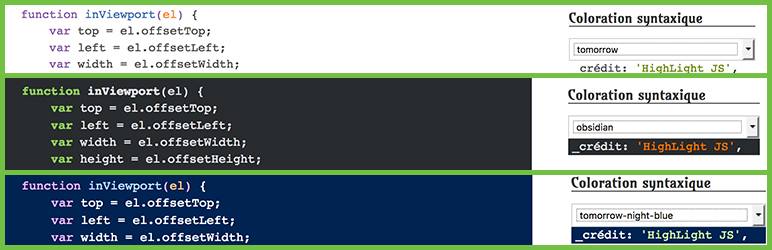
The plugin is based on the javascript library HighLight Js, it offers the possibility to choose among 70 styles of coloring. You can choose a default color in the back office. You can also add a widget to let the choice of coloring to visitors.
Features Include
- Add syntax highlighting to your code snippets.
- Choose style from more than 50 choices.
- A widget allows visitors to make their choice on the front
Configuration
- Activate the plugin through the “Plugins” menu in WordPress.
- Go to the plugin setting page and add the types of articles or add syntax highlighting.
- Then choose a theme for the coloring, demo here :HighLight JS.
- To let visitors change the coloring style, go to your dashboard to add the widget to the sidebar of your choice.
- Finally, when you add a code in a publication, do not forget to check ON in the Syntax Highlighting metabox.
Credits
- Pictures by Hélène titre “graphic designer”