跳到内容

Super Preloader for Cloudflare

v1.3.3

WP Fix Fast · 2025年5月29日 上架

Preload your sitemap URLs into multiple Cloudflare edge locations using proxies and a custom Cloudflare Worker.

正在使用
100+
评分
5.0 / 5
累计下载
3,889
最近更新
2026年11月1日
5 条评价需要 WordPress 6.0+已测试到 7.1.5PHP 7.4+

贡献者

截图

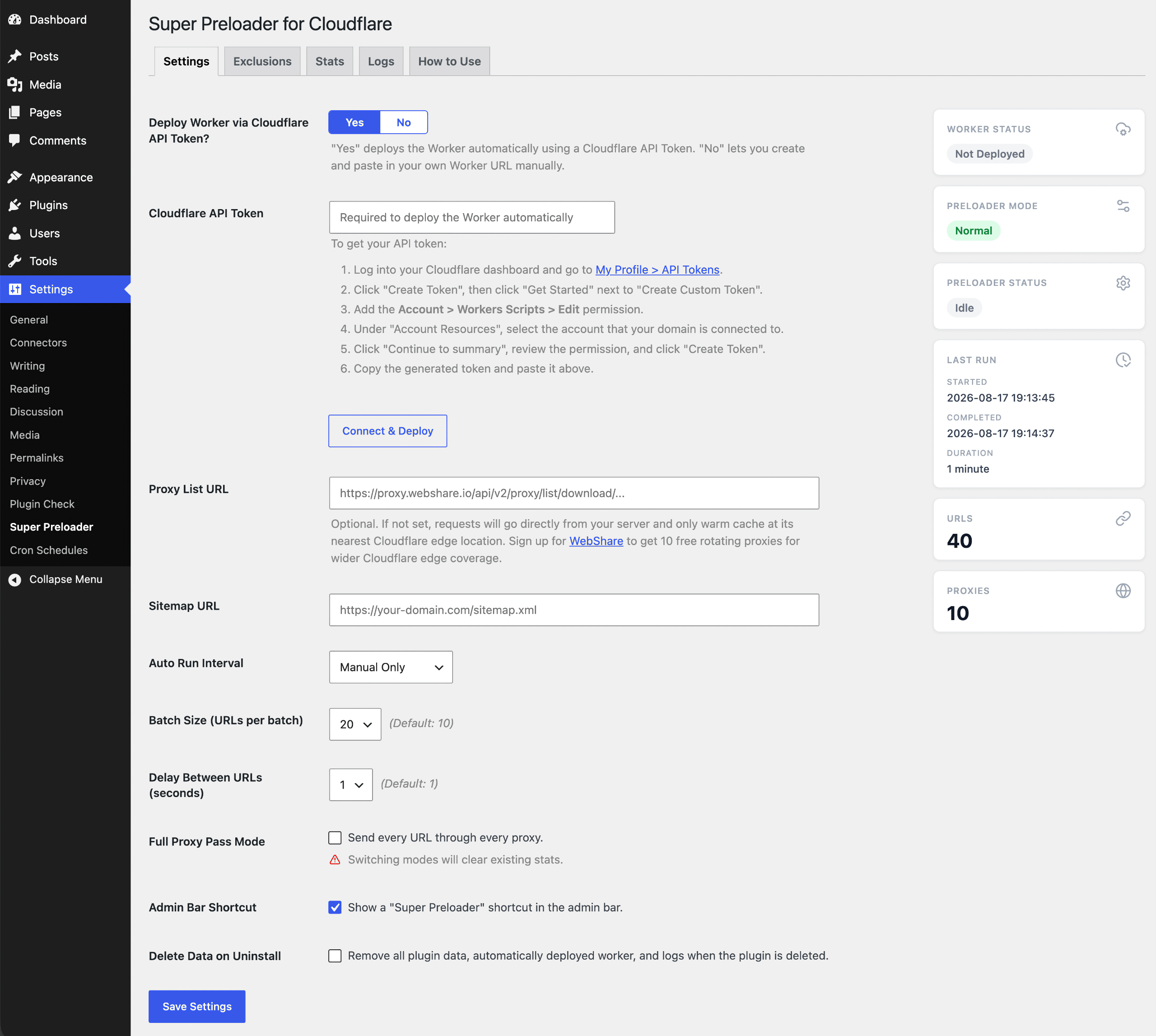
On settings tab you can configure Cloudflare Worker URL, Webshare.io Proxies URL, Sitemap.xml URL, and auto run (Cron) scheduler.
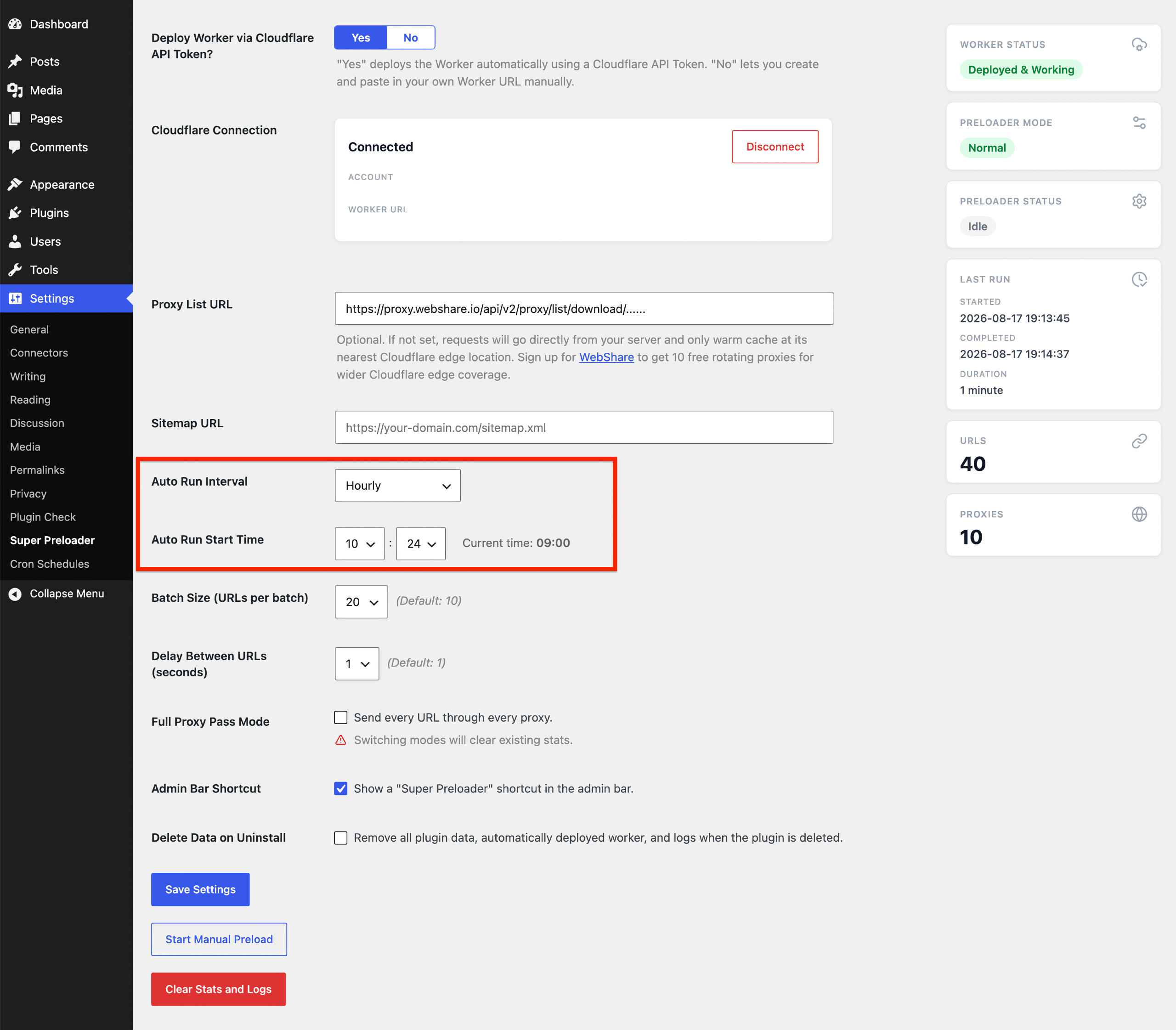
Auto Run Interval displays the Next scheduled run and Auto Run Start Time lets you adjust the exact moment to start the preloader.
Sidebar shows current mode, running or idle status, last run times, URL count and proxy count. Stop Preloader button allows stoping the current operation.
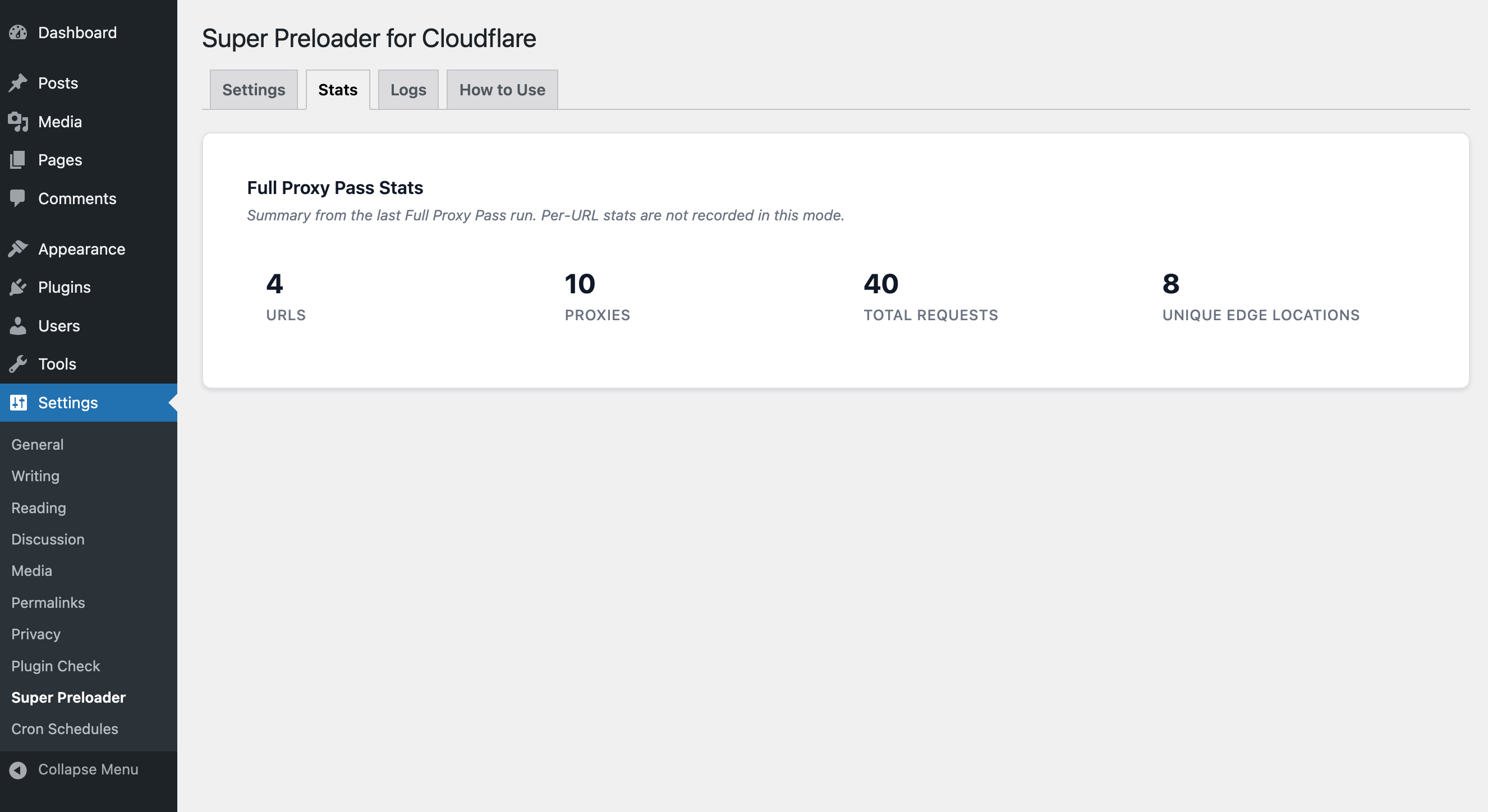
Full proxy pass mode allows sending every URL through every proxy for maximum Cloudflare edge coverage.
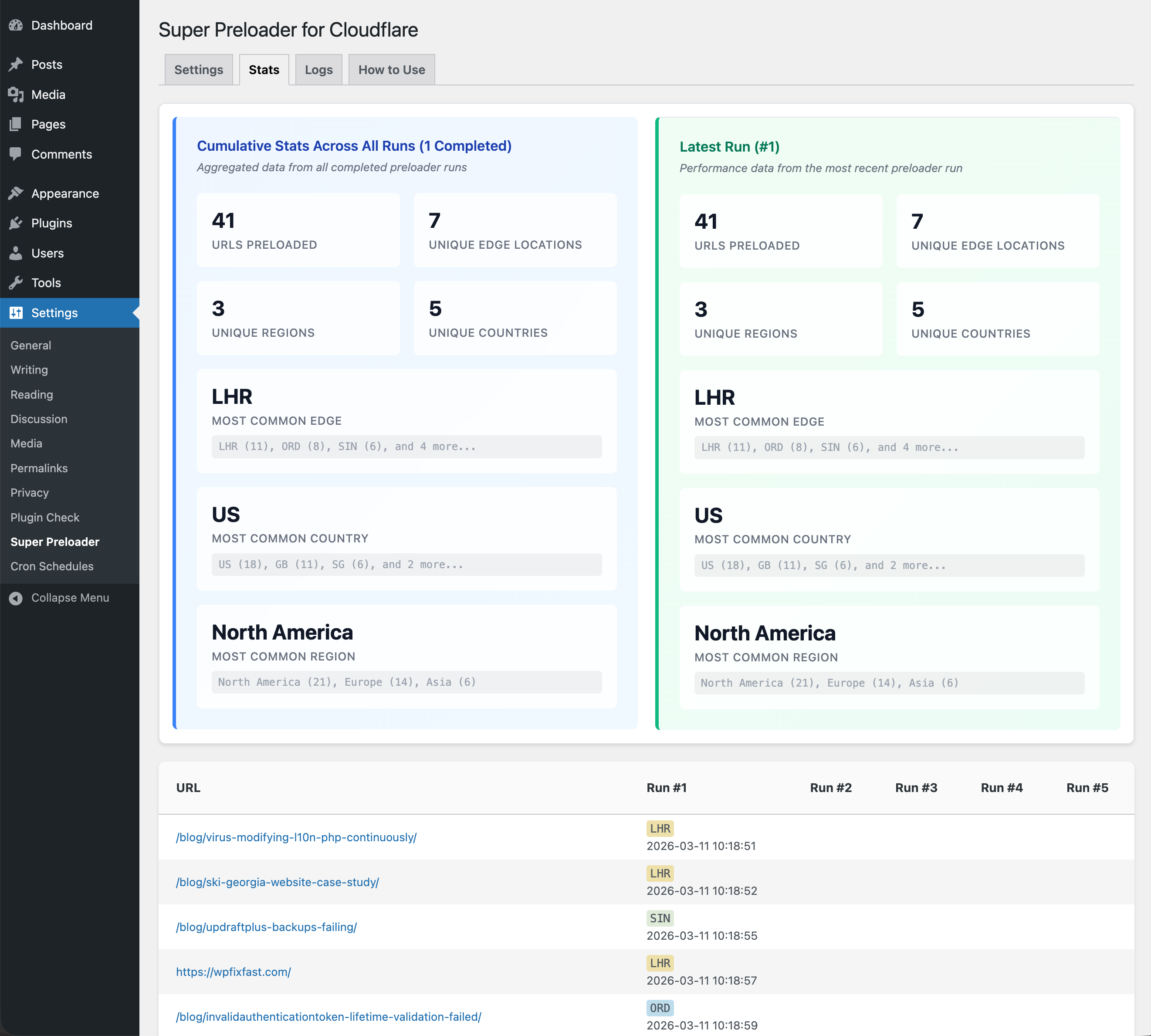
The Stats tab displays detailed information on edge locations where your URLs are cached.
If full proxy pass mode is selected, Per-URL stats are not recorded.
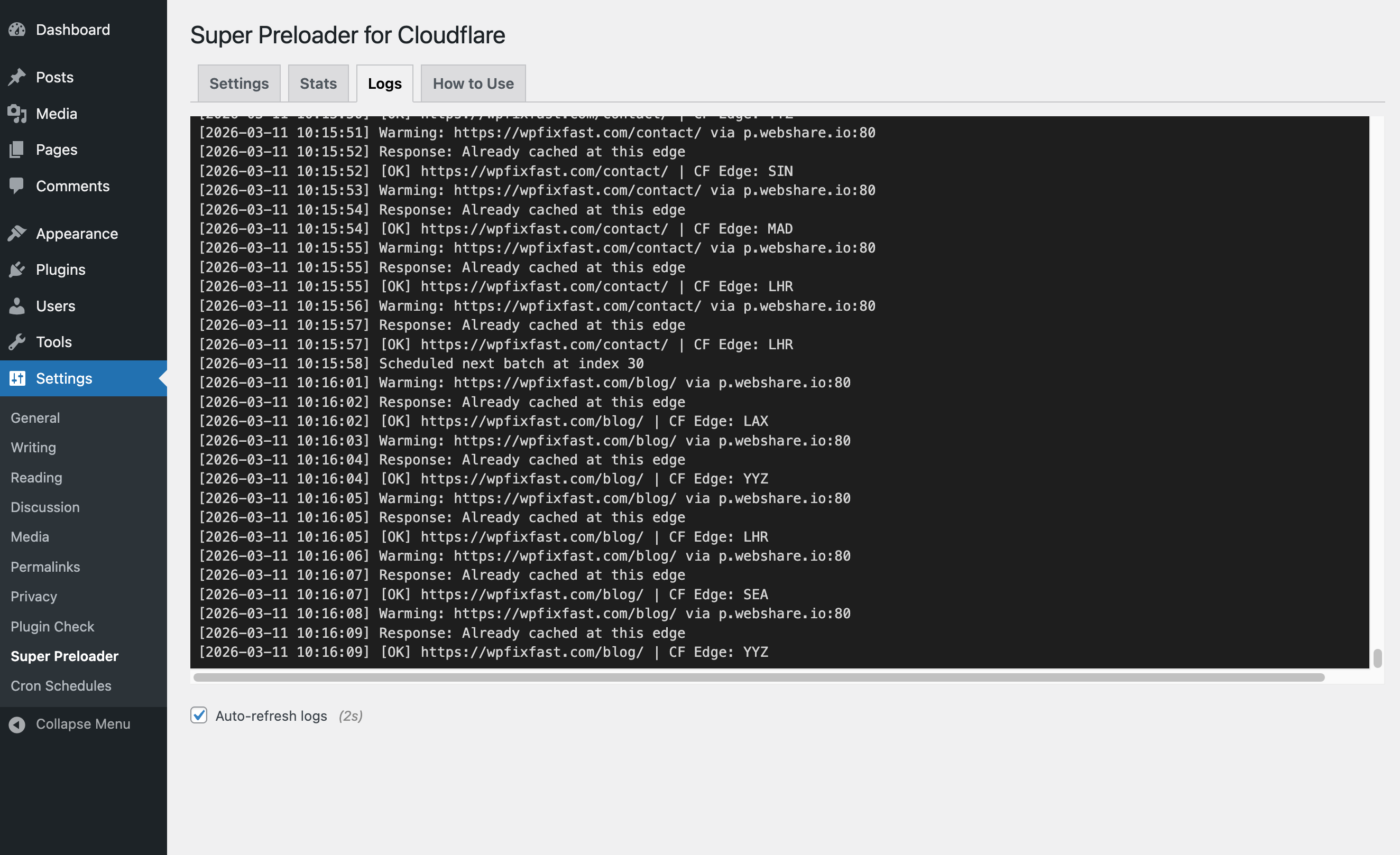
Logs tab with Auto refresh feature helps you follow the live HTTP responses and keep track of other important events.
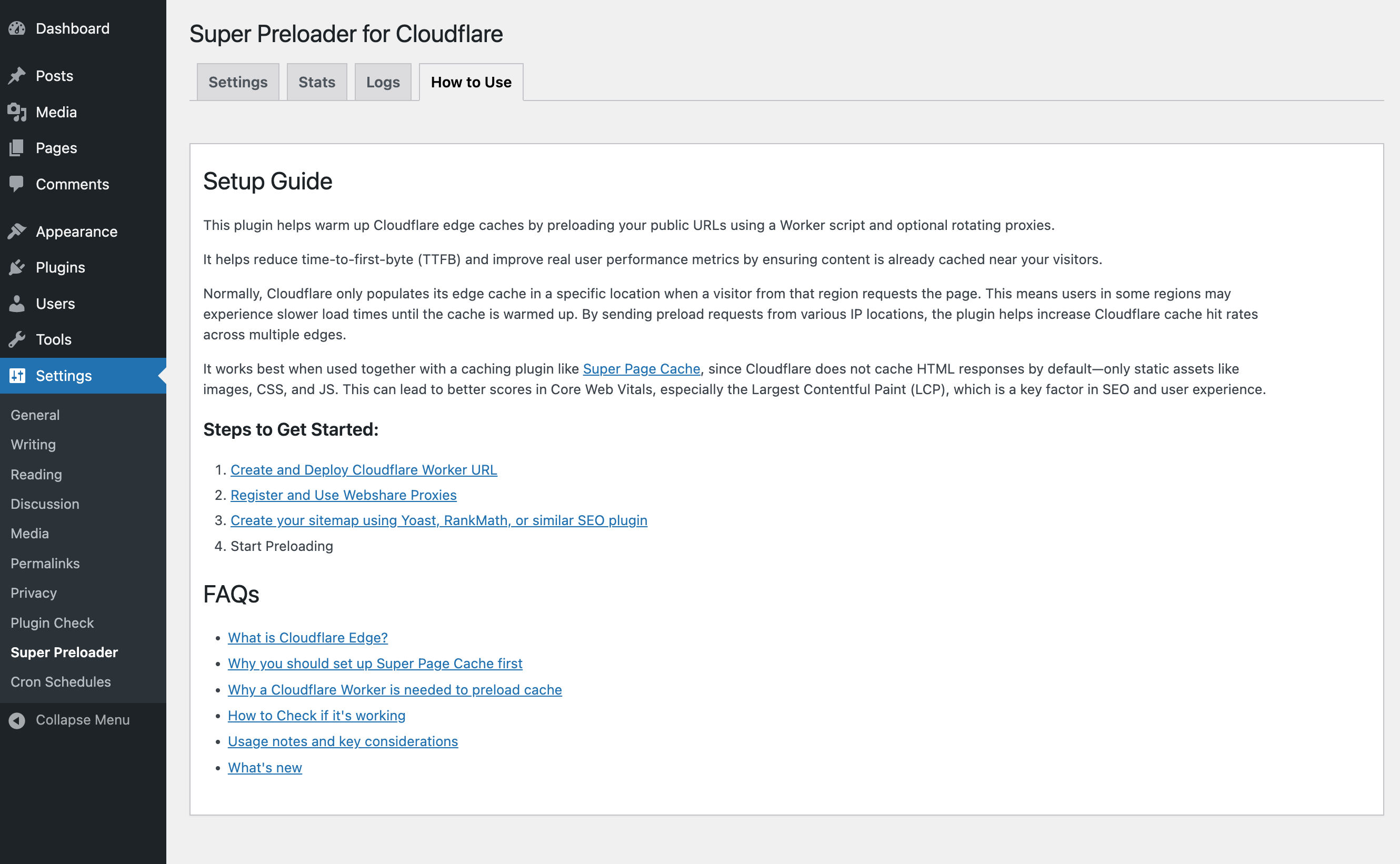
How to use tab guides you with the Setup process and includes FAQs.

Super Preloader for Cloudflare helps you warm your site’s edge cache across multiple Cloudflare nodes using proxies and a Worker URL. Perfect for globally distributed cache coverage.

Getting Started

This plugin helps warm up Cloudflare edge caches by preloading your public URLs using a Worker script and optional rotating proxies. It helps reduce time-to-first-byte (TTFB) and improve real user performance metrics by ensuring content is already cached near your visitors.

Normally, Cloudflare only populates its edge cache in a specific location when a visitor from that region requests the page. This means content may be slow for first-time visitors in other geographic regions. By sending preload requests from various IP locations, the plugin helps increase Cloudflare cache hit rates across multiple edges.

It works best when used together with a caching plugin like Super Page Cache, since Cloudflare does not cache HTML responses by default—only static assets like images, CSS, and JS. This can lead to better scores in Core Web Vitals—especially the Largest Contentful Paint (LCP)—which is a key factor in SEO and user experience.

To get started, follow the detailed instructions in our How to Use section below.
Recommended steps:

  1. Deploy Cloudflare Worker using API Token
  2. Get your Webshare proxies download link
  3. Create your sitemap using Yoast SEO, RankMath SEO, or a similar plugin
  4. Start preloading

How to Use

Plums

按场景查找 WordPress 插件。安装量、评分和兼容版本来自官方目录。

导航

说明

WordPress 是 WordPress Foundation 的商标。本站与 WordPress Foundation、Automattic 没有隶属关系。这里不托管插件文件,下载和安装以 WordPress.org 上的页面为准。

© 2026 Plums