
SubscriptionFlow for Gravity Forms
v1.1.7appssf · 2026年10月26日 上架
Create customers and subscriptions in SubscriptionFlow when a Gravity Forms form is submitted.
- 正在使用
- 10 以下
- 评分
- 暂无
- 累计下载
- 378
- 最近更新
- 2026年11月16日
贡献者
 appssf
截图
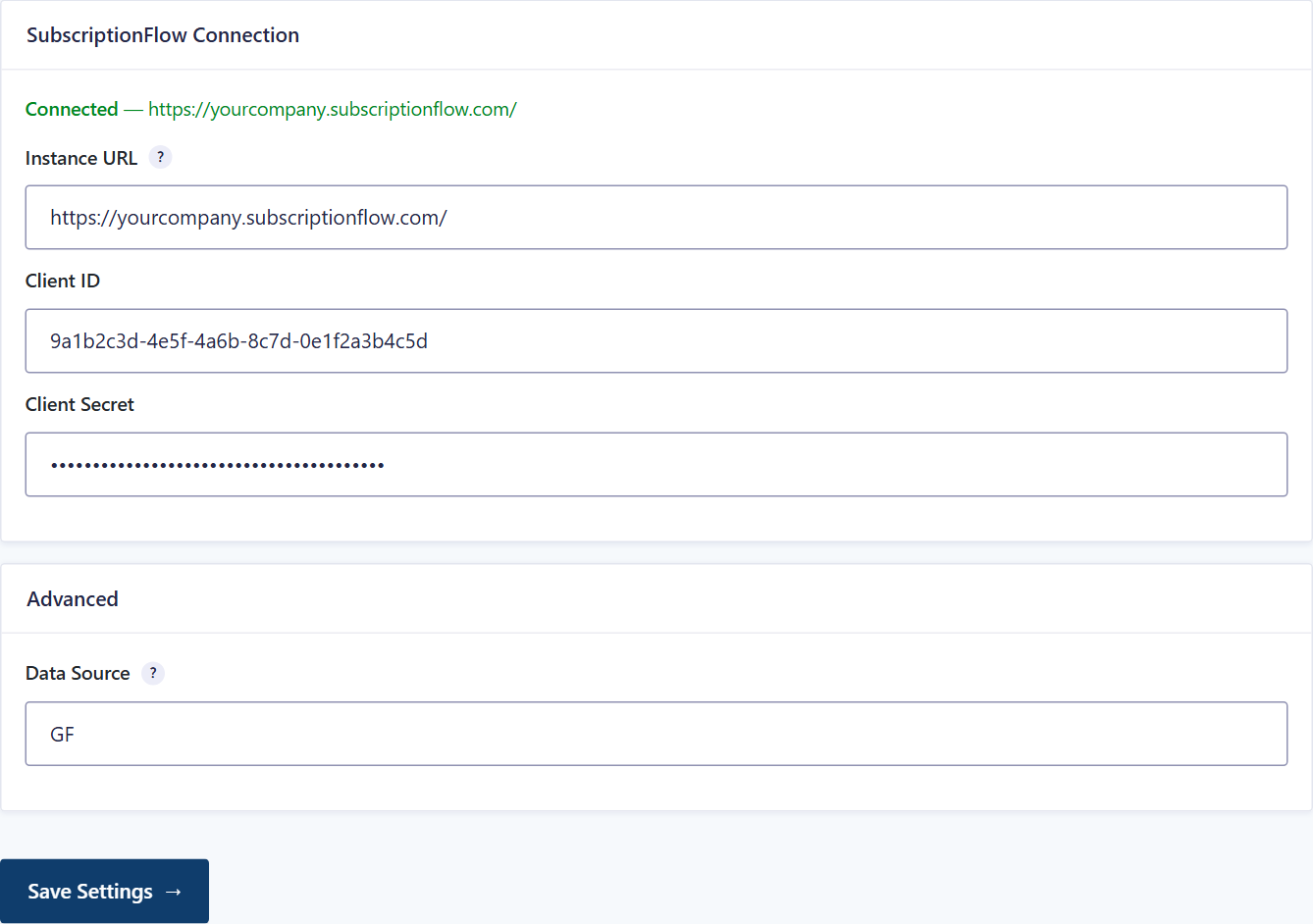
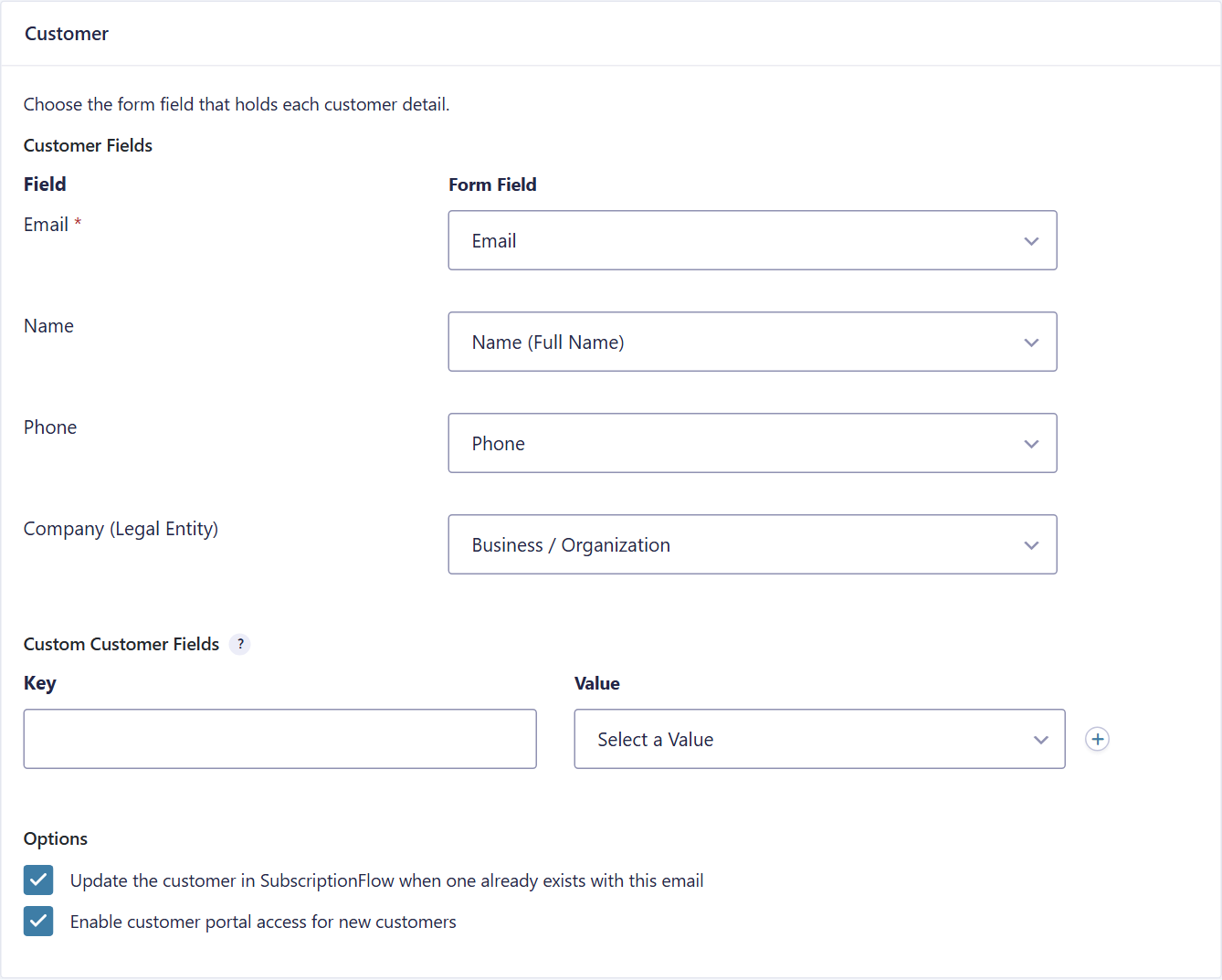
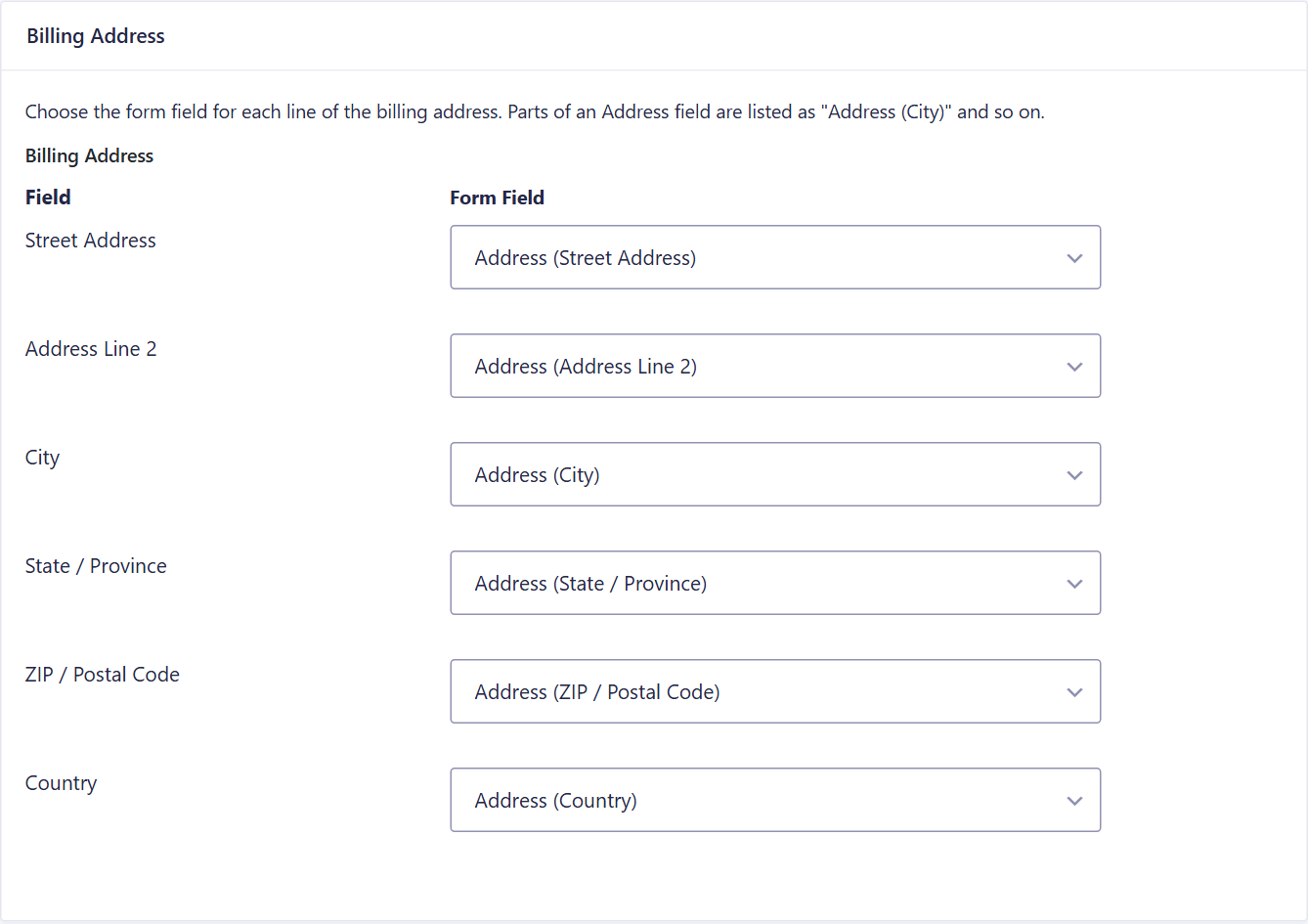
SubscriptionFlow for Gravity Forms connects your Gravity Forms forms to SubscriptionFlow. When a form is submitted, the add-on finds or creates the customer in SubscriptionFlow (matched by email) and creates a subscription on the plan you choose.
Key Features
- Customer sync – Matches customers by email, updates existing customers or creates new ones
- Subscription creation – Creates a termed, auto-renewing subscription on the selected plan and plan price
- Field mapping – Map name, email, phone and company, each billing and shipping address line (street, city, state, ZIP, country), plus any custom SubscriptionFlow customer and subscription fields
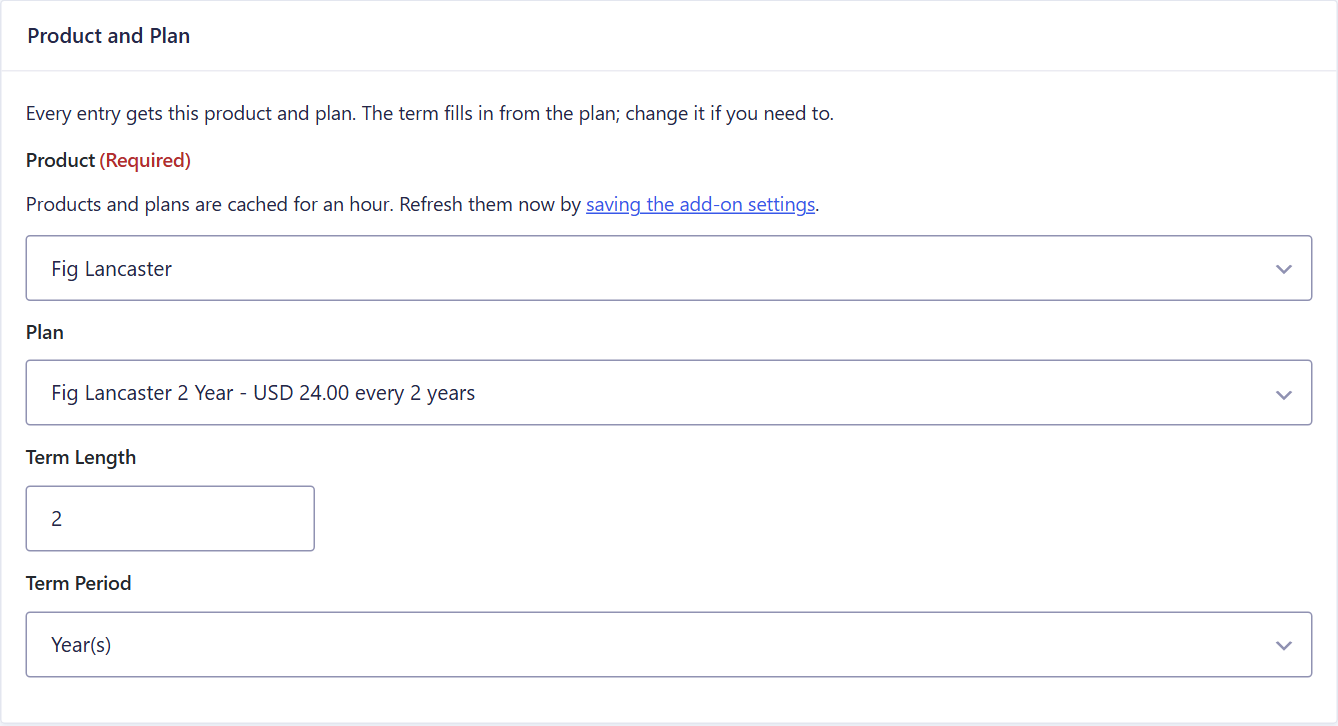
- Product and plan picker – Choose the SubscriptionFlow product and plan from drop downs loaded from your account
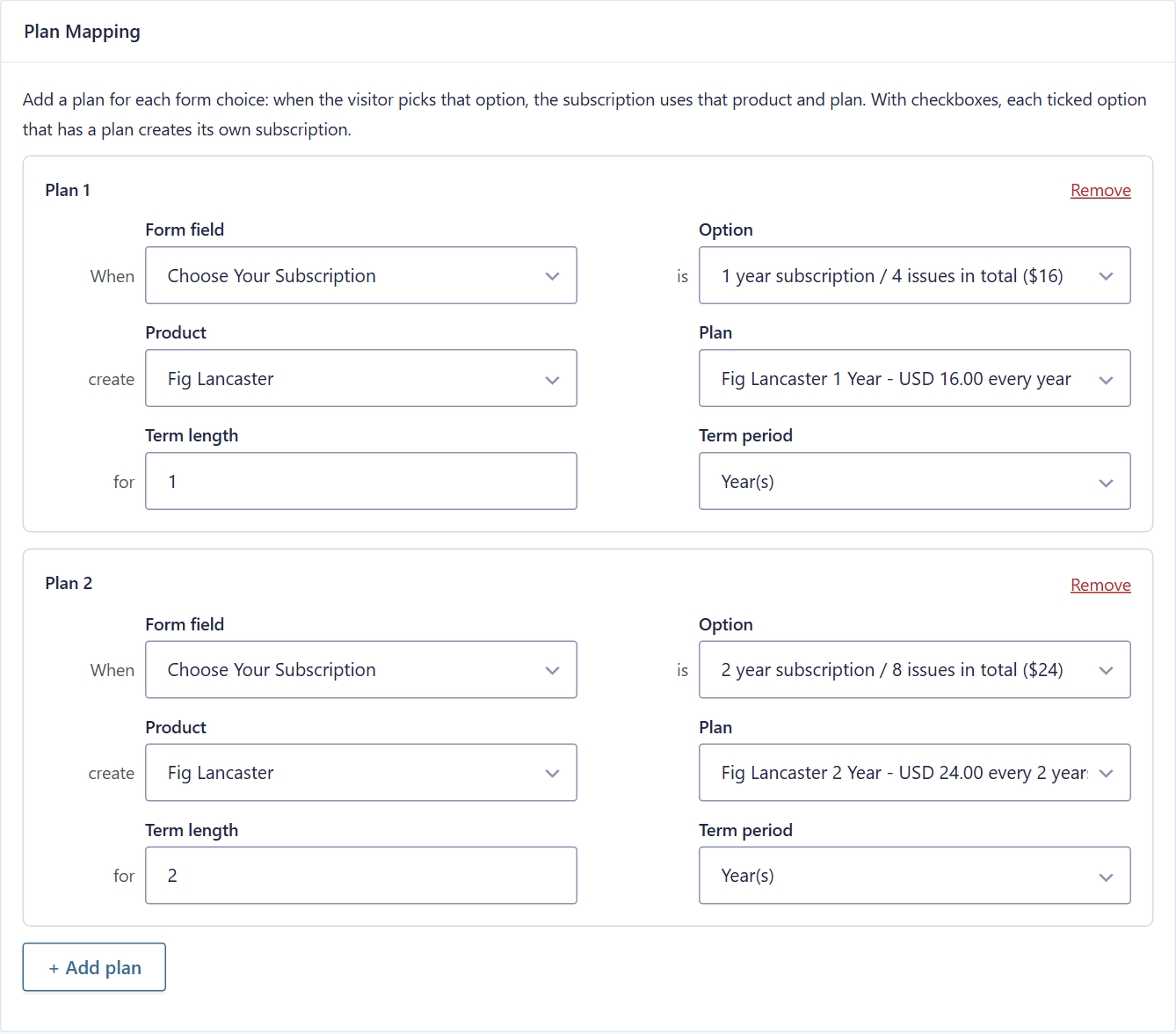
- Plans mapped to form choices – Click “Add plan” to map a radio button, drop down or checkbox option (for example “1 year” / “2 years”) to any SubscriptionFlow product and plan. The term fills in from the plan’s billing period. Each ticked checkbox option with a plan creates its own subscription
- Dynamic plans – Or enter the product, plan and plan price IDs with merge tags, so a form field can choose the plan
- Sync after payment – When Stripe, PayPal or another Gravity Forms payment add-on collects the first payment, the customer and subscription are created only once the payment is confirmed
- First payment in the form, renewals in SubscriptionFlow – When Stripe or another payment add-on takes the first payment, the add-on records it against the subscription’s first invoice so SubscriptionFlow only charges the renewals
- Save the card for renewals (Stripe) – Stripe keeps the card on the Stripe customer when it takes the first payment, so SubscriptionFlow can charge the renewals with it
- Send to SubscriptionFlow – Send an entry again by hand from the entry page, without creating duplicates
- Conditional logic – Only send entries that match your conditions
- Shared connection – Reuse the connection from SubscriptionFlow Recurring Payments for WooCommerce, or enter separate credentials
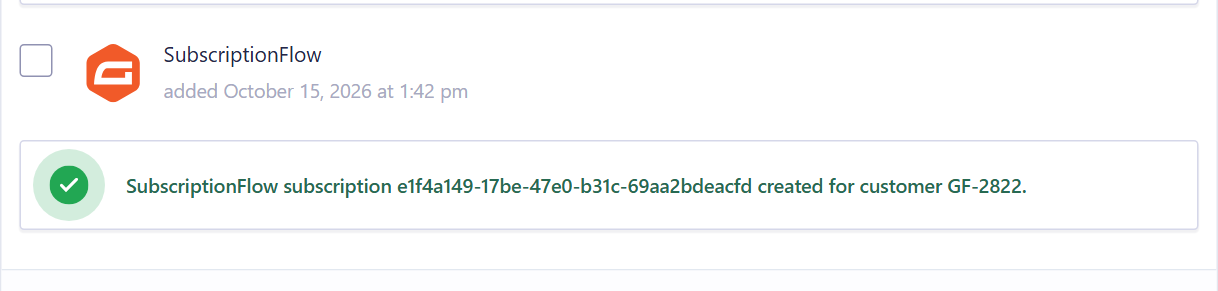
- Entry notes and logging – Results are added to the entry notes and to the Gravity Forms logging add-on
Requirements
- Gravity Forms 2.5 or later
- A SubscriptionFlow account with API credentials (Instance URL, Client ID and Client Secret)
New to the add-on? Follow the setup guide.
Don’t have a SubscriptionFlow account? See plans and pricing or book a demo.
External services
This add-on connects to your SubscriptionFlow instance (the Instance URL you enter, for example https://yourcompany.subscriptionflow.com/) through the SubscriptionFlow API.
- When you save or view the add-on settings, it requests an access token with your Client ID and Client Secret.
- When you edit a feed, it reads your products, plans and plan prices.
- When a form is submitted and the feed runs, it sends the mapped entry data (name, email, phone, company, billing and shipping address, any custom fields you map, and the subscription details) to find, create or update the customer and create the subscription.
Nothing is sent until you connect the add-on and set up a feed. SubscriptionFlow is provided by SubscriptionFlow: Terms of Service, Privacy Policy.