

Stringwatch – Untranslated Text Finder for TranslatePress
v0.4.2Blue River Growth · 2026年11月3日 上架
Finds text that was never translated on your TranslatePress site — for any language combination.
- 正在使用
- 10 以下
- 评分
- 暂无
- 累计下载
- 412
- 最近更新
- 2026年11月4日
 Blue River Growth
截图

If you translate your site by hand to keep its quality and tone consistent, it is easy to miss a string — a button label, an image alt text, a line somewhere. And every time you change the design, new strings appear that you might forget to translate. TranslatePress shows you one page at a time, so there is no quick way to see what is still missing across the whole site.
Stringwatch adds a Stringwatch tab to the TranslatePress settings. It compares every public page with each of its translations, as a logged-out visitor sees them, and lists every piece of text that is still identical. TranslatePress’ own string tables then tell you why:
- Not translated — TranslatePress knows the text but has no translation.
- Translated, not shown — a translation exists, but the page still shows the original, usually because of a spelling difference such as curly quotes, dashes or HTML entities.
- Not in TranslatePress — the text comes from somewhere TranslatePress does not see, such as JavaScript or another plugin.
Text you deliberately translated to the same words (brand names, “FAQ”) is recognised and hidden automatically.
Features
- Works with any language combination.
- Checks visible text, image alt texts, titles, placeholders, aria-labels, the page title and the meta description.
- Scans only when you open the tab or click Refresh — nothing runs in the background, nothing on the front end changes.
- Results appear while the scan runs.
- Every finding links to the translated page and straight into the TranslatePress editor.
- Re-check a single page after fixing it, without a full scan.
- Header, footer and popup strings are grouped once under “Sitewide”.
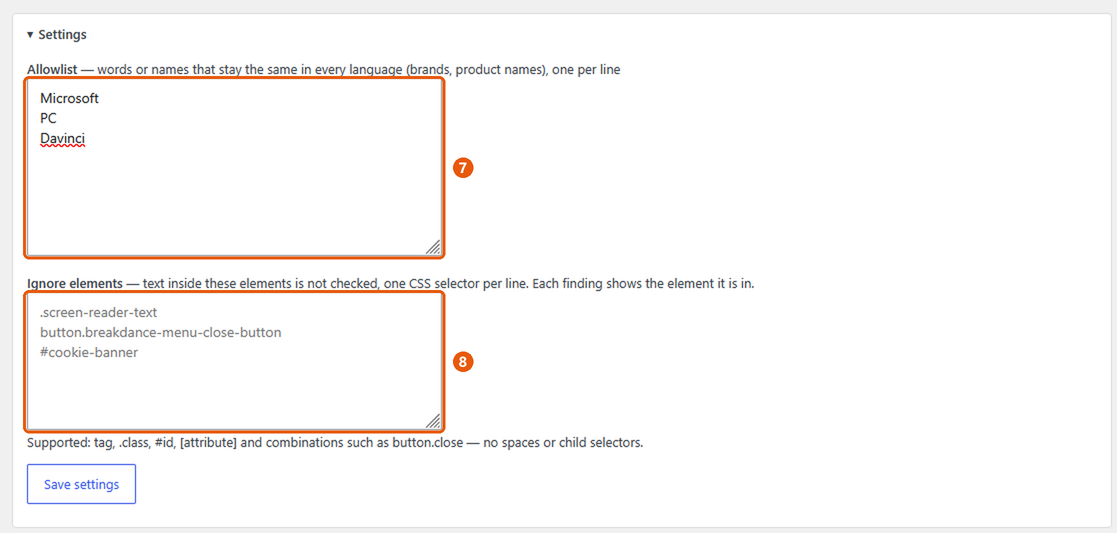
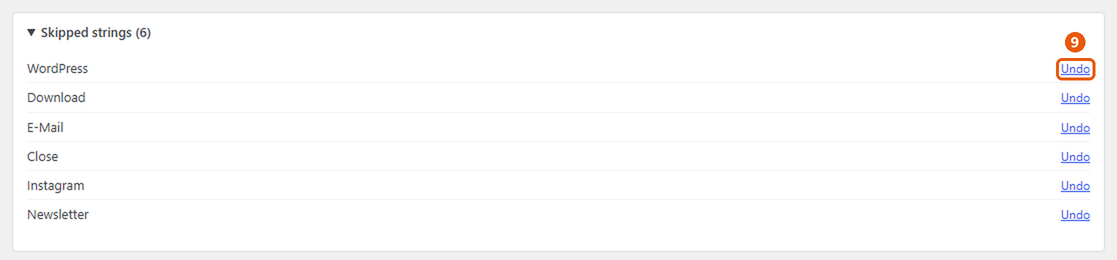
- Skip false positives, keep an allowlist of brand names, ignore whole components by CSS selector, or leave pages out of the scan — all reversible.
- Several translation languages in one scan.