Storzen Product Badge Rules for WooCommerce
v1.0.3WebTend · 2026年10月2日 上架
Automatic WooCommerce product badges: sale %, new, low stock, sold out, sale ending, top rated. Rule-based, lightweight, no code.
- 正在使用
- 10+
- 评分
- 暂无
- 累计下载
- 628
- 最近更新
- 2026年11月21日
 WebTend
 webtendhq
截图


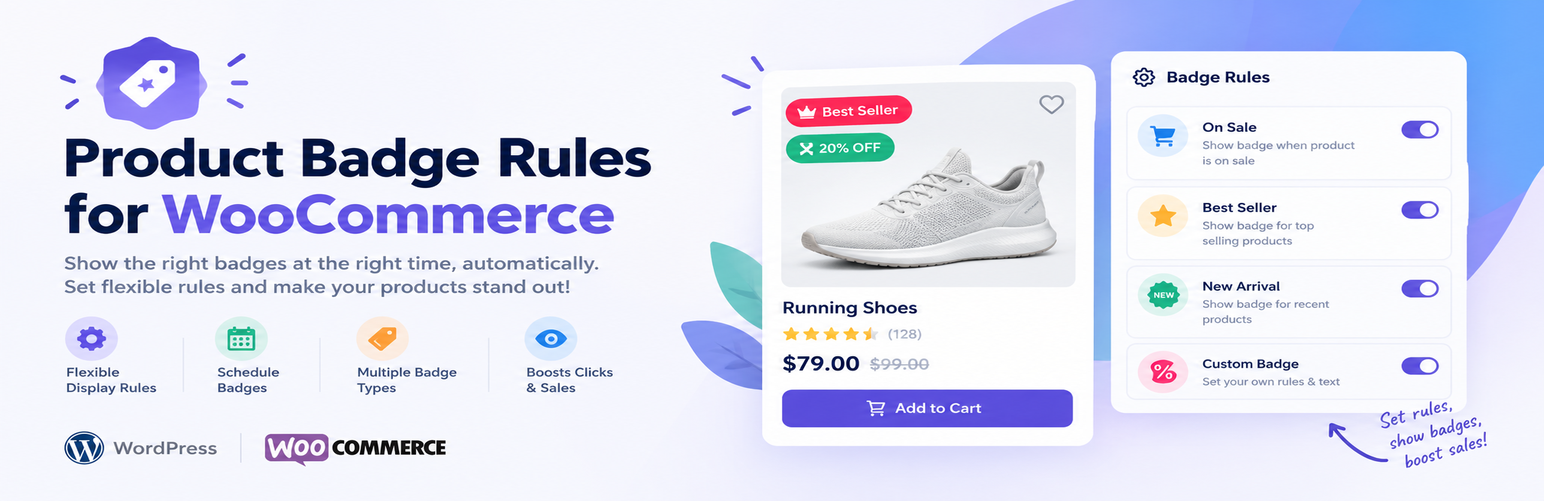
Product Badge Rules for WooCommerce is a lightweight WooCommerce badge plugin that adds smart, automatic product badges and labels to your shop. Instead of editing every product by hand, you create a badge once, choose a rule, and the plugin shows the right badge on the right product — on shop pages, category pages and single product pages.
Want a “Save 30%” sale badge, a “New” arrival label, an “Only 3 left!” low stock badge, a “Sold Out” badge, an “Ends in 2 days” countdown-style label, or a “Top Rated” trust badge? Each one is generated from live WooCommerce data — no coding, no image uploads, no per-product work.
Badges update themselves the moment your prices, stock, sale dates, ratings or sales numbers change. Set it once and forget it.
Features at a glance
- One-click starter badges — add Sale, New, Low Stock, Sold Out, Pre-order, Top Rated and more in a single click
- 12 automatic badge rules — on sale, new arrival, featured, low stock, out of stock, hot seller, price range, product tag, on backorder, sale ending soon, big discount, top rated
- Dynamic labels —
{pct},{qty},{days},{rating}and{reviews}tokens - Per-product override — hide the badge or set custom text on any product
- Category targeting and exclusions — show or hide a badge by product category or tag
- Badge designer — colours, four shapes, eight positions, live preview
- Scheduling and priority — run badges for Black Friday or any campaign
- Works with classic and block themes, simple and variable products, and HPOS
- Fast by design — one cached query, pure CSS, no front-end JavaScript
Why use product badges in WooCommerce?
Badges help shoppers spot what matters while they browse: a real discount, a product that is nearly gone, a fresh arrival, or a proven favourite. Clear labels reduce hesitation, add honest urgency and make a product grid easier to scan — which can help lift click-through and add-to-cart rates.
Who it is for
- Store owners who want to increase conversions without touching code
- Agencies managing multiple WooCommerce stores
- Marketers running seasonal promotions and flash sales
- Developers who need a lightweight, hook-friendly badge system
Twelve automatic WooCommerce product badge rules
On Sale badge — fires automatically when WooCommerce marks a product on sale. Use the {pct} token to display the exact discount percentage, for example “Save 30%” or “30% OFF”. Works with simple and variable products.
New Arrival badge — labels products published within the last X days as “New”. You choose the window (default 30 days). Perfect for highlighting fresh stock without touching each product individually.
Featured badge — displays a badge on any product you have marked as featured inside WooCommerce. Great for curated collections and homepage hero sections.
Low Stock badge — appears when available stock reaches your threshold. Use the {qty} token to show the exact quantity, for example “Only 3 left!”. Creates genuine purchase urgency without exaggeration.
Out of Stock badge — clearly flags unavailable products with a “Sold Out” label or any custom text you choose, so shoppers know at a glance.
Hot Seller badge — badges your best-selling products based on total WooCommerce sales count. Set your own minimum (e.g. 50 sales) to control exactly which products qualify.
Price Range badge — show a badge on products inside a price range, for example “Under $20” for budget picks or “Premium” for products from $100 up. Leave the minimum or the maximum empty for “and above” or “up to”. Judged by the current price, so a product on sale uses its sale price; variable products use their lowest variation price.
Product Tag badge — show a badge on every product that carries one or more WooCommerce product tags, such as “Eco-friendly”, “Vegan” or “Gift idea”. Works like category targeting, but with tags.
Sale Ending Soon badge — creates real urgency by badging products whose scheduled sale ends within the next few days. Use the {days} token for “Ends in 2 days”. Works with the sale dates you already set in WooCommerce; sales without an end date are never badged.
Big Discount badge — only celebrate the deals that matter: show “Save 40%” on products discounted by at least the percentage you choose. Use the {pct} token for the exact figure. Variable products use their biggest variation discount.
Top Rated badge — highlight social proof automatically with “Top Rated” or “4.8 ★” on products with a high average rating and enough reviews (for example 4.5 stars with at least 3 reviews), so one lucky 5-star review never earns the badge. Tokens: {rating} and {reviews}.
On Backorder badge — flags products WooCommerce marks as on backorder. Ideal for “Pre-order” or “Ships in 2 weeks” labels so shoppers know before they add to cart.
Badge designer — full visual control
Every badge you create is fully customisable:
- Label text with dynamic
{pct},{qty},{days},{rating}and{reviews}tokens - Background and text colour pickers — match any brand palette
- Four shapes — rounded pill, square, circle, and ribbon
- Eight positions on the product image — all four corners plus all four edge midpoints
- Scheduling — optional start and end dates for Black Friday, Christmas, or any timed promotion
- Priority order — control which badge wins when multiple rules match the same product
- Live preview — see exactly how the badge looks while you are still configuring it
Per-product badge override — full control on a single product
Sometimes one product needs its own rule. Every product edit screen (and the product list Quick Edit panel) has a small Product Badge box with three choices:
- Auto — the badge rules decide (default)
- Hide badge on this product — no badge is shown, no matter which rules match
- Custom text — show your own label, such as “Limited Edition” or “Handmade”. It keeps the colours and shape of the matching badge rule, or uses a neutral dark badge when no rule matches.
Category targeting — show badges on the products that matter
Restrict any badge to one or more product categories. Create a “Summer Sale” badge that only appears on products in your Summer collection, while the rest of your catalogue stays untouched. Leave all categories unchecked to show the badge across every product.
Exclusions — keep badges off what you do not want
Every badge also has an Exclusions section: tick product categories or tags that must never show the badge, even when the rule matches. Perfect for “Sale” badges that should skip gift cards, or “New” badges that should skip a clearance category. Exclusions always win over category targeting.
Live product match count
The badge list shows exactly how many published products each badge is currently active on — for example “12 products”. Click the number to refresh it instantly without reloading the page. Know at a glance whether your rule is working and how many products it covers.
Built for speed — zero performance impact
- One database query loads all active badges per page
- Two-layer cache — in-memory per request, plus a 12-hour WordPress transient
- Pure CSS badges — zero front-end JavaScript, no render-blocking scripts
- Conditional asset loading — styles load only on WooCommerce shop, category, tag, and single product pages
- HPOS compatible — fully declared for WooCommerce High-Performance Order Storage
Powerful display controls
- Replace the default WooCommerce “Sale!” flash — one toggle hides the built-in sale bubble on any product that shows a badge from this plugin, so products never show two badges at once. Works with classic and block themes.
- Choose where badges appear — enable or disable badges on shop/archive pages and on single product pages independently
- Admin product column — see at a glance in the WP Admin product list which products are currently showing a badge
- Badge Z-index control — push badges above any theme image overlay with a single number field
- Badge font size — set text size globally from 9 to 24 px
Starter badges — your first badge in one click
New to badges? Open All Badges and pick from eight ready-made starters: Sold Out, Pre-order, Sale Ending Soon, Low Stock, Sale Percentage, Hot Seller, Top Rated and New Arrival. One click creates the badge with sensible colours, position and priority, and you can edit everything afterwards. Need a variation of an existing badge? Duplicate it — the copy starts inactive, so your shop does not change until you switch it on.
Developer-friendly
- Filter
badgify_render_badge— conditionally hide a specific badge in code - Filter
badgify_rule_map— map a rule type to your own rule class so the badge engine can evaluate it - Template override — copy
templates/badge.phptoyour-theme/badgify/badge.phpto change the badge HTML - GPL-2.0-or-later, namespaced PHP, no global function pollution
About Storzen
This plugin is part of the Storzen WooCommerce growth plugin ecosystem, focused on conversion optimisation, store engagement, and performance-first development.
Pro version
The free version displays one badge per product (highest-priority match). A Pro version unlocks multi-badge stacking so more than one badge can appear on the same product simultaneously.
Privacy Policy
This plugin does not collect, store, or transmit any personal data from your visitors. All badge logic runs on your own server using existing WooCommerce product data. No external connections are made.
Third Party Services
This plugin does not connect to any external or third-party services. All processing happens entirely on your own WordPress installation.