

Storage for EDD via Dropbox
v1.2.2Mohammadreza Ahm · 2025年12月31日 上架
Enable secure cloud storage and delivery of your digital products through Dropbox for Easy Digital Downloads.
- 正在使用
- 10 以下
- 评分
- 5.0 / 5
- 累计下载
- 1,028
- 最近更新
- 2026年10月19日
贡献者
 Mohammadreza Ahm
截图
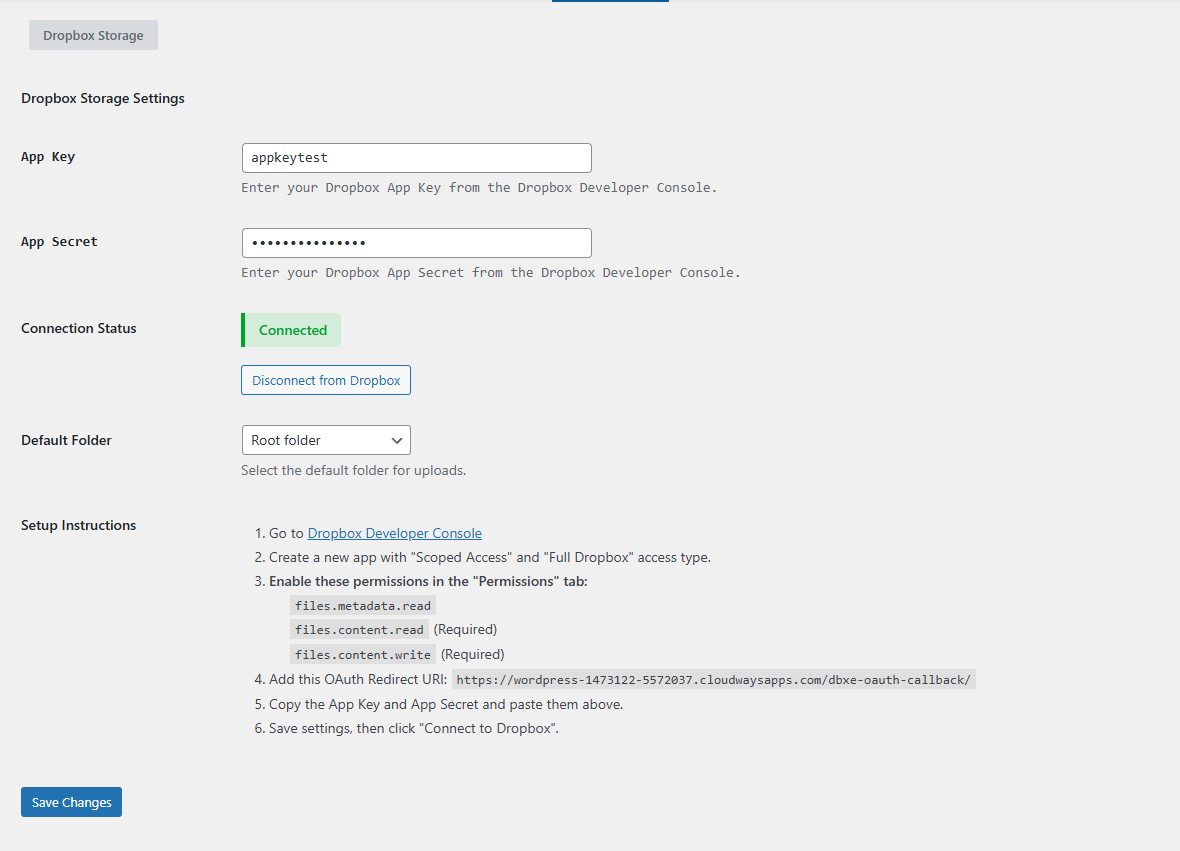

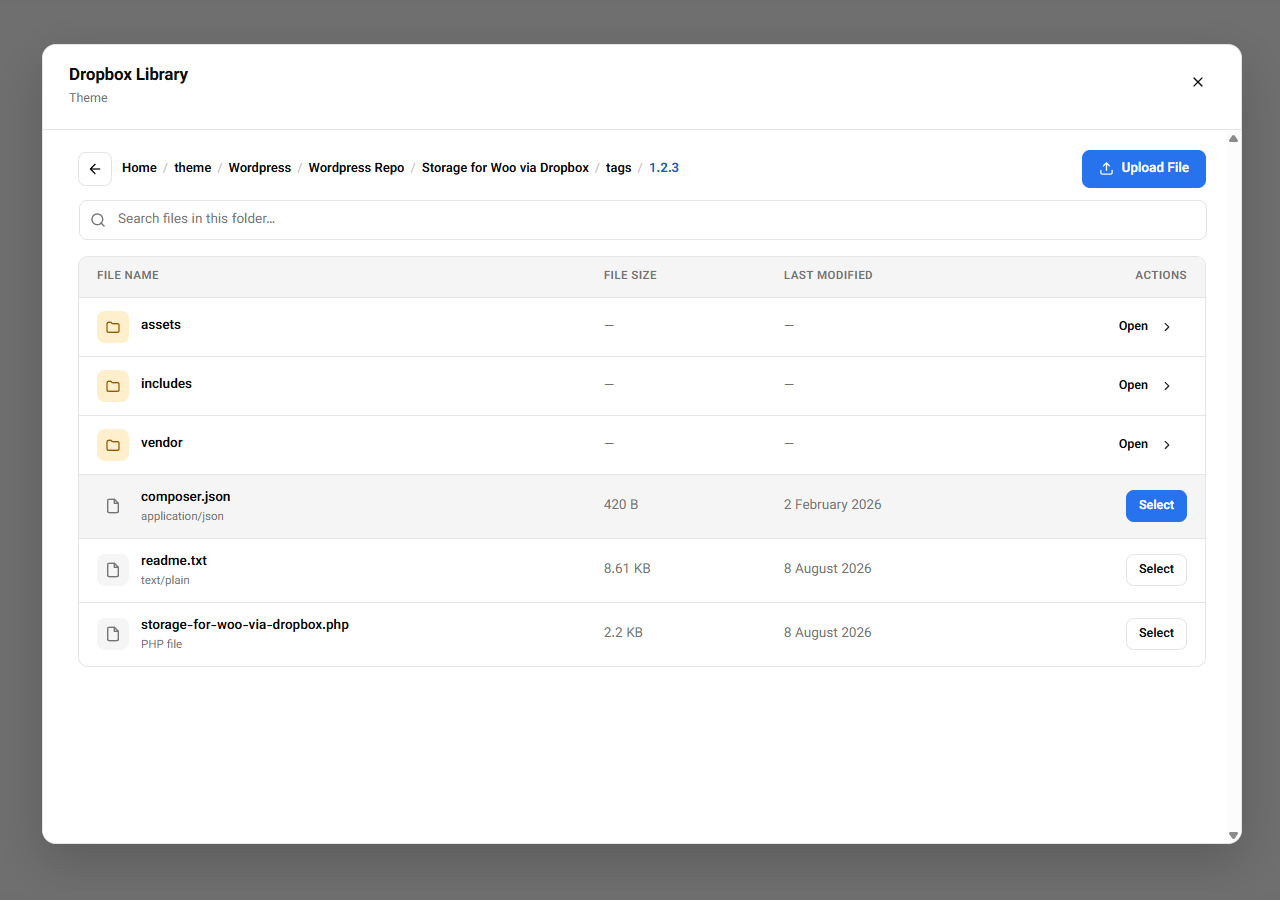
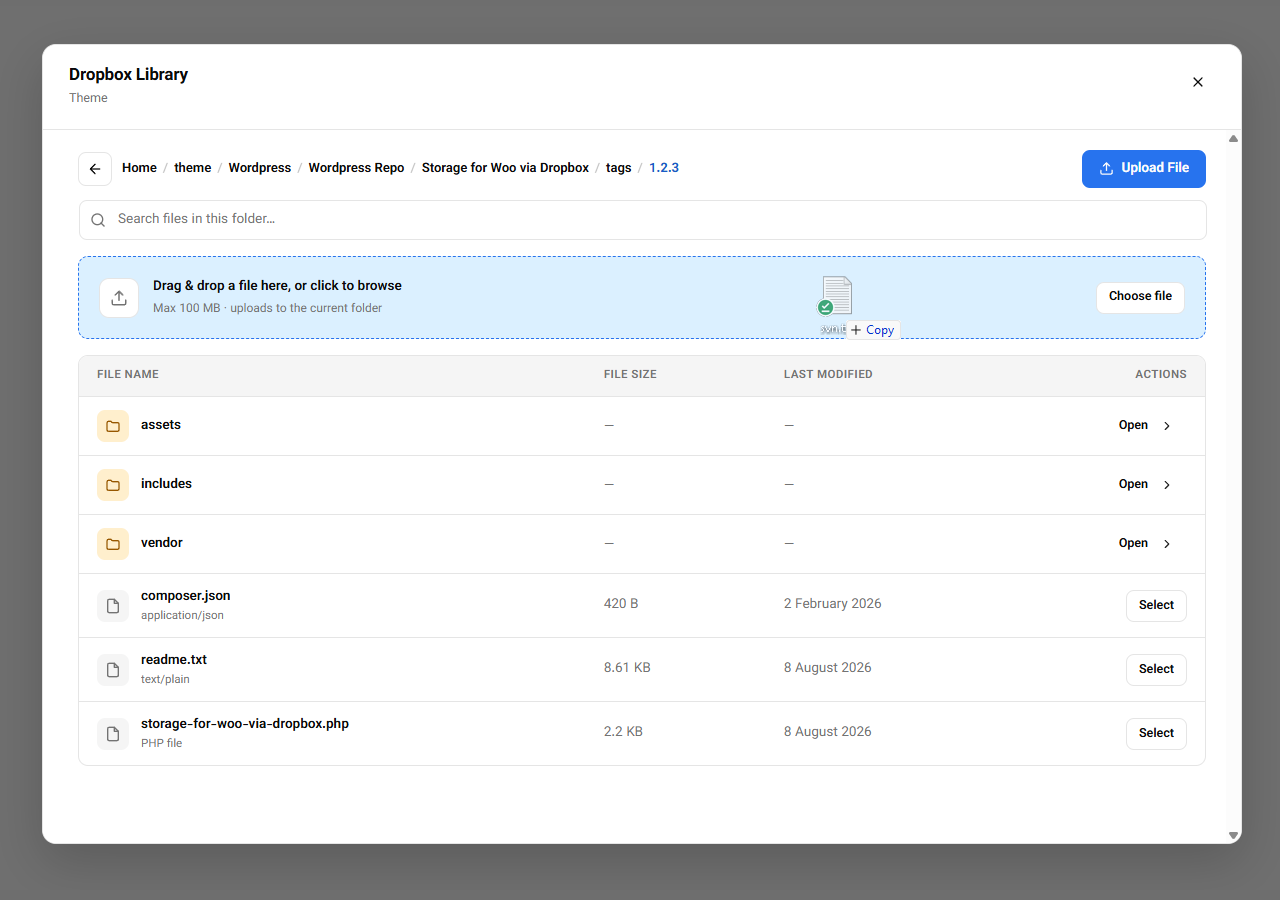
Storage for EDD via Dropbox is a powerful extension for Easy Digital Downloads that allows you to store and deliver your digital products using Dropbox cloud storage. This plugin provides seamless integration with Dropbox’s API, featuring OAuth2 authentication and secure temporary download links.
Key Features
- Dropbox Integration: Store your digital products securely in Dropbox
- OAuth2 Authentication: Secure and easy connection to your Dropbox account
- Temporary Download Links: Generates secure 4-hour temporary links for downloads
- Easy File Management: Upload files directly to Dropbox through WordPress admin
- Media Library Integration: Browse and select files from your Dropbox within WordPress
- Folder Support: Navigate and organize files in folders
- Security First: Built with WordPress security best practices
- Developer Friendly: Clean, well-documented code with hooks and filters
Configuration
- Create a Dropbox App at Dropbox Developer Console
- Set OAuth Redirect URI to:
https://your-site.com/dbxe-oauth-callback/ - Go to Downloads > Settings > Extensions > Dropbox Storage
- Enter your App Key and App Secret
- Save settings and click “Connect to Dropbox”
Usage
Browsing and Selecting Files
- When creating or editing a download in Easy Digital Downloads
- Click the “Browse Dropbox” button next to the file URL field
- Browse your Dropbox storage using the folder navigation
- Use the breadcrumb navigation bar to quickly jump to parent folders
- Use the search box in the header to filter files by name
- Click “Select” to use an existing file for your download
Uploading New Files
- In the Dropbox browser, click the “Upload” button in the header row
- The upload form will appear above the file list
- Choose your file and click “Upload”
- After a successful upload, the file URL will be automatically set with the Dropbox prefix
- Click the button again to hide the upload form
External services
This plugin connects to Dropbox API to manage files, create download links, and handle authentication.
It sends the necessary authentication tokens and file requests to Dropbox servers. This happens when you browse your Dropbox files in the dashboard, upload files, or when a customer downloads a file.
- Service: Dropbox API
- Used for: Authentication, file browsing, uploading, and generating download links.
- Data sent: OAuth tokens, file metadata, file content (during upload).
- URLs:
https://api.dropboxapi.com(API calls)https://content.dropboxapi.com(File transfers)https://www.dropbox.com(Authentication)
- Legal: Terms of Service, Privacy Policy
Support
For support and bug reports, please use the WordPress.org plugin support forum.
If you find this plugin helpful, please consider leaving a review on WordPress.org.
Other Storage Providers
Looking for a different storage provider? Check out our other plugins:
- Storage for EDD via Box – Use Box for your digital product storage
- Storage for EDD via OneDrive – Use Microsoft OneDrive for your digital product storage
- Storage for EDD via S3-Compatible – Use S3-compatible services like MinIO, DigitalOcean Spaces, Linode, Wasabi, and more
Privacy Policy
This plugin requires authorization to access your Dropbox account for file storage and retrieval. It does not collect or store any personal data beyond the OAuth tokens needed to maintain the connection. All file storage and delivery is handled through Dropbox’s secure infrastructure.