
Stockaro Connect — Barcode Scanner for WooCommerce
v3.5.0nexusdigitalstudio · 2026年7月25日 上架
Free WooCommerce barcode & SKU scanner. Update stock in seconds from a phone, Bluetooth scanner, or webcam, with an audit log and CSV export.
- 正在使用
- 10+
- 评分
- 暂无
- 累计下载
- 1,652
- 最近更新
- 2026年11月16日
 nexusdigitalstudio
截图
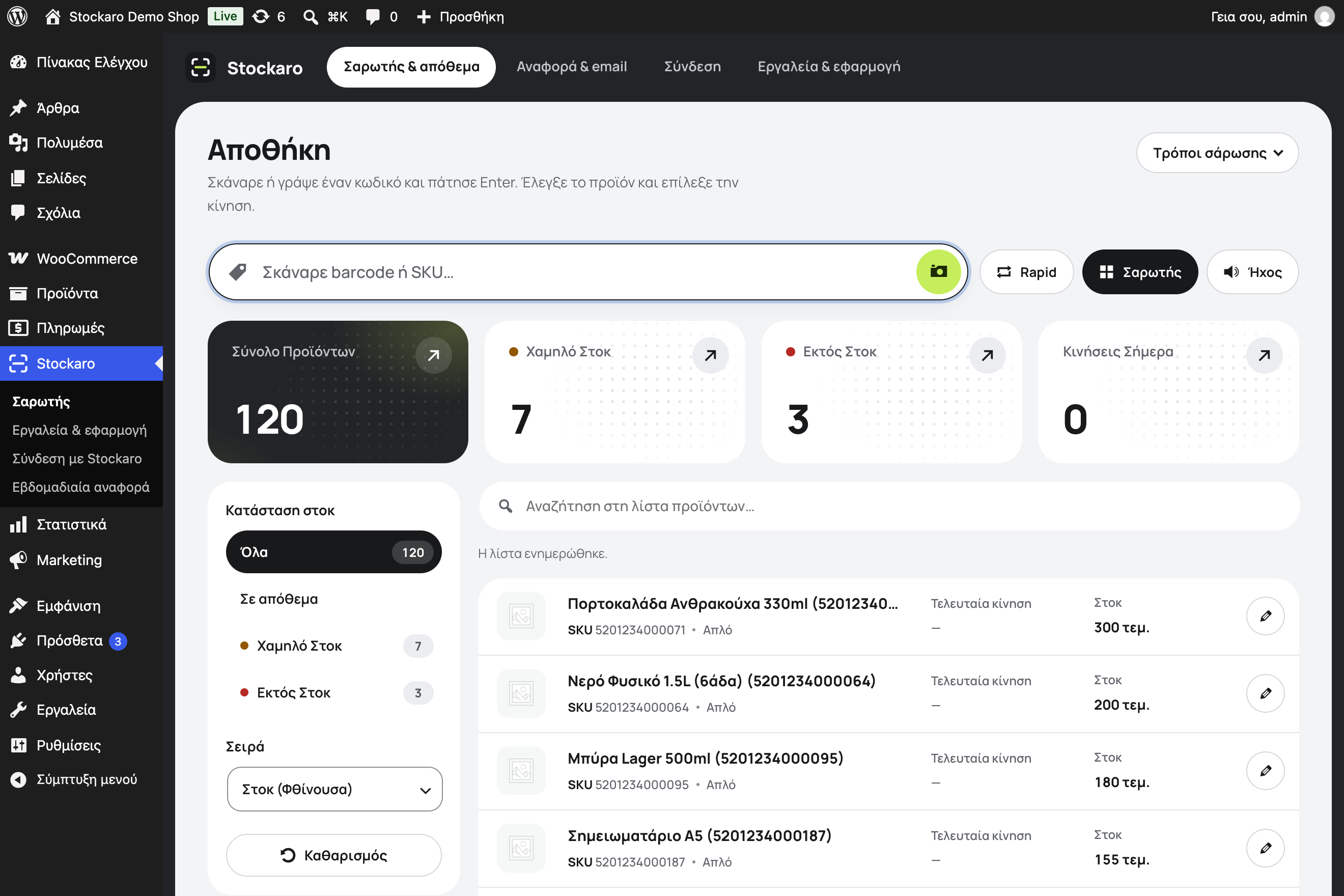
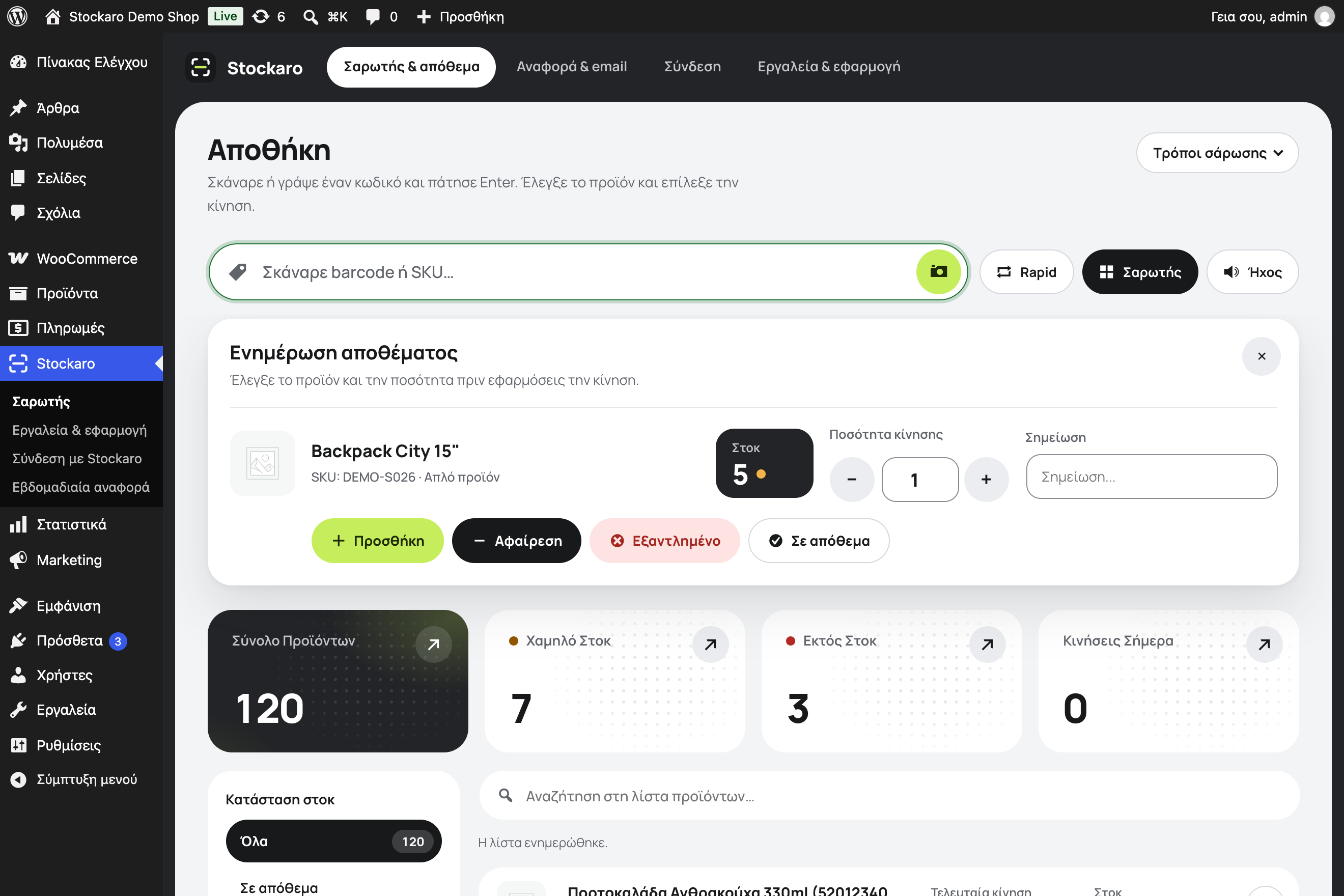
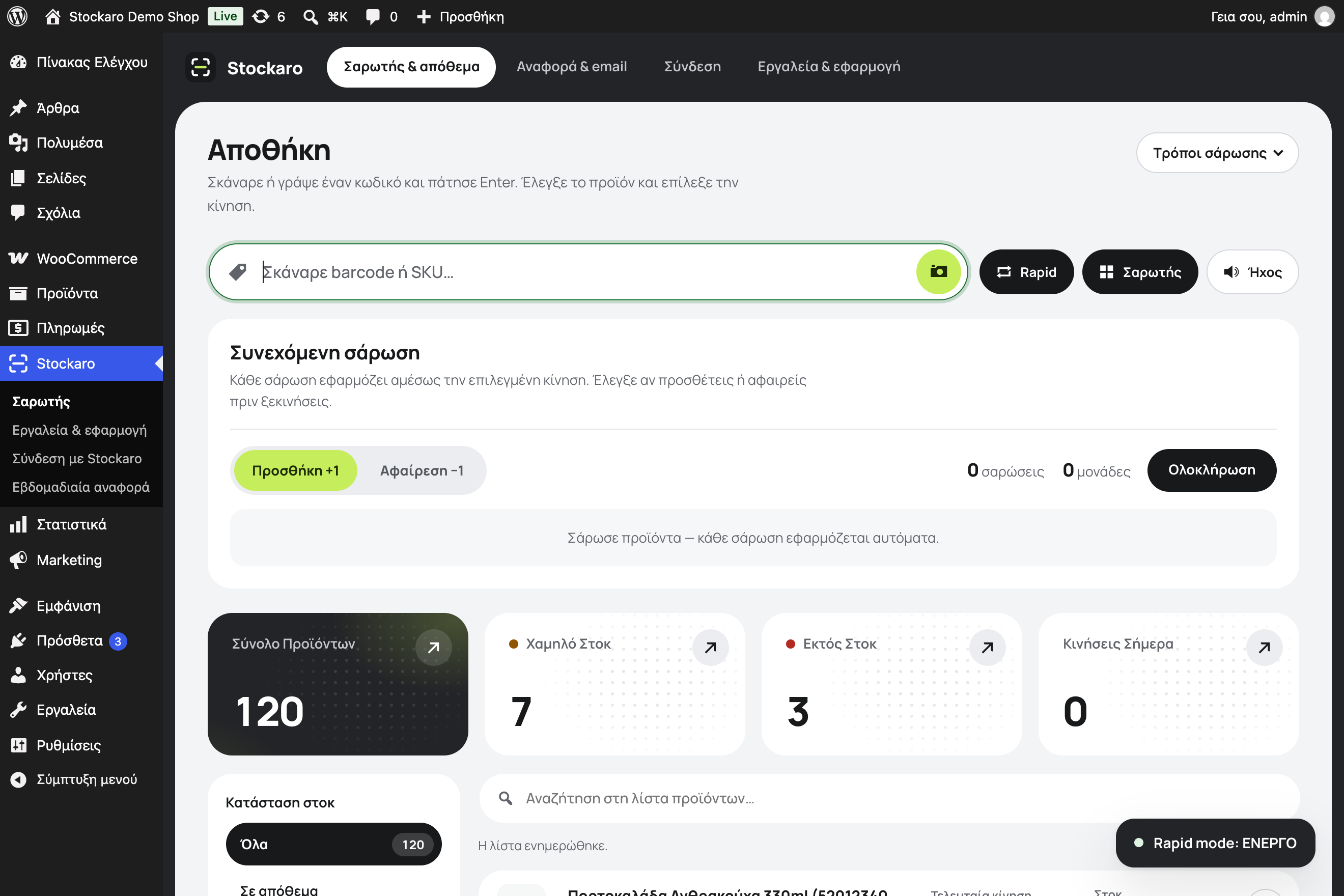
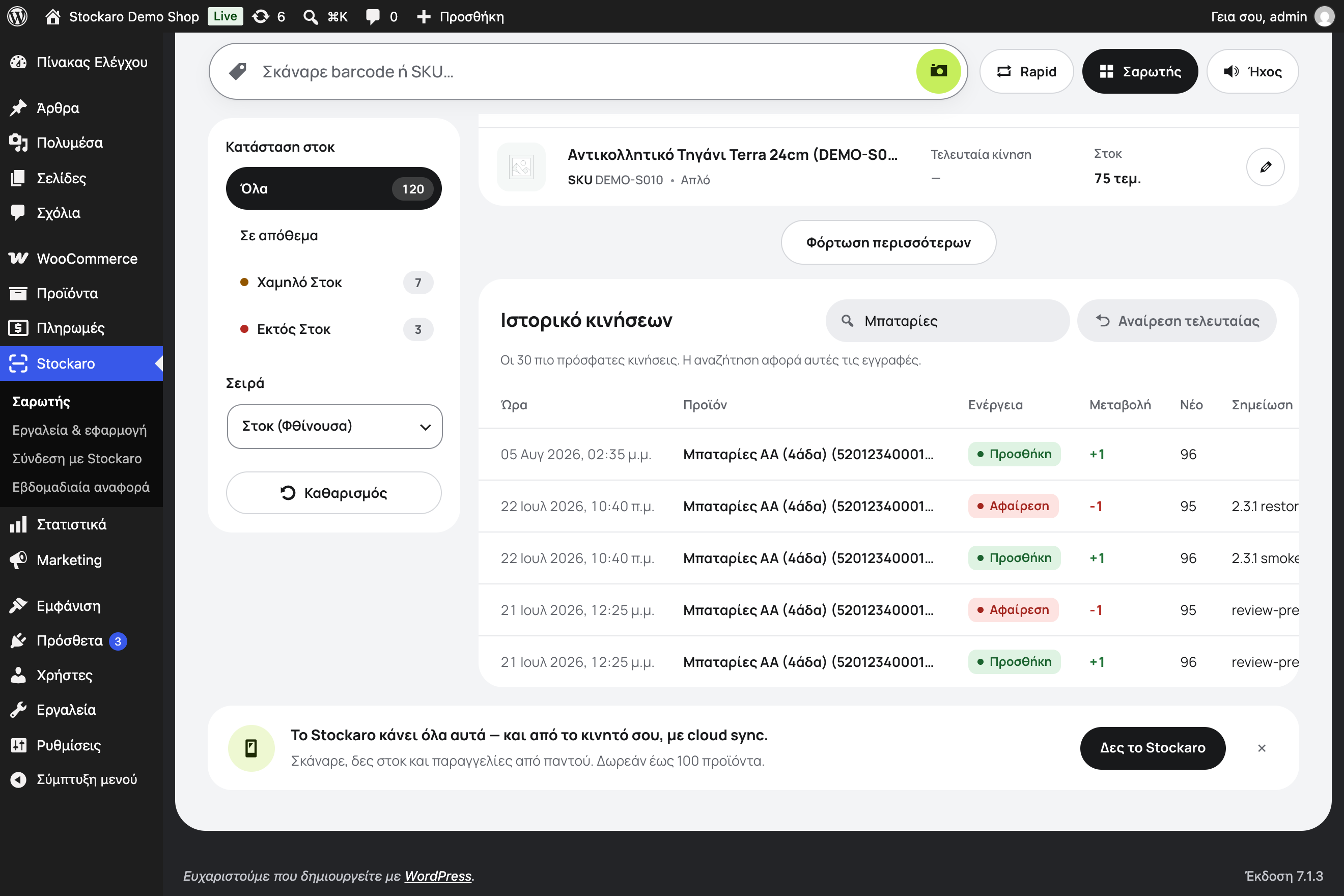
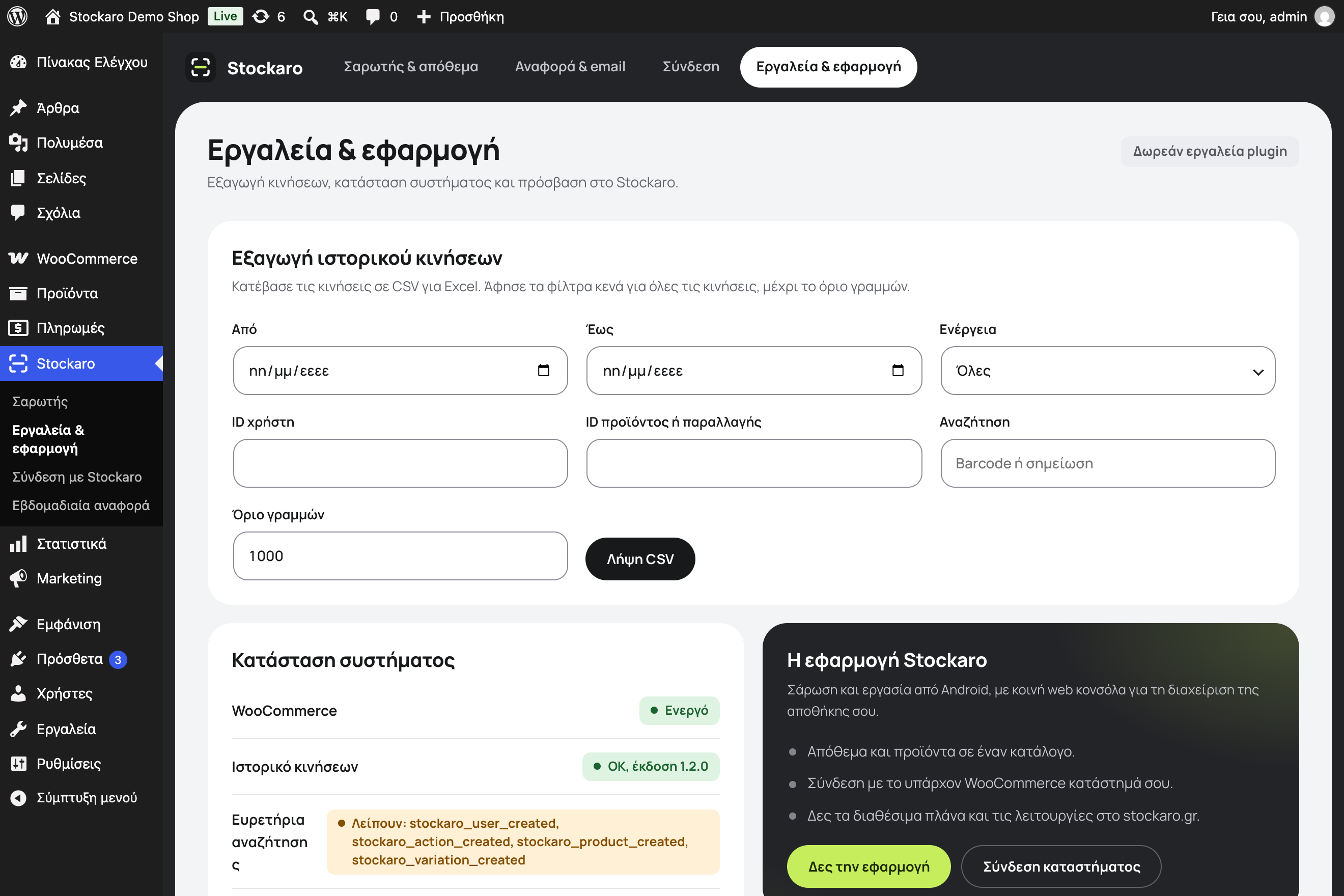
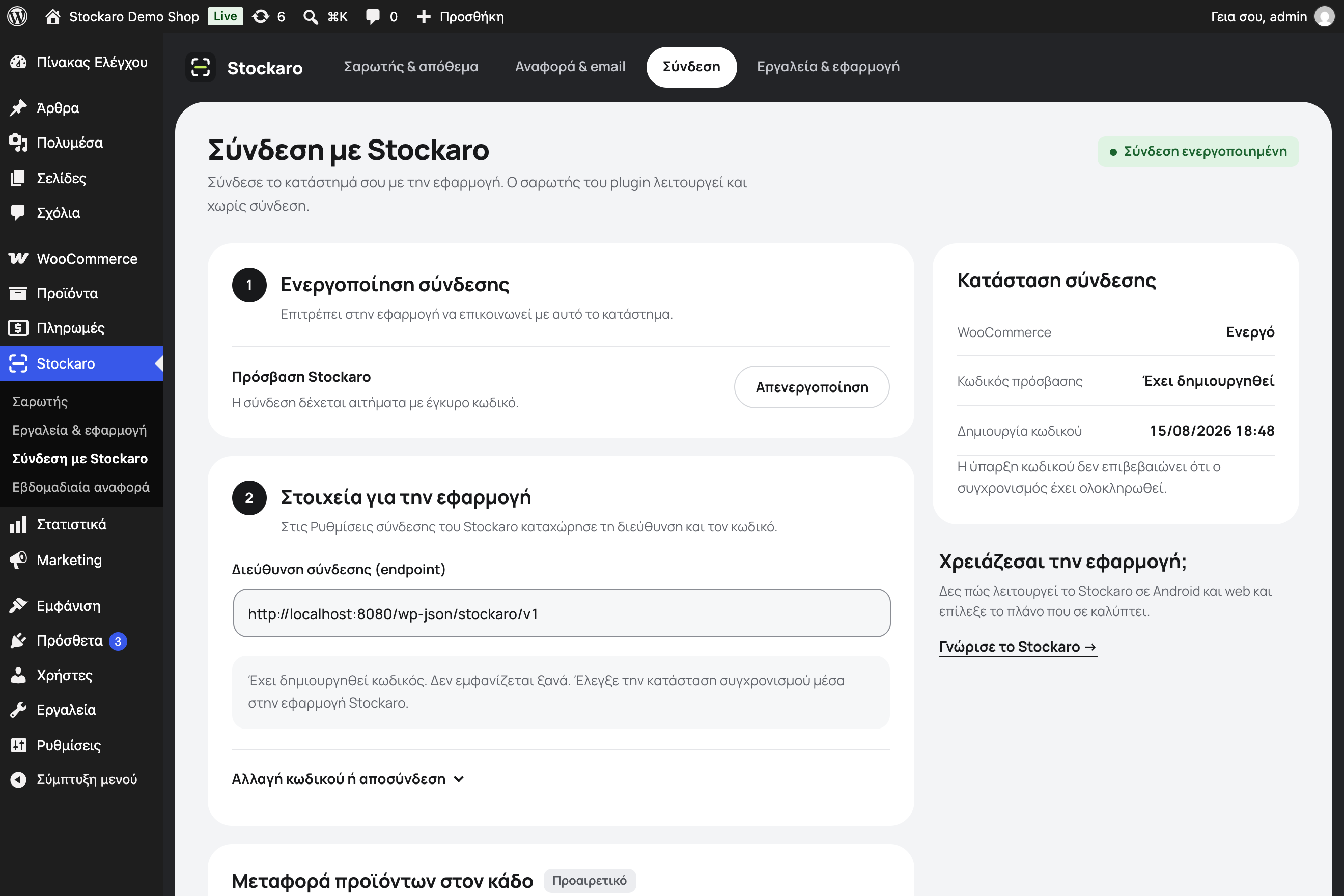
Stockaro Connect — Barcode Scanner for WooCommerce is one free plugin that does two jobs: it turns your phone, tablet, or handheld scanner into a WooCommerce stock terminal, and (optionally) it connects your shop to the Stockaro app so shelf and eshop stay in sync. Search any product or variation by barcode or SKU, add or remove stock, log every change with a note, and undo mistakes, all from a single screen. The plugin is 100% free with no license, no account, and no locked features.
Everything below works out of the box for free:
- Barcode / SKU lookup for products and variations.
- One-tap stock actions — add, remove, set-to-zero, or mark out-of-stock.
- Camera scanner with flashlight/torch toggle for low light (where supported).
- Hardware scanner mode — scans from a Bluetooth/USB scanner auto-submit, no Enter key needed.
- Rapid (continuous) mode — pick Add or Remove and each scan applies ±1 automatically for hands-free counting, with a live session list and per-item undo.
- Full audit log with date, user, action, and notes — plus per-row undo inside a 15-minute window.
- CSV export of the stock log with filters (date range, action, user, product, barcode).
- Dashboard stats and a low-stock product list.
- Weekly stock report — an at-a-glance page (out-of-stock, running low, total retail stock value) plus an optional weekly email, computed locally from your WooCommerce data.
- Greek and English: the screens are written in Greek, and a site in any other language gets the bundled English translation.
- Skroutz XML feed — the product file for Skroutz.gr, built from your WooCommerce catalog every 30 minutes and shortly after any stock or price change. Sizes become Skroutz variations, each colour becomes its own product, out-of-stock items stay with quantity 0, and a check page lists products that miss an image, price, category or EAN.
- Skroutz Marketplace orders — connect your Skroutz Smart Cart API token and new Skroutz orders hold WooCommerce stock as soon as they arrive. Orders cancelled before dispatch return exactly what was held. Returns after dispatch, unknown products and changed orders wait for you on the same page.
The camera scanner decodes barcodes locally in your browser (using the bundled open-source ZXing engine). No image or scan is ever uploaded anywhere.
The admin screens use the Manrope typeface, bundled with the plugin and served from your own site (SIL Open Font License 1.1, see admin/fonts/OFL.txt). No font is loaded from a third-party server.
Grow with the Stockaro app (optional). The scanner here lives inside WordPress. The Android Stockaro app works from your phone or tablet, with cloud sync so the same inventory is available on your devices. It is free up to 100 products, and the Pro plan adds two-way WooCommerce sync and order management. If you never need the app, ignore it. The scanner is fully free either way.
Connect your shop to Stockaro (optional). Turn on the built-in Stockaro bridge (a dedicated stockaro/v1 REST namespace) to pair this shop with the Stockaro app, so your eshop and the app stay in sync even on hosts where the generic WooCommerce API is blocked. Pairing shows an endpoint and a one-time code as plain text; the code is never sent to any external service.
External services
This plugin is fully functional on its own and does not send your data anywhere by default. Two optional integrations with Stockaro (a service operated by Nexus Digital Studio) are described below, so you know exactly what happens if you choose to use them.
1. The optional “Connect with Stockaro” bridge (stockaro/v1 REST API)
If, and only if, you open Stockaro Σύνδεση με Stockaro, turn the bridge on, and pair your shop, the plugin registers REST endpoints on your own site that the Stockaro app can call. When paired, the Stockaro app (running on your phone, tablet, or desktop) connects to your site to read and update stock data: product name, SKU, price, stock quantity, and stock status. If the setting “Παραγγελίες στο Stockaro” is on, the Stockaro app can read your orders as well, so your team can pack and ship them: order number, status, currency and totals, the products and quantities in each order, and the delivery details (since 3.5.0): the customer’s billing and shipping name, address and phone number, the customer’s order note, the shipping method title and the payment method title (for example “Cash on delivery”). These details are shown only to your shop’s own team in your Stockaro account. It never reads the customer’s email address, tax number or card details. The setting is off for shops paired with a pairing code. Since 3.5.0, pairing with the “Σύνδεση με ένα κλικ” button turns it on, unless you have turned it on or off yourself before; you can turn it off at any time on the same screen. Data is exchanged in response to authenticated requests from the Stockaro app you paired, using a token you generated. Since 3.2.0, a paired shop also sends a small “something changed” signal to Stockaro when stock, a product or an order changes, so the Stockaro app updates within seconds instead of minutes. The signal contains no shop data at all: only your connection’s identifier and the current time, signed with your pairing key. It goes to the address Stockaro gave your site during an authenticated request, and it stops as soon as you unpair or turn the bridge off. The optional “Σύνδεση με ένα κλικ” button opens stockaro.gr with a one-time code (valid for 10 minutes, usable once) that Stockaro’s server exchanges directly with your site for a pairing token; the token itself never appears in a browser or a URL. You can unpair or disable the bridge at any time from the same screen, which stops all access.
- Service: Stockaro app / cloud — https://stockaro.gr
- Terms of Service: https://stockaro.gr/terms
- Privacy Policy: https://stockaro.gr/privacy
If you never enable the bridge, no product or stock data leaves your site through it.
2. Skroutz (optional, only if you turn it on)
The Skroutz XML feed is a file written to your own wp-content/uploads/stockaro/ folder under a random name. Skroutz downloads it from your site only after you give the address to Skroutz Merchants yourself. The plugin does not send it anywhere.
If you connect Skroutz Marketplace orders on the Skroutz page, the plugin:
- receives order notifications from Skroutz at
/wp-json/stockaro/v1/skroutz, protected by a secret in the address that only you see once; - asks the Skroutz Orders API (
https://api.skroutz.gr/merchants/ecommerce/orders/<code>) for the order behind each notification, with the API token you entered. It stores only the order code, state, date and the products and quantities. It does not store the customer’s name, address, phone, tax number or payment details. The token is stored encrypted in your database.
Disconnecting from the same page stops both.
- Service: Skroutz Marketplace (Smart Cart) — https://www.skroutz.gr
- Developer documentation: https://developer.skroutz.gr/smart_cart/
- Terms of use: https://www.skroutz.gr/terms
- Privacy policy: https://www.skroutz.gr/privacy
3. Informational links to stockaro.gr
The admin screens contain links to https://stockaro.gr that introduce the Stockaro app. These links carry basic campaign tags (utm_source, utm_medium, utm_campaign) so we can see that a visit came from the plugin. No request is made and no data is transmitted unless you actively click a link and open the page in your browser.
- Website: https://stockaro.gr
- Privacy Policy: https://stockaro.gr/privacy