SteadyDevs Upkeep Check
v1.3.0steadydevs · 2026年10月27日 上架
Find plugins and themes that are closed on WordPress.org, abandoned, outdated or untested, check your PHP version's security support, and see wha …
- 正在使用
- 10 以下
- 评分
- 暂无
- 累计下载
- 352
- 最近更新
- 2026年11月7日
贡献者
 steadydevs
截图
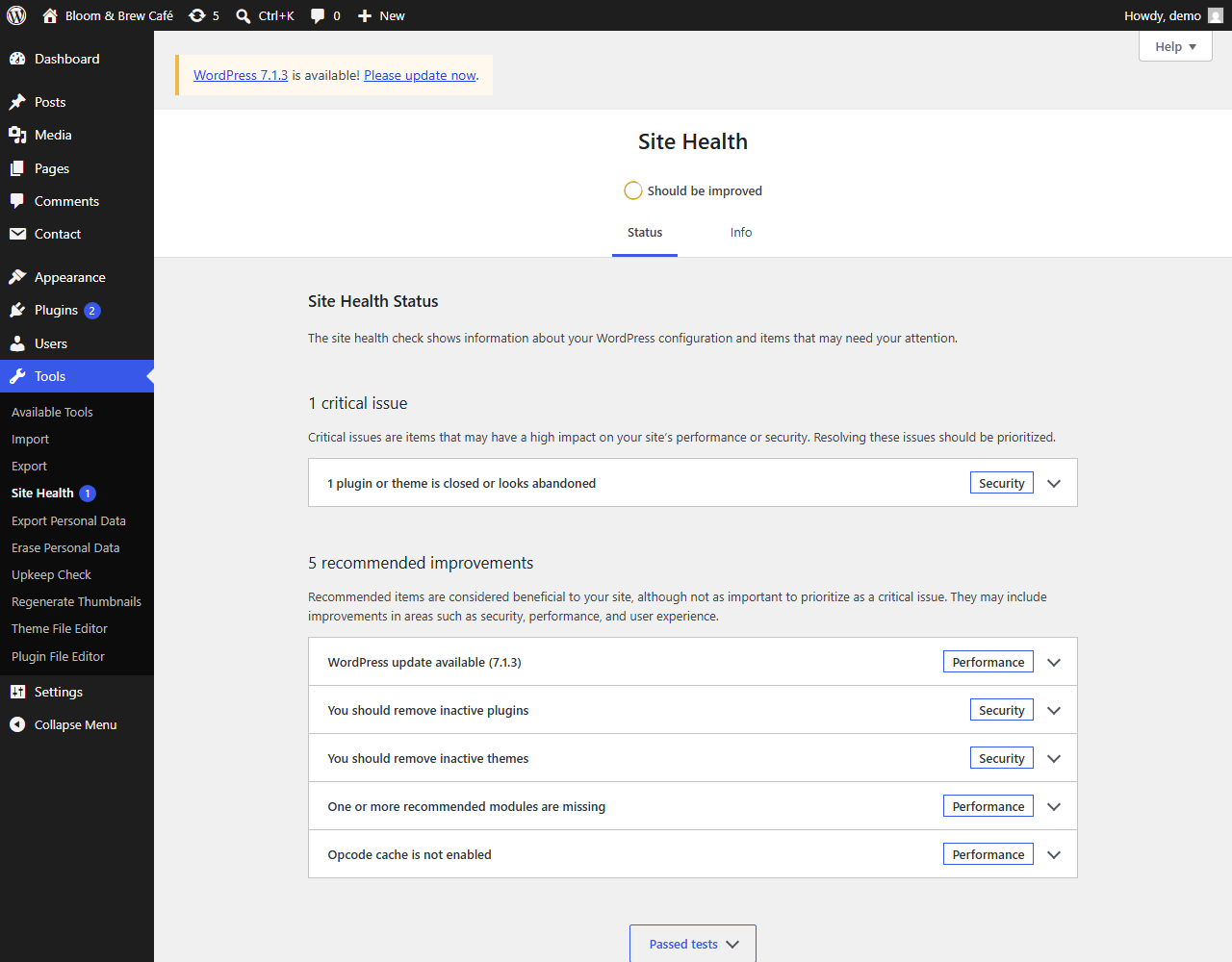
Plugins that stop getting updates stop getting security fixes too, and WordPress doesn’t tell you when that happens. A plugin that was closed on WordPress.org for a security issue keeps running on your site with no warning.
SteadyDevs Upkeep Check checks every installed plugin and theme against the WordPress.org directories and tells you, in plain words, which ones need attention.
What it checks
- Closed plugins — removed from WordPress.org, with the date and the reason the directory gives (for example “Security Issue”).
- Abandoned plugins and themes — no update in over two years. No update in over a year is flagged as worth a look.
- Untested plugins — not tested with the version of WordPress you run.
- Updates waiting — a newer version is available, including one WordPress is holding back because your site can’t run it yet.
- Inactive plugins and themes — their files still sit on your server, so delete the ones you don’t need.
- Your PHP version — whether it still gets security fixes, and until when.
- Your WordPress version — whether an update is available.
- What changed? — a record of plugin, theme, WordPress and PHP changes on the site, with the fatal errors and failed emails that came after them. When something breaks, the changes made in the 24 hours before it are listed with the error, so you can see what to roll back.
- Roll back — when a fatal error followed an update of the same plugin, one button reinstalls the version it was updated from, straight from WordPress.org. A plugin that had fatal errors this week is also flagged on the Plugins screen and in Site Health.
Plugins and themes that don’t come from WordPress.org (premium or custom ones) are listed as not checkable, rather than being matched to a directory item that happens to share their folder name.
How it works
- Go to Tools Upkeep Check and press Check my plugins.
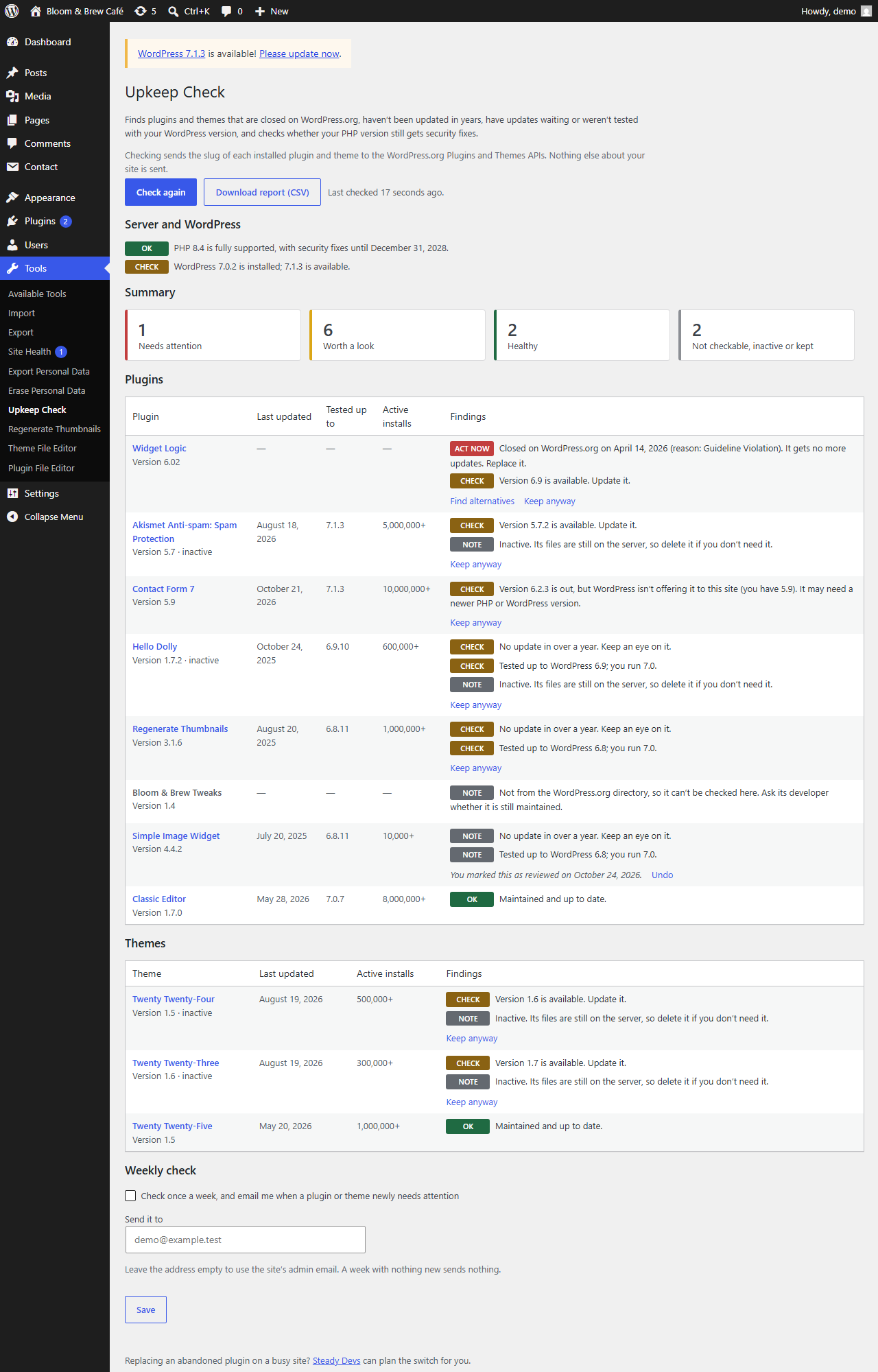
- The report lists every plugin and theme, worst first, with when it was last updated, the WordPress version it was tested with, its active installs and what to do.
- Closed and abandoned plugins get a Find alternatives link to similar plugins in the directory.
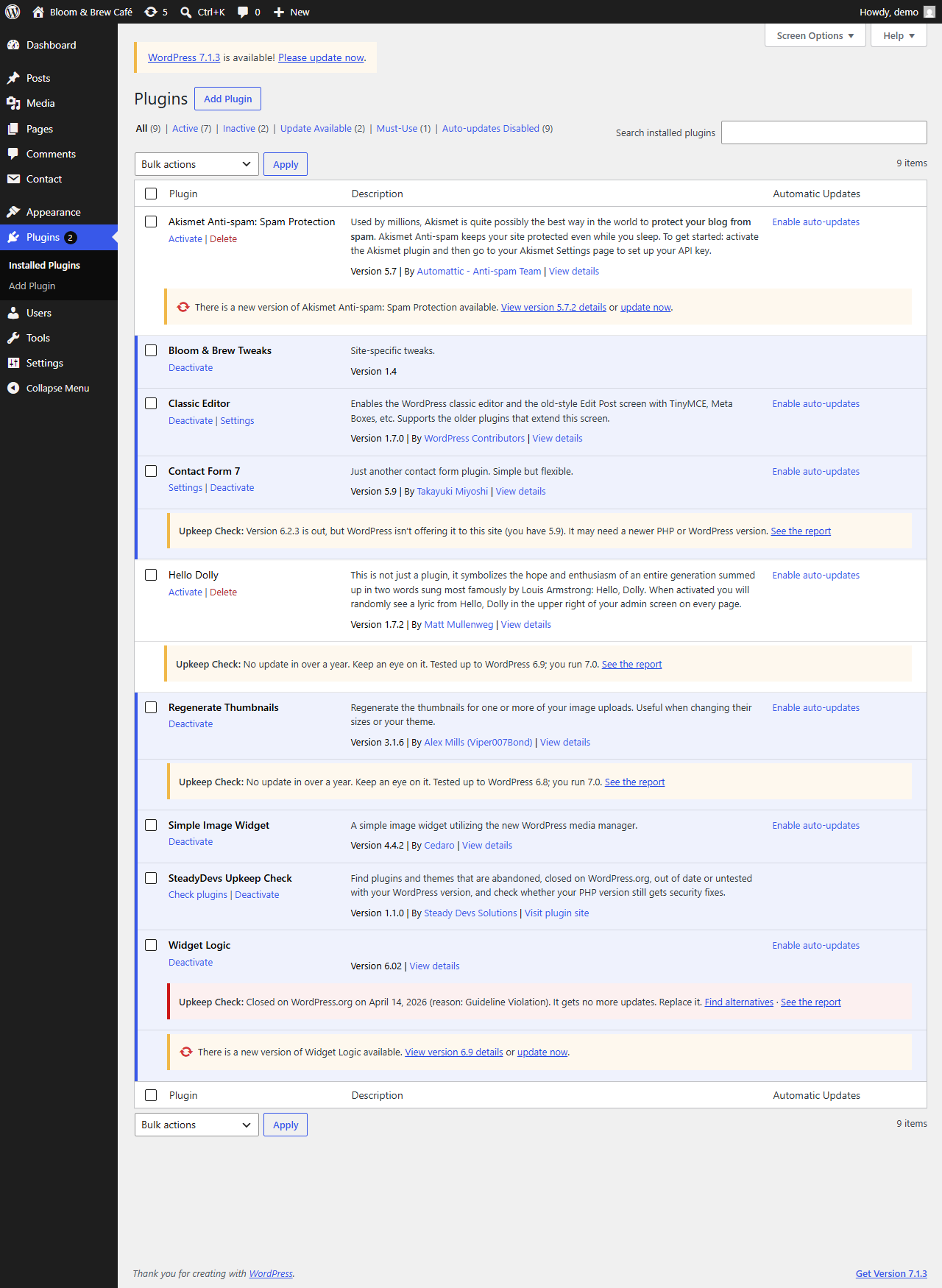
- A warning also appears under each plugin that needs attention on the Plugins screen, and in Tools Site Health.
- Reviewed a plugin and decided to keep it? Press Keep anyway. It stops counting as a problem until its status changes, for example if a stale plugin is later closed.
- Download the report as a spreadsheet (CSV) for audits and client handovers.
- What changed? lists updates, installs, activations, deletions, theme switches and PHP or WordPress version changes, newest first, with who made each one. Changes made outside WordPress (over FTP, by Composer or by your host) are noticed by an hourly comparison. A fatal error shows the plugin or theme it happened in and the changes made in the 24 hours before it.
- Optionally, turn on the weekly check: once a week the check runs on its own and emails you only when a plugin or theme newly needs attention.
For developers and agencies
WP-CLI commands:
wp upkeep check— run a check and print the report. Add--format=json(or csv, yaml) for scripts.wp upkeep report— print the last saved report without checking again.wp upkeep timeline— print what changed and the errors that followed, newest first.--days=7to look back a week.--fail-on=act-nowor--fail-on=checkexits with code 1 when anything is at that status or worse, for monitoring and CI.
External services
This plugin asks the WordPress.org Plugins API and Themes API about the plugins and themes installed on your site, with one request per item:
https://api.wordpress.org/plugins/info/1.2/https://api.wordpress.org/themes/info/1.2/
Each request sends the item’s directory slug, for example akismet, and your site’s address in the User-Agent header. Nothing else about your site, its content or its users is sent.
Requests are made only when you press Check my plugins or Check again, run wp upkeep check, or — only if you turn the weekly check on — once a week in the background.
The service is provided by WordPress.org: WordPress.org Privacy Policy.
If WordPress hasn’t checked for plugin or theme updates yet, the check also asks it to run its own update check, which WordPress normally does twice a day.
The weekly email is sent with your site’s own mail settings (wp_mail()), to the address you choose.