
Stayrail – Sticky Widgets & Elements
v0.5.0Inovex AS · 2026年10月27日 上架
Make any widget, block or element sticky while visitors scroll. Lightweight, no jQuery, zero layout shift – with one-click import from Fixed Widget.
- 正在使用
- 10 以下
- 评分
- 暂无
- 累计下载
- 168
- 最近更新
- 2026年10月27日
贡献者
 Inovex AS
截图
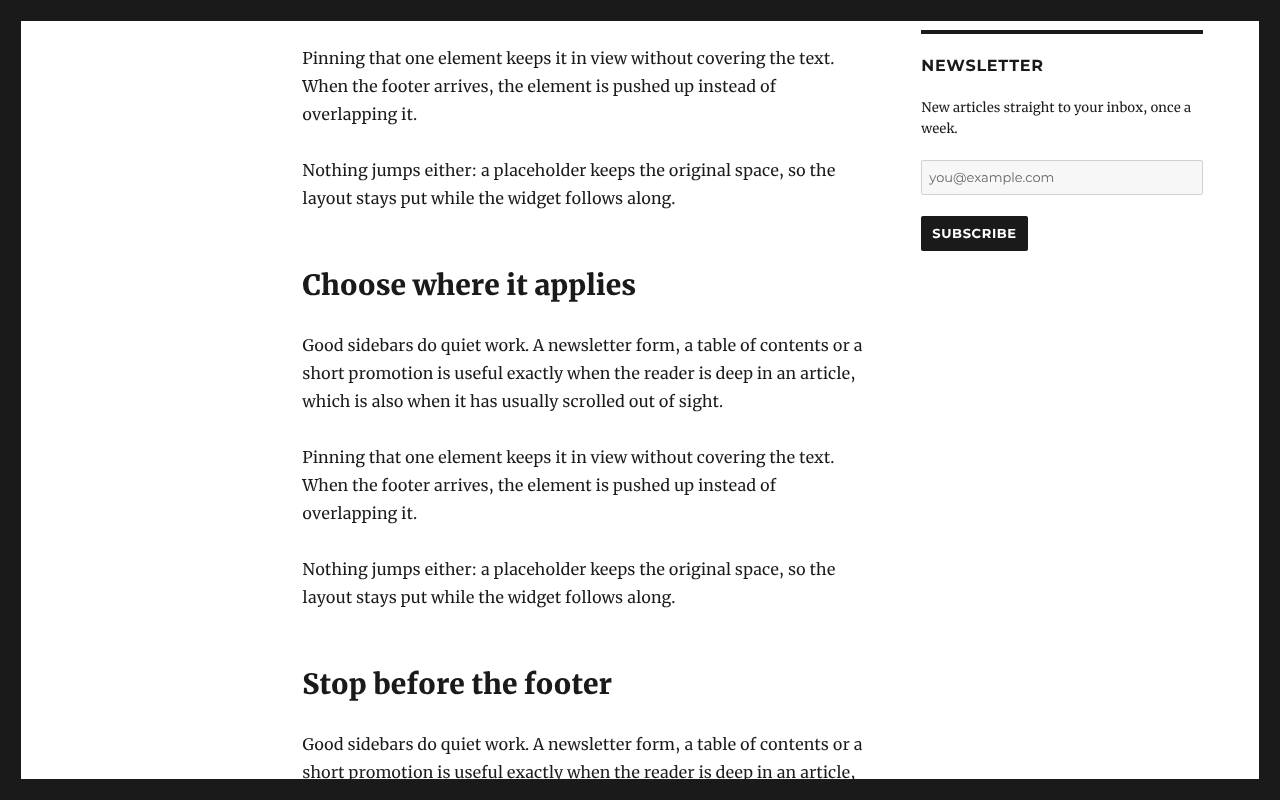
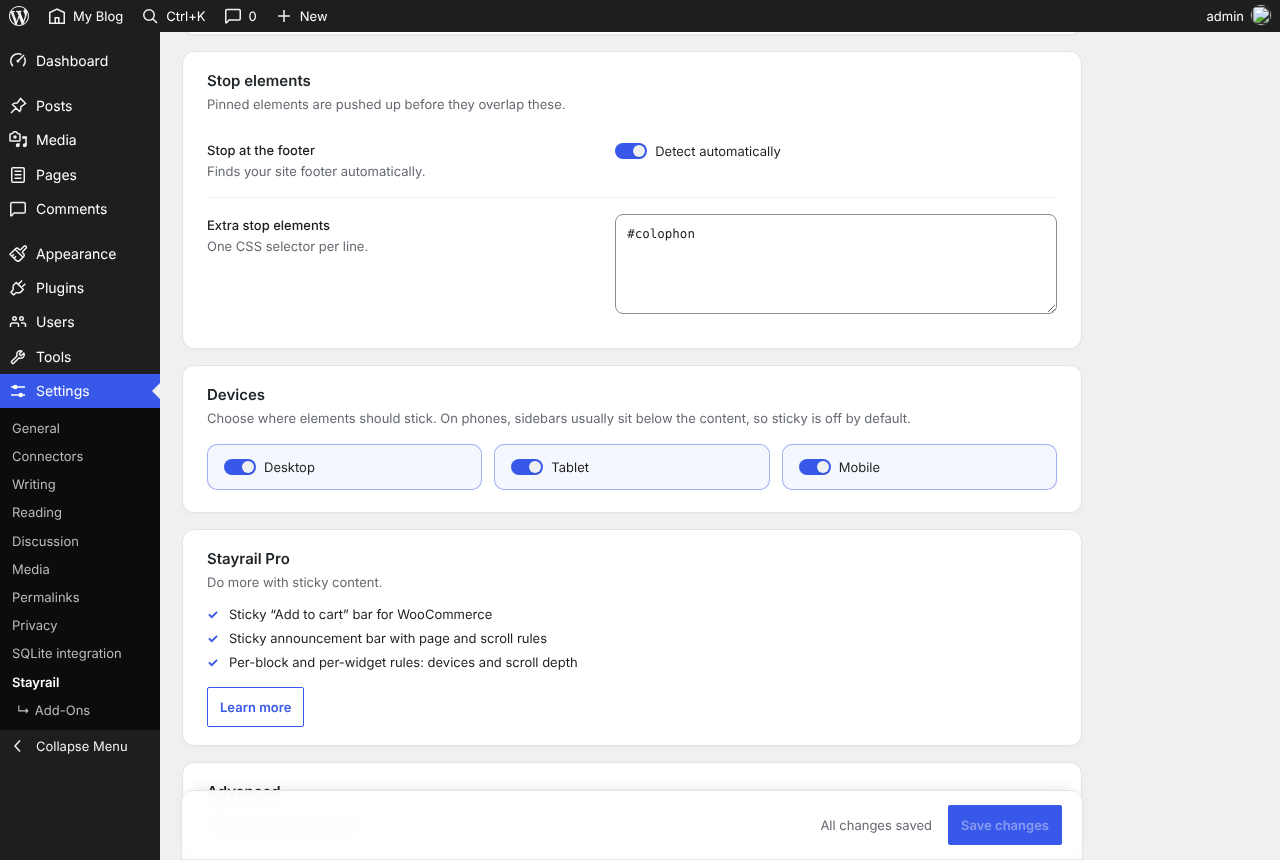
Stayrail keeps your most important content in view: sidebar ads, sign-up forms, tables of contents, calls to action or anything else you choose.
It is a modern, actively maintained alternative to the “Fixed Widget” (Q2W3) plugin, and it can import your existing Fixed Widget setup in one click.
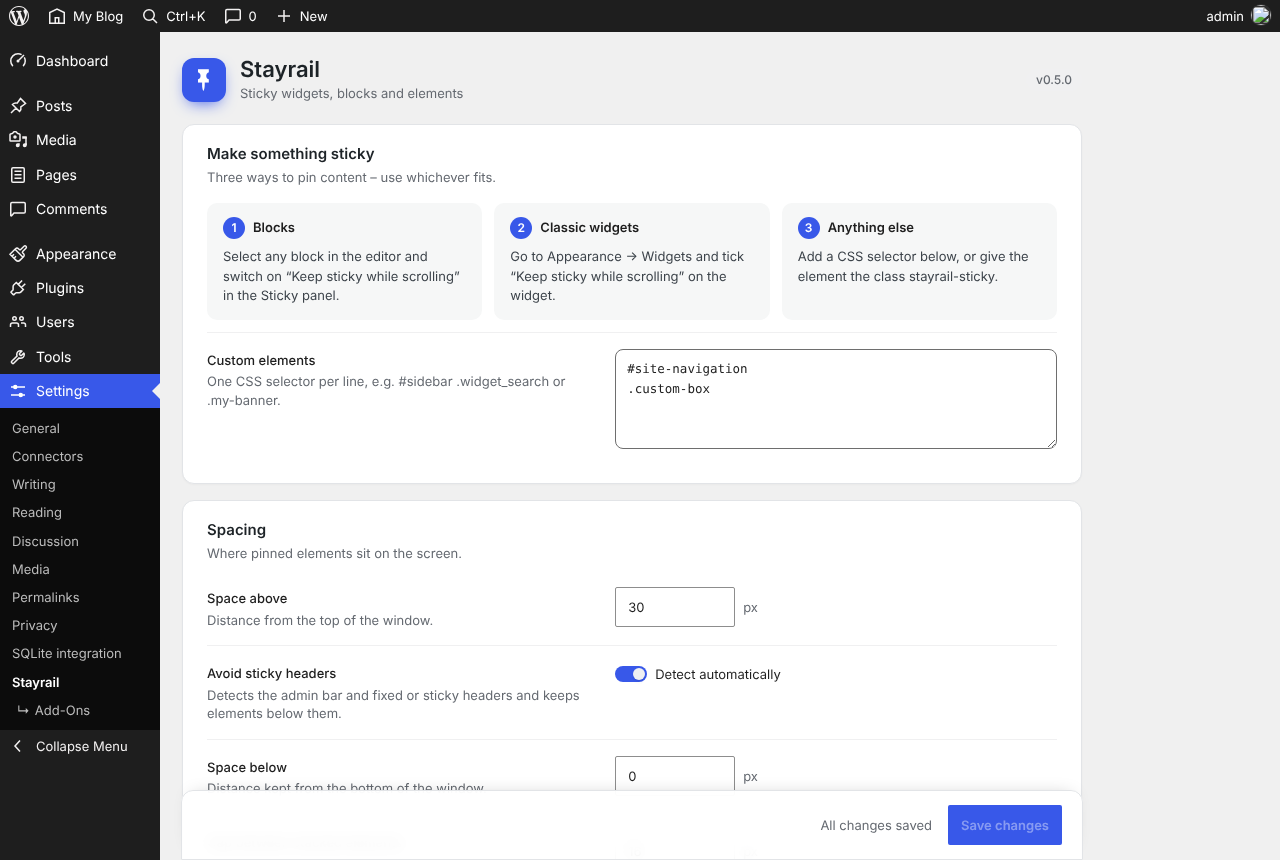
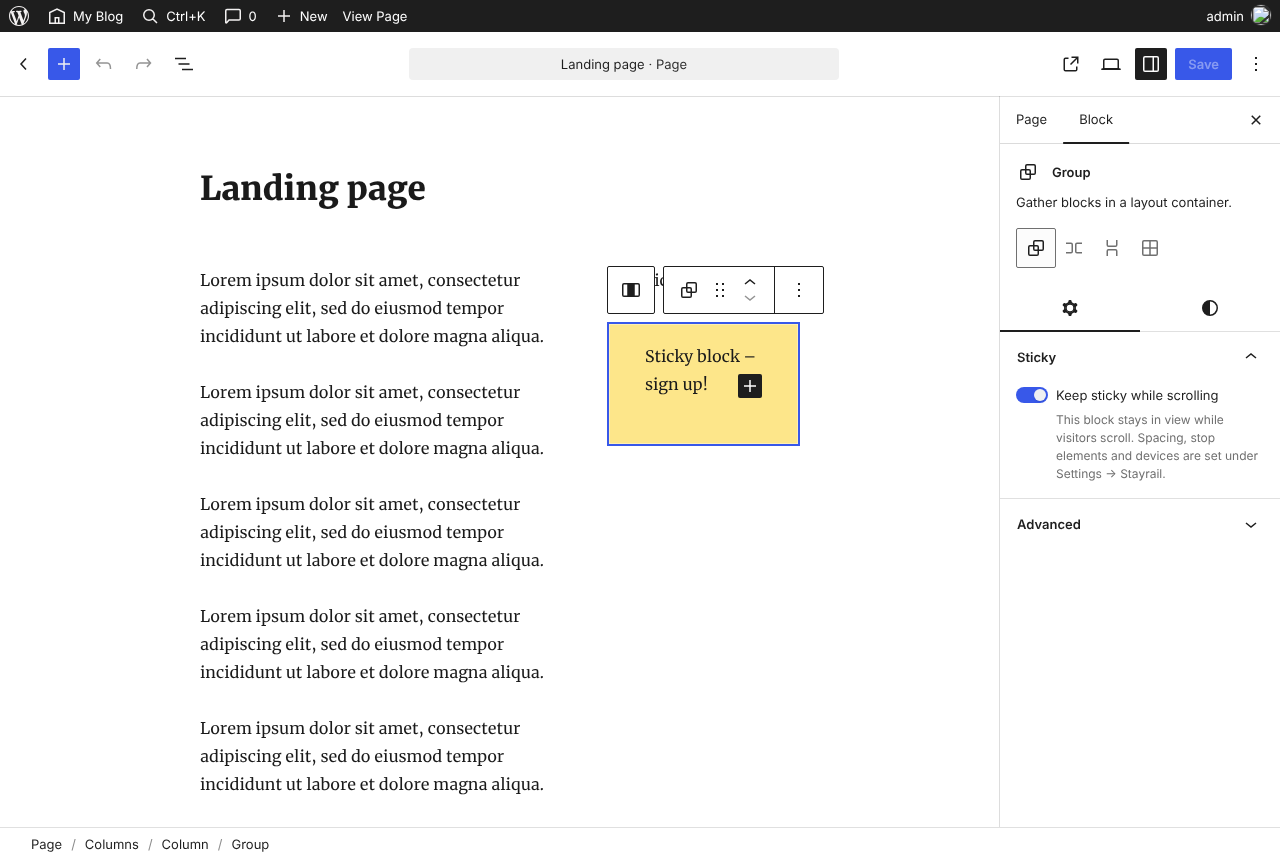
Three ways to make something sticky
- Blocks – select any block in the editor, site editor or block widget editor and switch on “Keep sticky while scrolling”.
- Classic widgets – tick “Keep sticky while scrolling” on any widget under Appearance Widgets.
- Anything else – add a CSS selector in the settings, or give an element the class
stayrail-sticky. Works with page builders such as Elementor, Divi, Bricks and Brizy.
Built to just work
- Stable width when zooming, resizing or rotating the screen.
- Zero layout shift: a placeholder keeps the element’s spot in the page.
- Automatically stays below the admin bar and sticky headers.
- Automatically stops at the site footer, plus your own stop elements.
- Several sticky widgets in one sidebar stack neatly.
- Choose desktop, tablet and/or mobile, with your own breakpoints.
- Elements taller than the screen scroll until their bottom is reached, then stick.
- Plain JavaScript, no jQuery. Script loads deferred.
- Translation-ready. Norwegian (bokmål) included.
Switching from Fixed Widget
Activate Stayrail and you’ll see an import notice. One click copies your margins, stop elements, custom elements, minimum screen size and every widget you had marked as fixed. Then deactivate Fixed Widget.
For developers
window.Stayrail.refresh()– re-scan the page after loading content with JavaScript (infinite scroll, AJAX).document.dispatchEvent( new Event( 'stayrail:refresh' ) )– same, event-based.data-stayrail-devices="desktop,tablet"– per-element device override.data-stayrail-after="30"– only stick after 30 % of the page has been scrolled..stayrail-is-stuck– class added while an element is pinned.stayrail:stuck/stayrail:released– events fired on the element when it is pinned or released.stayrail_frontend_config– filter the configuration sent to the script.
External services
Stayrail includes the Freemius SDK, which is used only to sell and license the optional Stayrail Pro add-on. It runs in anonymous mode: the free plugin shows no opt-in screen and sends no data on its own.
Data is sent to Freemius (https://freemius.com) only if you choose to opt in from the Plugins screen, or when you buy or activate Stayrail Pro. In that case Freemius receives your site address, WordPress and plugin versions, and the admin e-mail and name used for the license. Freemius terms: https://freemius.com/terms/ – privacy policy: https://freemius.com/privacy/