

StarLine XML Feed Importer – RSS, Atom & Custom XML to Post Auto Importer
v1.0.1starlinewebsolu · 2026年7月18日 上架
Import blog posts from ANY XML feed into WordPress with full control over mapping, scheduling, and duplicate handling.
- 正在使用
- 10 以下
- 评分
- 暂无
- 累计下载
- 365
- 最近更新
- 2026年8月24日
需要 WordPress 6.2+已测试到 7.0.9PHP 7.4+
贡献者
 starlinewebsolu
截图
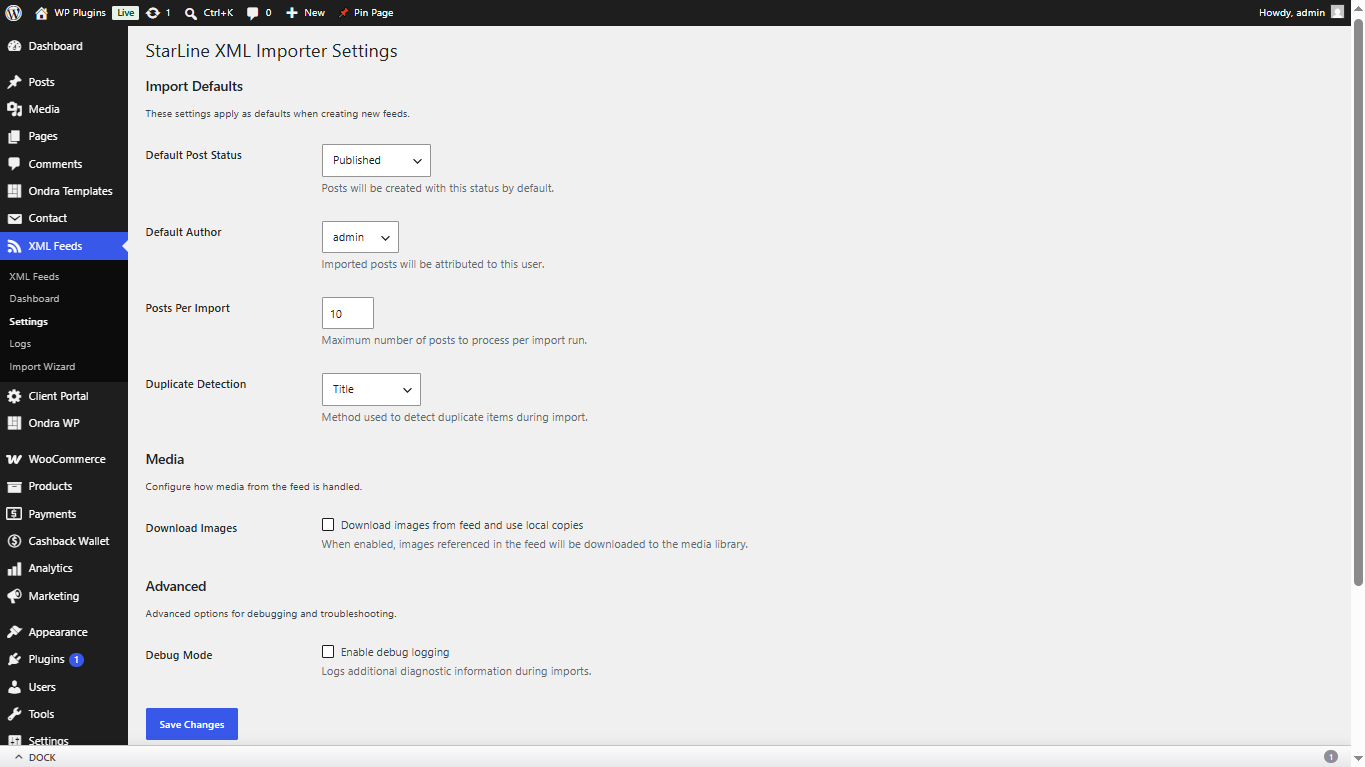
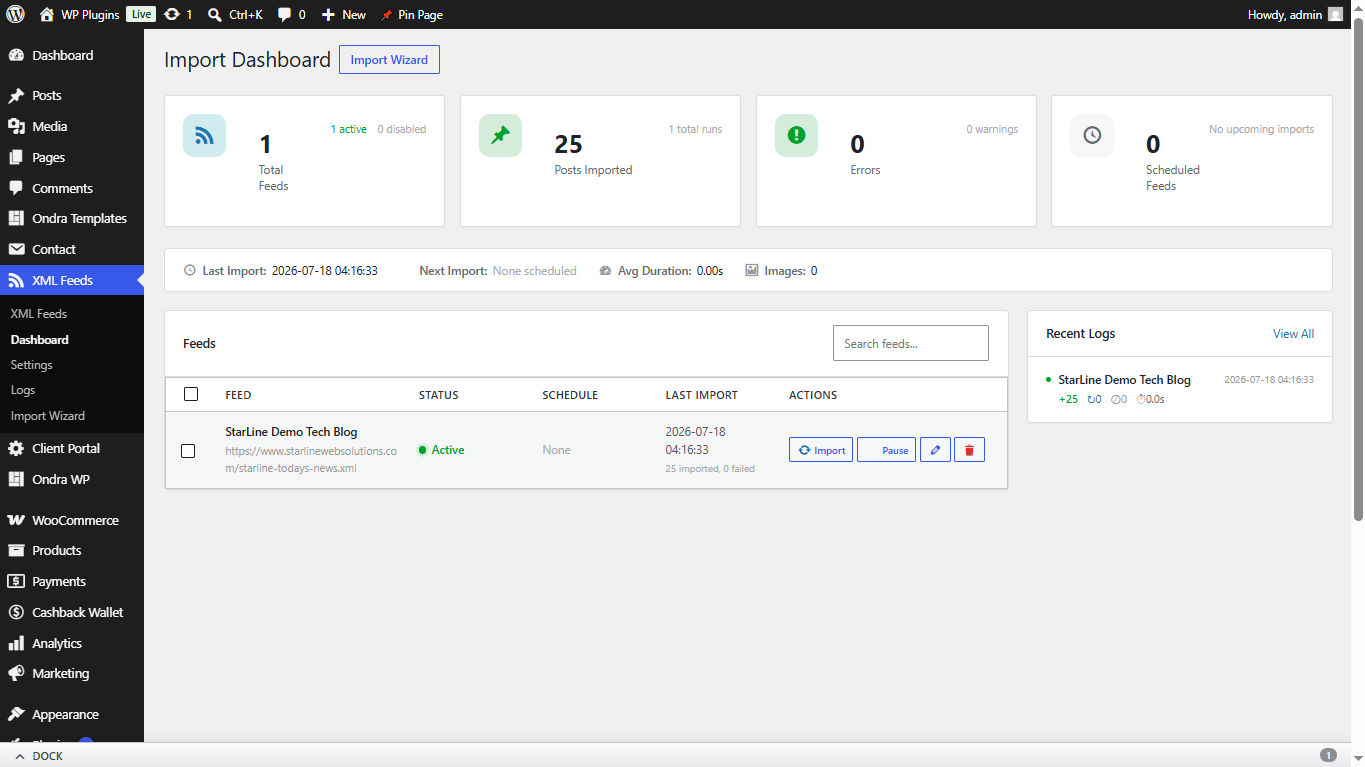
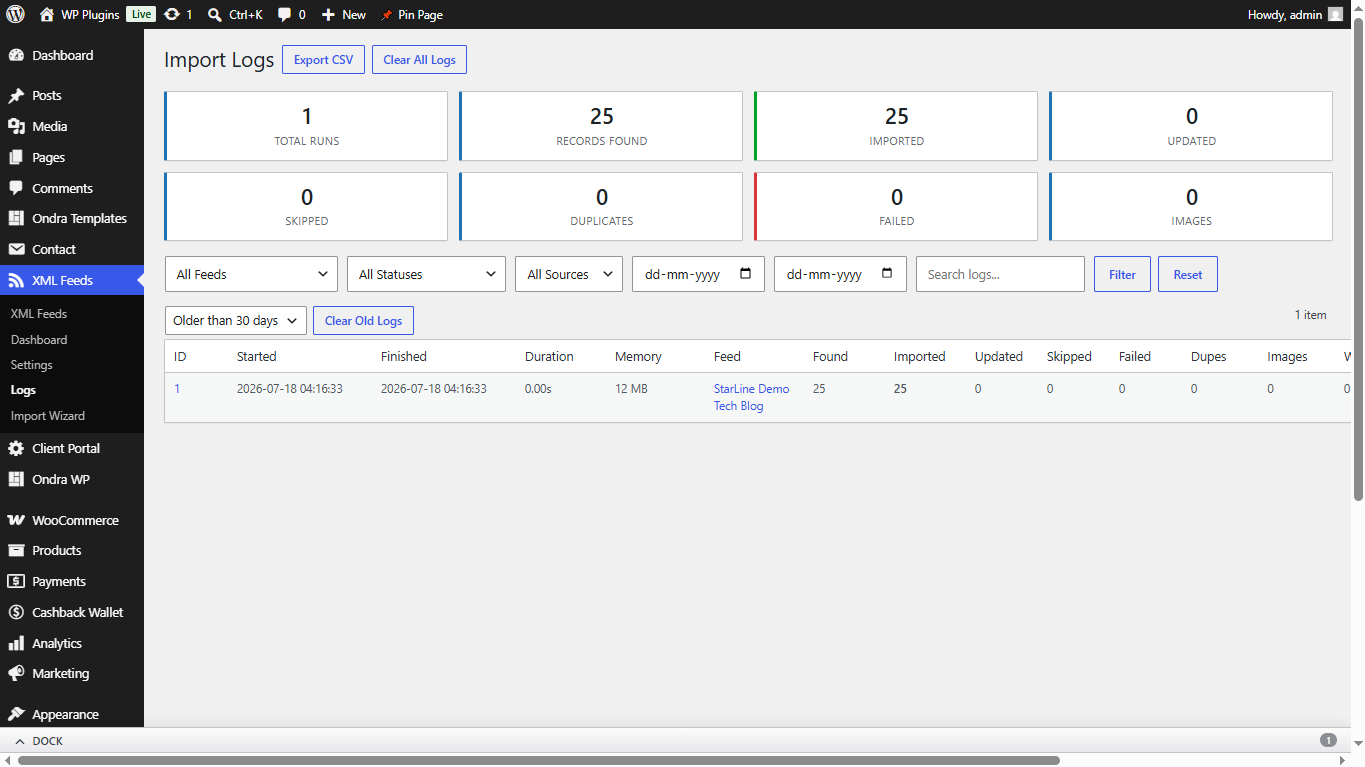
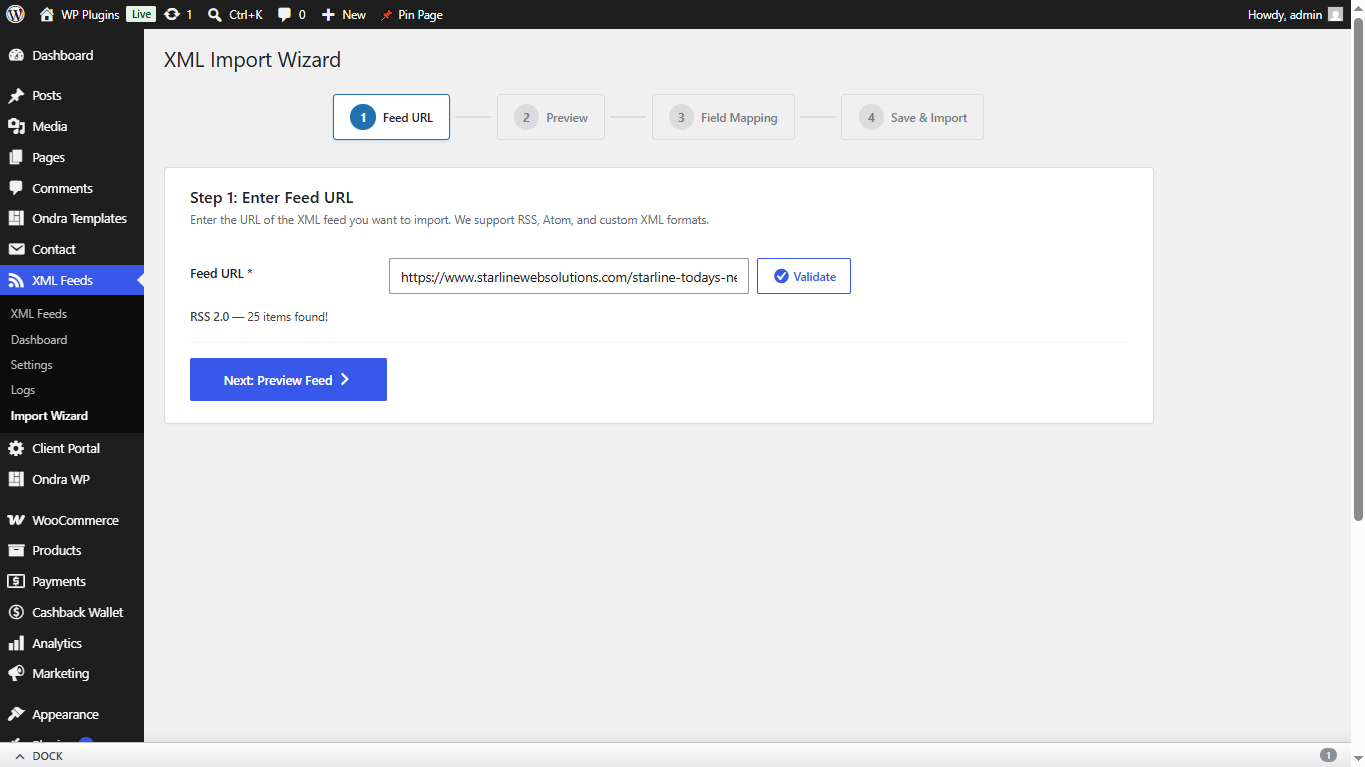
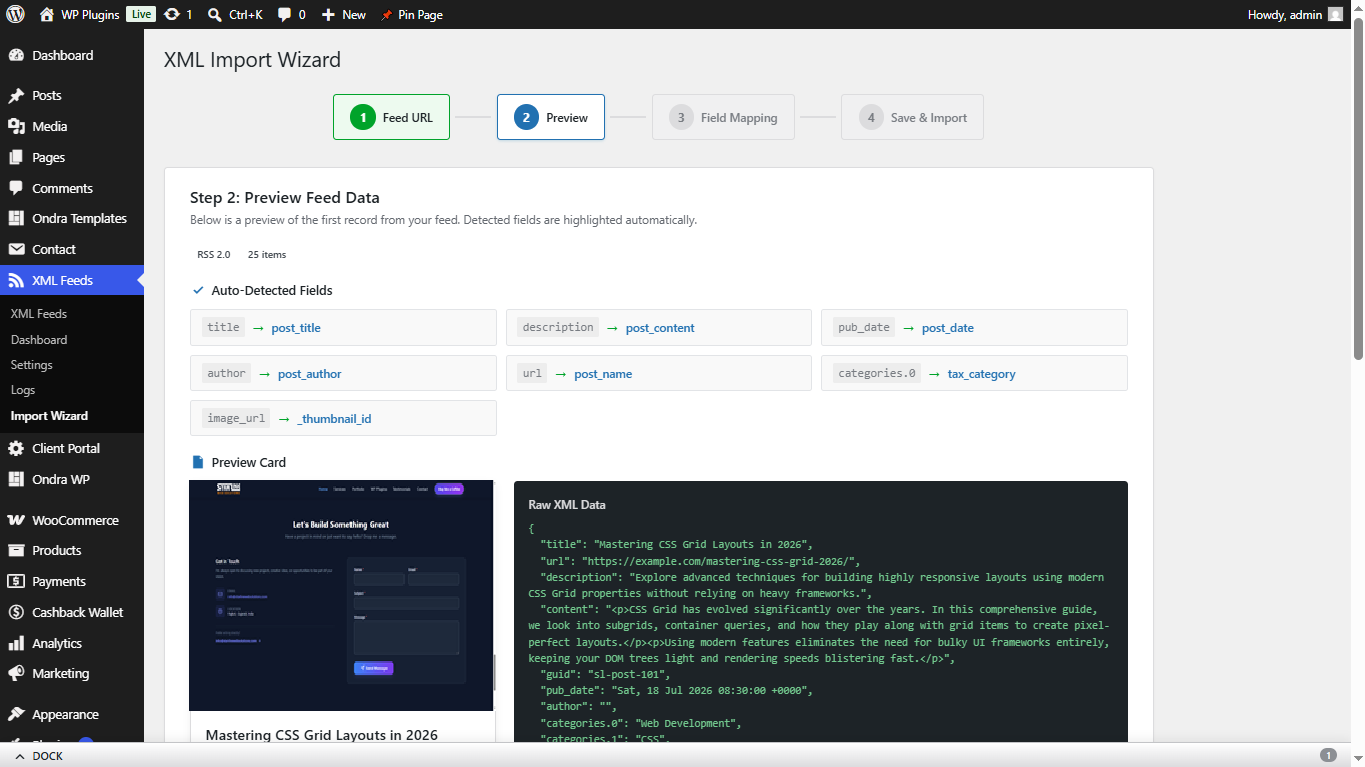
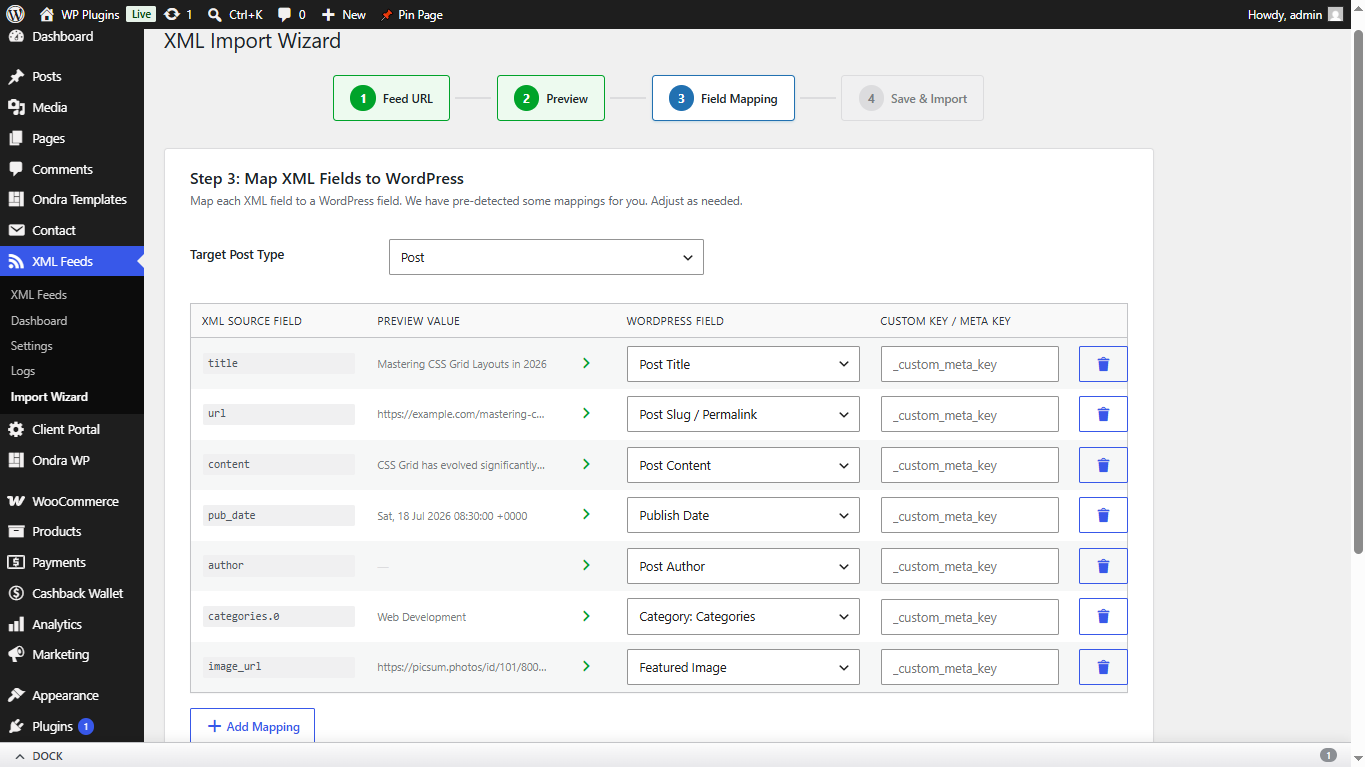
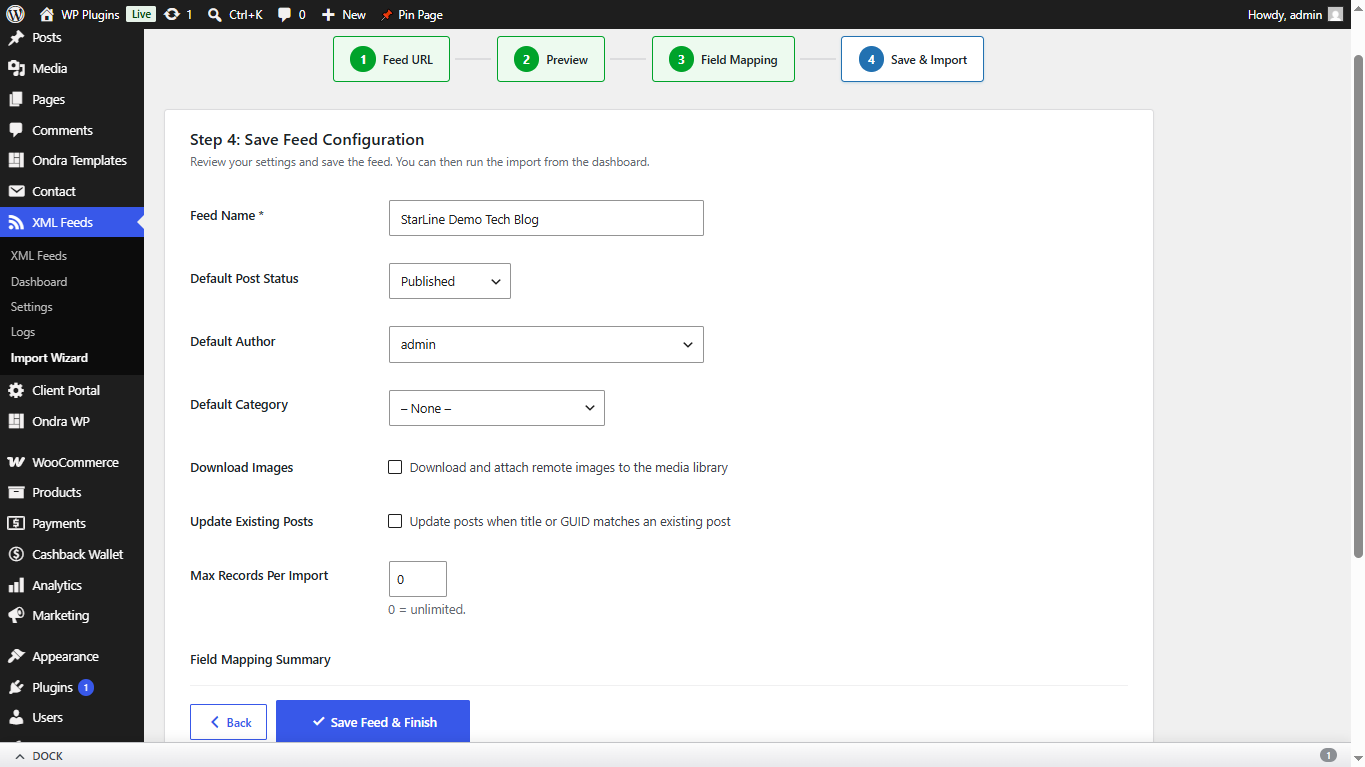
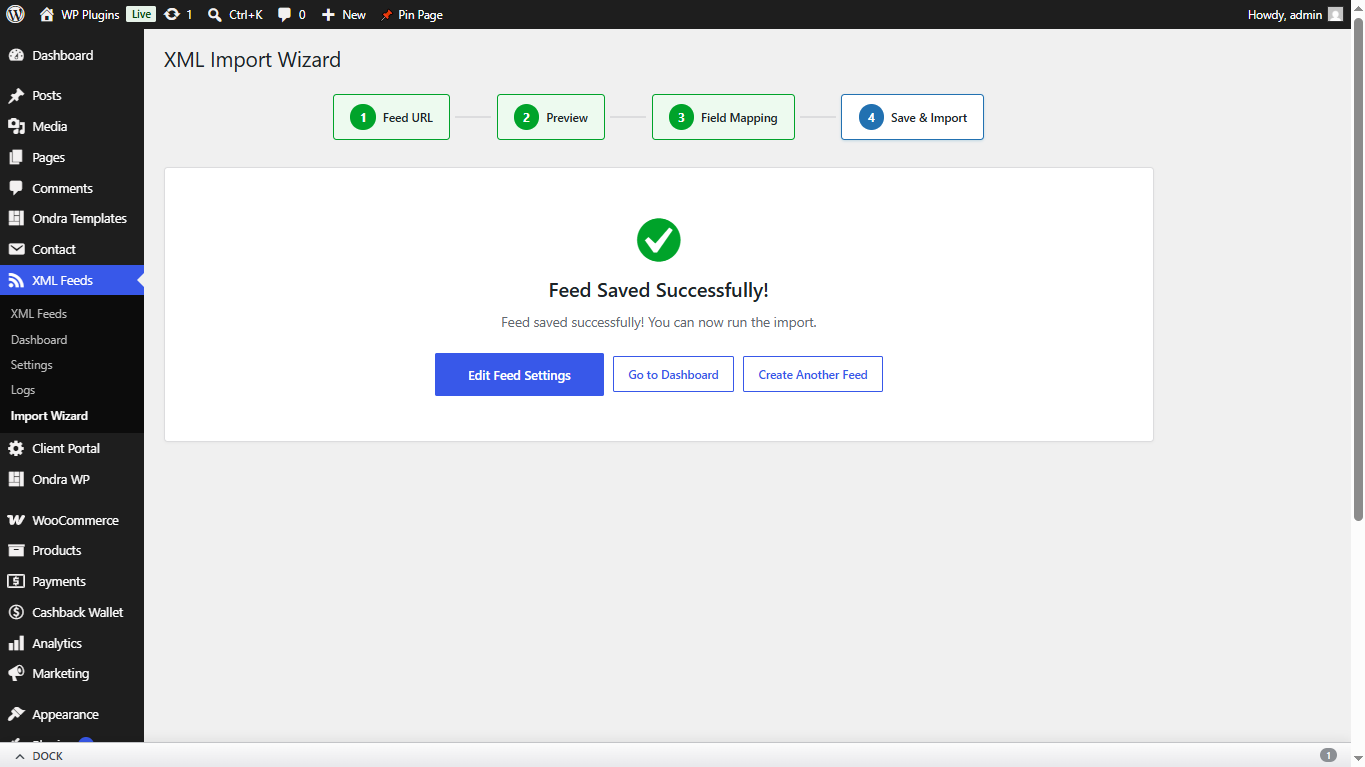
StarLine XML Feed Importer lets you import blog posts from any RSS, Atom, or custom XML feed into your WordPress site. It includes a visual 4-step import wizard, per-feed scheduling, field mapping, duplicate detection, image downloading, and a premium admin dashboard.
Key Features
- Import Wizard – 4-step visual wizard to configure feeds in minutes
- RSS, Atom & Custom XML – Supports all major feed formats plus custom XML structures
- Field Mapping – Map any XML field to WordPress post fields, custom fields, ACF, MetaBox, Pods, or JetEngine
- Duplicate Detection – 4-level detection: Original Link, GUID, Hash, and Title
- Per-Feed Scheduling – 11 built-in intervals (5 min to monthly) plus custom cron expressions
- Image Downloading – Automatically download and attach remote images to the media library
- Large Feed Support – Stream processing for feeds of any size with background queue for 5000+ items
- WP-CLI Support – Import, list, and manage feeds from the command line
- Import Logs – Detailed logging with keyset pagination and CSV export
- Performance Optimized – Dual-layer caching, batch operations, and memory management
- Responsive Dashboard – Premium dark-mode admin dashboard with real-time progress
- Accessibility – ARIA live regions, keyboard navigation, and screen reader support
How It Works
- Go to XML Feeds > Import Wizard
- Enter your feed URL and let the wizard validate and detect the format
- Preview the feed data with auto-detected fields highlighted
- Map XML fields to WordPress fields with drag-and-drop
- Save and run your import
WP-CLI Usage
wp slxwb import <feed_id> - Import a specific feed
wp slxwb list - List all configured feeds
wp slxwb status - Show import status
External Services
This plugin communicates with external servers to fetch XML feed content that you explicitly configure. No data is sent to any third party.
Feed Fetching
- What data is sent: An HTTP GET request is made to the feed URL you provide. No user-identifiable information, WordPress credentials, or personal data is included in the request.
- Service provider: The server hosting the XML feed URL you configure (varies per user).
- When it occurs: When you click Validate in the Import Wizard, when you run a manual import, or when a scheduled cron import fires.
- Privacy Policy: No privacy policy is required from third-party services since no user data is transmitted.
Image Downloading
- What data is sent: An HTTP GET request is made to the image URLs found in your configured XML feed. No user-identifiable information is included.
- Service provider: The server hosting the images referenced in your XML feed.
- When it occurs: Only when the “Download Images” option is enabled for a feed and an import is running.
1.0.1
- SEO Updates
1.0.0
- Initial release
- Import wizard with 4 steps
- RSS, Atom, and custom XML support
- Per-feed scheduling with 11 intervals + custom cron
- 4-level duplicate detection
- Image downloading with gallery support
- WP-CLI commands
- Performance optimization with caching and batch operations
- Premium admin dashboard with dark mode
- Accessibility features