跳到内容

SPW Pie Chart

v1.0.0

SquaremanPixelWorksLLC · 2026年5月19日 上架

Render a customizable animated percentage pie chart with a shortcode.

正在使用
10 以下
评分
暂无
累计下载
440
最近更新
2026年8月31日
需要 WordPress 6.5+已测试到 7.0.9PHP 7.4+

截图

The shortcode generator screen in the WordPress admin area. You can configure the label, percentage, size, thickness, angle, text color, track color, and gradient colors while checking the live preview.
A shortcode inserted into the WordPress block editor. The generated shortcode can be copied from the admin screen and pasted into a Shortcode block.
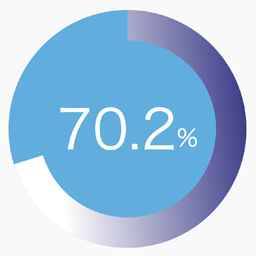
Pie charts displayed on the frontend. The shortcode output supports customized colors, percentages, labels, and animated circular chart rendering.

SPW Pie Chart adds a simple shortcode for displaying a single percentage-based pie chart with gradient colors, optional label text, and entry animation.

Features:

  • Render a single pie chart with the [spw_pie_chart] shortcode.
  • Control the percentage, size, thickness, colors, stops, angle, and label.
  • Enable or disable animation when the chart becomes visible.
  • Generate shortcode parameters from the admin screen under Settings > Pie Chart.

Example shortcode:

[spw_pie_chart percent="75" label="Sample" colors="#3d3e8e,#009ef9,#affffb" stops="0,50,100" angle="135"]

Plums

按场景查找 WordPress 插件。安装量、评分和兼容版本来自官方目录。

导航

说明

WordPress 是 WordPress Foundation 的商标。本站与 WordPress Foundation、Automattic 没有隶属关系。这里不托管插件文件,下载和安装以 WordPress.org 上的页面为准。

© 2026 Plums