跳到内容

Soundst LinkMgr

v2.1.6

Sound Strategies · 2011年10月21日 上架

Displays category and link information from the Sound Strategies LinkMgr application as on-page embedded content and as a widget.

正在使用
20+
评分
暂无
累计下载
2,987
最近更新
2015年5月6日
需要 WordPress 2.0.2+已测试到 4.2.39

截图

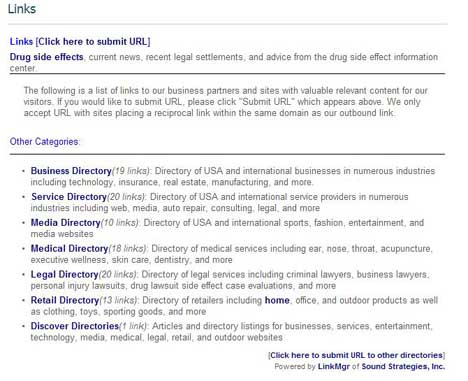
Output - The LinkMgr output can appear on any page or post. The page where this data appears is set in the plugin settings.
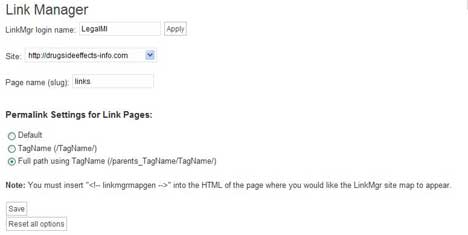
Settings - The following settings can be modified: LinkMgr login name - Enter the login name used at LinkMgr.net and click he Apply button Site - Use the dropdown box to select the site. If this does not appear, the LinkMgr login is incorrect. Page name (slug) - You must enter the permalink of an existing page name where you want the LinkMgr list to appear. Permalink settings - The default setting will simply use the numeric WordPress page ID and the unique LinkMgr category ID. The Tagname setting will use the tagname as it appears in LinkMgr (warning - this setting may create page name conflicts). The Full Path setting (preferred) will include page name slug followed the tag name (including path).
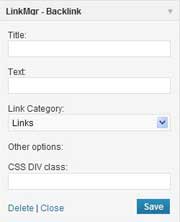
Widget - Backlink - This widget displays the reciprocal link information for category selected. A distinct DIV class can be used to format the content.
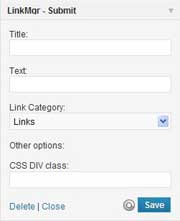
Widget - Link Submit - This widget displays the link submission form for the category selected. A distinct DIV class can be used to format the content.
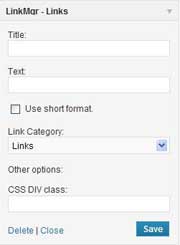
Widget - Links - This widget displays the list of links for the category selected in either full format (link title and description) or short format (link title only). A distinct DIV class can be used to format the content.
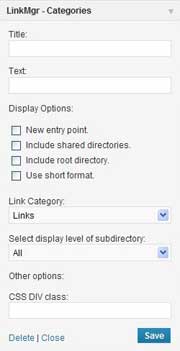
Widget - Categories - This widget displays the list of child categories beneath the selected category. The Sound Strategies LinkMgr shared categories can be included. The short format only displays the category name (category description is not included). Indenting is controlled by the display level. A distinct DIV class can be used to format the content.

This plugin provides complete LinkMgr functionality including link listing, link submission, webmaster contact, and all other features supported by the Sound Strategies LinkMgr.net application

This plugin is intended ONLY for use with the Sound Strategies LinkMgr application (see http://linkmgr.net).

Advanced

This plugin can also generate the sitemap entries for the pages generated by LinkMgr. The tag <!-- linkmgrmapgen --> must be placed on the page where the site map needs to appear.

Plums

按场景查找 WordPress 插件。安装量、评分和兼容版本来自官方目录。

导航

说明

WordPress 是 WordPress Foundation 的商标。本站与 WordPress Foundation、Automattic 没有隶属关系。这里不托管插件文件,下载和安装以 WordPress.org 上的页面为准。

© 2026 Plums