

SoundCloud Sound Competition
v1.1.1.0Kenneth · 2012年10月1日 上架
Host multiple sound or remix competition all within your wordpress site, integrated with SoundCloud and Facebook voting.
- 正在使用
- 10+
- 评分
- 4.5 / 5
- 累计下载
- 2.3 万
- 最近更新
- 2017年6月11日
贡献者
 Kenneth
截图
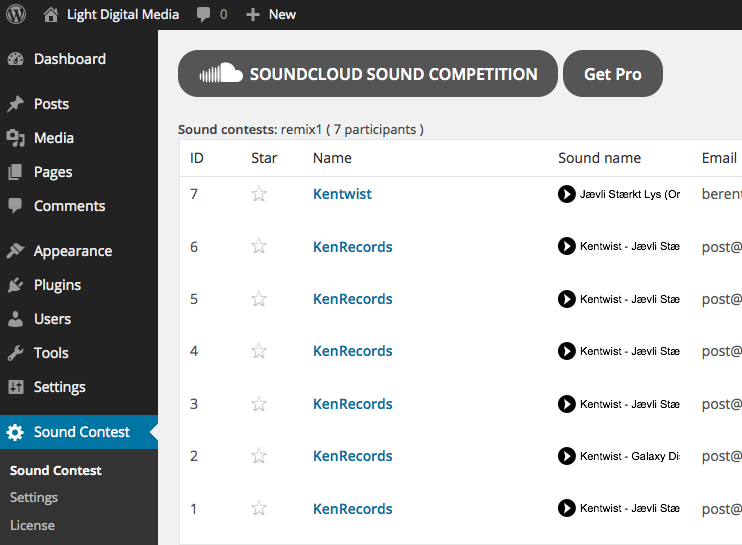


SoundCloud Sound Competition has been created to let you host your own remix competition without thinking about storage space, it’s all integrated with SoundCloud so that all remixes are stored there.
Just make your own app in Soundcloud and add the parameters within your settings and you are good to go. You can chose a database slug when a competition has come to an end and you want to start another one, this creates a new competition. The plugin uses OAuth2 so your Soundcloud account details are not stored for the
plugin to gain access.
Also supporting Facebook secure voting and multi language.
Checkout the website – http://lightdigitalmedia.com/wordpress-plugins/soundcloud-sound-competition/
Setup
Once installed, the authorization process is easy:
-
When you first access the plugin’s options page, you will have to fill in setting of you app.
-
To create an app in Soundcloud go here: http://soundcloud.com/you/apps, after logging in you should get the putton “Create new application”
-
After making a name for your app you will get all the information to fill in there. Copy and past all the information into your plugin settings in wordpress in the appropriate fields matching names.
-
In WordPress create a page for your Remix SoundCloud registration and put in the wordpress code there.
-
The URL of the page you created in 4. type this in your app http://soundcloud.com/you/apps where it says: Redirect URI, this is where SoundCloud redirects after connecting.
-
Test your app to see everything working.
Minimum Requirements
- PHP 5.4 or higher (with cURL support)
- A Soundcloud account
Errors and Warnings
Non at the moment, some known configuration setup issues with windows server, see Issues for more information.
More Information
For news and updates please visit – http://lightdigitalmedia.com/
Issues
-
If your website is on a windows server and you get the following error: “The requested URL responded with HTTP code 0” you might have a problem with cURL with your setup, please see the following link to resolve:
http://richardwarrender.com/2007/05/the-secret-to-curl-in-php-on-windows/ -
If you get the error while activating the plugin: “Parse error: syntax error, unexpected T_OBJECT_OPERATOR in /pathtowordpress/wp-content/plugins/soundcloud-sound-competition/API/Facebook/FacebookSession.php on line 93” This is due to a lower PHP version than the requirements PHP 5.4 or higher. Solution is to upgrade your PHP version.
If you notice any bugs or want to request a feature please do so on
http://lightdigitalmedia.com/contact/